
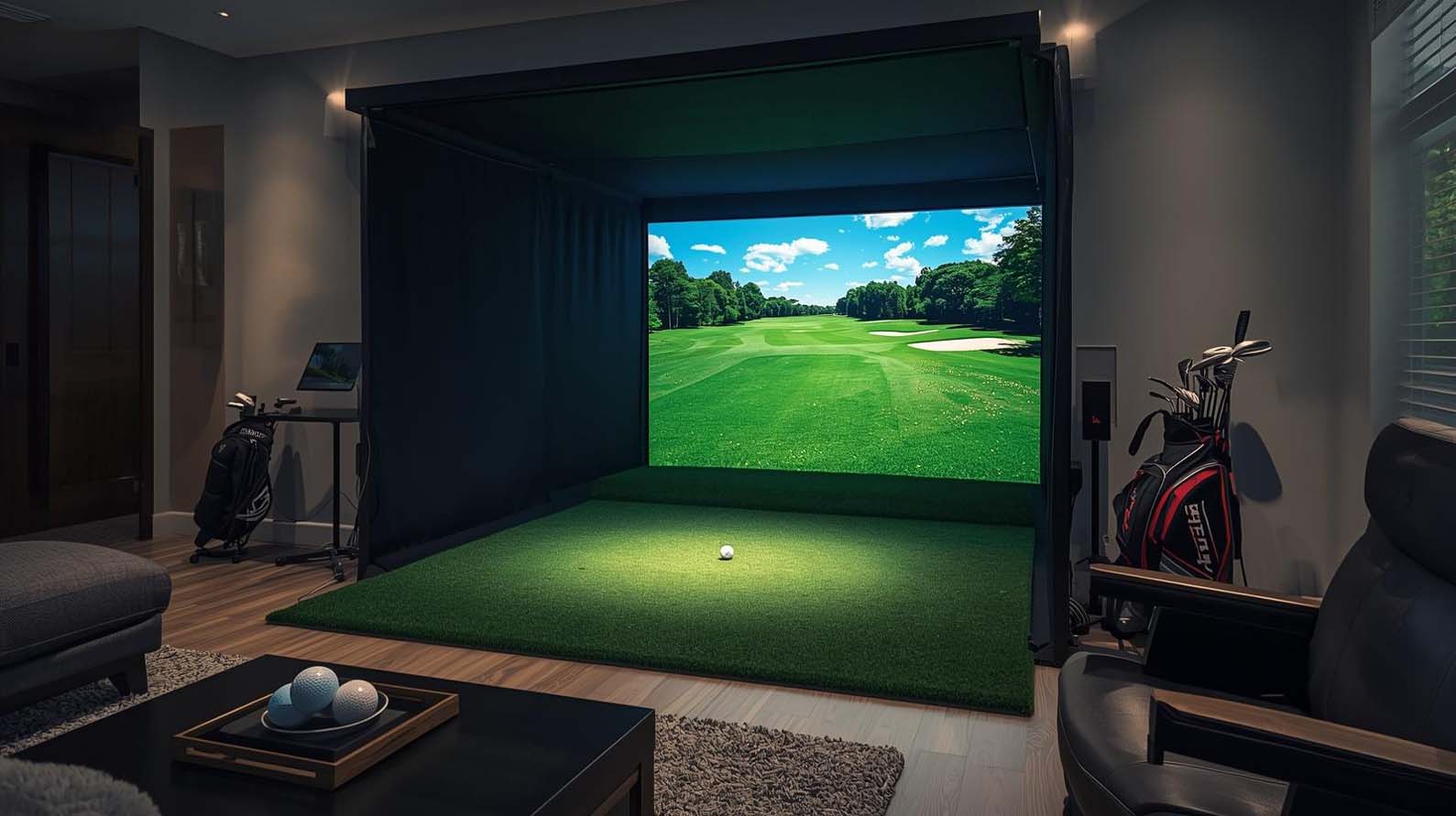
How Much Does a Home Golf Simulator Cost?
A home golf simulator usually falls into one of a few common price ranges, but these are approximate planning ranges rather than fixed market rules. The more complete and accurate the setup, the more it will cost. In other words, the budget you choose shapes the whole build.
| Budget Range | What It Usually Includes | Best For |
|---|---|---|
| Under $1,000 | Basic launch monitor or net practice setup | Casual golfers and low-cost practice |
| $1,000-$3,000 | Entry-level home setup with limited simulation features | Beginners and budget-focused buyers |
| $3,000-$7,000 | Solid home simulator with monitor, mat, screen, and software | Many home golfers |
| $7,000-$15,000 | More accurate launch monitor, better projector, stronger enclosure | Serious golfers who want realism |
| $15,000-$25,000+ | Premium or custom-built simulator with advanced tech | Luxury home builds and heavy use |
So, if you are asking how much a good home golf simulator costs, many golfers should expect to spend somewhere in the $3,000 to $10,000 range for a setup that feels genuinely useful and enjoyable. If you want a premium experience with top-tier accuracy and a polished room finish, though, the total can climb well beyond that.
What Is Included in a Home Golf Simulator?
Before you compare prices, it helps to know what a real home golf simulator actually includes. Some low-cost packages only cover part of the experience, while complete systems include everything you need to practice and play.
Essential Components
- Launch monitor: Tracks shot data and acts as the core measurement device for the system.
- Hitting mat: Provides a safe and realistic surface to swing from.
- Impact screen or enclosure: Helps protect the room and creates the visual surface for simulation.
- Projector: Displays the golf simulation on the screen.
- Computer, tablet, or compatible device: Runs the software.
- Golf simulator software: Creates the range, courses, and gameplay.
Optional But Common Upgrades
- Side netting or side walls
- Ceiling protection
- Wall padding
- Floor turf or full-room turf
- Speakers and sound setup
- Lighting upgrades
- Club storage
- Seating for guests
- Premium accessories like ball trays, tees, and racks
As you can see, the total price can rise quickly once you move beyond the basics. That is why it is smart to separate the must-haves from the nice-to-haves before you spend a dollar.
Home Golf Simulator Cost Breakdown by Component
Now, let’s get into where the money actually goes. This is the part that matters most if you want to understand how much to install a golf simulator at home without guessing.
Launch Monitor Cost
The launch monitor is usually the biggest cost driver in any home golf simulator. It tracks ball speed, launch angle, spin, carry distance, and often club data as well. Because of that, its accuracy and technology have a major impact on price.
- Budget launch monitors: Often start around a few hundred dollars and can work well for simple practice.
- Mid-range launch monitors: Commonly fall between $1,000 and $5,000 and are popular for home users.
- Premium launch monitors: Can run from $5,000 to $20,000+ for advanced accuracy and more data.
If you are asking how much a Trackman home golf simulator costs, the answer is usually on the premium end of the market because Trackman systems are generally positioned as high-end, detailed shot-analysis solutions.
Likewise, if you are asking how much a SkyTrak home golf simulator costs, you are usually looking at a more approachable price point, especially for home practice and recreational play.
In general, the more data you want and the more precise you want your readings to be, the more you should expect to spend.
Enclosure and Impact Screen Cost
A good enclosure and impact screen protect your room and create the visual surface for golf simulation. This part matters a lot, especially if you are building in a garage, basement, or spare room.
- Basic DIY enclosures: Often start around $1,000 or less, depending on size and materials.
- Mid-range enclosures: Usually cost between $1,500 and $4,000.
- Premium or commercial-style enclosures: Can reach $5,000 or more.
Screen quality matters too. A better screen can improve image clarity, reduce noise, and hold up better over time. So, while it may be tempting to cut costs here, this is one area where quality really pays off.
Projector Cost
The projector affects how realistic and enjoyable your simulator feels. A brighter, sharper projector makes the course look more alive, while a weak projector can make the whole experience feel flat.
- Entry-level projectors: Around $400-$1,000
- Better short-throw projectors: Around $1,000-$2,500
- High-end 4K or laser projectors: $2,500-$6,000+
Short-throw projectors are often a strong choice for home golf simulators because they can reduce shadows and work better in tighter rooms. If your room is small, that detail can make a big difference.
Hitting Mat Cost
Your hitting mat affects comfort, realism, and joint protection. A poor mat can wear out quickly and feel harsh on your wrists, elbows, and back. A quality mat, on the other hand, can make your practice sessions much more enjoyable.
- Budget mats: Around $100-$300
- Mid-range mats: Around $300-$800
- Premium mats and turf systems: Around $800-$1,500+
If you plan to hit a lot of balls, it is worth spending more here. After all, this is the part you will touch the most.
Software Cost
Golf simulator software can be free, included, subscription-based, or purchased separately. That means the software cost can look very different depending on the system you buy.
- Basic included software: Often free with the launch monitor
- Subscription-based software: Usually requires monthly or annual payments
- Third-party software: May require separate licenses or subscriptions
Some golfers are fine with a range session and a few courses. Others want online play, more courses, and deeper game-improvement tools. That is why software can be a one-time cost for some users and an ongoing cost for others.
Computer or Tablet Cost
Many systems need a device to run the software. Depending on the simulator, that might mean a gaming PC, a laptop, a tablet, or an iPad.
- Tablet or basic device setups: Can be lower cost if the software supports them
- Gaming PCs: Often start around $800 and can go well above $2,000
- High-end PCs for 4K or advanced software: Can cost even more
The better the graphics and the more demanding the software, the more important your computer becomes.
Installation and Room Prep Cost
This is one of the most overlooked parts of the budget. Some buyers install everything themselves, while others pay for help with framing, flooring, wiring, lighting, or final setup.
- DIY install: Can save a lot of money, but takes time and effort
- Professional install: May range from a few hundred dollars to several thousand dollars
- Room prep: Flooring, paint, trim, outlets, and lighting can add more
If you are asking how much it costs to install a golf simulator at home, the answer depends on how much work your room needs before the system can even go in.
How Much Does a Good Home Golf Simulator Cost?
A good home golf simulator is usually one that gives you accurate shot feedback, fits your room well, feels safe to use, and is fun enough that you will actually use it often. For many golfers, that means spending enough to get a solid launch monitor, a dependable mat, a proper screen or enclosure, and software that suits your goals.
In practical terms, a good home golf simulator often costs between $3,000 and $10,000. That range usually gets you a setup that balances realism, value, and long-term usefulness. If you want a more polished build with premium visuals and stronger performance, you may want to plan for $10,000 to $20,000 or more.
So, if you are asking how much a good home golf simulator costs, the answer is not just about the cheapest way to get one. It is about getting a setup you will enjoy and trust every week.
Golf Simulator Price Tiers Explained
Different budgets create very different experiences. To make planning easier, here is a simple breakdown of what each price tier usually delivers.
Under $1,000: Basic Practice Setup
This tier is best for golfers who mainly want to practice swings, hit into a net, or test out the simulator idea without making a major investment.
- Great for casual practice
- May not include a full simulation room
- Often limited in course play and visual realism
- Best when paired with a simple net and a basic launch monitor
This is not usually a full home simulator, but it can be a smart first step.
$1,000-$3,000: Entry-Level Home Setup
This range is a better fit for golfers who want more than just a net but still need to stay close to a budget.
- Basic launch monitor
- Simple screen or net setup
- Entry-level mat
- Limited but useful simulator features
If you are asking how much a golf simulator for your house costs and you want the lowest realistic starting point, this range is often where people begin.
$3,000-$7,000: Best Value Home Golf Simulator
This is the sweet spot for many homeowners. You get a setup that feels like a real simulator, not just a practice tool.
- Better launch monitor accuracy
- Quality hitting mat
- Real enclosure and impact screen
- Projector support
- Much better overall experience
If you are looking for the best balance of cost and performance, this is often the most practical range.
$7,000-$15,000: Serious Golfer Setup
At this level, the simulator becomes more immersive and more precise. You can expect stronger hardware, better visuals, and a room that feels more like a true indoor golf studio.
- Higher-end launch monitor
- Improved screen and enclosure quality
- Better projector options
- More comfortable long-term use
This range is ideal if you plan to practice often and want a simulator that feels premium without going all the way into luxury pricing.
$15,000-$25,000+: Premium Home Simulator
This is where you begin to see top-tier accuracy, large enclosures, strong visual quality, and more polished finishes. Many buyers in this range want a dedicated room that looks and feels impressive.
- Advanced launch monitor options
- Premium screen and enclosure materials
- High-end projector and computer
- Optional custom room design
If you want a simulator that becomes a centerpiece in your home, this is the level to consider.
$25,000+: Luxury or Custom Build
Once you move past $25,000, the build often becomes highly customized. At this point, the setup may look more like a private golf studio or commercial-quality indoor bay than a simple home project.
- Custom design work
- High-end finish materials
- Advanced technology
- Large room transformation
This level is not for everyone, but for the right buyer, it offers an incredible indoor golf experience.
How Much Space Do You Need for a Home Golf Simulator?
Space and cost go hand in hand. If you are trying to figure out how much space is needed for a home golf simulator, the room itself can change what kind of system you buy.
Minimum Space Requirements
As a general planning guideline, a home golf simulator needs enough space for safe swinging, realistic ball flight, and proper screen placement. However, exact requirements vary by golfer height, club length, stance, and launch monitor type. A common starting point is around 9 to 10 feet of ceiling height, 10 to 12 feet of width, and 16 to 18 feet of depth.
Ideal Room Dimensions
If you want a more comfortable setup, more space is always better. A room around 10 feet high, 15 feet wide, and 20 feet deep is often easier to work with. That extra room gives you more flexibility for your swing, your enclosure, and your launch monitor choice.
Garage vs Basement vs Spare Room
- Garage: Often one of the easiest spaces to repurpose, but it may need insulation, flooring, or lighting upgrades.
- Basement: Great for permanent setups, but ceiling height can be a challenge.
- Spare room: Good for compact builds, though width and depth may be limited.
If you are planning a garage or basement build, it helps to measure carefully before buying anything. The wrong room size can lead to extra costs later.
How Room Size Affects Cost
A larger room usually means a larger enclosure, more materials, more finishing work, and sometimes a more expensive projector setup. A tighter room may require a more compact launch monitor or a smaller enclosure that fits the space better. Either way, the room itself is part of the budget.
DIY vs Turnkey Home Golf Simulator: Which Costs Less?
One of the biggest decisions is whether to build the simulator yourself or buy a more complete package.
DIY Builds
DIY setups usually cost less because you handle some of the work yourself. You may build the frame, install the mat, set up the screen, and mount the projector on your own.
- Lower overall cost
- More control over the build
- Can be phased over time
- Requires more time and planning
Turnkey Setups
A turnkey setup costs more, but it is easier to live with because much of the planning and assembly is already done for you.
- Less guesswork
- Cleaner final result
- Faster path to playing
- Higher upfront cost
If you want convenience and polish, turnkey makes sense. If you want to stretch your budget, DIY can be the smarter path.
Hidden and Ongoing Costs to Plan For
Many buyers focus on the package price and forget the extras. That can lead to surprises later. So, if you want a realistic answer to how much a golf simulator costs for home, you need to account for the ongoing costs too.
Software Subscriptions
Some simulator software includes a basic package for free, but advanced features, online play, and larger course libraries may require a subscription.
Replacement Mats and Hitting Strips
Over time, mats wear out. If you practice a lot, you may eventually need to replace the hitting surface or upgrade to a more durable option.
Balls, Tees, and Accessories
You will also need golf balls, tees, and other small accessories to keep the setup running smoothly.
Projector Maintenance or Replacement
Like any electronic equipment, projectors can wear out or need replacing after years of use.
Electrical and Room Upgrades
Some rooms need new outlets, better lighting, or improved cable management. These details may seem small, but they can add up.
Shipping, Tax, and Installation Fees
Always remember to factor in taxes, shipping, and any professional labor you may need. Those costs can change the total more than you might expect.
How to Build a Home Golf Simulator on a Budget
If you want to keep costs under control, the key is to spend wisely rather than simply spend less. That means focusing on the parts that matter most and saving on the parts that can wait.
Prioritize Launch Monitor Quality
If game improvement is the goal, the launch monitor should be one of your first investments. Better data usually leads to better practice.
Start With the Essentials
You do not need every upgrade on day one. A monitor, mat, screen, and software can be enough to get started.
Upgrade Later in Phases
Some buyers begin with a basic setup and then add a better projector, improved turf, or more premium accessories later. This is a smart way to spread out the cost.
Use a Smaller Enclosure First
If your room is tight, a smaller bay can make the build more affordable while still delivering a strong indoor golf experience.
Use a Net Setup Before a Full Room Build
If you are not ready for a full simulator room, a net-based setup can still help you practice while you save for the rest of the system.
Where Not to Overspend Too Early
You do not always need the most expensive projector, the largest enclosure, or the fanciest accessories right away. Instead, match your spending to your actual goals.
Best Home Golf Simulator Setup by Budget
Best Setup Under $2,000
This is usually a simple practice-focused build with a basic launch monitor, a mat, and a net or limited simulation option. It is best for golfers who want to start small.
Best Setup Under $5,000
This range often delivers strong value for many home users. You can usually combine an entry or mid-range launch monitor with a solid mat, screen, and software setup.
Best Setup Under $10,000
At this level, you can build a seriously good home golf simulator with better realism, stronger visuals, and more accurate feedback. This is a sweet spot for dedicated golfers.
Best Premium Setup
If your budget is higher, you can invest in advanced shot tracking, a larger enclosure, a better projector, and a more polished room design. The result feels much more immersive.
Best Setup for Small Spaces
Compact rooms usually need careful planning. In this case, choose a launch monitor and enclosure that work well in tighter dimensions and do not require excessive depth.
Best Setup for Garage Use
Garages are great for home simulators because they are often easier to convert. However, you may need to budget for lighting, insulation, flooring, and storage solutions.
Best Setup for Serious Practice
If your main goal is improvement, spend more on accuracy, mat quality, and software features. That is where the long-term value usually comes from.
How to Choose the Right Home Golf Simulator
Choosing the right setup becomes easier when you focus on how you will actually use it.
For Casual Golfers
If you just want fun and occasional practice, a lower-cost setup may be enough. You do not need to chase the highest-end system.
For Practice and Game Improvement
If you want better numbers and more useful feedback, invest in a stronger launch monitor and quality software. This is where accuracy matters most.
For Families and Entertainment
If the simulator will be used by multiple people, focus on ease of use, durability, and fun. A reliable turnkey system may be worth the extra money.
For Limited Space
If your room is small, choose compact components first and make sure every piece fits before you buy.
For Luxury Home Builds
If you want a centerpiece room, budget for custom finishes, premium visuals, and a strong overall design. At this level, appearance matters almost as much as performance.
For Coaching or Teaching Use
If you plan to use the simulator for lessons or coaching, accuracy and durability should be top priorities. In that case, a higher-end launch monitor often makes more sense.
Frequently Asked Questions
How much to build a golf simulator at home?
That depends on whether you build it yourself or buy a package. A simple home build may cost a few thousand dollars, while a premium custom setup can cost much more.
How much is a good home golf simulator?
For many golfers, a good home golf simulator costs about $3,000 to $10,000. That range usually gives you solid value, usable accuracy, and a more realistic experience.
How much is a Trackman home golf simulator?
A Trackman-based home golf simulator is usually on the higher end of the market because of its advanced technology and accuracy. The total cost often reaches well beyond an entry-level build once you add the enclosure, screen, mat, projector, and software.
How much is a SkyTrak home golf simulator?
A SkyTrak home golf simulator is generally more affordable than a premium overhead or professional system. It is often a popular choice for golfers who want strong home performance without going into luxury pricing.
How much does it cost to install a golf simulator at home?
Installation can be free if you do everything yourself, or it can cost more if you hire help. Room prep, electrical work, flooring, and mounting can all add to the total.
Do golf simulators need subscriptions?
Some do, and some do not. Many launch monitors include basic software, but advanced course play and extra features often require a subscription.
Can I put a golf simulator in my garage?
Yes, a garage is one of the most common places for a home golf simulator. It is often a very practical choice if you have enough ceiling height and room depth.
Can I put a golf simulator in my basement?
Yes, basements are also a popular choice. The main thing to check is ceiling height, since that is often the biggest limitation.
What is the cheapest way to build a home golf simulator?
The cheapest way is usually to start with a basic launch monitor, a simple net or compact screen setup, and a budget mat. You can always improve the system later as your budget grows.
Final Thoughts
So, how much is a golf simulator for home? The real answer is that it depends on how complete, accurate, and polished you want the setup to be. A budget build can get you started for a relatively modest amount, while a fully immersive home golf simulator can turn into a serious long-term investment.
The smartest approach is to match the build to your space, your goals, and your budget. If you want the best value, focus on the essentials first: a solid launch monitor, a quality mat, a proper screen or enclosure, and software that fits how you play. Then, once the basics are right, you can add the upgrades that make the space feel complete.
In the end, a home golf simulator is not just about cost. It is about making golf easier to enjoy year-round, right from home.