
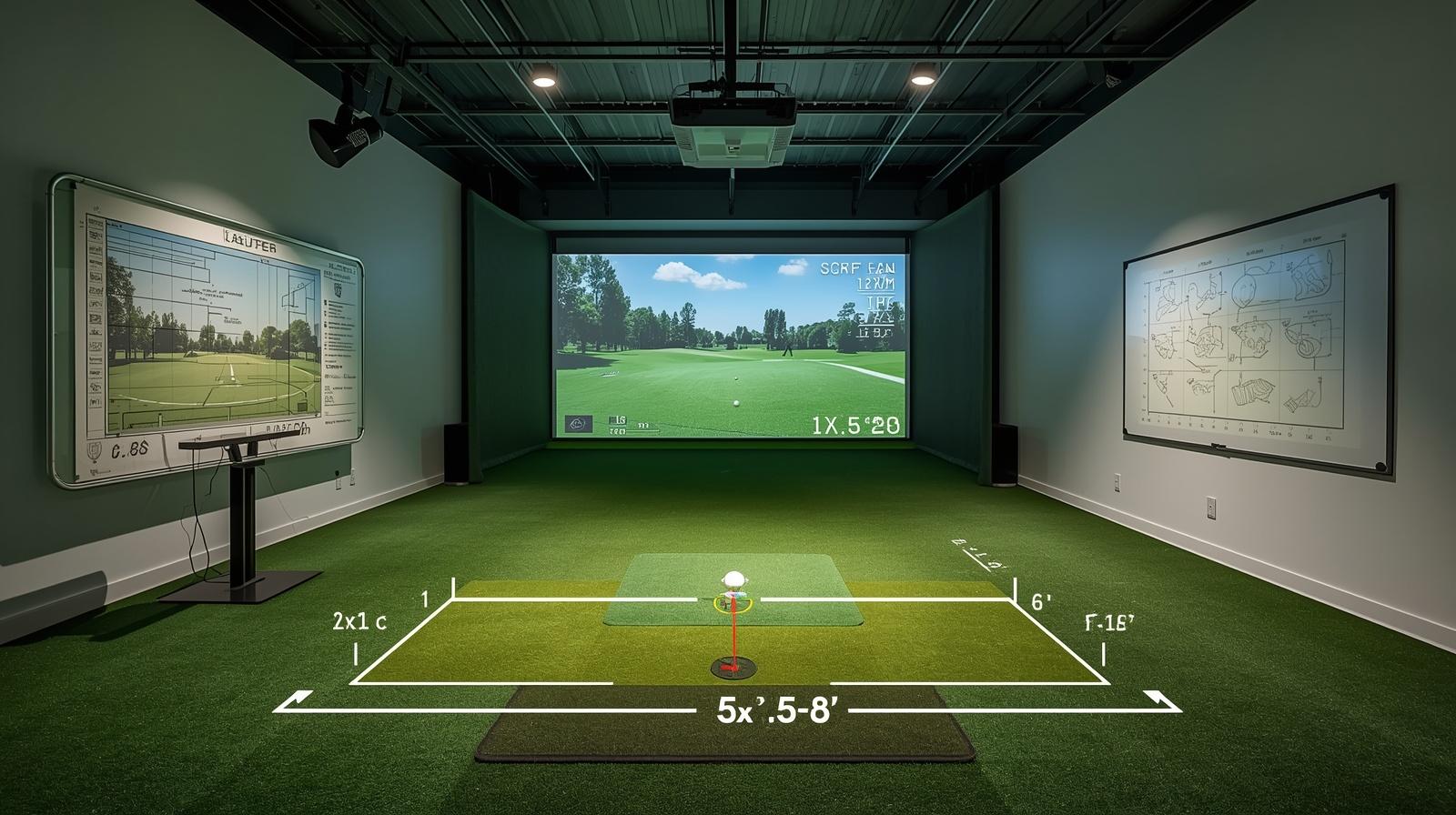
Setting up a golf simulator room is a fun project for any golfer. Still, before you buy an enclosure, projector, or launch monitor, there’s one question that comes first: how much room do you need for a golf simulator? It matters more than people sometimes think.
The space you have affects swing comfort, screen placement, and even how well your launch monitor works. In this guide, we’ll cover the basics of room size, break down the key measurements, and show what tends to work for home, garage, and commercial setups.
Understanding the Importance of Space in a Golf Simulator Setup
Before talking about exact dimensions, it helps to understand why space matters so much. A golf simulator is more than a screen and a mat. It also includes your swing area, hitting bay, launch monitor, projector setup, and often some buffer space around the room.
When those parts are planned well, the whole experience feels smoother and more realistic. But if the room is too tight, you may have to shorten your swing, place the tee awkwardly, or rule out certain clubs. So if you want your simulator to feel good and work properly, room planning has to come first.
CONTENTS
- Space Requirement Fundamentals
- Space Requirements by Type
- Space Needed by Brand
- Optimizing Your Floor Plan
- Advanced Space Planning
- Dealing with Non-Standard Space
- Room Size: Minimal to Ideal
- Golf Simulator Space: Conclusion
The Fundamentals for Golf Simulator Room Dimensions
At the most basic level, a golf simulator room comes down to three measurements: height, width, and depth. Each one affects the setup in a different way. Height determines whether you can swing freely without brushing the ceiling. Width affects how much room you have for your backswing and whether the setup works for right-handed golfers, left-handed golfers, or both. Depth controls the distance between the screen, the ball, the launch monitor, and the golfer. Because of that, it’s worth checking all three instead of focusing on just one.
How Does Room Height Affect My Golf Simulator Setup?
Height is one of the first things to check when you’re planning a simulator. The ceiling needs to allow a comfortable swing, especially with your longest club, without any risk of contact on the backswing or follow-through.
That becomes even more important if you plan to hit a driver indoors or use an overhead launch monitor. In practice, the right ceiling height depends on your swing and the equipment you choose, so it’s best to check the manufacturer’s guidance and test your longest club before locking in the layout.
A lower ceiling can still work in some rooms, but it may limit your swing, especially if you’re tall or use longer clubs. And ceiling height is about more than just club clearance. It also affects how safe and relaxed the room feels.
If you’re worried about hitting the ceiling, that tension can change the way you swing. For that reason, it’s smart to test your longest club with a full swing before settling on a layout. Ideally, do it on your hitting mat so you can factor in the slight height increase.
How Much Room Width Do I Need for a Golf Simulator?
Width matters just as much because it determines how much room you have on each side of the golfer. If you want the tee centered in the bay so both right- and left-handed players can use it comfortably, you’ll need more width. If the room is narrower, you can still make it work by shifting the hitting position to one side, but you may lose some flexibility.
For most indoor golf setups, enough width for a safe swing and side clearance is important. If you want a centered tee location or plan to host both righties and lefties, a wider room is the better target. In real use, wider is simply easier to live with. It gives you more room for your swing, your setup, and the space around the enclosure or net.
How Much Room Length Does My Golf Simulator Room Need?
Depth, or room length, affects both how the simulator feels and how well the launch monitor works. This is where ball flight, screen distance, and monitor placement all come together. If the room is too short, you may not have enough space between the screen and the tee, which can make the whole setup feel cramped. Some launch monitors also need more depth than others, especially radar-based models that need room behind the golfer.
A deeper room is usually easier to work with because it gives you more flexibility in screen placement, monitor placement, and golfer position. Some golfers make shorter rooms work, especially when using a compact or camera-based launch monitor. Even so, more depth usually means fewer compromises.
Space Requirement for Golf Simulators Based on Their Types
Not every golf simulator needs the same amount of room. The space you’ll need depends a lot on the type of launch monitor and display setup you choose. For example, a radar-based system usually needs more space behind the golfer, while a camera-based system often works better in tighter spaces.
Likewise, a projector and impact screen setup may need more careful depth planning than a simple hitting net. So when people ask how much room you need for a golf simulator, the honest answer is that it depends on the system.
Space Needed for Golf Simulator Projectors
If your setup only uses a hitting net, projector depth is not a concern. But if you want a full simulator with an impact screen and projector, the projector’s throw ratio matters.
A short-throw projector is usually easier to fit into a smaller room because it can create a large image from a shorter distance. That makes it a popular choice for simulator rooms, especially when space is limited.
By contrast, a standard throw projector needs more distance from the screen. Depending on the layout and launch monitor placement, it may need to be mounted behind the golfer or farther back in the room.
So before you buy one, always check the throw ratio and make sure your room depth can support it. Otherwise, you may end up with shadows, awkward mounting, or a screen image that doesn’t fit the bay properly.
Space Needed for Golf Simulator Enclosures
The size of your enclosure or hitting bay also plays a big role in space planning. In most cases, the enclosure needs enough width to fit the screen frame while still leaving some room on each side. Just as important, leave a buffer on both sides so the frame doesn’t sit flush against the walls.
Depth matters too. Many simulator bays perform best when the room has sufficient depth to accommodate the enclosure, the golfer, and the launch monitor setup. If you want extras like seating behind the hitting area, you’ll need even more room. So when you’re planning the bay, don’t just think about the screen. Think about the full footprint from wall to wall.
Space Needed for Golf Simulator Launch Monitor
The launch monitor often ends up deciding how much room you really need. Radar-based models usually need space behind the golfer so they can track the ball properly. That means you need enough depth for both the monitor and the golfer’s swing.
Camera-based launch monitors are usually easier to fit into a home simulator because they sit closer to the hitting area or above it. As a result, they often need less room depth overall. Even so, every launch monitor has its own setup rules, so it’s always best to check the manufacturer’s guidelines before you finalize your room dimensions.
Space Needed for Golf Simulator Room Flooring
Flooring may not sound as important as the screen or launch monitor, but it still affects room planning. At the very least, you need a solid hitting mat in the right spot. Many mats are around 4 by 7 feet or 5 by 5 feet, though larger options are available, too.
If you want a cleaner, more finished look, you can also cover more of the room with turf, carpet, or sports flooring.
For a full-room install, measure the total floor area carefully before ordering materials. Some golfers only cover the playing zone, while others go all in for a more polished look. Either way, accurate room measurements matter before you place an order.
Space Requirements for Golf Simulators by Brand
Different brands and launch monitor types come with different room needs. Some are more flexible, while others ask for a very specific layout. Because of that, it helps to think about your brand choice early in the process. The more exact the system, the more important your room measurements become.
How Much Room Do You Need for SkyTrak Golf Simulator?
SkyTrak is known for being flexible and for working well in compact indoor spaces. It is often a solid choice for basements, smaller rooms, and areas with slightly lower ceilings. Check SkyTrak’s current setup guidance for the recommended space before you buy.
For swing space, make sure the golfer has enough clearance to swing comfortably. In addition, players are usually positioned far enough from the screen to create a practical simulator layout. All in all, SkyTrak is a practical option if you want a home golf simulator without needing a massive room.
Uneekor QED Golf Simulator Space Requirements
The Uneekor QED is installed behind the hitting area and needs careful setup. Because it is a ceiling-mounted system, you should follow the manufacturer’s installation instructions for mounting height and golfer placement.
As with many launch monitors, you should also allow a swing zone with enough space for a natural motion. That extra room helps keep the setup comfortable.
How Much Room Do You Need for a TruGolf Vista 8 Golf Simulator?
The TruGolf Vista 8 is designed for golfers who want a smooth indoor practice experience. It does not require unusual room dimensions, but it still needs a comfortable hitting area. Check the manufacturer’s specifications for the setup that best matches your room.
For the screen and projector, place the components according to the system’s installation guidance. In other words, it fits well into a standard simulator room layout without asking for a custom build.
Space Requirements for Uneekor EYE XO and EYE XO2 Golf Simulators
The Uneekor EYE XO and EYE XO2 are overhead launch monitors, which means they mount to the ceiling and read the club and ball from above. This setup is popular because it keeps the hitting area clear and works well in many indoor spaces. The EYE XO2 also includes an expanded hitting zone, which can make the experience feel even more natural.
For placement, the unit should be mounted at the proper ceiling height according to the manufacturer’s instructions, and the golfer should still have a swing area with enough clearance. If you want extra comfort, a larger hitting area can help too.
Uneekor EYE MINI Golf Simulator Space Requirements
The EYE MINI is one of the more flexible indoor options. It sits near the hitting area and faces the golfer, which makes it easier to fit into a range of room sizes. Because of that, it is often a strong choice when you want a home simulator that doesn’t require a large footprint.
Even so, you should still aim for enough swing clearance and a ceiling height that allows a comfortable full swing. The golfer should also be positioned according to the manufacturer’s guidance for the best setup.
Foresight Sports GCHawk Golf Simulator Space Requirements
The GCHawk is another overhead launch monitor, positioned above the tee area. Because it mounts overhead, it keeps the floor clear and gives the room a cleaner look.
As with the other premium systems, a swing zone with enough clearance is a smart target. If your room supports that layout, the GCHawk can be a strong fit.
Foresight Sports GCQuad Space Requirements
The GCQuad is one of the more versatile launch monitors because it does not need a huge room to work well. It simply needs enough space for a golfer to swing comfortably and enough distance to the screen for a good visual experience.
A ceiling height that allows a full, natural swing is also important. So while the GCQuad doesn’t demand an oversized room, it still benefits from a well-planned layout.
Foresight Sports GC3 Golf Simulator Space Requirements
The GC3 is also a flexible choice for indoor golf. Like the GCQuad, it works well when the golfer has enough room for a natural swing and enough depth for the ball to travel to the screen.
In addition, players should be positioned according to the system’s installation guidance, and the ceiling should allow for a comfortable swing. If you have a standard home simulator room, the GC3 is often an easy fit.
FlightScope Mevo+ Golf Simulator Space Requirements
The Mevo+ is a radar-based launch monitor, so room depth matters more than it does for some camera systems. It is usually placed behind the player so it can track the shot correctly. That means you need enough space both behind the golfer and in front of the ball.
Because of the radar requirements, the Mevo+ often works best in a room with decent depth rather than a very short one.
Full Swing KIT Space Requirements
The Full Swing KIT is another radar-based option that needs room behind the tee for proper tracking. Even though the device itself is compact, its tracking needs are not.
If you want accurate indoor performance, it helps to give this system as much room as your layout allows.
Bushnell Launch Pro Space Requirements
The Bushnell Launch Pro is designed to be flexible and easy to fit into many indoor setups. It does not demand a large footprint on its own, but like other launch monitors, it still needs enough room for a comfortable swing and a proper screen distance.
A layout that gives the golfer enough space to swing naturally is the key starting point.
Garmin R10 Approach Space Requirements
The Garmin R10 is a compact radar-based launch monitor that sits behind the tee. Because it uses radar tracking, it needs enough space behind the golfer to read the shot properly.
For a portable and budget-friendly simulator setup, the R10 can work well if your room depth supports it.
Optimizing the Perfect Golf Simulator Floor Plan
Once you know the room dimensions, the next step is building a floor plan that uses the space wisely. A good layout improves both function and comfort.
It also helps you avoid common mistakes like placing the screen too close to the wall, crowding the hitting area, or forgetting where accessories will go. So instead of thinking only about size, think about how the room will actually be used.
Golf Simulator Floor Plan Basics
Start by centering the screen on the main hitting area whenever possible. That keeps the visuals aligned and makes the simulator feel more natural.
Next, make sure your launch monitor, computer, and other equipment are placed where they won’t interfere with your swing. You should also think about seating, storage, and spectator space if friends or family will use the room with you.
In smaller rooms, safety becomes even more important. Netting, padding, and careful placement of furniture can help protect walls and equipment from stray shots. In the end, a smart floor plan makes a room feel bigger than it is.
Advanced Features to Enhance the Golf Simulator Experience
Beyond the basic room size, other details can make your simulator better. Lighting, cable management, seating, storage, and projector placement all affect the final result.
A room that is technically large enough can still feel awkward if these details are ignored. On the other hand, a smaller room can feel excellent when it is planned well.
Features That Take Your Golf Simulator to the Next Level
Consider adding a comfortable chair or a small seating area behind the swing zone if space allows. You may also want a spot for clubs, balls, and accessories so the room stays clean and easy to use.
If you plan to host others, leave enough room for people to stand, watch, and move around without getting in the golfer’s way. Little details like these can make a big difference over time.
Dealing with Special Case Scenarios for Your Golf Simulator
Not every room is a perfect rectangle, and not every golfer has a large dedicated space. That said, you can still build a good simulator in a challenging room if you plan carefully. The key is to be realistic about what the room can support and to avoid forcing a setup into a space that is too tight.
If Your Room Isn’t the Recommended Length for a Golf Simulator
If your room is shorter than ideal, you may need to make some compromises. For example, you might need to use a more compact launch monitor, move the screen closer, or limit the clubs you hit indoors. Even so, it’s better to build a room you can swing in comfortably than to squeeze into one that feels unsafe.
In general, avoid making the room so tight that your swing changes just to fit the space. A simulator should help your game, not force you into a bad motion. If the room is too short for full swings, you may be better off choosing a different room or adjusting the setup before spending money on the wrong gear.
If Your Room Is Oddly Shaped or Has Special Considerations for Your Golf Simulator
An unusual room shape does not automatically rule out a simulator, but it does require more planning. First, identify the safest swing path and make sure there are no obstructions near the golfer. Then look for ways to use the room’s shape to your advantage. In some cases, a short throw projector or a different screen position can solve the problem.
If standard enclosures don’t fit, custom options may be the best solution. You can also explore portable systems if you need more flexibility. When in doubt, measure carefully and get advice before making final purchases. A little planning up front can save a lot of frustration later.
Space Requirements for Pre-Built Golf Simulator Setups
Pre-built golf simulator packages can make room planning easier because the dimensions are already defined. That means you know the screen size, enclosure size, and basic footprint before installation starts. As a result, there’s less guesswork and fewer surprises.
In addition, these packages are usually designed to fit together efficiently, which helps you avoid wasted space. Some are also tailored for specific room sizes, so they can be a smart option if you want a cleaner setup with less planning stress.
Golf Simulator Room Size: From Minimum to Ideal
When people ask how much room you need for a golf simulator at home, the answer usually falls into three categories: minimum, comfortable, and ideal. Each one can work, but each one gives you a different level of comfort and flexibility. Your choice depends on your room, budget, and how polished you want the final setup to feel.
Minimum Room Size
A minimum room can still work if space is tight. In many cases, that means a room that allows a basic simulator setup with enough height for a full swing, enough width for safe clearance, and enough depth for your chosen launch monitor and screen.
Comfortable Room Size
A comfortable room gives you more room to move and a better overall simulator experience. Extra space makes it easier to place the launch monitor, screen, and accessories without feeling cramped.
Ideal Room Size
If you want a stronger setup overall, an ideal room gives you plenty of room for the golfer, the screen, the launch monitor, and even extra seating or storage. In general, bigger is better if you can manage it, because it gives you more options and fewer compromises.
Golf Simulator Dimensions: Conclusion
Setting up a golf simulator takes more than just buying the right equipment. You also need the right room. Ceiling height, width, depth, launch monitor type, projector choice, and enclosure size all play a part in how well the final setup works. If you plan carefully and measure your space the right way, you can create a simulator room that feels safe, comfortable, and fun to use.
So, how much room do you need for a golf simulator? In short, a good starting point is a room that allows a comfortable swing, enough width for your setup, and enough depth for your launch monitor and screen. But the best answer always depends on your equipment and your goals. The more room you have, the easier it is to build a simulator you’ll enjoy for years.
About The Indoor Golf Shop
At The Indoor Golf Shop, we help golfers build simulator spaces that fit their needs and their rooms. Whether you are planning a garage golf simulator, a home golf simulator, or a commercial golf simulator, choosing the right dimensions is one of the most important steps. With the right layout, you can create a setup that feels natural, works reliably, and makes practice more enjoyable.