
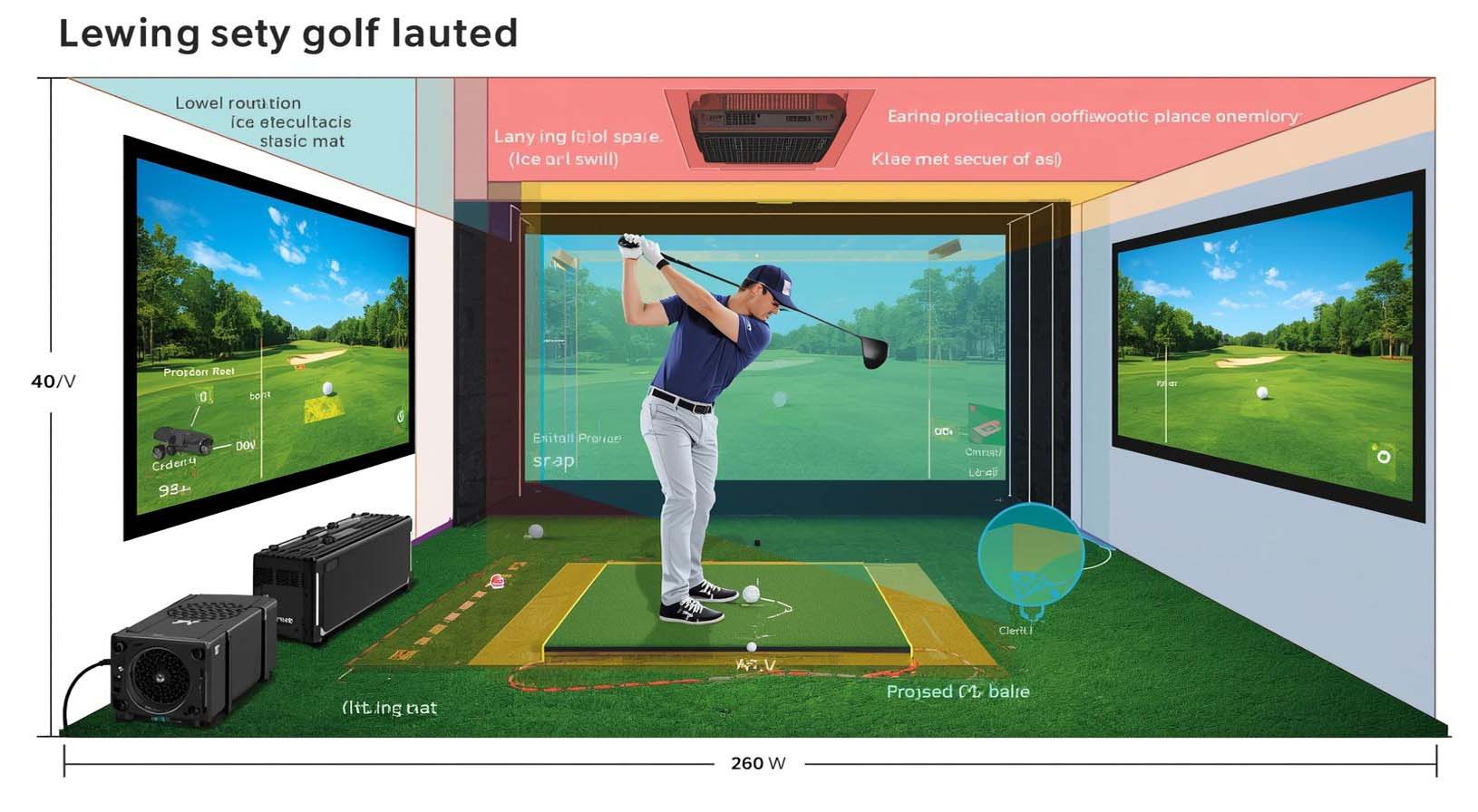
Before people start thinking about launch monitors, projectors, or software, they usually ask one simple question: Do I actually have enough space? It is the right place to begin. The amount of room you need for a golf simulator depends on ceiling height, width, depth, and the type of system you plan to install. And while a huge room is nice, it is not always necessary.
In many cases, a smaller space can still work very well. The key is making sure the room fits the game comfortably.
In this guide, we will walk through the real room size requirements for a golf simulator, explain what matters most, and look at what works in different spaces and with different launch monitor types. That should give you a clearer picture of what will work before you spend any money.
Quick Answer: Minimum and Ideal Golf Simulator Room Size
If you want the short version, here it is: a golf simulator can work in a smaller room, but a comfortable setup usually starts around 9 to 10 feet of ceiling height, 12 to 15 feet of width, and 16 to 18 feet of depth. For the most flexible and comfortable experience, 10 feet or more of ceiling height, 15 feet or more of width, and 18 feet or more of depth is ideal.
Here is an easier way to look at it:
- Minimum usable space: around 8.5 to 9 feet ceiling height, 10 feet width, and 12 to 15 feet depth
- Comfortable space: around 9 to 10 feet ceiling height, 12 to 15 feet width, and 16 to 18 feet depth
- Ideal space: 10 feet or more ceiling height, 15 feet or more width, and 18 feet or more depth
Even so, the right answer also depends on the launch monitor you choose. Camera-based systems are usually easier to fit into smaller rooms, while radar-based systems often need more depth. Overhead systems can also be a great option in tighter rooms, as long as the ceiling height is good enough.
What Determines How Much Space You Need?
When someone asks how much space you need for a golf simulator, they are really asking about four things at once: ceiling height, room width, room depth, and floor space. Each one plays a different role, and each one can affect how well the setup works.
Ceiling height
Ceiling height is usually the biggest factor. You need enough room to swing your longest club without worrying about hitting the ceiling. If you are using a driver or even a long iron, a low ceiling can force you to shorten your swing or change your motion without meaning to. That can make practice feel awkward, and it may affect your numbers too.
For most golfers, 9 feet of ceiling height is a practical starting point, while 10 feet or more feels much better. In some cases, 8-foot ceilings can still work, but that is usually a compromise rather than the ideal. And if your room has ducts, beams, lights, or garage rails, remember that the lowest obstruction matters more than the highest point in the room.
Room width
Width matters because you need enough side-to-side space to stand, swing, and feel relaxed. A narrow room can make even a short practice session feel cramped. On top of that, if both right-handed and left-handed golfers will use the space, width becomes even more important. A centered setup usually needs more room than a one-sided one.
As a general rule, 10 feet of width may work for a compact single-golfer setup, but 12 to 15 feet is much better for comfort and flexibility. If you plan to share the simulator with friends or family, or if you want the tee centered in the bay, width quickly becomes one of the most important measurements in the room.
Room depth
Depth is what gives the ball room to travel, keeps the screen safe, and lets the launch monitor work properly. This is where a lot of simulator plans fall apart.
A room can look big enough at first glance and still be too shallow for a full build. You need space for the hitting mat, the ball flight, the impact screen, and, in many cases, the projector and launch monitor placement too.
For many simulator rooms, 16 to 18 feet of depth is the sweet spot. If you are using radar-based technology, you may need even more room behind the player. If you are using a camera-based system or an overhead unit, you may be able to get by with less. Still, more room almost always gives you more flexibility.
Floor space
Floor space is the total footprint of the simulator area, and it matters more than people often think. The hitting mat itself may not take up much room, but once you add the enclosure, side protection, walking space, and possibly seating, the footprint grows fast. A room that is technically large enough to swing in can still feel tight if the layout is not planned well.
If you are asking how much floor space you need for a golf simulator, look beyond the mat. Think about the enclosure width, the screen buffer, the distance behind the tee, and any room you want for storage, chairs, or a viewing area.
Golf Simulator Room Size by Setup Type
Not every simulator room is built the same way. A basement setup is very different from a commercial golf bay, and a garage build has different limits than a dedicated spare room. That is why the room size should always match the setup type.
Home golf simulator
A home golf simulator is usually the most common setup. It can be as simple as hitting the net in a multipurpose room, or as complete as an enclosed bay with a projector. If you only want casual practice, a smaller footprint may be enough.
But if you want something that feels more realistic and comfortable, a dedicated room with at least 9 feet of ceiling height and 16 feet or more of depth is much easier to live with.
For a home build, it helps to think about who will use the room. If it is just one golfer, a compact layout can work well. If the space will be shared with family or friends, build in a little more width and some extra walking room.
Garage golf simulator
A garage golf simulator is popular because garages often offer good width and depth, but they also come with a few common headaches. Garage door rails, openers, storage shelves, and ceiling hardware can get in the way. On top of that, the floor is usually concrete, so a good hitting mat and proper flooring matter even more for comfort.
If you are trying to figure out how much room you need for a golf simulator in your garage, start by measuring the lowest ceiling point, not just the tallest one.
Then check how much depth you really have once the car, storage, and door clearance are accounted for. A garage can be a great simulator space, but only if you measure the usable area, not just the empty shell of the room.
Basement golf simulator
Basements are often one of the best places for a simulator because they are usually unused and easy to dedicate to golf. Still, they can be tricky. Low ceilings, ductwork, support beams, and moisture concerns can all create problems. In most basements, the ceiling is the first thing to check.
If the room has 8-foot ceilings or less, you may still be able to build something, but the swing experience will be more limited.
Basements also need good lighting and ventilation. Since many basement rooms are enclosed, better airflow and controlled lighting help the space feel more open and more comfortable. If you are planning a basement simulator, it is smart to test your longest club before committing to a full enclosure.
Commercial golf simulator
A commercial golf simulator needs more than enough room for one golfer. It needs space for safety, traffic flow, seating, and possibly multiple bays. In a business setting, tight clearances can slow down play, increase risk, and make the room feel crowded. That is why commercial builds usually benefit from more width, deeper bays, and generous ceilings whenever possible.
If you are planning a commercial golf simulator business, think about the customer experience as much as the technical setup. People need room to move, sit, watch, and rotate through the space comfortably. In this case, extra square footage is not wasted space. It is part of the value.
Portable golf simulator or net setup
If you do not have room for a full enclosure, a portable simulator or a simple net setup can be a strong alternative.
These setups use less floor space and often fit more easily into multipurpose rooms. They are especially useful if you only want practice sessions without a permanent build.
Even then, you still need enough room to swing safely and hit the ball without worrying about the walls. A portable setup may save depth, but it should never force a restricted swing.
Space Requirements by Launch Monitor Type
The launch monitor you choose has a big impact on how much space you need. Some systems work better in smaller rooms, while others need more depth or more ceiling clearance. So before you buy, it helps to match the technology to the room.
Radar-based launch monitors
Radar-based systems, such as Trackman 4, Mevo+, Garmin R10, and Full Swing KIT, usually need more room behind the player and more total depth.
That is because they track the ball over distance, so they need enough ball flight to gather accurate data. In many indoor setups, radar systems benefit from a deeper room and a clear line behind the hitting area.
If your room is shallow, radar may be difficult to place correctly. On the other hand, if you have a deeper garage or dedicated simulator room, radar can be a strong choice because it gives you a very complete tracking experience.
Camera-based and photometric launch monitors
Camera-based systems, such as SkyTrak, GC3, GCQuad, Bushnell Launch Pro, and Uneekor EYE MINI, are usually more forgiving in smaller spaces. These monitors often sit near the ball or in front of it, so they do not need as much room behind the player. As a result, they are often a smart choice for home golf simulators with limited depth.
If you are working with a smaller basement, spare room, or tighter garage, camera-based technology can be much easier to fit. It is one of the best answers to the question of how much space you need for a good golf simulator when room size is limited.
Ceiling-mounted and overhead systems
Overhead systems like Trackman iO, Uneekor EYE XO, Uneekor EYE XO2, and Foresight Sports GCHawk keep the floor cleaner because they mount above the hitting zone. That makes them appealing for dedicated simulator rooms, especially when you want a tidy layout without equipment sitting behind the player.
The tradeoff is that these systems depend on good ceiling height and proper mounting. If your ceiling is too low or has too many obstructions, an overhead system may not be the right fit. But if the room is tall enough, overhead systems can work extremely well and make the simulator feel more open.
How Big Should a Golf Simulator Room Be by Use Case?
The best room size depends on how you plan to use the simulator. A solo golfer practicing during the week has different needs than a family room or a commercial entertainment space. So instead of looking for one perfect number, it helps to think in terms of use case.
For one golfer
If the simulator is for one golfer, you can usually work with a tighter room, as long as there is enough width to swing comfortably and enough depth for the launch monitor. A single-player setup gives you more flexibility, especially if the hitting position can sit a little off center.
For right-handed and left-handed players
If both right-handed and left-handed players will use the room, width matters more. A centered tee position is convenient, but it also needs more side space. If the room is not wide enough, you may need to offset the hitting area or build the room around one dominant handedness.
For practice and training
For serious practice, a room with more height and depth is always better. That extra space makes the swing feel more natural, improves comfort, and gives the technology a better chance to perform well. If you want to practice driving, work on launch, or use the simulator often, do not build right at the minimum if you can avoid it.
For family use or guests
If the simulator will be used by family or guests, add more buffer space. People move differently, stand in different places, and may not always be aware of their surroundings. A room that feels fine for one person can feel cramped once a few people are in it.
For commercial use
Commercial simulators need the most planning. Beyond a safe hitting bay, you also need room for players waiting their turn, walking behind the bay, and sitting or watching comfortably. In a business setting, a little extra width and depth goes a long way.
How to Measure Your Room for a Golf Simulator
Before you buy anything, measure the room carefully. It sounds obvious, but a lot of simulator projects run into trouble because the usable space was not measured correctly. Here is how to do it the right way.
Measure the ceiling height
Start by measuring ceiling height in several spots. If the room is not perfectly level, use the lowest point as your real number. Also look for beams, lights, garage openers, vents, and ductwork. The lowest obstruction is what matters when you swing.
Measure the width
Measure from wall to wall, but do not stop there. Look for trim, posts, shelving, electrical boxes, and doors that reduce usable width. Then picture where the golfer will stand and swing. That is the width that really counts.
Measure the depth
Measure the full depth of the room, then subtract the space needed for the screen, the buffer behind the screen, the hitting mat, and any launch monitor clearance. If you want seating behind the hitting zone, make sure that is included in the total layout too.
Check for obstructions
Obstructions can turn a good room into a difficult one. Before you commit, look for hanging lights, pipes, shelves, door swings, HVAC vents, and garage door hardware. Sometimes a small change, like moving a light fixture or shifting the mat position, can make a big difference.
Test your swing
One of the simplest and most useful tests is to swing your longest club in the room before buying equipment. Use a full motion and pay attention to how it feels. If you have to hold back or alter your swing just to avoid the ceiling or wall, the room may be too tight for the kind of setup you want.
Can You Fit a Golf Simulator in a Small Space?
Yes, you can fit a golf simulator in a small space, but the setup has to be chosen carefully. The smaller the room, the more important it becomes to match the equipment to the space rather than trying to force the space to fit the equipment. Small rooms can work well, but they usually ask for a few compromises.
8-foot ceilings
Eight-foot ceilings can work in rare cases, but they are not ideal for a full golf simulator. Taller golfers or players with more upright swings may feel restricted. In many situations, 8 feet only works if you are willing to limit club selection or accept a more compact practice setup.
9-foot ceilings
Nine-foot ceilings are much more workable. Many home golf simulators can be built successfully in a room with 9-foot ceilings, especially if the swing path has been tested and the launch monitor choice fits the depth available. If the room has no major obstructions, this can be a solid starting point.
10 x 10 room
A 10 x 10 room is usually too tight for a full-featured golf simulator. You may be able to set up a net or a very minimal practice area, but the room will likely feel restricted for full swings, especially with a driver. In general, this size is better for simple practice than for a true simulator build.
12 x 12 room
A 12 x 12 room can work for some golfers, especially with a compact setup and a camera-based monitor. Even so, it is still a tight fit for a complete simulator with an enclosure, screen, and full driver swings. If you want a room that feels comfortable and repeatable, this size is still on the small side.
12 x 15 room
A 12 x 15 room is often a practical minimum for a serious home golf simulator. It gives you more breathing room, better screen placement options, and a more realistic hitting area. For many golfers, this is where the room starts to feel like a real simulator rather than a compromise.
15 x 18 room
A 15 x 18 room is a strong size and gives you much more flexibility. It can support a better enclosure, more comfortable swing space, and extra features like seating or storage. If you have a room this size and good ceiling height, you are in a very good position.
Recommended Space for the Main Components
It is not enough to know the room size alone. You also need to think about the pieces inside the room. The screen, enclosure, mat, projector, and seating all take up space in different ways.
Impact screen
An impact screen should not sit directly against the back wall. It needs a buffer to absorb impact and reduce the chance of bounceback or damage. That buffer also helps the screen perform better and last longer. In other words, the screen is not just a flat surface. It needs breathing room.
Enclosure
An enclosure adds side protection, improves the look of the room, and helps contain missed shots. But it also increases the width footprint. If your room is narrow, make sure the enclosure fits with enough room on both sides so the golfer does not feel boxed in.
Hitting mat
The hitting mat is where you stand, so it affects comfort more than people expect. Standard mats may be small, but larger mats give you more stance room and better alignment options. If you have the space, a larger mat can make the setup feel more natural.
Projector
The projector needs the right throw distance, and that can affect room depth. Short-throw projectors are often easier to place in golf simulator rooms because they create a large image from a shorter distance. Standard throw projectors may need more room and can be harder to position neatly in smaller spaces.
Seating and viewing area
If you want the simulator to feel social, add seating. Even a small bench or a pair of chairs can make the room feel more complete. But once seating is included, you need more depth. So if you plan to entertain guests, do not size the room only for the hitting area.
What Golf Simulator Setup Works Best in Smaller Rooms?
If you have a smaller room, the best setup is usually the one that gives you the most function with the least space demand. That often means choosing equipment that fits the room first, then worrying about the wish list second.
Best launch monitor types for small rooms
Camera-based and photometric launch monitors are usually the best choice in tight spaces because they do not need as much room behind the player. Overhead systems can also work well if the ceiling is high enough and free of obstructions. Radar-based systems are usually better in deeper rooms.
Best screen and enclosure choices
For a smaller room, a compact enclosure with good side protection is often smarter than an oversized bay. You want enough protection to keep the room safe, but you do not want the enclosure to take over the space.
Best room layout strategy
In a smaller room, offsetting the hitting position slightly can help. That allows the golfer to swing comfortably while still aiming into the center of the screen. It is a simple trick, but it can make a cramped room much more usable.
Golf Simulator Space in Meters and Feet
If you are measuring in meters, here are a few helpful conversions:
- 8 feet: 2.44 meters
- 9 feet: 2.74 meters
- 10 feet: 3.05 meters
- 12 feet: 3.66 meters
- 15 feet: 4.57 meters
- 18 feet: 5.49 meters
Using those numbers, a comfortable simulator room is often around 2.74 to 3.05 meters of ceiling height, 3.66 to 4.57 meters of width, and 4.88 to 5.49 meters of depth. For an ideal setup, more is better, especially if you want a full swing and a more forgiving layout.
Common Mistakes When Planning Golf Simulator Space
It is easy to focus only on the screen and launch monitor, but that is where many builds go wrong. A simulator room works best when the whole space is planned carefully from the start.
- Ignoring ceiling obstructions: A room may look tall enough until you notice beams, lights, or ductwork in the swing path.
- Forgetting projector throw distance: A projector that does not fit the image well can create shadows or force awkward mounting.
- Not leaving a screen buffer: The impact screen needs room behind it for safety and durability.
- Choosing radar for a shallow room: Radar-based monitors usually need more depth, so they are not always the best fit for compact rooms.
- Underestimating width: Tight rooms can feel especially bad if you want to accommodate both right-handed and left-handed golfers.
- Never test the longest club: This is one of the easiest ways to avoid a bad surprise after installation.
- Forgetting storage and seating: A room can be large enough for golf, but still awkward if there is nowhere to sit or store clubs.
Best Space Planning Tips for a Better Simulator
A good golf simulator room does more than fit the equipment. It should feel comfortable to swing in, easy to use, and safe for regular play. A few simple planning habits can make a big difference.
- Measure the room at the lowest point, not just the tallest point.
- Use your longest club to test the swing path before buying.
- Choose the launch monitor based on room shape and depth, not just price.
- Leave room for side protection and screen buffer space.
- Keep the lighting even so the room feels open and the display stays clear.
- Think about ventilation, especially in enclosed basement or commercial spaces.
- Allow for walking space if more than one person will use the simulator.
- Plan for power outlets, projector mounting, and cable routes before installation.
Frequently Asked Questions
How much ceiling space do you need for a golf simulator?
For most golfers, 9 feet of ceiling height is a practical minimum, while 10 feet or more is ideal. Some setups can work with 8-foot ceilings, but that usually means more compromise and less comfort.
How much floor space do you need for a golf simulator?
It depends on the setup, but a comfortable simulator room often needs at least 12 by 16 feet of usable floor space, with 15 by 18 feet or more being better. Remember to include the enclosure, mat, screen buffer, and any seating area.
How much space do you need for a golf simulator in your garage?
A garage simulator usually needs enough width for the swing, enough depth for the screen and monitor, and enough height to clear the longest club. Since garage hardware can reduce usable room, always measure the lowest obstruction and the actual open footprint.
How much space do you need for a golf simulator at home?
For a home setup, a room around 9 to 10 feet high, 12 to 15 feet wide, and 16 to 18 feet deep is a strong target. Smaller rooms can still work, especially with compact or camera-based systems.
How much space do you need for a commercial golf simulator?
Commercial simulators usually need more room than home setups because they have to handle traffic, seating, and safety. Wider bays, deeper layouts, and generous ceiling height all help create a better customer experience.
How much room do you need for a golf simulator in meters?
A good starting point is around 2.74 to 3.05 meters of ceiling height, 3.66 to 4.57 meters of width, and 4.88 to 5.49 meters of depth. If your room is smaller than that, choose the equipment carefully.
Is 8-foot ceiling enough for a golf simulator?
In some cases, yes, but it is usually not ideal for full swings. Most golfers feel more comfortable with at least 9 feet of ceiling height, and many prefer 10 feet or more.
Is 12 x 12 enough for a golf simulator?
It may work for limited practice or a compact setup, but it is tight for a full simulator with driver use. If you want a more comfortable and realistic experience, a larger room is better.
What is the ideal room size for a golf simulator?
The ideal room is usually around 10 feet or more in height, 15 feet or more in width, and 18 feet or more in depth. That gives you the most flexibility for equipment, swing comfort, and future upgrades.
Can I put a golf simulator in a basement?
Yes, many great simulators are built in basements. The main things to watch are ceiling height, ductwork, lighting, moisture, and ventilation. If those are handled well, a basement can be one of the best simulator spaces in the home.
Final Word
So, how much space do you need for a golf simulator? The honest answer is that it depends on the room and the system, but a comfortable build usually starts around 9 to 10 feet of ceiling height, 12 to 15 feet of width, and 16 to 18 feet of depth. If you can go bigger, even better.
More space gives you a freer swing, better safety, and more room for the technology to work the way it should.
At the same time, you do not need a huge room to get started. With the right launch monitor, a smart layout, and careful measuring, many small spaces can still become excellent golf simulator rooms. The main thing is to match the setup to the space, not force the space to fit the setup.