
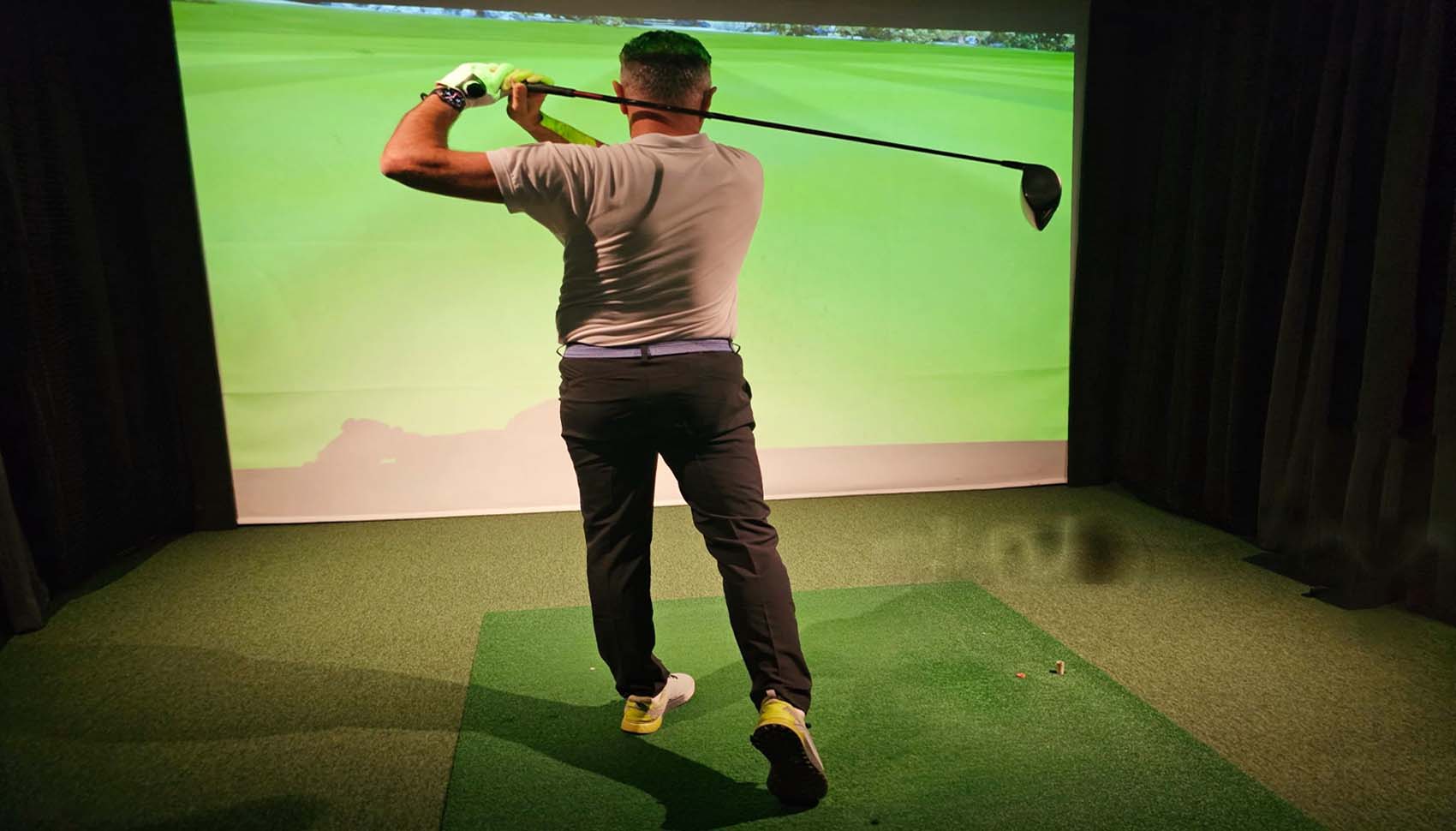
If you are asking how much does a commercial golf simulator cost? The correct answer is this: many commercial setups can begin around $10,000 to $20,000 for a lean single-bay build, land around $20,000 to $40,000 for a mid-range setup, and climb to $40,000 to $75,000+ for premium rooms. If you are building a multi-bay facility, the total project can easily reach $75,000 to $250,000+, especially once you include buildout, labor, software, and other business expenses.
That said, the true commercial golf simulator cost depends on your business model, the durability you need, the room you have, and how polished you want the customer experience to feel. A lesson studio, an entertainment venue, and a private membership lounge may all use golf simulators, but they do not need the same equipment or the same budget.
So, in this guide, we will break down the full cost of a commercial golf simulator from the main hardware to the hidden expenses, along with examples for different business types and budgets.
Perfect Answer: Commercial Golf Simulator Cost by Budget Tier
Before diving into the details, it helps to see the big picture. Commercial golf simulator pricing changes a lot based on quality, usage, and scale, but these general ranges give you a practical starting point.
| Budget Tier | Typical Cost Range | Best For | What You Usually Get |
|---|---|---|---|
| Budget Commercial Bay | $10,000–$20,000 | Small coaching studio, startup operator, lean single bay | Basic-to-solid launch monitor, commercial-leaning mat, enclosure, projector, and entry or mid-tier software |
| Mid-Range Commercial Bay | $20,000–$40,000 | Lesson facility, membership bay, growing indoor golf business | Stronger launch monitor, better screen and enclosure, higher-quality mat, better projector, commercial software, cleaner install |
| Premium Commercial Bay | $40,000–$75,000+ | Premium lounge, golf entertainment venue, high-end private room | Top-tier launch monitor, large enclosure, premium projector, durable flooring, polished AV, cameras, and more refined buildout |
| Multi-Bay Facility | $75,000–$250,000+ | Indoor golf center, sports bar, golf club, multi-bay venue | Multiple bays, shared infrastructure, buildout, electrical, AV, software licenses, seating, reception, and business systems |
In other words, the answer to how much it costs to build a commercial golf simulator is not just about one screen or one launch monitor. It is about the full setup, the room, and the business plan behind it.
What Counts as a Commercial Golf Simulator?
A commercial golf simulator is a setup designed for business use, not just casual home practice. Because it will see more traffic, more swings, and more wear, it usually needs stronger gear, better protection, and a more reliable install. That extra durability is one of the main reasons a commercial-grade golf simulator costs more than a home setup.
Commercial simulators are commonly used in several business models. For example, a coaching studio may focus on lessons, swing analysis, and player development. An entertainment venue may care more about seating, atmosphere, and social play.
A golf course might add one or two simulator bays to keep members active year-round. A private membership facility may want premium equipment and a clean, modern feel. Meanwhile, a sports bar or event space may care most about crowd flow, easy booking, and visual appeal.
So, when people ask how much does a commercial golf simulator cost? The real answer begins with a second question: What kind of business are you building?
Main Factors That Drive Commercial Golf Simulator Cost
Several core pieces push the price up or down. Once you understand these drivers, it becomes much easier to estimate your total commercial golf simulator setup cost with confidence.
Launch Monitor Type
The launch monitor is the heart of the system, and it usually makes the biggest difference in pricing. Photometric units, radar systems, overhead cameras, and hybrid setups all serve different needs. A lower-cost unit may be enough for a lean coaching bay, but a premium commercial venue often needs better accuracy, better club data, and stronger consistency across many users.
For commercial spaces, overhead and hybrid launch monitors are often preferred because they keep the hitting area clean and safe. They also tend to handle frequent use better in a busy environment. Naturally, that convenience and performance can raise the overall commercial golf simulator cost.
Enclosure and Impact Screen
The enclosure and impact screen shape the customer experience right away. In a commercial setting, they need to be durable, safe, and visually polished. A larger screen creates a more immersive feel, but it also adds cost. Side barriers, safety baffles, strong framing, and premium screen material all increase the budget too.
If you expect heavy daily use, you should not treat the screen as a simple accessory. It is a wear item, and in a commercial environment, durability matters just as much as image quality.
Hitting Mat Quality
The mat affects comfort, realism, and injury prevention. In a commercial setting, a cheap mat may wear out quickly or create a poor hitting experience, which is why many operators invest in commercial-grade mats or replaceable hitting strips. Better mats usually cost more upfront, but they also last longer and feel better for guests and members.
Projector and Display Setup
Projector cost changes based on brightness, resolution, throw distance, and mounting style. A brighter projector is often needed in rooms with more ambient light, while a short-throw model may be necessary in tighter spaces. If you want a clean, protected install, you may also need a projector enclosure or special mount.
In a commercial environment, the display needs to look sharp and work reliably. That means the projector is more than a simple add-on; it is part of the user experience and part of the cost structure.
Software Licensing
Commercial golf simulator software can be priced as a one-time license, a recurring subscription, or a commercial package with operator tools.
If your business needs leagues, event management, bay usage tracking, or customer check-in features, expect higher software costs. In some cases, the software choice is less about graphics and more about how smoothly you can run the business.
Room Buildout
Many buyers focus on simulator hardware and forget the room itself. However, ceiling height, flooring, electrical work, wall protection, acoustics, HVAC, and cable routing can all affect the final price. A simple room may need little prep, but a commercial buildout often requires labor, materials, and planning before the first shot is ever hit.
Number of Bays
More bays mean a higher total project cost, of course, but they can also improve your cost per bay. Shared construction, shared internet, shared reception space, and shared AV infrastructure can create efficiency as you scale. That is why a single-bay project and a five-bay venue are very different financial conversations.
Commercial Golf Simulator Cost Breakdown by Component
Now let’s break the project into its core pieces. This is where you can see how the numbers stack up and why a commercial golf simulator price can vary so much from one build to the next.
Launch Monitor Cost
Launch monitor pricing depends on the technology and the level of data you want. Entry commercial and budget-friendly options may start in the low thousands, while premium overhead and hybrid systems can reach well into the five-figure range.
A basic bay for coaching or casual play may work with a more affordable unit, but a high-volume business often benefits from more robust hardware.
As a rough guide, many commercial operators budget:
- Budget launch monitors: about $1,500 to $5,000
- Mid-range commercial units: about $5,000 to $15,000
- Premium overhead or hybrid systems: about $15,000 to $30,000+
That said, the exact number depends on accuracy, club data, installation style, and commercial support.
Enclosure and Impact Screen Cost
For a commercial build, you will usually want a stronger enclosure than a basic home net. Commercial enclosures can run from a few thousand dollars for a straightforward setup to much more for large, custom, or premium framed systems. Impact screens also vary based on size, image clarity, and impact resistance.
- Basic commercial-leaning enclosure and screen: about $2,000 to $5,000
- Mid-range commercial enclosure: about $5,000 to $10,000
- Premium or custom commercial enclosure: $10,000+
If your location will see constant use, it is smart to budget for replacement screens down the line, too.
Hitting Mat Cost
Commercial mats usually need to be more comfortable and longer-lasting than budget consumer mats. A basic commercial mat setup may start around a few hundred dollars, but premium full-floor systems can reach several thousand.
- Hitting strips: about $100 to $300
- Solid commercial mats: about $500 to $1,500
- Premium flooring with built-in hitting zones: $2,000 to $5,000+
Because the mat gets used every day, it is one of the most important comfort-and-wear decisions in the whole build.
Projector Cost
Projectors vary by brightness, throw distance, and resolution. A reliable commercial projector may cost less than your launch monitor, but in a bright or public setting, it still matters a lot.
- Entry commercial projector: about $800 to $1,500
- Mid-range projector: about $1,500 to $3,000
- Premium high-brightness or 4K projector: about $3,000 to $6,000+
In addition, you may need a mount or protective enclosure, which adds to the total.
Software Cost
Software is one of the most overlooked parts of the commercial golf simulator cost. Some products are a one-time purchase, while others use subscriptions or commercial licenses. The right software helps you run lessons, leagues, events, and casual play without frustration.
- Basic software: about $100 to $500
- Mid-tier software: about $500 to $2,000
- Premium commercial software/licenses: about $2,000 to $5,000+ or recurring fees
If you want commercial management tools, that often adds recurring monthly or annual costs.
Computer or PC Cost
Most commercial golf simulators need a computer that can run the software smoothly. A standard office laptop usually is not enough for a serious simulator business. A proper gaming PC or dedicated system is often the better choice.
- Entry-level capable PC: about $800 to $1,200
- Mid-range PC: about $1,200 to $2,500
- High-performance commercial PC: about $2,500 to $4,000+
Installation and Labor Cost
This is where many buyers underestimate the full commercial golf simulator business cost. Installation can include framing, enclosure assembly, launch monitor mounting, projector alignment, software setup, calibration, cable management, and test runs. If your space needs electrical work, flooring, or wall repair, the labor cost rises quickly.
For a simple bay, installation might be a few hundred dollars if you do much of the work yourself. However, professional commercial installation can easily run from $1,000 to $10,000+, depending on complexity and the size of the project.
Full Commercial Golf Simulator Budget Examples
To make the numbers easier to understand, here are practical budget examples based on different levels of ambition. These are estimates, but they are useful ways to think about how much a commercial-grade golf simulator costs in the real world.
Budget Commercial Simulator Setup: $10,000–$20,000
This range is ideal if you are launching a lean coaching studio, testing demand, or building a single commercial bay with a careful budget. You will likely focus on function first and polish second.
That means a solid launch monitor, a durable but not overly fancy enclosure, a dependable mat, a basic projector setup, and software that does the job without overcomplicating things.
Best for: small lesson studios, startup operators, and businesses that want to enter the market without overspending.
Tradeoff: you may give up some visual polish, commercial management tools, or premium data features.
Mid-Range Commercial Simulator Setup: $20,000–$40,000
This is the sweet spot for many buyers. At this level, you can create a professional-looking bay with stronger equipment, better durability, and a better customer experience. It is often a smart choice for lesson facilities, private membership spaces, and growing indoor golf businesses.
Best for: operators who want a stronger brand feel, better technology, and room to scale.
Tradeoff: total project cost is higher, but the setup usually feels much more commercial and trustworthy to guests.
Premium Commercial Simulator Setup: $40,000–$75,000+
If you want a high-end venue with a polished look, premium data, and a standout experience, this is where budgets can move quickly. Higher ceilings, better AV, larger enclosures, more refined flooring, commercial seating, and top-tier launch monitors all push the cost upward.
Best for: premium lounges, entertainment spaces, and businesses that want to impress customers right away.
Tradeoff: the upfront investment is much larger, so your revenue plan needs to support it.
Multi-Bay Commercial Golf Simulator Facility: $75,000–$250,000+
A multi-bay facility is a different scale entirely. Once you add multiple simulators, shared lounge areas, reception, construction, electrical, AV, networking, and business systems, the total can rise fast. This is not just a simulator purchase anymore; it is a commercial buildout.
Best for: indoor golf centers, sports bars, golf clubs, and larger entertainment concepts.
Tradeoff: high startup cost, but also higher revenue potential if demand is strong.
Cost by Business Model
One of the best ways to answer how much a commercial golf simulator costs is to connect the price to the business model. After all, the right build for a coaching studio is not always the same as the right build for a social venue.
Cost to Build a Coaching Studio
A coaching studio should prioritize accuracy, swing feedback, camera support, and lesson efficiency. The customer experience still matters, but function usually comes first. Because of that, many coaching bays can stay in the lower to mid-range commercial budget.
Typical focus areas include overhead launch monitors, swing cameras, lesson software, and a durable hitting area. A good coaching studio may start around $15,000 to $35,000, depending on whether it is one bay or several.
Cost to Build an Entertainment Golf Venue
An entertainment venue needs more than golf. It needs a comfortable room, clean design, strong visuals, seating, audio, and often a setup that can handle food, drinks, and group events. The simulator must feel fun and easy to use, not just technically impressive.
That means the cost often rises because of larger enclosures, stronger projectors, better décor, and more customer-facing touches. A serious entertainment setup may land around $25,000 to $75,000+ per room, depending on finish level.
Cost for a Golf Course Indoor Simulator Bay
Golf courses often use simulators to keep members active during the off-season or to create a new revenue stream in a spare room or clubhouse area. In this case, the bay needs to be durable, easy to manage, and attractive to members.
A golf course installation may fit somewhere in the $15,000 to $50,000+ range, depending on how polished the room needs to be and how much of the construction work is already in place.
Cost for a Private Membership Facility
A private membership model tends to demand a higher-end feel because customers are paying for access, consistency, and convenience. For that reason, owners often choose premium launch monitors, quality screens, reliable booking software, and better furniture or lounge elements.
That kind of project can easily fall in the $30,000 to $100,000+ range, especially if the goal is to create a premium, repeat-visit experience.
Hidden Costs of a Commercial Golf Simulator
This is where many first-time buyers get caught off guard. The simulator itself is only part of the story. If you want an accurate commercial golf simulator setup cost, you need to include the hidden expenses too.
- Freight and shipping: Large enclosures, screens, and mats can be expensive to ship.
- Sales tax: Depending on location, tax can add a meaningful amount to the total.
- Electrical work: Dedicated outlets, upgraded circuits, and lighting changes may be needed.
- Framing and drywall: Some spaces need structural prep before the simulator goes in.
- Flooring: Commercial carpet, turf, or padded flooring can improve safety and appearance.
- Acoustics: Sound treatment can make the room more comfortable and reduce noise bleed.
- HVAC considerations: A busy simulator room can get hot fast, especially in a closed space.
- Internet and networking: Booking systems and software often need reliable connectivity.
- Insurance: Commercial liability and property coverage should be part of the plan.
- Permits and compliance: Some locations need approvals before buildout begins.
- Replacement parts: Mats, screens, projector lamps, cables, and mounting hardware wear out over time.
- Cleaning and maintenance: Commercial use creates dust, ball marks, and general wear.
- Staff training: Employees need to know how to operate the system and help customers.
- Payment processing systems: Booking, membership, and transactions often involve extra fees.
These extra items can add thousands of dollars to the true cost to build a commercial golf simulator, so they should never be ignored.
Monthly Operating Costs
Upfront spending is only half of the equation. Once the business opens, there are recurring costs that affect cash flow every month. This is one reason commercial buyers need to think beyond the initial quote.
A typical monthly operating budget may include:
- Software subscriptions or support: $50 to $500+
- Utilities: vary by space and climate
- Rent or lease allocation: one of the highest monthly costs
- Labor: front desk, coaching, cleaning, or event staff
- Marketing: local ads, social media, events, and promotions
- Payment processing fees: based on bookings and transactions
- Maintenance reserve: set aside money for screens, mats, and general repairs
For a small single-bay setup, monthly overhead may be modest if the owner does most of the work. For a larger venue, the monthly operating cost can be substantial, but so can the revenue potential.
Commercial Golf Simulator ROI: Can It Pay for Itself?
Cost matters, but revenue matters just as much. If you are opening a business, the real question is not only how much a commercial golf simulator costs, but also how quickly it can earn that money back?
There are several ways a commercial simulator can produce revenue:
- Bay rentals: hourly play is often the simplest revenue stream
- Lessons and coaching: especially strong in the offseason and winter months
- Memberships: recurring revenue can improve stability
- Leagues and tournaments: good for retention and repeat visits
- Corporate events and parties: especially valuable for entertainment venues
- Food and beverage: if your business model supports it
A simple payback model might look like this: if a bay generates steady bookings, lessons, or memberships, a well-planned setup may pay back faster than expected. However, if the room is underused or the pricing is too low, even a lower-cost simulator can struggle to recover its investment. So the build should match the demand in your market.
How to Choose the Right Setup for Your Budget
Picking the right commercial simulator is not about buying the most expensive option. It is about choosing the setup that supports your business goal, your room, and your customers.
If You Want the Lowest Startup Cost
Focus on a lean bay with a durable but simple enclosure, a reliable launch monitor, a workable mat, and software that gives you the basics. Keep the room clean and functional, and avoid overspending on extras that do not help you earn revenue.
If You Want a Premium Customer Experience
Invest in the room’s look and feel. That means a larger screen, better projector, cleaner finish work, more comfortable flooring, and a launch monitor that makes the experience feel top-tier. Premium customers notice the details quickly.
If You Want Coaching Efficiency
Choose hardware and software that make lessons easier to run. Swing cameras, strong shot data, quick software response, and simple replay tools can make a major difference for coaches and students alike.
If You Want Entertainment Revenue
Focus on atmosphere. Seating, audio, easy navigation, and a large, bright image matter a lot here. Guests should feel like they are visiting a fun venue, not just a practice bay.
If Space Is Limited
Short-throw projectors, compact overhead launch monitors, and carefully measured enclosures can help you get the most from a small footprint. In tight rooms, planning is just as important as product choice.
If You Plan to Scale to Multiple Bays
Choose systems that are easy to support, easy to train staff on, and easy to maintain. Multi-bay facilities need consistency, so standardized equipment and smart room design can save money over time.
Turnkey Commercial Simulator vs DIY Build: Which Costs Less?
Many buyers wonder whether a turnkey package or a DIY commercial build is the cheaper route. The answer is not always obvious.
A DIY build can reduce upfront labor costs, and it may help you stretch your budget. However, it also takes more time, more coordination, and more technical confidence. If something goes wrong, you are responsible for troubleshooting it.
A turnkey commercial package usually costs more upfront, but it can reduce risk, save time, and create a smoother launch. For operators who want to open quickly and avoid expensive mistakes, that convenience can be worth a lot.
In simple terms, DIY may look cheaper on paper, but turnkey can sometimes be cheaper in the real world once you factor in your time, your delays, and your installation mistakes.
What “Commercial Grade” Really Means
Commercial grade does not just mean “better.” It means built for repeated use, easier service, stronger support, and fewer weak points. That matters because commercial equipment gets more swings, more guests, and more wear than a home setup ever will.
When you pay more for commercial gear, you are often paying for:
- better durability
- safer installation options
- more consistent performance
- Better software for business use
- easier maintenance and replacement
- stronger customer support
That is why the commercial golf simulator price is usually higher than the home simulator price. The business environment demands more from every part of the system.
Frequently Asked Questions
How much does it cost to build a commercial golf simulator?
In most cases, a commercial golf simulator costs about $10,000 to $20,000 on the low end, $20,000 to $40,000 for a stronger mid-range build, and $40,000 to $75,000+ for premium setups. Multi-bay venues cost more, especially once buildout and labor are included.
How much does a commercial-grade golf simulator cost?
A commercial-grade golf simulator costs usually start higher than a home system because it needs better durability, stronger components, and more reliable performance. The total often depends on the launch monitor, enclosure, software, projector, and installation quality.
Is a commercial golf simulator profitable?
It can be, yes. Profit depends on your rent, pricing, local demand, operating costs, and how often the bays are booked. A simulator business with strong utilization and good customer retention has a much better chance of success.
What is the cheapest commercial golf simulator?
The cheapest commercial options are usually lean single-bay builds using budget-conscious but still reliable equipment. These setups can begin around $10,000 to $20,000, depending on the equipment mix and room prep required.
How much space do I need for a commercial simulator?
Space needs vary, but most commercial bays need enough room for safe swing clearance, screen distance, projector placement, and customer comfort. Taller ceilings and deeper rooms make setup easier and safer, especially for overhead monitors and larger screens.
Do commercial golf simulators need a special projector?
Not always special, but they often need the right kind of projector for the room. Brightness, throw distance, and mount style matter a lot in commercial environments, especially if the room will also host lessons, events, or daytime traffic.
Can I finance a commercial golf simulator?
Many operators do finance part of the build, especially when they are opening a larger facility or purchasing premium equipment. Financing can help manage cash flow, but the business should still be able to support the monthly payments comfortably.
Final Recommendation
If you want the simplest answer to how much does a commercial golf simulator cost? plan for at least $10,000 to $20,000 for a lean commercial bay and more if you want a polished, durable, or multi-bay setup. If you are building a serious entertainment venue or premium indoor golf business, a much larger budget is often the smarter move.
The best approach is not to chase the lowest number. Instead, match the simulator to your business model, room size, and revenue plan. A budget coaching bay, a premium lounge, and a multi-bay indoor golf center all need different levels of investment. Once you align the build with the business, the numbers start to make a lot more sense.
So, whether you are looking at a single bay or a full commercial venue, the real goal is simple: choose the setup that will work hard, last longer, and help your business grow.