
If you’re wondering how much a virtual golf simulator costs, the short version is this: most setups fall somewhere between $1,000 and $25,000+, depending on how realistic you want things to feel. A basic practice setup can be surprisingly affordable, while a full home simulator with a launch monitor, enclosure, projector, mat, and software can get expensive fast. So, the real price comes down to what you want to play, how much space you have, and how immersive you want the whole setup to be.
The upside is that there’s a virtual golf simulator for just about every budget. Some golfers only need a simple system for swing practice and ball data, while others want a room that feels close to a true indoor golf bay. Rather than guess, this guide breaks down what a virtual golf simulator includes, what pushes the price up, how much it costs to build one, and what you can expect to spend over time.
Quick Answer: Virtual Golf Simulator Cost at a Glance
| Setup Type | Typical Cost | Best For |
|---|---|---|
| Basic practice setup | $1,000–$3,000 | Beginners, casual practice, swing feedback |
| Budget home simulator | $3,000–$7,000 | Home golfers, DIY buyers, balanced value |
| Mid-range immersive setup | $7,000–$15,000 | Serious golfers, families, better realism |
| Premium or commercial-grade setup | $15,000–$25,000+ | High-end home bays, businesses, heavy use |
Keep in mind that software subscriptions, room prep, installation, and accessories can all add to the final bill. That means the package price is only part of the picture, especially if you want a fully finished home golf experience.
What Is a Virtual Golf Simulator?
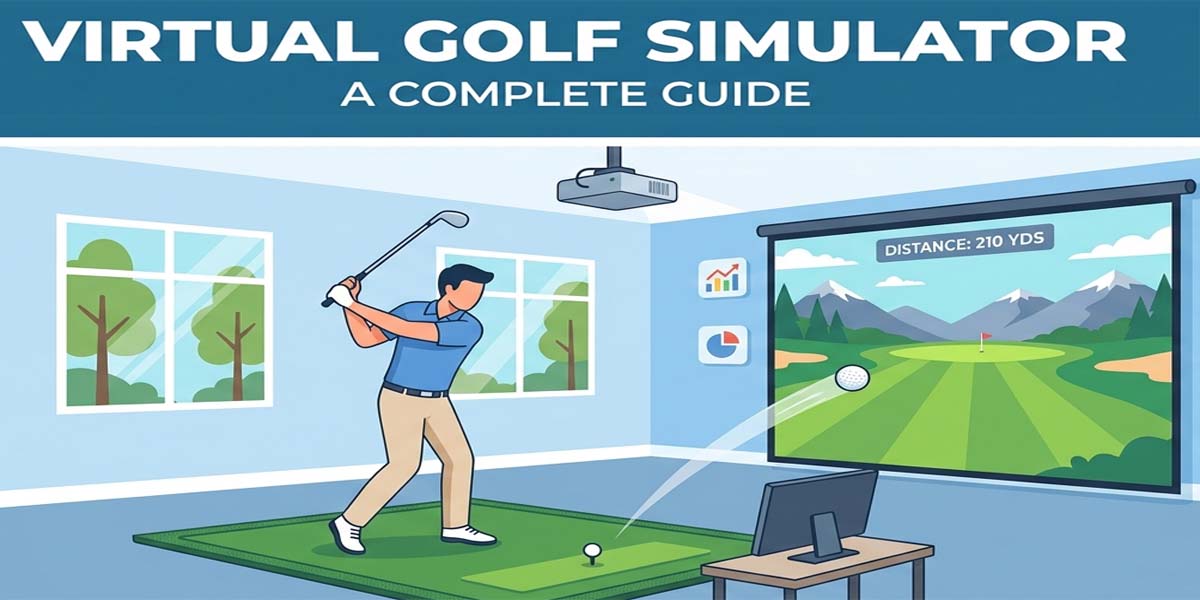
A virtual golf simulator is a system that lets you hit real golf shots indoors while watching your ball flight on a screen or display. It combines hardware and software to measure your swing, track the ball, and show you a simulated golf environment. Most setups include a launch monitor, simulation software, a hitting mat, a projector or display, and some kind of enclosure or net.
In plain terms, it’s more than just a net and a screen. A true virtual golf simulator gives you shot data, course play, and feedback that helps you practice, compete, and enjoy the game all year long. That’s why the pricing varies so much: the more accurate and immersive the setup, the more it usually costs.
What Factors Affect the Cost of a Virtual Golf Simulator?
The biggest reason prices vary is that each part of the simulator can be built at a different quality level. A golfer who wants simple practice data will spend far less than someone building a realistic, room-filling indoor golf space. Here are the main cost drivers.
Launch Monitor
The launch monitor is the brain of the simulator, and it’s usually the biggest price driver. It tracks ball speed, launch angle, spin, carry distance, and often club data too. Entry-level models are more affordable, while premium units use advanced camera, radar, or hybrid technology for more precise readings.
If you only want basic feedback, you can spend less. If you want elite accuracy and deeper club data, expect the cost to rise quickly.
Enclosure and Impact Screen
The enclosure and impact screen create the safe hitting area and the visual display surface. A simple net setup costs less than a full enclosure, but a proper enclosure gives you a cleaner, safer, and more immersive experience. Larger and more durable screens usually cost more, especially if you want commercial-grade materials.
Projector
If you want the simulation to show up on a big screen, a projector is a major part of the build. Short-throw projectors are common because they reduce shadows and work better in tighter indoor spaces. Budget projectors can work fine for casual play, but premium 4K or laser models improve brightness, sharpness, and realism.
Hitting Mat
A quality hitting mat matters more than many buyers expect. A cheap mat might save money at first, but it can wear out faster and feel rough on your joints. Better mats cost more, though they often last longer and deliver a more realistic turf feel.
Software
Simulation software can come included at a basic level, but many golfers upgrade for full course play, online competition, or advanced practice tools. Some software is free, while other platforms require monthly or yearly subscriptions. That ongoing fee is worth remembering when you’re planning your budget.
Computer or Device
Some simulators run on a tablet or basic device, while others need a gaming PC with a strong graphics card. If you want smooth visuals and reliable software performance, the computer can become a real part of the cost. Higher-end systems often need better hardware to keep up.
Room Prep and Installation
Your room can also change the total price. You may need ceiling protection, wall padding, electrical work, lighting changes, flooring, or professional installation. A garage setup might be easier to start, while a basement or dedicated room may need more finishing work. So, two golfers can buy similar simulator packages and still end up with very different total costs.
How Much Does It Cost to Make a Golf Simulator?
If you’re asking how much it costs to make a golf simulator from scratch, the answer depends on how much you’re willing to do yourself. A DIY build can save money, but it also takes time, planning, and a bit of patience. For many golfers, that tradeoff is worth it.
DIY Build Cost
A basic DIY virtual golf simulator can start around $1,000 to $3,000 if you keep it simple and focus on practice first. At this level, you might use a net, a budget launch monitor, a basic mat, and a tablet or display you already own. It’s a good way to test the waters without going all in.
If you want a more complete DIY build with a screen, enclosure materials, projector, and a better launch monitor, the total usually moves into the $3,000 to $7,000 range. That’s where many home golfers find the best balance between price and realism.
What You Can Save by Building It Yourself
The biggest savings usually come from labor, framing, and some of the room setup work. If you can build your own enclosure frame, mount your own projector, or handle part of the prep work, you may cut a meaningful amount off the total. Some golfers also start with simpler components and upgrade later.
What DIY Does Not Save You Money On
Even if you build the room yourself, a few things still tend to cost about the same. Launch monitors, software, high-quality mats, and reliable projector hardware aren’t usually areas where you want to cut too deep. Those pieces are the core of the experience, so it often makes sense to invest where performance matters most.
Who Should Choose DIY?
DIY is a smart choice if you’re comfortable measuring, assembling, and troubleshooting a setup. It also works well if you want to stretch your budget and you’re willing to trade convenience for savings. On the other hand, if you want a polished result with less hassle, a turnkey package may be the better fit.
How Much Does It Cost to Use a Golf Simulator?
Once you own a simulator, the cost to use it is often much lower than people expect. Still, there can be ongoing expenses, and it helps to know them in advance. For some golfers, the monthly cost is almost nothing beyond electricity and software. For others, especially those using premium course libraries, subscriptions become part of the regular budget.
Software Subscription Costs
Many launch monitors include a basic app or practice mode for free, but full course play and advanced features may require a subscription. Monthly or annual plans can vary widely, so it’s smart to check software pricing before you buy. If you like playing famous courses or joining online matches, this is one cost you shouldn’t overlook.
Ongoing Maintenance Costs
Over time, mats wear down, projector lamps or light engines age, cables get replaced, and accessories need refreshing. These aren’t usually huge costs, but they do add up over the years. A well-built system should last a long time, yet a small maintenance budget helps keep everything running smoothly.
Electricity and Internet
Electricity and internet are smaller costs, but they still matter if you use the simulator often. A projector, PC, and display setup will draw power, while online software needs a stable connection. For most users, these costs are modest, but they’re still part of the bigger ownership picture.
Cost Per Session
If you already own the simulator, the cost per session is usually very low after the upfront purchase. That’s one reason many golfers think of a virtual golf simulator as a long-term investment. You pay more at the start, but each round or practice session becomes more affordable over time.
How Much Does an At-Home Golf Simulator Cost?
An at-home golf simulator usually fits into one of four budget ranges. The right one depends on how often you’ll use it, how much realism you want, and how much room you can dedicate to the setup. A home simulator can be as simple as a practice station or as polished as a premium indoor golf room.
At-Home Simulator Under $3,000
This range is best for golfers who mainly want practice and basic feedback. You might be looking at a net-based setup, a more affordable launch monitor, and a solid mat. It’s not the most immersive option, but it can still be very useful for swing work and ball-striking practice.
At-Home Simulator Between $3,000 and $7,000
This is the sweet spot for many homeowners. At this level, you can often build a true virtual golf simulator with a better launch monitor, enclosure, screen, mat, and possibly a projector. It’s a strong balance between cost and experience, and it gives you a lot of value for the money.
At-Home Simulator Between $7,000 and $15,000
Once you move into this range, the setup starts to feel much more immersive. You can often upgrade to better visuals, stronger data tracking, and more durable components. This range appeals to golfers who want serious practice, family fun, and a more polished indoor golf space.
At-Home Simulator Over $15,000
At the high end, home simulators can become highly refined indoor spaces with premium launch monitors, commercial-grade enclosures, top-tier projectors, and better finishing work. These builds are for golfers who want the best possible experience and are willing to pay for it. They also work well for business use or heavy daily play.
How Much Does It Cost to Get a Golf Simulator All In?
If you want the real all-in number, you need to look beyond the package price. Shipping, taxes, software, installation, room prep, and accessories can all affect what you actually spend. That’s why two people can buy similar systems and still end up with very different total bills.
One-Time Purchase Cost
The one-time purchase usually includes the launch monitor, enclosure or screen, mat, and sometimes a projector or basic software. Depending on the package, this can be a few thousand dollars or much more. If you’re comparing options, make sure you know exactly what’s included and what isn’t.
Setup and Installation Cost
Some golfers can handle setup themselves, while others prefer professional installation. If your room needs framing, ceiling protection, electrical work, or custom finishing, installation costs can rise. Even a simple room can benefit from careful setup, especially if you want a clean, safe, and accurate playing area.
Hidden Costs People Forget
It’s easy to overlook the smaller items, but they matter. You may need a projector mount, cables, lighting changes, furniture, wall padding, ball storage, or a better computer. These extras don’t always feel urgent at first, but they often make the difference between a basic setup and a great one.
All-In Sample Budgets
| Budget Level | What It Might Include | Estimated Total |
|---|---|---|
| Budget build | Launch monitor, net or simple enclosure, basic mat, basic software | $1,000–$3,000 |
| Mid-range home build | Better launch monitor, enclosure, impact screen, projector, quality mat, software | $3,000–$10,000 |
| Premium build | High-end launch monitor, premium screen, strong projector, gaming PC, room finishing | $10,000–$25,000+ |
Golf Simulator Cost Breakdown by Component
Breaking the simulator into parts makes the pricing much easier to understand. It also helps you decide where to spend more and where you can save. Here’s a practical breakdown of each major component.
Launch Monitor Cost
Launch monitors can range from a few hundred dollars to many thousands. Entry-level units are fine for basic practice, while premium systems give you more accuracy and more detailed data. If your main goal is improvement, this is usually the first place to invest.
Enclosure Cost
A simple net is the cheapest option, but a full enclosure offers a cleaner and safer setup. Enclosures can cost more when they’re larger, sturdier, or built for heavy use. If you want the room to feel like a true indoor bay, this is an important upgrade.
Impact Screen Cost
Impact screens vary based on size, fabric quality, and durability. A standard screen may work well for light use, while a premium screen can deliver a better image and longer life. If you plan to hit a lot of balls, a better screen usually pays off.
Projector Cost
Budget projectors are fine for simple setups, but short-throw and 4K or laser projectors improve the image quite a bit. The right projector depends on your room, your screen, and how important visual realism is to you. If you want a more immersive feel, this is one upgrade that makes a big difference.
Hitting Mat Cost
A budget mat may be enough for occasional practice, but a better mat is easier on your body and often lasts longer. Since you’ll stand and hit from this surface every session, it’s worth taking seriously. Many golfers regret going too cheap here.
Software Cost
Software may be included in a basic form, but full course access and advanced play often cost extra. Some platforms offer monthly or yearly plans, while others may require additional purchases. If you love playing virtual rounds, software can become one of the biggest ongoing expenses.
Computer or Tablet Cost
Some launch monitors work with a tablet, but many simulators need a capable PC. A gaming computer can add to the total, especially if you want smooth graphics and fast load times. If you already own a suitable device, that can lower your total setup cost quite a bit.
What Can You Get for Each Budget?
Knowing the cost is helpful, but knowing what you actually get for your money is even better. Here’s a simple way to think about it.
Under $1,000
This budget is usually for a very basic practice setup. You may get a launch monitor or a simple training aid, but not a full simulator room. It’s a good starting point if you want to test the concept before spending more.
$1,000–$3,000
At this level, you can build a useful at-home practice station with real feedback. A net, mat, and affordable launch monitor can create a solid training space. It may not feel like a luxury setup, but it can still help your game a lot.
$3,000–$7,000
This is where many golfers move into true virtual golf simulator territory. You can often combine a launch monitor, enclosure, screen, mat, and projector into one practical home setup. For many people, this is the most appealing price range because it offers a real balance of performance and affordability.
$7,000–$15,000
In this range, the simulator becomes more refined and more enjoyable to use often. Better visuals, stronger accuracy, and more durable components are all easier to reach. This is a strong option for serious golfers who want a setup they’ll use all year long.
$15,000–$25,000+
This is premium territory. Here, you’re often paying for top-tier accuracy, larger enclosures, better screens, high-end projectors, and a more finished indoor environment. It’s the right range for golfers who want the best home experience or a business-grade setup.
DIY vs Turnkey Golf Simulator: Which Costs Less?
This is one of the most common questions people ask, and the answer is usually straightforward: DIY often costs less upfront, while turnkey saves time and stress. Which one is cheaper overall depends on your skills, your room, and how much you value convenience.
DIY Advantages
DIY builds can lower labor costs and give you more control over the budget. You can choose where to save, what to upgrade later, and how to handle your room layout. If you enjoy projects and want a custom result, this route can be very rewarding.
Turnkey Advantages
Turnkey packages are easier because the parts are designed to work together. That means less guesswork, fewer compatibility problems, and a faster path to playing. For many buyers, that convenience is worth the extra cost.
Which Is Cheaper Overall?
DIY is often cheaper at the start, but not always cheaper in the long run if mistakes happen or lower-quality parts need replacing sooner. Turnkey systems usually cost more up front, yet they can reduce frustration and save time. The best choice is the one that fits your budget and your comfort level.
Does Room Size Affect Golf Simulator Cost?
Yes, room size can absolutely affect cost. A larger room may need more materials, but even a smaller room can get expensive if you need special solutions to make it work safely. Ceiling height, width, and depth all matter, and the room type changes the budget too.
Garage Setups
Garage setups are popular because they’re convenient and often already available. However, you may need a retractable screen, extra padding, or storage-friendly components. If your garage is used for cars too, the setup may need to stay flexible.
Basement Setups
Basements are also common, but ceiling height can be a problem. You may need to protect low ceilings, walls, and support beams. That sometimes adds cost, especially if you want a clean and safe final result.
Dedicated Room Setups
A dedicated room gives you the most freedom, but it may also involve more finish work. Flooring, lighting, sound control, and furniture can all become part of the plan. On the upside, the final experience is often better and more permanent.
Commercial Spaces
Commercial installs usually cost more because they need to handle heavy use. Larger enclosures, premium materials, and more durable components are often worth the investment. If the simulator will serve clients or customers, reliability matters as much as performance.
Are There Financing Options for a Golf Simulator?
Yes, financing can make a virtual golf simulator much easier to buy. Instead of paying everything at once, you can spread the cost over monthly payments. That can be especially helpful for premium home setups or business projects.
Why Financing Can Help
Financing lets you enjoy the simulator now while paying over time. For some buyers, that means a better launch monitor or a more complete room right away. It can also make a bigger project feel much more manageable.
What to Consider Before Financing
Before you finance, look closely at the interest rate, the term length, and the total amount you’ll pay over time. A low monthly payment can look attractive, but the final cost still matters. It’s always smart to compare the full picture.
When Financing Makes Sense
Financing makes the most sense if you know you’ll use the simulator often and don’t want to wait years to build it. It can also make sense for commercial buyers who expect the system to support business income. In those cases, the monthly cost may be easier to justify.
Is a Golf Simulator Worth the Cost?
For many golfers, yes, it absolutely is. A virtual golf simulator gives you year-round access to practice, play, and feedback. That alone makes it valuable, especially if weather, schedule, or location often keep you off the course.
Worth It for Practice
If your goal is better ball striking and more consistent practice, a simulator can be a huge advantage. You get instant feedback, repeatable conditions, and the ability to work on your game anytime. That kind of convenience is hard to beat.
Worth It for Entertainment
A simulator is also great for family fun and social play. Friends and guests can enjoy virtual rounds without perfect weather or a tee time. In that sense, the system becomes more than a training tool; it turns into a home entertainment feature.
Worth It for Business
If you plan to use it in a business setting, the value can be even higher. Lessons, memberships, events, and indoor play can all support revenue. In that case, the simulator may work as both a tool and an asset.
How to Budget for Your Virtual Golf Simulator
Budgeting works best when you start with your main goal. Do you want practice, entertainment, or business use? Once you know that, it becomes much easier to decide where to spend and where to save.
Decide Your Goal First
If your priority is improvement, spend more on the launch monitor and mat. If your priority is entertainment, the screen, projector, and overall experience may matter more. If it’s for business, durability and reliability should lead the list.
Allocate Budget by Priority
A smart order is usually launch monitor first, then mat, then enclosure or screen, then projector, and finally software and accessories. That way, the most important parts of the simulator are strong before you start adding extras. It’s a simple approach, but it works.
Avoid Overspending on the Wrong Component
It’s easy to get distracted by a big projector or fancy furniture, but those upgrades don’t matter much if the core system is weak. Focus first on the parts that affect performance. After that, you can add comfort and style.
Common Mistakes That Increase Cost
A few simple mistakes can push your budget higher than expected. The good news is that most of them are avoidable if you plan ahead.
- Buying incompatible components: Not every launch monitor works with every software or device.
- Ignoring room height: A low ceiling can create expensive problems later.
- Forgetting software fees: The simulator may work, but access to full features could cost extra.
- Choosing a weak mat: Cheap mats may wear out quickly and feel rough to use.
- Skipping room prep: Lighting, padding, and electrical work often matter more than people think.
- Underestimating installation: Even a good package can become expensive if setup is more complex than expected.
Frequently Asked Questions
How much does a virtual golf simulator cost?
A virtual golf simulator usually costs between $1,000 and $25,000+. Basic practice setups are much cheaper, while premium home or commercial systems cost far more. Most good home builds fall in the $3,000 to $10,000 range.
How much does it cost to make a golf simulator?
If you build it yourself, a simple golf simulator can start around $1,000 to $3,000. A more complete DIY setup with an enclosure, screen, projector, and better launch monitor often lands between $3,000 and $7,000.
How much does it cost to use a golf simulator?
Once you own one, the cost to use a golf simulator is often low, but software subscriptions and maintenance can add ongoing expenses. If you’re renting a bay at a facility, hourly costs will depend on the location and the venue.
How much does an at-home golf simulator cost?
An at-home golf simulator can cost anywhere from a few hundred dollars for a very basic practice setup to $25,000+ for a premium indoor room. For most homeowners, the sweet spot is usually between $3,000 and $15,000.
How much does it cost to get a golf simulator?
The total cost to get a golf simulator includes the package price plus possible extras like shipping, taxes, software, installation, room prep, and accessories. That’s why the all-in number can be higher than the sticker price.
What is the cheapest way to build a golf simulator?
The cheapest way is usually a simple DIY practice setup with a net, a basic launch monitor, and a good mat. You can always add an enclosure, projector, and screen later as your budget grows.
Do golf simulators require a monthly subscription?
Some do, and some don’t. Many launch monitors include basic software for free, but full course access, multiplayer, and advanced features often require a subscription. Always check the software details before you buy.
What is the most expensive part of a golf simulator?
In most cases, the launch monitor is the most expensive part. However, the total build cost can also climb quickly if you add a premium enclosure, projector, computer, and room finishing work.
Can I build a golf simulator in my garage?
Yes, garages are one of the most common places to build a home golf simulator. Just make sure you have enough ceiling height, safe clearance, and protection for the walls and surrounding area.
Is a projector necessary for a golf simulator?
Not always, but it is necessary if you want a full-screen virtual golf experience. Some practice setups use a tablet, monitor, or net-only display instead. A projector matters more when realism and immersion are the goal.
Final Thoughts on Virtual Golf Simulator Cost
So, how much does a virtual golf simulator cost? The answer depends on how far you want to take the experience. A simple practice setup can stay fairly affordable, while a full home simulator can become a major investment. What matters most is choosing the right setup for your space, your goals, and your budget.
If you want the best value, start with the launch monitor, mat, and room fit. Then build from there. With the right plan, a virtual golf simulator can give you year-round practice, better feedback, and a lot more time enjoying the game you love.