
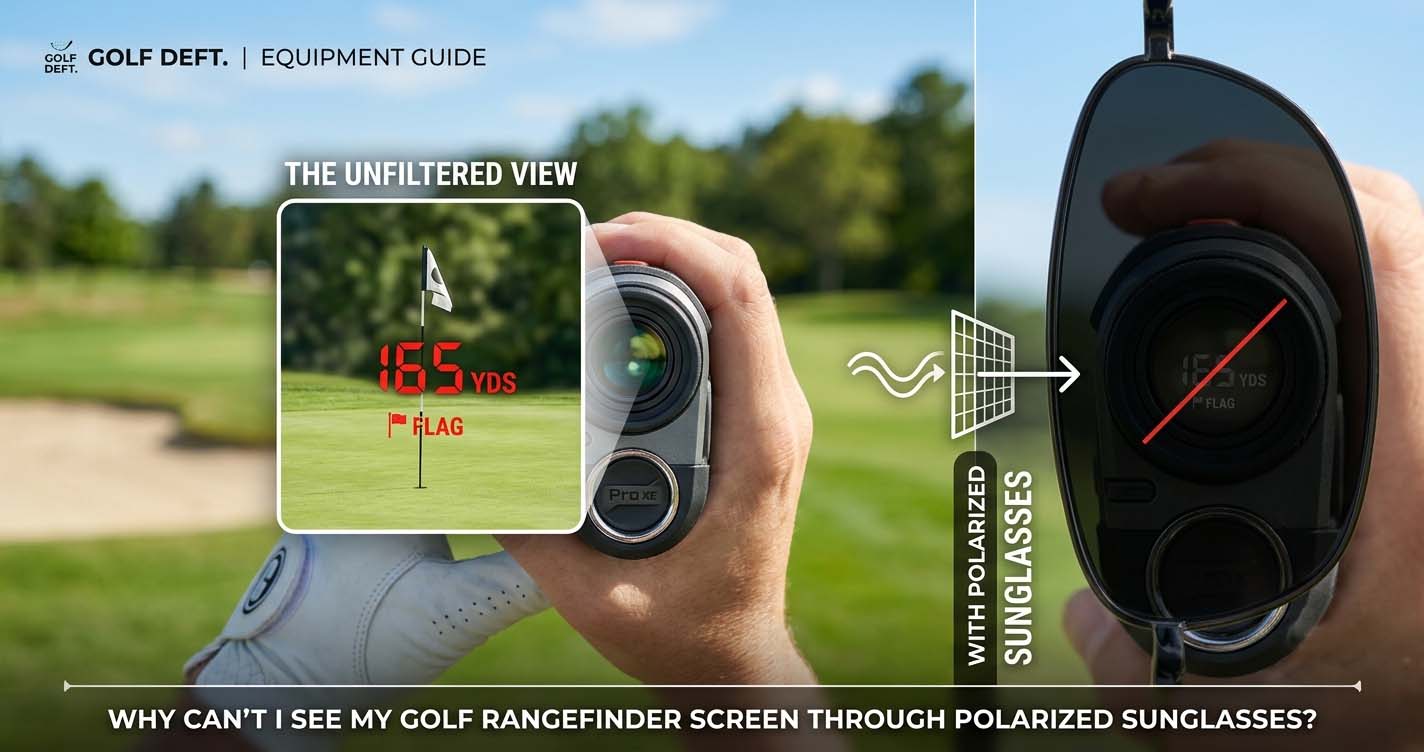
You step up to your ball, pull out your rangefinder, look through the viewfinder, and the screen is black. You shake it, tap the power button again, but nothing changes. The frustration is real. This isn’t a broken device or a dead battery. It is a simple physics conflict between your polarized sunglasses and the polarized display inside your rangefinder.
I have used rangefinders on the course for years, and I have seen this problem trip up golfers, especially those who just bought their first pair of good polarized shades. In this article, I will explain exactly why the screen goes dark, which device features make it worse, and what you can do so you never miss a yardage again.
Why This Happens: The Physics Behind the Blackout
Your rangefinder screen is an LCD. An LCD works by passing light through two polarizing filters. The first filter lines up the light waves in one direction. The liquid crystals then twist that light to create the numbers and symbols. The second filter only lets light through if it is aligned correctly. This is how the screen turns pixels on and off.
Your polarized sunglasses use the same trick. They block horizontal light waves. This cuts glare from flat surfaces like water and sand. But here is where the trouble starts. If the light coming out of your rangefinder screen is also horizontal, your sunglasses block nearly all of it. The screen looks completely dark.
This is called cross-polarization. Both items work as designed, but their filters fight each other. The result is a black screen that looks like the rangefinder is off.
Why the Screen Goes Black at Certain Angles
The conflict is not always constant. You may see the screen fine when you hold the rangefinder one way, then it goes black when you tilt your wrist or look from a different angle. This is because the polarization axis of your glasses is fixed. Your rangefinder’s screen also has a fixed polarization direction. When the two axes are perpendicular, the screen goes dark. When they are parallel, you see clearly.
Most golf rangefinders are designed to be held in portrait orientation (tall, not wide). The screen polarization is usually set to work with that orientation. When you rotate the rangefinder sideways, you change the alignment relative to your glasses. That is why some golfers find that tilting the unit 90 degrees brings the screen back.
Why Some Rangefinders Are Worse Than Others
Not all LCD screens are created equal. Cheaper rangefinders often use twisted nematic (TN) panels. These have a narrow viewing angle and a strong polarization direction. They are very sensitive to cross-polarization. More expensive models may use in-plane switching (IPS) panels. IPS screens are designed to have wider viewing angles and less polarization sensitivity. They still use polarizers, but the effect is weaker.
A few high-end rangefinders use OLED displays. OLEDs do not need a backlight or polarizing filters in the same way. They are much less affected by polarized sunglasses. If you have tried every fix and still cannot see the screen, an OLED model may be your answer.
What You Can Do About It
You have options, and they range from free adjustments to buying new gear. I break them into three tiers.
Tier 1: Free Adjustments You Can Try Right Now
- Tilt the rangefinder. Rotate it 45 to 90 degrees relative to your line of sight. This changes the angle between the screen polarization and your sunglasses. Test it before your next round.
- Rotate your head or tilt your glasses. Sometimes just lowering your glasses a bit on your nose shifts the alignment enough to see the screen.
- Take off your sunglasses briefly. In bright sun, you can pull them off for the few seconds you need to read the yardage. Put them back on for the shot.
- Check your rangefinder settings. Some models have an auto-brightness or contrast adjustment. A higher brightness setting can sometimes overpower the polarizing effect.
Tier 2: Low-Cost Modifications
- Apply a matte screen protector. A matte anti-glare protector diffuses the light coming from the screen. This can reduce the black-out effect, but it does not eliminate it entirely. It works best with screens that still show a faint image.
- Use a sunshade or hood. Some rangefinders come with a removable hood that blocks ambient light. This helps because the screen is easier to read when there is less competing light. It does not fix the polarization issue, but it can improve visibility.
- Switch to non-polarized sunglasses for golf. You can keep your polarized pair for driving and everyday use, but buy a second pair with non-polarized or photochromic lenses for the course. Oakley, Maui Jim, and Rudy Project offer golf-specific non-polarized options.
Tier 3: Equipment Changes
- Buy a rangefinder with an OLED screen. Models like the Bushnell Pro XE or Leupold GX-5i3 use OLED displays. They are far less sensitive to polarized sunglasses. Check online reviews from other polarized glasses wearers before you buy.
- Choose a model known to work. Some older rangefinders with TN panels actually work better because their polarization direction happens to align with common sunglass filters. This varies, so test a friend’s unit or check forums.
- Get clip-on non-polarized lenses for your rangefinder. Some manufacturers sell external filters that attach to the eyepiece. These can cancel the cross-polarization effect.
Should You Keep Polarized Sunglasses for Golf?
This is the real trade-off. Polarized lenses are excellent for cutting glare off water, sand traps, and wet grass. They improve contrast and reduce eye fatigue on sunny days. However, they cause the exact problem you are dealing with.
Here is my personal take. I keep my polarized glasses because they help me read greens and spot subtle breaks. The glare reduction is more valuable to me than the rangefinder screen, because I can work around the screen issue. But if you play in competitions where a quick yardage is critical, or if you rely on your rangefinder for every shot, non-polarized glasses may be the better choice.
A hybrid solution works for many golfers. Wear polarized glasses for the walk and shot planning, then slide them off or raise them when you need to check your rangefinder. It takes seconds.
Frequently Asked Questions
Can I see through my sunglasses if I rotate the rangefinder sideways?
Yes, in many cases. Rotating the rangefinder 90 degrees changes the alignment between the screen polarization and your sunglass filters. Test it with your specific model. Some rangefinders work perfectly in portrait but go black in landscape, or the reverse.
Will a screen protector fix my problem?
A matte anti-glare protector can help by diffusing the light. A clear protector will not change the polarization at all. Neither will completely fix the black-out, but a matte one may make the screen readable in moderate light.
Do GPS watches have the same issue as rangefinders?
Yes, but to a lesser degree. Many GPS watches use smaller LCDs with lower polarization sensitivity. I have worn a Garmin Fenix and a Bushnell Ion with polarized glasses and had no problem. However, some models still go dark at certain wrist angles. Test your watch before you rely on it.
Can I modify my rangefinder screen to remove the polarization?
No. The polarizing layer is built into the LCD. Attempting to remove or change it will destroy the display. This is not a user-serviceable part.
What brand of rangefinder is least affected by polarized sunglasses?
Models with OLED screens are the best choice. Look at Bushnell Pro XE, Leupold GX-5i3, or Nikon Coolshot Pro Stabilized. Always read user reviews from people who wear polarized glasses before you buy.