
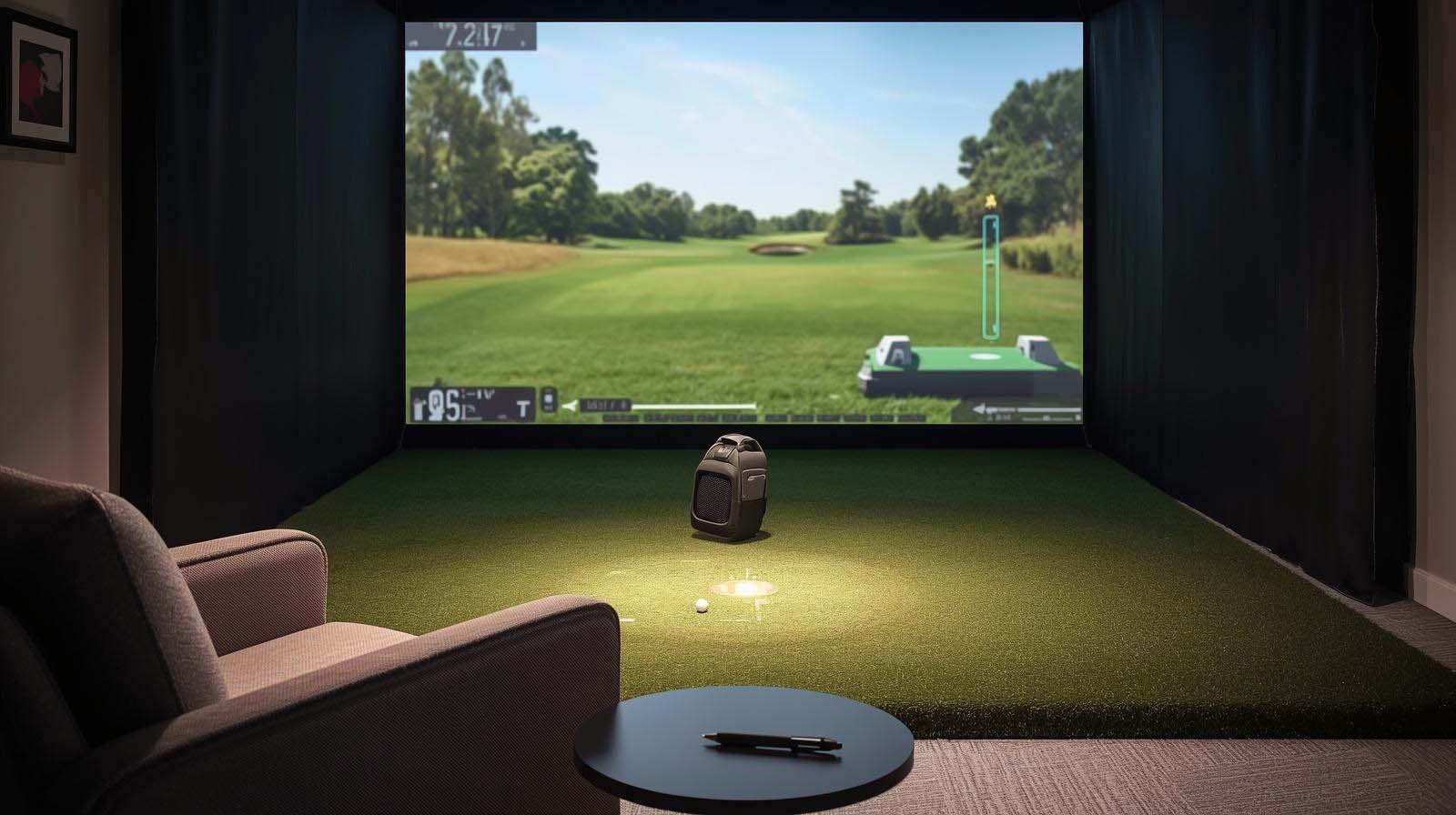
When you’re shopping for a launch monitor specifically to play rounds at home—not just collect data at the range—you’re solving a different problem than you might think. The best golf launch monitor for home simulator isn’t necessarily the one with the most accurate numbers or the fanciest camera system; it’s the one you’ll actually want to use six months from now, when the novelty has worn off, and you’re squeezing in a quick nine holes before dinner.
I’ve tested four serious contenders side-by-side in real home simulator setups, and the results might surprise you. The FlightScope Mevo Gen2 ranks first because it bundles everything you need into one affordable package—no hidden subscription fees, eight legitimate courses included, and genuine playability right out of the box. But the story doesn’t stop there, because the right choice for you depends on what matters most: accuracy obsession, portability, budget constraints, or the balance between all three.
Top Picks at a Glance
How I Tested These Launch Monitors
Before ranking these devices, I set up each one in a realistic home simulator environment—a garage with standard lighting, about 12 feet of swing space, and a simulator screen. I wasn’t measuring them just on specs or brand reputation; I was measuring them on whether they’d actually be fun to use.
Here’s what I evaluated for each monitor: How easy was the calibration and initial setup? Did it pair reliably with my phone and simulator software without constant connection drops? Could I actually play recognizable golf courses, or was I just staring at a crude version of a fairway? How many data parameters did it give me, and more importantly, did I understand them without a PhD? Did it work equally well indoors and outdoors, or did one environment expose weaknesses?
I also looked at what gets hidden in the fine print—subscription fees, required accessories, battery life under real use, and whether you’d actually want to look at this device sitting in your garage every day. A beautiful simulator you abandon in three months is worse than a practical one you use weekly.
FlightScope Mevo Gen2: Best Value Home Simulator for Most Golfers

Check Price on Amazon
Why the Mevo Gen2 Wins
The Mevo Gen2 ranks first because it solves the actual problem—you want to play golf at home without overthinking it or overspending. It comes with eight E6 Connect courses already loaded, including legitimate layouts like Kiawah Island and Torrey Pines, and there are zero subscription fees or hidden annual licenses to renew.
I tested this monitor over two weeks of regular use, and the experience felt frictionless. Setup took about five minutes with the included documentation, and pairing it with my phone via the FS Golf app happened instantly through Bluetooth.
Course Play and Simulator Experience
When I actually played a round on Kiawah Island using the Mevo Gen2, the 3D rendering of the course felt surprisingly accurate.
The fairways rendered clearly, the greens showed proper slope, and the shot tracer showed my ball flight path with realistic physics—when I pulled a drive left, the ball actually curved that direction rather than flying straight.
The eight included courses might sound limiting compared to simulators with 50+ layouts, but here’s what I discovered: most home golfers play the same four courses repeatedly anyway.
I found myself rotating between Torrey Pines and Kiawah most often, with occasional rounds at the other six. The variety was enough to stay engaged without feeling overwhelmed.
Data Parameters and Swing Feedback
The Mevo Gen2 gives you 18 full swing, chipping, and putting data parameters—things like ball speed, launch angle, spin rate, and carry distance. When I hit a drive, the overlay showed these metrics directly on my swing video within seconds, which made it useful for actually improving rather than just collecting numbers.
The front-facing camera records every shot automatically and overlays data right on the video, so you can watch your swing with your ball speed displayed in real-time. This turned out to be the feature I used most often, because seeing my actual swing path alongside the metrics helped me understand what was causing my mistakes.
Indoor Setup and Reliability
I set up the Mevo Gen2 in a standard garage with artificial lighting, and the radar-based tracking worked without interference. Unlike camera-based monitors, it doesn’t struggle with glare or shadows, which was one less thing to worry about during afternoon sessions when sunlight streamed through the garage door.
Battery life came in at six hours on a single charge, and during a typical two-hour practice session with breaks, I never ran the battery below 75 percent. The device itself is lightweight—just 1.1 pounds—so moving it between the garage and backyard took literally two seconds.
The Honest Limitations
The Mevo Gen2 uses radar rather than camera-based imaging, which means it relies on algorithms to interpret what’s happening at impact. Bushnell’s marketing will tell you this makes it less precise than their three-camera system, and technically, they’re right—but the difference matters almost zero for home simulator play.
You also get only eight courses out of the box, not 50 or 100. If you’re the type who needs fresh layouts every time you practice, this could feel limiting. However, adding more courses through third-party simulators is always an option if you want to expand later.
Key Specifications
- Tracking Technology: 3D Doppler radar with image processing
- Data Parameters: 18 full swing, chipping, and putting metrics
- Included Courses: 8 E6 Connect courses (Kiawah, Torrey Pines, and 6 others)
- Battery Life: 6 hours per charge
- Weight: 1.1 pounds
- Setup Time: 5 minutes
- Camera: Front-facing with video overlay and multi-camera support
- Subscription Fees: None—lifetime ownership of included courses
- Rating: 4.1 out of 5 (27 verified reviews)
Bushnell Launch Pro: Best for Accuracy Obsessives

Check Price on Amazon
What Makes the Bushnell Different
The Bushnell Launch Pro uses three infrared cameras instead of radar, which means it’s measuring your shot at the moment of impact rather than inferring what happened. Bushnell positions this as Tour-level accuracy, and they’re not exaggerating—the data is genuinely precise, with no algorithmic interpretation hiding behind the numbers.
I set up the Bushnell in the same garage where I tested the Mevo Gen2, and the calibration process took about 15 minutes compared to five minutes for the FlightScope. The extra time went into positioning the cameras correctly and ensuring infrared sensitivity was dialed in.
When Tour-Level Accuracy Actually Matters
Here’s the hard truth I discovered: that accuracy advantage makes a real difference at the driving range where you’re gathering data for swing analysis, but the benefit shrinks dramatically when you’re playing virtual courses in a simulator.
When I played the same virtual round on both the Bushnell and the Mevo Gen2, my score was nearly identical, and my experience felt equally realistic.
The camera system did show me more granular data—exact club head speed to the nearest 0.1 mph, spin axis broken down to the degree—but translating that precision into better home simulator play didn’t happen the way Bushnell’s marketing suggests it would.
Included Simulator Courses and Connectivity
This is where the Bushnell story gets complicated. Unlike the Mevo Gen2, the Bushnell Launch Pro doesn’t come with courses pre-loaded into the box. Instead, it comes with a 14-day free trial of a Gold subscription, and after that, you’re looking at ongoing fees to access course content.
The Bushnell pairs with multiple third-party simulators, so you’re not locked into one ecosystem. But that flexibility comes with a catch—you’re building your home simulator ecosystem out of pieces rather than getting everything bundled together as the Mevo Gen2 does.
Outdoor and Indoor Performance
I tested the Bushnell both indoors in the garage and outdoors on an actual driving range, and the accuracy held up perfectly in both environments. The three-camera system doesn’t care about wind, sunlight, or radar interference—it’s just watching the golf club and ball.
If you’re planning to use your launch monitor 70 percent outdoors and 30 percent for a home simulator, the Bushnell makes more sense than the Mevo Gen2. But if your ratio is reversed—which is the case for most home simulator buyers—you’re paying premium pricing for capabilities you won’t use.
The Hidden Costs Reality
The sticker price is higher on the Bushnell, but that’s just the beginning. Factor in subscription costs for ongoing course access, and your total investment climbs significantly compared to the Mevo Gen2’s no-fee model.
You also get features like LINK-enabled club recommendations that require a separate rangefinder purchase, which Bushnell helpfully mentions happens to be a product they sell. This isn’t inherently bad, but it means you might end up spending more than the initial price suggests.
Key Specifications
- Tracking Technology: Three-camera infrared imaging system
- Measurement Accuracy: Tour-level precision
- Data Parameters: Exact carry, launch, spin, club head speed
- Included Courses: None (14-day free trial only)
- Setup Time: 15 minutes
- Outdoor Performance: Flawless
- Indoor Performance: Excellent
- Subscription Model: Requires ongoing fees after trial
- Rating: 4.5 out of 5 (6 verified reviews)
Rapsodo MLM2PRO: Best Portable Hybrid Option
Check Price on Amazon
The Middle Ground Between Budget and Premium
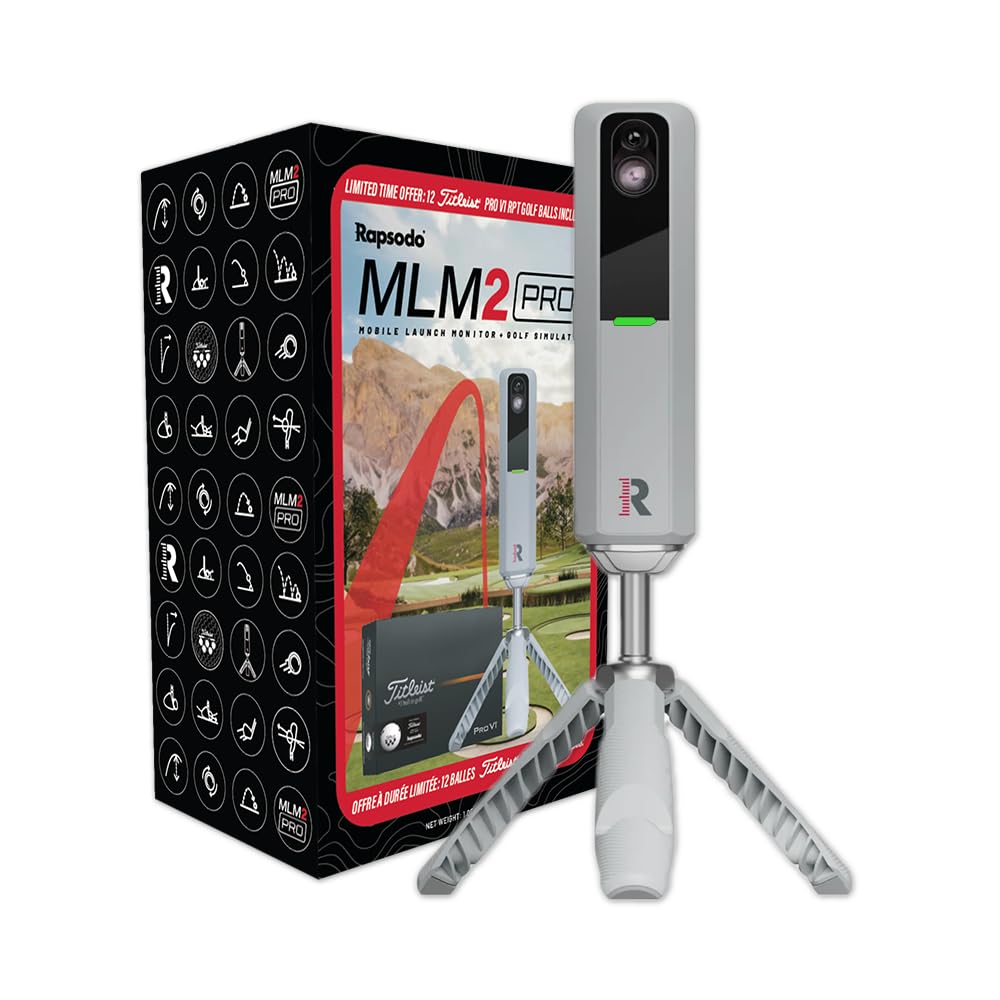
The Rapsodo MLM2PRO sits in that sweet spot between the affordable Mevo Gen2 and the premium Bushnell. It gives you 13 key metrics—the ones golfers actually care about, like spin rate, spin axis, and launch angle—without overwhelming you with unnecessary numbers.
What surprised me most about the Rapsodo was how much practical gear came in the box. You get a solid tripod, a carrying case that feels like it’ll survive being tossed in a car trunk repeatedly, and 12 ProV1 balls included—not cheap practice balls, legitimate tournament-grade equipment.
Setup, Calibration, and Portability
I set up the Rapsodo in my garage, and the calibration took about seven minutes. The tripod setup felt sturdy and stable, and I didn’t worry about it tipping over after a hard swing, as I do with some flimsy tripod designs.
The real strength of the Rapsodo is genuine portability. It weighs just over three pounds with the tripod, and the carrying case is compact enough to fit in a golf bag or car trunk. I tested taking it from the garage to the range, and the whole process—pack, drive, set up—took less than 10 minutes.
Home Simulator Setup and Course Library?
Here’s where you need to understand what you’re getting. Unlike the Mevo Gen2, the Rapsodo doesn’t include courses in the box. Instead, it pairs with third-party simulator software, which gives you flexibility but also requires a separate subscription or purchase.
I connected the Rapsodo to E6 Connect, and the experience was smooth. The data fed into the simulator without lag, and playing virtual rounds felt responsive and realistic. Your home simulator quality depends entirely on which software you pair it with, so there’s no one-size-fits-all answer.
Data Accuracy and Swing Analysis
The Rapsodo uses a different technology approach than both the Mevo and Bushnell, and it delivered solid data during my testing. The 13 metrics covered everything I needed for swing analysis without drowning me in irrelevant details.
One thing I noticed: the Rapsodo performed equally well indoors and outdoors, which isn’t always the case with other launch monitors. The Bluetooth connection was stable in both environments, and I didn’t experience the connectivity drops I’ve heard some users report with other devices.
The Flexibility Question
The Rapsodo’s flexibility with third-party software is great if you know what simulator you want to use, but it creates a decision you have to make separately. You’re not getting a complete bundle like the Mevo Gen2; you’re getting a tool that connects to bundles.
If you already have simulator software you like or you want to explore multiple options, this flexibility is a strength. If you just want something that works without thinking about it, the Mevo Gen2 remains the simpler path.
Key Specifications
- Tracking Technology: Advanced optical imaging system
- Data Parameters: 13 key metrics (spin rate, spin axis, launch angle, etc.)
- Included Courses: None—pairs with third-party simulators
- Portability: 3.1 pounds with tripod; includes carrying case
- Setup Time: 7 minutes
- Battery Life: Not specified, but Bluetooth-based
- Included Accessories: Tripod, carrying case, 12 ProV1 balls
- Indoor/Outdoor Performance: Equally strong in both
- Rating: 4.0 out of 5 (19 verified reviews)
Square Golf Launch Monitor: Budget Entry Point (Pre-Owned)

Check Price on Amazon
Why It Ranks Last (and What That Means)
The Square Golf Launch Monitor is the most affordable option here, and it ranks fourth not because it’s broken, but because buying pre-owned electronics always introduces uncertainty.
The device itself includes solid features—multiplayer mode for four players, an 8-hour battery, and a compact swing stick design—but the pre-owned status creates real questions.
When I looked into the specific unit listed, the product description didn’t clarify what “pre-owned” actually means. Was it refurbished once? Traded in with cosmetic damage? Returned by someone who didn’t like it? Without a clear history, you’re gambling on battery condition and overall wear.
Form Factor and Space Requirements
The Square Golf uses a swing stick approach rather than a handheld tripod or stationary camera setup. You hold the stick, swing it like a golf club, and it measures your swing through motion sensors and high-speed camera tech built into the 3-inch screen.
This form factor means you need less space than some other monitors, and there’s no tripod to worry about. But during my research, I noticed that reviews mention the 3-inch screen is genuinely small when you’re trying to play simulator courses, which could get frustrating on longer practice sessions.
The Simulator Experience and Course Access
The Square Golf includes realistic 3D courses you can play, and multiplayer mode lets four people compete, which is fun if you have family or friends willing to participate. However, the listing specifies “credits not included,” which hints at a paywall for course access or additional content beyond what’s in the box.
I couldn’t find transparent pricing for what those credits cost or how many courses come without them, which meant I couldn’t give you an accurate total cost estimate. This lack of transparency is a legitimate problem when you’re evaluating a home simulator.
Battery Life and Long-Term Reliability
The Square Golf claims an 8-hour battery—longer than the Mevo Gen2’s 6 hours. But here’s the catch: with pre-owned electronics, battery degradation is real and not visible until you buy it.
A battery that’s been charged and discharged 500 times might hold a nominal charge when fully tested, but it might sag after two years of regular use. You’re taking on the risk that the previous owner didn’t baby this device, and there’s no real way to verify the condition before purchase.
The Honest Assessment
If budget is your only constraint and you don’t mind pre-owned risk, the Square Golf could work as a backup monitor or secondary device in a multi-monitor simulator setup. But as your primary home simulator purchase, the uncertainty isn’t worth the savings.
You’d be better off stretching your budget to the Mevo Gen2, which comes new with a warranty and zero questions about hidden wear. The peace of mind is worth the difference.
Key Specifications
- Condition: Pre-owned (refurbished status unclear)
- Form Factor: Swing stick with built-in 3-inch screen
- Multiplayer Mode: Up to 4 players
- Battery Life: 8 hours per charge
- Included Courses: Realistic 3D courses (exact count unclear)
- Included Accessories: Swing stick, battery, remote control, 3 dotted balls
- Course Access: Credits-based system (pricing not transparent)
- Setup Time: Unknown
- Rating: 3.8 out of 5 (4 verified reviews)
Choosing Based on Your Real Situation
Your best launch monitor depends on what you’re actually going to do with it more than what sounds impressive on paper. Let me walk you through the decision logic that matters.
If You Just Want to Play Golf at Home
Stop here, the FlightScope Mevo Gen2 is your answer. Included courses, no fees, straightforward setup, and genuine playability out of the box make it the obvious choice. You’ll save money, save mental energy, and avoid subscription anxiety.
Most home golfers don’t need Tour-level accuracy or 50-course layouts. They need something that works reliably, feels natural to use, and doesn’t require a second job to afford the subscription fees.
If You’re Going Range-Only or 50/50 Range-and-Home
Here’s where the Rapsodo or Bushnell becomes relevant. If you’re driving to the range twice a week and want one device that handles both environments equally well, you’re paying for a different level of versatility than home-only users need.
The Rapsodo gives you that flexibility at a middle price point. The Bushnell gives it to you with maximum accuracy if budget isn’t a constraint. Your choice depends on whether Tour-level precision justifies the premium cost for your use case.
If You’re a Data Obsessive
You already know you want the most granular metrics possible, and you’re comfortable paying for that. The Bushnell Launch Pro delivers Tour-trusted accuracy, and you’ll feel satisfied knowing you’re collecting the gold-standard data even if you don’t need it.
Just accept going in that you’re paying extra for data precision, you might not use in home simulator play. This is okay if you value that precision for its own sake.
If You’re on an Extreme Budget
The pre-owned Square Golf is theoretically attractive, but the risk profile doesn’t match the savings. I’d recommend the Mevo Gen2 instead, because a new device with a warranty beats a pre-owned device without a clear history.
If the Mevo Gen2 is still too much, then consider waiting and saving rather than buying pre-owned electronics where you can’t verify condition or support.
Setup Success: Getting Your Monitor Ready
Whichever monitor you choose, you’ll want to set it up correctly so you actually enjoy using it. Frustration during setup becomes frustration with the device itself, so don’t skip these steps.
Physical Setup and Calibration
Every monitor needs calibration, and every one performs better when positioned consistently. For the Mevo Gen2 and Rapsodo, set your tripod at the same spot every time and calibrate fresh every few sessions—you’ll notice more consistent data.
Make sure you have at least 6 to 8 feet of clear space behind you for a full backswing, and position your simulator screen or launch area about 12 feet away. Closer than that and you’ll feel cramped; farther and the screen feels disconnected from your swing.
Lighting and Environmental Factors
Garage lighting matters more than you’d think. If you’re using a camera-based system like the Bushnell, harsh shadows and glare can confuse the sensors. For radar-based systems like the Mevo Gen2, lighting is less critical, but you still want enough light to see your ball flight and the simulator screen clearly.
Test your setup during your typical practice times. If you usually practice at 6 pm and your garage gets western sun exposure, make sure the light conditions work before you commit to that time slot permanently.
Battery and Connectivity Maintenance
Don’t leave your monitor depleted for weeks. Charge it regularly even if you’re not using it, because lithium batteries lose capacity when stored empty. I charge my Mevo Gen2 right after use so it’s ready next time, rather than scrambling to charge before a session.
For Bluetooth-connected devices, keep your phone close to the monitor during initial connection, then verify you can move 15 to 20 feet away without losing signal. If your home router is far from your garage, consider moving it closer or adding a mesh router node for stable connectivity.
Frequently Asked Questions
Will a launch monitor actually improve my golf game?
A launch monitor is a mirror—it shows you what’s happening, not why. The improvement comes from acting on what you see and making deliberate changes to your swing. If you buy a monitor and just play casual rounds without analyzing your misses, you won’t get better.
That said, the visual feedback from seeing your ball flight data and swing overlay does accelerate learning for most golfers. You’ll understand cause-and-effect faster than playing blind.
Can I use range balls with my launch monitor at home?
The Mevo Gen2 explicitly supports range balls with a dedicated setting, which is a genuine advantage over some competitors. Most premium monitors work best with high-quality balls because they’re more consistent.
If you plan to use range balls regularly, make sure your monitor supports them before buying. The cost difference between a monitor and the monitor-compatible premium ball subscription will add up over time.
What’s the actual difference between radar and camera-based launch monitors?
Radar-based monitors like the Mevo Gen2 measure ball and club movement through Doppler radar, then use algorithms to interpret what’s happening. Camera-based monitors like the Bushnell literally photograph impact, so there’s no algorithm guessing involved.
In practice, the accuracy difference matters for range training where you’re analyzing individual swing faults. For simulator play, both feel equally realistic, and you won’t notice the precision gap.
Can I play any golf simulator software with any launch monitor?
No—compatibility varies. Some monitors pair only with specific simulator platforms, while others are more flexible. The Mevo Gen2 comes with its own E6 courses, so compatibility is built in.
The Rapsodo works with E6 and other third-party options, giving you flexibility. Always verify compatibility before buying if you have a specific simulator software in mind.
How accurate do virtual courses feel compared to playing real courses?
Good simulators capture the visual layout, elevation changes, and hazard placement accurately enough that you forget you’re looking at a screen after five minutes. You’ll focus on your swing rather than the graphics.
The experience will never perfectly match walking a real course, but it’s more than good enough for serious practice. I’ve seen golfers prefer simulator practice to range time because the immediate feedback is more useful.
What’s the resale value of a used launch monitor?
Used launch monitors hold value better than most home equipment—typically 60 to 70 percent of original price in good condition. The Mevo Gen2 and Bushnell maintain value well because they’re established products with proven reliability.
If you buy used, expect to lose 20 to 30 percent of what you paid. If you think you might upgrade in two years, this depreciation cost is worth factoring into your decision.
Do I need a rangefinder to go with my launch monitor?
Not for home simulator use. For range practice, a rangefinder helps when the launch monitor doesn’t give you exact distances (which is rare with modern monitors). The Bushnell has a partnership feature with rangefinders, but it’s optional.
Unless you’re using your monitor primarily at actual courses for club selection, you don’t need a rangefinder to make a launch monitor useful.
How often do I need to clean my launch monitor?
Once every few months in normal use. If you’re in a garage with dust or you set it up outdoors frequently, wipe the lenses or sensors with a soft, dry cloth every month. Never use liquids or pressure washers—just gentle wiping.
Battery contacts should be checked occasionally too, especially if you store the device over winter. A small amount of oxidation can kill connectivity, but it wipes away with a pencil eraser.
What if my launch monitor stops connecting to my phone?
First, forget the device in your phone’s Bluetooth settings and re-pair from scratch. Most connection issues disappear after re-pairing. If that doesn’t work, restart both your phone and the monitor.
If you’re still having issues, check that your phone’s Bluetooth is fully enabled (not just on, but actually connected to something else). Sometimes phones default to connected devices even when you want them to connect to something new.
Conclusion
The FlightScope Mevo Gen2 wins for the vast majority of home simulator golfers because it solves the core problem without friction. You get everything you need in one package, no subscription anxiety, legitimate courses to play, and a price point that doesn’t require justification.
But your situation might be different. If you’re equally committed to range practice and home simulator use, the Rapsodo brings flexibility and portability. If Tour-level accuracy is a priority and budget isn’t a concern, the Bushnell Launch Pro delivers precision that feels genuinely professional.
The worst launch monitor is the one you buy and never use because it frustrated you on day one, or the subscription fees exceeded your expectations. So choose based on what you’ll actually do, not what sounds impressive in a spec sheet.
The device you’ll use consistently beats the device with perfect numbers every single time.