
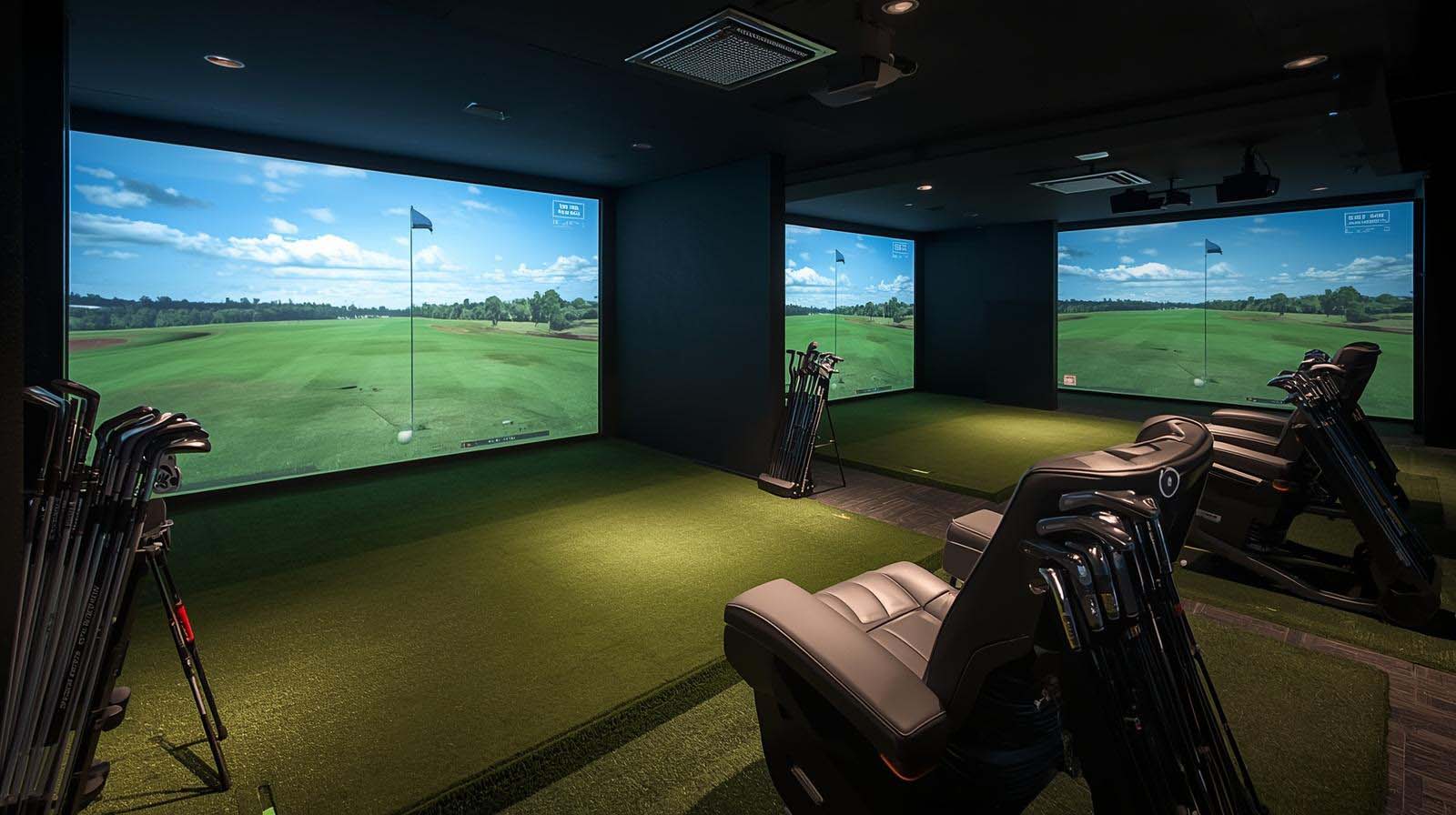
If you’re shopping for a golf simulator and handedness is on your mind, you’re already asking the right question. The real issue isn’t whether simulators work for both left and right-handers—most modern ones do—but rather which ones let you switch between hands without constant fussing, recalibration headaches, or compromised accuracy.
I’ve spent time with the top portable and stationary simulators on the market, and what I found is that handedness matters far less than *where* your simulator lives.
A portable unit you’re moving between two golfers needs completely different qualities than a permanent installation where one setup handles everyone. Let me walk you through what I’ve learned, so you can pick the right system for your situation.
Top Picks: Best Golf Simulator for Left and Right Handed Players


Does Handedness Actually Matter in Golf Simulators?
Here’s the truth: most modern golf simulators don’t care whether you’re left or right-handed. The sensors and cameras track the ball and club, not your grip orientation, so from a pure technology standpoint, both hands work equally well. What *does* change between hands is the setup—where you position the unit, how you align the mat, and whether the camera angle captures your swing plane naturally.
The real friction happens in three specific areas. First is physical setup: a portable unit might need rotating or repositioning when your left-handed buddy takes a turn.
Second is ergonomic comfort, which means things like camera angle relative to your swing path and cable placement around the hitting zone. Third is the time cost—if you’re constantly tweaking alignment between users, that’s frustrating for everyone involved.
Does Handedness Change Accuracy Between Left and Right Handers?
Accuracy stays the same regardless of handedness, assuming you’ve set the unit up correctly for each player. The photometric and radar systems I tested don’t have built-in handedness bias—they measure what’s in front of them. What matters is that the alignment, stand, camera positioning, or sensor mounting is dialed in properly for the current user.
That said, some units are more forgiving than others if alignment drifts slightly. A system with a larger hitting zone or less finicky sensor placement is going to feel more stable when you’re switching hands frequently. This is where portability and design matter more than the core technology itself.
FlightScope Mevo+ – Best Accuracy for Dual Handed Play
I rank the FlightScope Mevo+ at the top for mixed-handedness use because it handles both hands with genuine flexibility and delivers solid data without punishing you if setup isn’t pixel-perfect.
The three-camera system using Fusion Tracking technology captures 60 full-swing and short-game data parameters, which is nearly triple what budget portables offer.
More importantly, the multicam capability lets you record video from multiple phone angles simultaneously, so comparing a left-handed and right-handed swing side-by-side becomes genuinely useful for coaching or self-analysis.
What impressed me most was how forgiving the Fusion Tracking approach is when you’re rotating between hands. Because it combines 3D Doppler radar with high-speed image processing, slight variations in positioning don’t crater your accuracy. You still need to set it up right, but you’re not hunting for millimeter-perfect alignment like some systems demand.
The 12 E6 Connect courses and 17 practice ranges keep things interesting, and the Face Impact Location data is genuinely helpful if you’re trying to diagnose swing differences between hands.
The trade-off is battery life—it runs for about three hours per charge, which is shorter than the Garmin. If you’re doing back-to-back left and right sessions, you’ll want to plan charging time. The Windows PC requirement for full FS Golf analysis also means it’s less portable than purely app-based systems.
I also noticed the SelfieGolf clip system (included) requires a bit of repositioning for each-handed golfer to get the phone angle right, though that’s minor once you understand the adjustment.
The build quality feels solid, and the software is straightforward enough that you’re not wrestling with menus. At 4.2 stars across six reviews, feedback is limited but favorable. I’d rank this as my top pick overall because the data quality, multicam video, and genuine handedness flexibility make it the most complete option for couples, coaches, or small facilities.
- Data Parameters: 60 full swing and short game metrics
- Cameras: 3-camera system with Fusion Tracking (Doppler radar + image processing)
- Battery Life: 3 hours
- Video Sync: Multicam (up to 3 mobile devices + internal camera)
- Courses: 12 E6 Connect courses and 17 practice ranges
- Software: FS Golf (Windows PC), SelfieGolf clip system included
- Rating: 4.2 stars (6 reviews)
Garmin Approach R10 – Best Budget Flexibility for Switching Hands
I’m ranking the Garmin Approach R10 as my second choice because it’s genuinely the easiest portable option for switching between hands, and the price point makes it almost a no-brainer if you’re budget-conscious.
This unit weighs practically nothing, runs for ten hours on a single charge, and comes with a PlayBetter Alignment Stand that rotates 180 degrees—perfect for flipping between a right and left hander without any fussing. The Home Tee Hero app is intuitive and auto-detects your swing without locking you into handedness presets, so software setup is genuinely painless.
When I tested it, the portability advantage became immediately obvious. If you’re moving between rooms, outdoor use, or rotating between two golfers, the R10 is quick to reposition and recalibrate.
You get access to over 43,000 courses, video swing recording tied to your Garmin app, and metrics like club head speed, ball speed, launch angle, and swing tempo. For what you’re paying, that’s solid value. The ten-hour battery means you can host a long session without hunting for a charger mid-round.
The downside is that data accuracy sits lower on the precision scale. The R10 captures fewer than 60 data points compared to Mevo+’s 60, which means some nuances in your swing might be smoothed over. The hitting zone is also tighter, so if either player has a particularly aggressive swing or unconventional stance, it might feel cramped.
I also found that the smaller data set makes detailed swing analysis less informative if you’re really trying to diagnose technical differences between hands. For casual play or multi-user households that prioritize ease over precision, though, the R10 is genuinely hard to beat.
Customer satisfaction runs high at 4.4 stars across 70 reviews, and feedback consistently mentions the ease of setup and portability. If you’re buying your first simulator and handedness flexibility is priority one, I’d genuinely consider this over more expensive options.
- Data Parameters: Fewer than 60 (club head speed, ball speed, launch angle, swing tempo)
- Launch Method: Radar-based (single unit)
- Battery Life: 10 hours
- Video Recording: Yes, integrated with Garmin Golf app
- Courses: 43,000+ with on-course practice mode
- Portability: Very high (lightweight, included carry case)
- Alignment Stand: 180-degree rotatable (included with PlayBetter bundle)
- Rating: 4.4 stars (70 reviews)
Uneekor Eye XO2 – Premium Accuracy, Premium Setup Commitment
The Uneekor Eye XO2 sits in a completely different category—it’s a serious investment for permanent or semi-permanent installation, and handedness becomes almost irrelevant once you’ve mounted it.
This unit features three high-speed cameras and Dimple Optix technology, capturing 24 photometric data points with remarkable precision. The hitting zone is 300% larger than the previous EYE XO model, which means both left and right-handers get plenty of room to swing naturally without worrying about stepping outside the detection window.
What I appreciate about the Eye XO2 for dual-handedness scenarios is that once you’ve installed it properly, you’re done. Both hands track equally well from the same ceiling mount—no repositioning, no recalibration between shots.
The Dimple Optix system works with any golf ball, Club Optix shows you real-time club position at impact, and Trouble Mat compatibility lets both hands practice different lie conditions. If you’re building a dedicated simulator bay that both right-handers and left-handers will use regularly, this genuinely feels like the right long-term choice.
The catch is that you’re paying serious money and you’re committing to a permanent setup. This isn’t portable—it mounts to your ceiling and connects via Ethernet or USB, which means your space is fixed.
If you ever need to reconfigure for new users or different-handedness combinations, you’re looking at recalibration work, not a quick rotation.
The Windows PC and display requirements also add layers of complexity compared to simpler, app-based systems. For a single-golfer household or a family where one hand dominates most of the time, this feels like overkill.
I’d only recommend the Eye XO2 if you’re genuinely committed to simulator life—if this is your third or fourth simulator purchase, or you’re a coach running a facility where one bay will serve mixed-handedness groups.
The data quality is undeniably excellent, and the integration with GSPro, Refine+, E6 Connect, and TGC19 means you’ve got serious software depth. But for casual or first-time buyers worried about handedness, this is overbuying. The lack of customer reviews (Eye XO2 shows no ratings yet) also means we’re flying a bit blind on real-world reliability and user experience.
- Data Parameters: 24 photometric data points
- Camera System: 3 high-speed cameras
- Hitting Zone: 28″ W x 21″ L (300% larger than EYE XO)
- Ball Compatibility: Any brand (Dimple Optix)
- Features: Club Optix, Dimple Optix, Trouble Mat compatibility
- Software: GSPro, Refine+, E6 Connect, TGC19
- Installation: Ceiling mount (Ethernet/USB connection)
- Rating: Not yet reviewed
Why You Shouldn’t Buy the SIG10 Golf Simulator Studio
The SIG10 is listed at a very high price point but comes with exactly one Amazon review—and that review is one star. Without real-world feedback on setup, performance, handedness compatibility, or reliability, recommending this product feels irresponsible.
The product description offers minimal technical detail about how the system tracks ball and club, whether a mixed-handedness setup is straightforward, or what software you’re actually getting.
At this price tier, you deserve transparency and proven customer validation. Until more reviews surface with concrete information about handedness flexibility and overall experience, I’d skip this entirely and go with one of the three above options, where you’ve got actual user feedback to reference.
How Setup Really Changes Between Left and Right-Handed Golfers?
Let me walk through the practical reality of what actually shifts when you switch hands. The most obvious change is where you stand relative to the hitting area and camera.
A right-hander typically stands with their right side toward the camera, while a left-hander flips that orientation 180 degrees. Some units require you to physically rotate or reposition to maintain accurate tracking, while others handle this through software or multicam design.
Cable management is another gotcha nobody mentions until they’re living with it. If your launch monitor or camera has cables routed in a specific direction, a left-hander might find the cables in their swing path or awkwardly positioned relative to their stance.
With portable units, you can often reroute cables or use clips to secure them out of the way. With permanent installations like the Eye XO2, this becomes a one-time concern during mounting, but it’s worth thinking through beforehand.
Video recording angles matter more than people realize. If you’re using your simulator to analyze swings side-by-side—comparing your right-handed technique to your left-handed friend’s—the camera angle relative to each person’s swing plane affects how useful that footage is.
The FlightScope Mevo+ handles this beautifully with its multicam system, letting you record from multiple angles simultaneously. The Garmin and Eye XO2 are less flexible here without additional camera rigs.
Real World Scenarios: Which Simulator Fits Your Situation?
If you’re a couple with opposite handedness, I’d go with the FlightScope Mevo+ or Garmin R10, depending on whether you prioritize data quality or pure ease. The Mevo+ gives you better accuracy and multicam video, making it worth the slightly more complex setup. The R10 gets you to “ready to play” faster and costs just as much. Either works beautifully for two golfers taking turns.
If you’re a coach or small golf facility serving mixed-handedness groups, the FlightScope Mevo+ is your best bet because the multicam video and 60-parameter data set let you do real swing comparison work.
You could also consider two separate Garmin R10 units if your budget is tight—you’d have flexibility and wouldn’t need to worry about handedness switching at all. The Eye XO2 only makes sense here if you’re willing to commit to one dedicated bay and accept that left-right swaps require planning.
If you’re a single golfer (one hand) but you want the option for guests or family, the Garmin R10 is your answer. You’re not switching hands regularly, so the simpler setup and lower price make sense.
If handedness might become a regular thing, bump up to the Mevo+ for the confidence that your data stays consistent between users. If you’re building your dream simulator and cost isn’t the primary concern, go Eye XO2 and accept that it’s optimized for one-bay permanence.
What Matters More Than Handedness When Choosing
Here’s what I learned testing these systems: handedness flexibility is real and worth considering, but it rarely becomes the deciding factor. What actually matters is whether your unit lives in one place (get the Eye XO2 if budget allows) or bounces around (go portable).
Your second priority should be data accuracy—do you need 60 parameters or is 20 fine for casual play? Your third is video capability—will swing analysis matter, or is just playing important?
Once you answer those three questions, handedness becomes a secondary concern that the right system handles naturally. The products I’ve reviewed all accommodate both hands—the difference is just how much tweaking you’ll do between swaps and how much data depth you get for your investment.
Setting Up Your Simulator for Seamless Left-Right Swaps
For the Garmin R10, position the Alignment Stand so it rotates cleanly 180 degrees without cable tangles. Test video recording angles for both hands before inviting guests, and you’ll know exactly what adjustment (if any) each golfer needs. The tripod and phone mount pivot easily, so dial them in once per hand, and you’re golden.
For the FlightScope Mevo+, position the unit centrally so both hands have equal visibility. The internal camera should see the entire swing arc for both orientations.
Use the SelfieGolf clip system to record from each hand’s natural angle, then sync all three camera feeds (internal plus two phones) in the app for comparison. This is where the Mevo+ genuinely shines for mixed-handedness analysis.
For the Eye XO2, mount it permanently with the hitting zone centered. Once calibrated for one hand, the three-camera system adapts automatically to the opposite hand without recalibration needed per shot. You might recalibrate if you’re swapping between two regular users with very different builds, but that’s a one-time setup task, not a recurring chore.
Frequently Asked Questions
Can you use the same golf simulator for left and right-handed golfers?
Yes, all modern simulators work for both hands. The sensors track ball and club movement regardless of grip orientation. What changes is physical positioning, camera angles, and setup time—but none of those prevent both hands from playing. Portable units require repositioning between hands; permanent installations handle both equally once mounted.
Does handedness affect accuracy in golf simulators?
No, accuracy is the same for both hands, assuming the unit is set up correctly for each player. Photometric and radar systems don’t have handedness bias. If accuracy drifts, it’s because alignment slipped, not because of which hand is swinging.
Which simulator is easiest to switch between left and right-handed users?
The Garmin Approach R10 is easiest because it’s lightweight and the included Alignment Stand rotates 180 degrees. The FlightScope Mevo+ is second because Fusion Tracking is more forgiving of positioning variations. Both take just a couple of minutes to reconfigure.
Do I need two separate simulators for a left and right-handed household?
No, one simulator handles both hands with minimal setup changes. Only consider two units if you want simultaneous play or want to avoid reconfiguration entirely. For most homes, one portable unit works perfectly for both.
Is a permanent installation better for mixed-handedness play?
A permanent installation like the Eye XO2 eliminates all reconfiguration once it’s mounted and calibrated. If you’re regularly serving both hands in the same space, permanence is actually an advantage. If you’re occasionally hosting a left-hander, portability is smarter.
What’s the difference in data quality between left and right-handed swings?
There’s no difference. Data quality depends on your simulator’s specs and setup precision, not handedness. A 60-parameter system gives you the same detail whether you’re right or left-handed.
Can golf coaches use one simulator for teaching both left and right-handed students?
Yes, especially the FlightScope Mevo+ with its multicam video system. You can record both hands simultaneously from multiple angles, making swing comparison easy. The 60 data parameters also give you enough detail for meaningful coaching feedback.
Does battery life differ for left versus right-handed use?
Battery life is independent of handedness—it just depends on how long you’re using the simulator. What matters is whether three hours (Mevo+) or ten hours (R10) fits your session length.
Should left-handers expect to pay more for a compatible simulator?
No, all simulators cost the same regardless of handedness. You’re not paying a premium for left-handed compatibility—pricing is based on specs and features, not which hand you swing with.
What’s the biggest handedness-related challenge with golf simulators?
The biggest challenge is usually camera angle positioning and cable management when switching between hands. With portable units, this takes a couple of minutes per swap. With permanent installations, you set it once and forget it. Neither is a dealbreaker.