
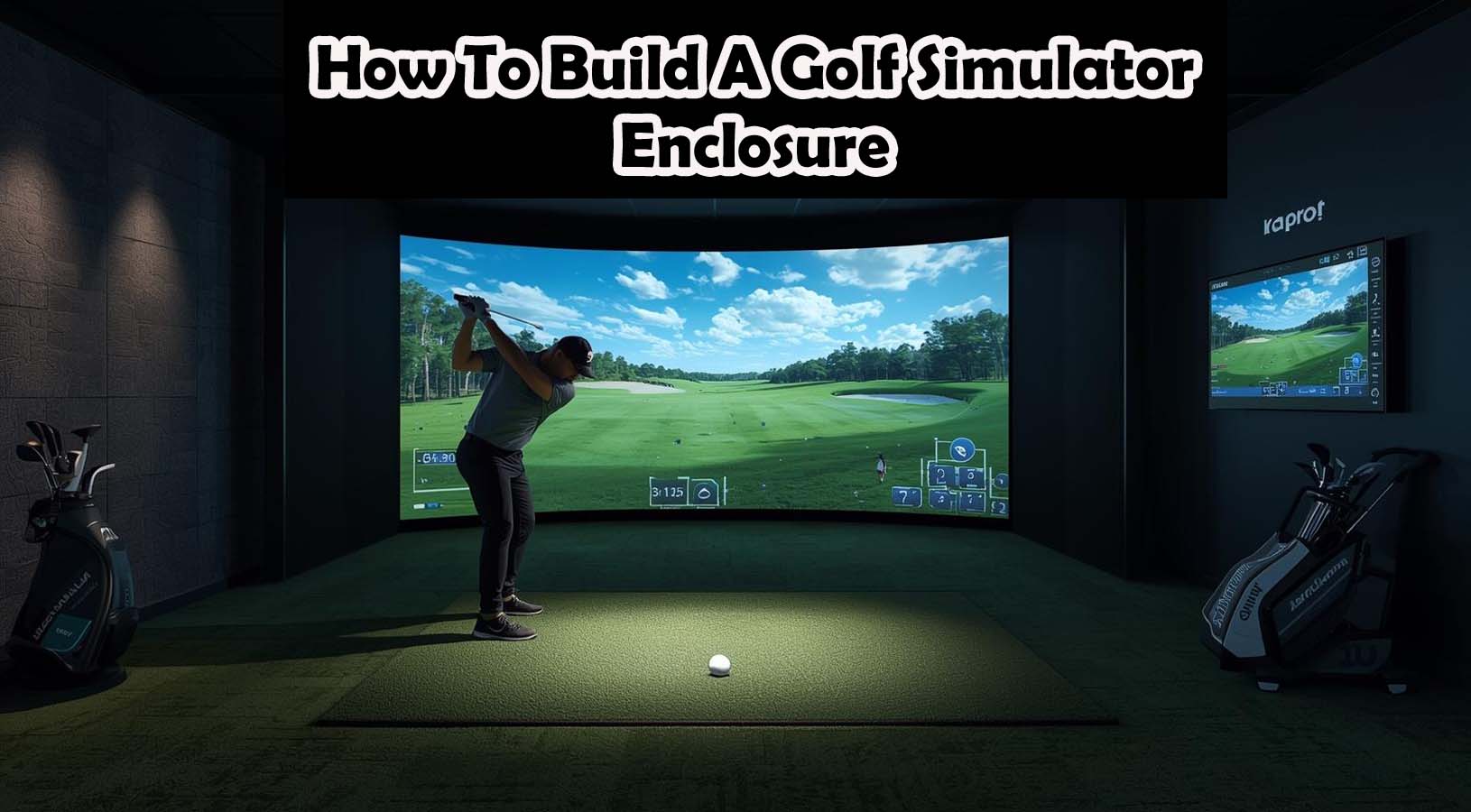
The best DIY golf simulator enclosure for most home golfers is 10 feet high, 12 to 14 feet wide, and 5 to 8 feet deep, built with either 1-inch EMT conduit or 2×4 wood framing, plus a real impact screen, side protection, and proper spacing from the hitting mat to the screen. If you want it to feel safe and realistic, your room should ideally be at least 10 feet high, 12 feet wide, and 16 to 18 feet deep.
That is the direct answer.
However, building a good enclosure is not just about putting up a frame and hanging a screen. A setup can look finished and still be frustrating to use if the room feels tight, the screen rebounds too hard, or the projector and hitting position are planned poorly.
That is why this guide focuses on what actually matters in a real home setup.
Most articles online tell you what to buy. Very few explain how to build an enclosure that actually works well week after week. This one does. You will learn the right room size, the best enclosure dimensions, how to choose between EMT and wood, how to install the screen safely, how to reduce bounce-back, how to improve projector fit, and how to avoid the common mistakes that ruin indoor golf setups.
If your goal is to build a DIY golf simulator enclosure that is safe, clean, durable, and worth using long-term, this is the guide to follow.
What Is a DIY Golf Simulator Enclosure?
A DIY golf simulator enclosure is the framed hitting bay that holds your impact screen and protects the surrounding area. It is the part of your indoor golf setup that catches golf balls, supports your projected image, and helps turn a simple hitting space into a real simulator environment.
In simple terms, it does four things. It catches the ball after impact, provides a clean screen for projection, protects the room from mishits, and makes the setup feel immersive and controlled.
That last part is often overlooked. Many golfers start with a net and mat, which is fine for basic practice. But if you want something that feels like a proper simulator—something that is enjoyable for full rounds, focused practice, or winter use—an enclosure makes a huge difference.
Enclosure vs Net: What’s the Real Difference?
This is one of the biggest misunderstandings among first-time simulator buyers and DIY builders.
A net setup is mainly for ball stopping. It can work for simple training, but it usually lacks the visual quality, protection, and structure needed for a true simulator experience.
A golf simulator enclosure is more complete. It includes an impact screen instead of just a net, better side and top protection, stronger visual framing for projector use, and a safer overall hitting environment.
So if your goal is just to hit balls indoors, a net may be enough. But if your goal is to build a proper home golf simulator, an enclosure is the better long-term choice.
What Golfers Actually Want From This Build?
Before getting into materials and measurements, it helps to understand the real reason people search for how to build a DIY golf simulator enclosure.
Most readers are not just looking for a random build plan. They usually want to know how much space they need, what size enclosure to build, whether EMT or wood is better, how to make it safe, how to stop bounce-back, how much it will cost, and whether it can work in a garage or basement.
That means the best article—and the best enclosure—needs to solve practical problems, not just list materials.
That is what this guide does.
Measure the Room Before You Buy Anything
This is the step that saves the most money.
A lot of golfers get excited, watch a few YouTube builds, and start buying EMT pipe, screens, turf, and fittings before they fully understand the room. That usually leads to one of three problems: the ceiling feels too low, the room is too shallow, or the hitting position and projector don’t work together.
That is why the room should always be measured before you decide on enclosure size.
Minimum Room Size for a DIY Golf Simulator Enclosure
There is a difference between what is possible and what is comfortable.
Bare Minimum Room Size
This is the smallest range where some golfers can make it work. In most cases, that means about 9 feet in height, 10 to 11 feet in width, and 15 to 16 feet in depth.
Recommended Room Size
This is where most home golfers begin to feel comfortable. A much better target is 10 to 10.5 feet of height, 12 to 14 feet of width, and 16 to 18 feet of depth.
Ideal Room Size
If you have the luxury of space, the ideal range is 10.5 to 12 feet high, 14 to 16 feet wide, and 18 to 20 feet deep.
The reason these numbers matter is simple: a simulator should not only fit the room, it should also allow you to swing naturally and safely.
Why Ceiling Height Matters More Than Most People Think?
Many people focus first on wall width because that is what they see. In reality, ceiling height is usually the bigger issue.
A room can technically allow a swing, but still make you feel uncomfortable using a driver. That hesitation changes your swing and makes the simulator less enjoyable over time.
That is why 10 feet of height is such a useful target. Some golfers can use 9-foot ceilings, but 10 feet gives much better confidence and flexibility.
The Best Real-World Swing Test
Before building anything, stand where the hitting mat will go and make several full swings with your driver. Then repeat with a wedge.
You are checking whether you feel restricted overhead, whether your backswing feels natural, whether your follow-through feels safe, and whether nearby lights, walls, tracks, or fans are in the way.
If the room makes you swing carefully, it is already telling you something important.
Best DIY Golf Simulator Enclosure Dimensions
Once the room works, the next step is deciding how big the enclosure itself should be.
This is where many DIY builds go wrong. Some are built too narrow to save money. Others are built too shallow, which creates safety and bounce-back problems.
A better approach is to build around function first.
Best Enclosure Size for Most Home Golfers
For most people, the best overall enclosure size is 10 feet high, 12 to 14 feet wide, and 5 to 8 feet deep.
That size works well because it gives you enough room for a realistic impact area, better side protection, cleaner projector framing, and more forgiveness on mishits.
It also feels much less cramped than the small DIY builds that are often shown in short online tutorials.
How Wide Should a Golf Simulator Enclosure Be?
Wider is usually better—as long as your room allows it.
A wider enclosure gives you more forgiveness if your shots drift left or right. It also helps if both right-handed and left-handed golfers use the simulator.
If you build too narrowly, the setup may technically work, but it will feel less safe and less immersive.
That is why 12 to 14 feet wide is such a strong target for most home setups.
How Deep Should the Enclosure Be?
Depth is one of the most misunderstood parts of enclosure planning.
The room depth and the enclosure depth are not the same thing.
A good enclosure usually needs 5 to 8 feet of its own depth. That extra structure gives you room for side curtain angle, top protection, better ball containment, and safer impact screen behavior.
If the enclosure is too shallow, the whole front area becomes less forgiving.
Best Distance From Hitting Mat to Screen
For most home setups, the hitting area should be around 8 to 10 feet from the screen.
That distance tends to work best for comfort, safety, ball flight feel, bounce-back control, and launch monitor compatibility.
This is one of the most important measurements in the entire simulator setup, so it should never be guessed.
Choose the Right DIY Enclosure Style Before You Build
At this point, you should know whether the room is viable and what general enclosure size you need.
Now it is time to decide how you want to build it.
There are three main design approaches, and each one fits a different type of golfer and room.
EMT Conduit Frame: Best for Most DIY Builds
If you want the best overall balance of cost, flexibility, and ease of assembly, an EMT conduit golf simulator enclosure is usually the best choice.
This is the most common DIY route for good reason.
EMT conduit is popular because it is affordable, relatively easy to source, simple to modify, lighter than wood, and great for bungee-mounted impact screens.
It also works especially well in garages and semi-permanent spaces, where you may want to change the setup later.
For most readers, this is the smartest place to start.
2×4 Wood Frame: Best for Permanent Simulator Rooms
If you are building a simulator in a dedicated room and want something that feels more built-in, a 2×4 wood golf simulator enclosure can be an excellent option.
Wood framing gives you more structure and can make the finished room look cleaner.
It is especially useful because it is very solid, easier to finish neatly, easier to pad and trim, and ideal for permanent setups.
The downside is that wood builds are usually heavier, less flexible, more permanent, and harder to modify if you mismeasure.
That is why wood is often best for dedicated simulator rooms rather than flexible garage builds.
Hybrid Frame: The Most Underrated DIY Option
A hybrid build combines parts of both systems.
For example, you might use EMT for the main structure and wood where you want more support, cleaner trim, or easier mounting.
This approach is rarely explained well in many researcher resources, but it can be one of the smartest ways to build a DIY enclosure because it gives you EMT flexibility while still allowing cleaner finishing and stronger support in key areas.
For many home golfers, this is actually the best long-term solution.
DIY Golf Simulator Enclosure Materials List
Once you know your room and building style, it becomes much easier to buy the right materials.
The key here is not just to buy “everything.” The key is to buy the materials that affect safety, durability, and playability the most.
Frame Materials
Your frame materials depend on whether you choose EMT or wood.
If you are building with EMT, you will usually need 1-inch EMT conduit, the correct corner connectors, and possibly a few support bars or braces.
If you are building with wood, you will usually need 2×4 studs, screws or framing hardware, and brackets if your design requires them.
This part of the build is important, but it is not where most setups fail. The more important decisions usually happen at the screen and protection stages.
Impact Screen Materials
This is one of the most important parts of the entire setup.
Your impact screen is not just a background. It is the surface that will absorb repeated golf ball strikes and display your projected image.
That means it needs to be chosen carefully.
A proper screen setup usually includes a real impact screen, ball bungees, reinforced attachment points, and optional clips if needed.
This is not the place to cut corners too aggressively.
A cheap substitute may save money up front, but it often creates problems with bounce-back, image quality, noise, and wear and tear.
Side and Ceiling Protection Materials
This is the part many first-time builders underestimate.
Even good golfers hit bad shots indoors. A strong DIY enclosure should protect not only the center of the screen, but also the likely miss zones.
That means you may need side netting or curtains, top protection, blackout fabric or dark curtains, and foam or soft edging in exposed areas.
This is one of the biggest differences between a basic DIY frame and a truly safe enclosure.
Floor and Hitting Area Materials
Technically, the floor is not the enclosure itself. But in practice, it is a major part of how the enclosure feels and performs.
A good hitting area usually includes a hitting mat or strip, a stable stance area, turf or landing area turf, and underlayment if needed.
A poor floor setup can make even a good enclosure feel cheap or uncomfortable.
That is why the best builders always think about the floor and enclosure together.
Step-by-Step: How to Build a DIY Golf Simulator Enclosure
Now we get into the actual build process.
This section is designed to help you build the enclosure in the right order, because the order matters. If you rush ahead too early—especially with screen mounting or projector decisions—you may end up rebuilding parts of the setup later.
Step 1: Mark the Full Layout on the Floor
Before assembling anything, mark the entire simulator layout on the floor.
This should include the screen line, the enclosure width, the enclosure depth, the hitting mat position, the ball position, and the projector line, if possible.
Painter’s tape works well for this.
This step helps you confirm that the setup feels right before you commit to any cuts or permanent assembly.
Step 2: Build the Front Face of the Enclosure
The front face is the visible opening where the screen will sit.
Whether you are using EMT or wood, start here first.
The front frame should be square, level, centered in the room, and sized correctly for the screen.
This front opening sets the visual and structural foundation for everything else.
Step 3: Add the Depth and Roof Structure
Once the front face is built, add the side depth bars or side wall framing, then add the top structure.
This creates the main box of the enclosure.
At this stage, you are building the shape that will hold the impact screen, side protection, and top protection.
Take your time here. A slightly crooked enclosure can create later problems with screen tension, image fit, and side curtain alignment.
Step 4: Check the Frame Before Tightening Everything
This is a step many people skip, and it often causes frustration later.
Before final tightening or final fastening, step back and check whether the frame is level, whether it is centered in the room, whether the front opening is square, and whether it leaves enough room for the hitting area and projector.
Making small adjustments here is much easier than fixing things after the screen is installed.
Step 5: Install the Impact Screen Correctly
This is the most important installation step in the entire build.
A lot of DIY golfers make the same mistake here: they pull the screen too tight because they want it to look smooth.
That usually leads to a harder bounce-back.
The Right Way to Install the Screen
Your screen should be centered, evenly tensioned, free of major wrinkles, but not pulled drum-tight.
That balance is what makes a screen safe and usable.
The goal is not to make it feel rigid. The goal is to let it absorb impact.
Step 6: Attach Side and Top Protection
Once the screen is mounted properly, add your side curtains, side netting, or other protective materials.
Then install top protection above the impact area.
This is where the enclosure becomes a true hitting bay rather than just a front frame with a screen.
Make sure the protection extends enough to cover realistic miss zones, not just perfect center strikes.
Step 7: Pad the Hard Impact Areas
Now that the structure is visible and functional, identify any hard areas that could create dangerous ricochets.
These often include front crossbars, corners, side frame edges, and exposed EMT or wood near the strike zone.
Add foam, pipe padding, or soft protective wrapping wherever needed.
This step is simple, but it makes a major difference in safety and overall feel.
Step 8: Set the Hitting Mat and Ball Position
With the enclosure built, place the hitting mat in its final location.
For most setups, this means the ball will sit roughly 8 to 10 feet from the screen.
At this point, check your stance, alignment, and visual comfort.
The goal is to make the enclosure feel natural to hit into—not just usable.
Step 9: Finish the Floor and Visual Details
Once the functional setup is done, finish the floor and visual details around it.
This may include landing turf, stance turf, black side fabric, cable management, and cleaner edge finishing.
This is where a basic build starts to feel like a real golf simulator space.
How to Reduce Bounce-Back in a DIY Golf Simulator Enclosure
Bounce-back is one of the most common complaints in home golf simulator setups.
If the ball comes back too hard, the setup becomes distracting, uncomfortable, and in some cases, unsafe.
The good news is that bounce-back is usually caused by a few predictable mistakes.
Why Bounce-Back Happens?
In most DIY setups, bounce-back happens because the screen is too tight, the screen has too little give, the golfer is standing too close, the enclosure is too shallow, or hard surfaces are too close behind or around the impact area.
This is why a good enclosure is not just about materials. It is about how those materials are installed and spaced.
How to Prevent Bounce-Back?
The best way to reduce bounce-back is to build the screen area with controlled flex.
That usually means using bungees instead of rigid mounting, leaving a slight give in the screen, avoiding hard backing directly behind the impact zone, and making sure the hitting area is not too close.
If your setup feels too springy, screen tension is often the first thing to adjust.
How to Make a DIY Golf Simulator Enclosure Look Better
A lot of articles ignore appearance as if it only matters for photos.
That is a mistake.
A cleaner-looking enclosure is usually more immersive, easier to enjoy, better for projector image contrast, and more pleasant to keep in your home.
In other words, visual quality is not just cosmetic. It affects the whole experience.
Simple Ways to Improve the Look of Your Build
One of the best upgrades is using dark side and top materials.
Black or dark fabric helps in two ways: it improves visual immersion, and it makes the projected image look better.
You can also improve the appearance of the build by cleaning up visible cables, exposed frame edges, rough floor seams, and uneven side materials.
These details may seem minor, but they are often what separate a basic garage project from a simulator that feels intentional and enjoyable.
Projector Planning for a DIY Golf Simulator Enclosure
One of the most common mistakes in DIY builds is treating the projector like an afterthought.
That almost always causes problems.
The projector affects screen size, mounting height, hitting position, shadow risk, and room depth planning.
That is why it should be part of the enclosure plan from the beginning.
Why Projector Fit Matters So Much?
A projector that does not fit the room correctly can create shadows during the swing, poor screen coverage, awkward mounting compromises, and image distortion.
That is why many simulator setups work best with a short-throw projector. These projectors can fill a larger screen from a shorter distance, which is often much easier in garages and basements.
Best Projector Planning Advice
Before finalizing your enclosure size, make sure you know the size of the image you want, where the projector can safely mount, whether your swing path will interfere with it, and whether the room depth supports the throw distance.
This is one of the easiest ways to avoid expensive mistakes later.
Best DIY Golf Simulator Enclosure Setup by Room Type
The right enclosure is not always the same for every room.
A good garage build is not always the same as a good basement build, and a spare-room setup often requires a different strategy altogether.
That is why room-specific advice matters.
Garage Golf Simulator Enclosure
A garage is one of the most popular places to build a golf simulator, and in many cases, it is the best place to do it.
Garages usually offer more width and easier setup flexibility. However, they also come with common problems such as garage door tracks, concrete floors, lighting issues, and seasonal temperature changes.
For most garage builds, an EMT enclosure is usually the most practical choice because it is flexible and easier to adjust later.
Basement Golf Simulator Enclosure
Basements can make excellent simulator rooms, especially because they often offer better light control and a more dedicated indoor feel.
However, basement setups often run into one major problem: ceiling height.
Even a nice basement can fail as a simulator room if the ceiling is too low or interrupted by ducts, beams, or soffits.
If the ceiling works, a wood or hybrid build can be especially attractive here because it often looks cleaner and more permanent.
Spare Room Golf Simulator Enclosure
A spare room can work, but it usually requires more careful planning than people expect.
The main challenges are often limited width, standard ceiling height, furniture or shared room use, and tighter projector options.
This is one of those cases where honest planning matters. A spare room does not need to become a full simulator room to still be very useful.
How Much Does It Cost to Build a DIY Golf Simulator Enclosure?
This is one of the biggest questions readers have, and it is one of the best opportunities to match search intent properly.
Many articles either oversimplify this or make it sound cheaper than it really is. A better approach is to give realistic ranges.
Budget DIY Enclosure
A basic DIY golf simulator enclosure usually costs around $250 to $600.
At this level, you are usually getting a simple EMT frame, an entry-level impact screen, and basic side protection.
This can absolutely work, but it may require more compromise in appearance and long-term durability.
Mid-Range DIY Enclosure
A stronger mid-range build usually lands around $600 to $1,500.
This is often the best value range because it gives you room for a better screen, better side and top protection, cleaner finishing, and a more enjoyable overall setup.
For most home golfers, this is the ideal zone.
Premium DIY Enclosure
A premium DIY enclosure can cost $1,500 to $3,000 or more.
At that level, you are usually paying for a better visual finish, higher-quality screen materials, stronger room integration, and more polished safety and comfort upgrades.
This is the right path for dedicated simulator rooms or golfers who want a setup that feels close to commercial quality.
The Most Common DIY Golf Simulator Enclosure Mistakes
This section is important because many readers are not just looking for instructions—they are trying to avoid wasting money.
That means your article should not only show how to build. It should also show what not to do.
Mistake 1: Building Too Small Just to Save Money
A smaller enclosure may seem cheaper, but it often feels less safe and less enjoyable to use.
That is especially true if the width or depth becomes too limited.
Mistake 2: Ignoring Ceiling Confidence
A room that technically fits a swing is not always a room that feels good to swing in.
That difference matters more than most people expect.
Mistake 3: Pulling the Screen Too Tight
This is one of the most common causes of bounce-back and one of the easiest mistakes to fix.
Mistake 4: Forgetting About the Projector Until the End
A poor projector plan can undo an otherwise good enclosure layout.
Mistake 5: Underbuilding the Side and Top Protection
The center strike is not the only shot you need to prepare for. A good enclosure should protect against realistic misses, too.
These are exactly the kinds of practical mistakes that help an article perform better in search because they solve real user frustration.
DIY Golf Simulator Enclosure vs Buying a Kit
This is a valuable section because many readers are deciding between building their own enclosure and buying a pre-made system.
A strong article should answer that question honestly.
When DIY Is the Better Choice?
DIY is usually the better route if you want lower cost, room-specific customization, more flexibility, and the ability to upgrade gradually.
If you enjoy building and want better value, DIY often wins.
When does buying a kit make more sense?
A kit may be better if you want faster setup, less trial and error, a more polished package right away, and fewer sourcing decisions.
The key is to match the choice to the golfer, not just the budget.
For many people, DIY offers the better long-term value—but only if the enclosure is planned properly.
Is a DIY Golf Simulator Enclosure Worth It?
Yes—if you build it around the right priorities.
A DIY golf simulator enclosure is worth it when it is designed around safe room dimensions, proper screen installation, enough side and top protection, realistic hitting distance, and clean projector integration.
That is what separates a setup you simply own from a setup you actually use and enjoy.
A good DIY enclosure does not need to be expensive or perfect. It just needs to be planned around the things that matter most.
If you get those fundamentals right, a DIY build can feel surprisingly close to a commercial simulator enclosure at a much lower cost.
That is the real value.
DIY Golf Simulator Enclosure FAQs
What is the best size for a DIY golf simulator enclosure?
For most home golfers, the best size is 10 feet high, 12 to 14 feet wide, and 5 to 8 feet deep.
How far should you stand from a golf simulator screen?
Most golfers should stand 8 to 10 feet from the screen for a good balance of safety and comfort.
Is EMT conduit or wood better for a DIY golf simulator enclosure?
For most DIY users, EMT conduit is the better overall choice because it is cheaper, more flexible, and easier to modify. Wood is better for permanent dedicated simulator rooms.
How do I stop bounce-back in a golf simulator enclosure?
The best fixes are to avoid over-tightening the screen, use bungees for mounting, allow enough screen flex, and make sure the hitting area is not too close.
Can I build a golf simulator enclosure in a garage?
Yes, and a garage is one of the best places to build one—if you plan around the ceiling, projector, and garage door tracks.
What ceiling height do I need for a golf simulator?
10 feet is a very strong target for most golfers. Some can make 9 feet work, but 10 feet is usually much more comfortable.
How deep should a golf simulator enclosure be?
A good DIY golf simulator enclosure is usually 5 to 8 feet deep. That gives enough space for the screen to hang properly, helps reduce bounce-back, and allows better side and top protection.
Can I use a tarp instead of an impact screen?
You can, but it is usually not a good long-term solution. A tarp may save money at first, but it often creates worse bounce-back, more noise, poorer image quality, and faster wear.
What is the cheapest way to build a golf simulator enclosure?
The cheapest workable option is usually an EMT conduit frame with a basic impact screen and side protection. That setup is often much more practical than trying to build too cheaply with materials not meant for repeated golf-ball impact.
Final Verdict
If you want the best overall result, build your DIY golf simulator enclosure around space first, safety second, and screen performance third.
That order matters.
A lot of golfers spend too much time thinking about frame materials and not enough time thinking about whether the room actually works, whether the screen will absorb shots properly, and whether the enclosure will still feel good to use after the excitement of the first few days wears off.
That is why the best DIY enclosure is not always the most expensive one.