
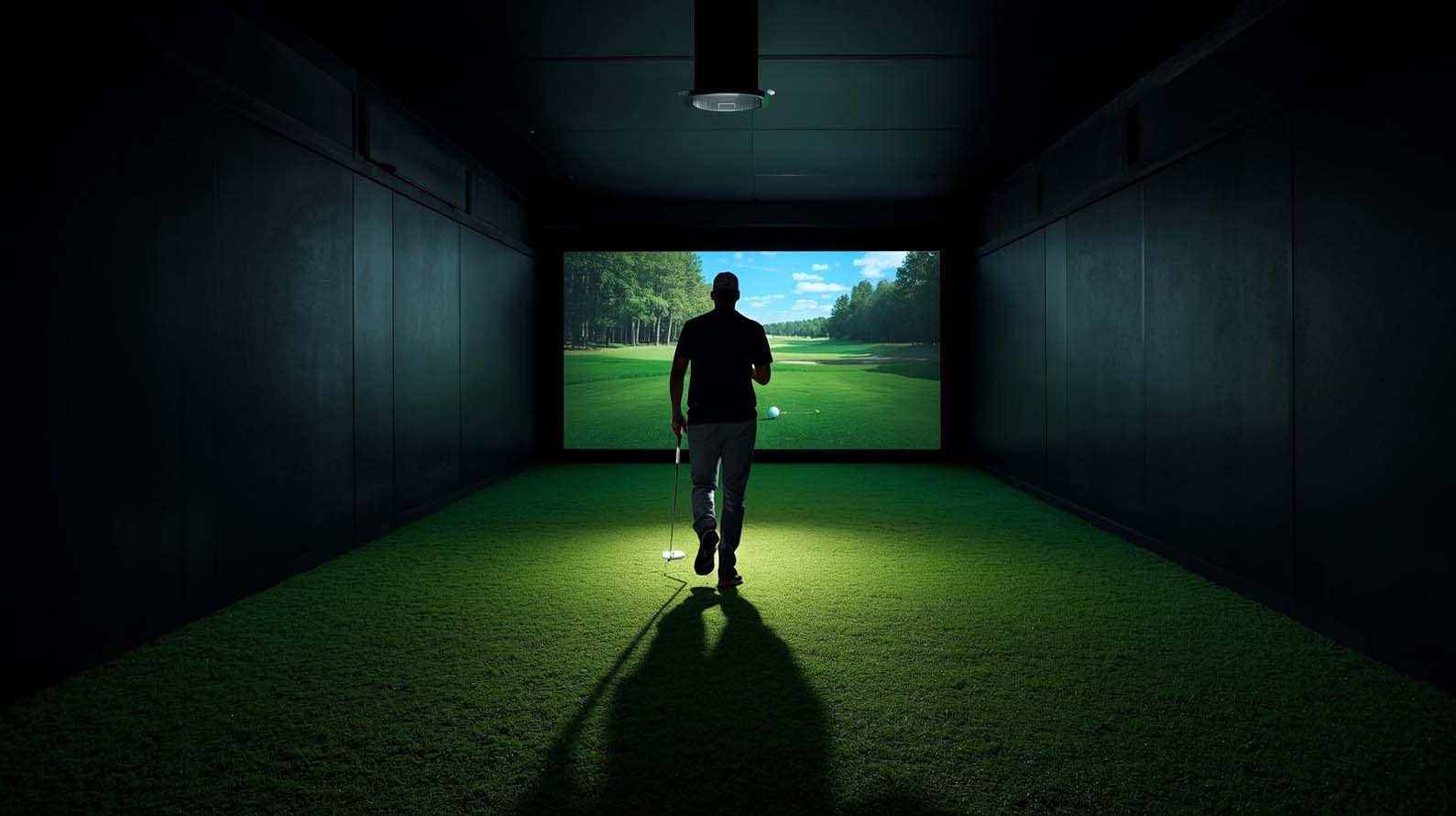
Quick Answer: The Ideal Golf Simulator Screen Distance
For most golfers, about 10 feet from the ball to the screen is a very good target if the room allows it. That distance usually gives you a comfortable mix of safety, realism, and image quality. It also gives the ball a bit more flight time before impact, which helps the simulator feel more natural.
If your room is smaller, 8 feet is still a common and practical compromise. It can work well in many home builds, especially with a quality impact screen and proper padding. If you are limited to 6 to 7 feet, the setup can still function, but bounceback risk increases and the bay may feel more cramped.
So if you only keep one thing in mind, make it this: around 10 feet is a strong target, 8 feet is a workable compromise, and 6 to 7 feet is a tighter fallback option.
Why Golf Simulator Screen Distance Matters
This distance matters for three main reasons: safety, realism, and screen coverage. When those three work together, the simulator feels better and plays better. When they do not, you usually notice it quickly.
Safety and bounceback
The closer the ball is to the screen, the more important screen quality, tension, and padding become. A shorter distance can raise the bounce-back risk if the screen is too tight or the setup is not built well. That does not mean a shorter setup is automatically unsafe, but it does mean the build needs more care.
Ball flight realism
Standing a little farther away gives the shot more visual travel, and that helps the simulator feel more natural. The ball does not just jump onto the screen. Instead, it flies a bit, which makes the experience easier on the eyes and more enjoyable to watch.
Screen coverage
There is also a practical limit on the other side. If you stand too far back, especially with wedges and other high-lofted shots, the ball can fly over the top of the screen. That is why screen height matters so much. The farther back you hit from, the more vertical coverage you generally need to catch higher shots.
The Best Golf Simulator Screen Distance by Setup Type
The best distance changes depending on the kind of setup you are building. Instead of trying to force one number onto every room, it helps to look at the most common scenarios.
Best distance for most home golfers
About 10 feet is a strong all-around target for many home golf simulators. It gives you enough room to swing comfortably and keeps the ball from reaching the screen so quickly that the shot feels cramped.
Best distance for small rooms
If your room is tight, 6 to 8 feet can work. That said, the shorter distance does come with trade-offs. The screen will feel closer, bounce-back risk can go up, and you may need to pay closer attention to screen tension and padding.
Best distance for larger or premium setups
For a premium or commercial-style bay, 10 to 12 feet can be a very comfortable range if the room allows it. It gives the golfer a more open feel and can create a more immersive experience.
Best distance for taller golfers or steeper swings
Taller golfers or players with a more upright swing may need extra attention to ceiling clearance and follow-through room. The ideal screen distance still depends on the full room layout, including ceiling height and launch monitor placement.
Best distance for wedge-heavy practice
If you practice a lot of wedges, especially flop shots and high-lofted shots, screen height matters just as much as distance. In some cases, a slightly closer hitting position can help keep those shots on the screen. So if your goal is short-game practice, think about vertical coverage as well as floor depth.
How Far from the Screen Should a Golf Ball Be?
When people ask this question, they usually mean the ball-to-screen distance, not how far the golfer’s feet are from the screen. That difference matters. The ball is the reference point for the actual impact, while the golfer’s stance may be a few feet farther back.
As a general rule, measure from the ball position to the face of the impact screen. That is the distance that affects bounceback, screen coverage, and how natural the simulator feels. Your body can sit farther back, but the ball is the part that matters most here.
How to Measure Your Golf Simulator Room Correctly?
If you want to get the setup right the first time, measure carefully. A golf simulator room is really a set of connected spaces, not just one number. You need depth for the screen, the ball, your swing, and sometimes the launch monitor and projector, too.
Step 1: Measure total room depth
Start by measuring the full depth of the room from the front wall to the back wall. That gives you the full canvas. From there, you can figure out how much room is available for the screen, the hitting zone, and the swing area.
Step 2: Leave buffer space behind the screen
The screen should not sit hard against the wall. A buffer behind it helps with impact absorption and also gives you room for mounting hardware, padding, or a frame. The exact gap depends on the screen system, frame design, and manufacturer guidance.
Step 3: Decide your screen-to-ball distance
This is the number most golfers are really after. If possible, start around 10 feet. If you need to save space, 8 feet is often a very good compromise. If your room is small, 6 to 7 feet may be workable, but expect a tighter feel and more bounce-back risk.
Step 4: Allow room behind the golfer
You still need a comfortable swing space behind and around the golfer. The exact amount varies by golfer, club length, and swing shape. Many home setups work best when there is enough room for a full backswing and follow-through without the player feeling boxed in.
Step 5: Check launch monitor space
Some launch monitors need room in front of the golfer, some need room behind, and some sit overhead. That changes the layout. So even though the screen distance is important, do not forget the monitor requirements. Otherwise, you may end up with a setup that looks right on paper but does not work in real life.
Step 6: Confirm projector throw distance
If you are using a projector, make sure it can throw the image cleanly onto the screen from your chosen mounting location. This does not usually change the ball-to-screen distance, but it does affect the overall room layout. A projector mounted too close, too low, or in the wrong spot can create shadows or interfere with the swing area.
How Much Room Do You Need Behind the Golfer?
Even though this article focuses on screen distance, the space behind the golfer matters just as much. You want to swing naturally without worrying about hitting a wall, a shelf, or a support post on the backswing or follow-through.
As a practical guideline, leave enough room behind the golfer for a comfortable swing and finish. The right amount depends on the golfer, the clubs being used, and whether the launch monitor sits behind the hitting area.
This is also why centered hitting is not always possible in narrow rooms. In that case, many golfers offset the hitting mat a bit to one side and build around the player’s dominant hand. That can free up room where it matters most.
How Screen Height Affects the Right Distance?
Screen distance and screen height work together. If the screen is too short, standing too far back increases the chance that a high shot will sail over the top. If the screen is tall, you have more flexibility and can usually stand farther away without missing those higher shots.
This matters most for wedges and specialty shots. A full wedge, a flop shot, or a steep launch angle can climb quickly. If your screen is not tall enough, those shots may not land on the screen even if the distance feels comfortable. That is why many serious builds include top netting or overhead protection.
As a result, the “right” distance is not just about the floor plan. It is about the full vertical capture zone, from the hitting point all the way up to the top of the screen and beyond.
Does Launch Monitor Type Affect the Distance?
Yes, but mostly indirectly. The launch monitor usually affects the total room depth more than the exact screen distance. Still, it can absolutely change whether your preferred screen distance is realistic in your room.
Camera-based launch monitors
Camera-based units often work well in tighter indoor spaces because they sit near the hitting area and do not need much ball flight. That can make them easier to pair with a standard home simulator layout.
Radar-based launch monitors
Radar units usually need more room to read the ball properly. They often sit behind the golfer and need enough space for ball flight and tracking, which can make the overall room need larger. So while the screen distance itself may stay similar, the room may need to be deeper to make that distance possible.
Overhead launch monitors
Overhead systems free up floor space and make the hitting area feel more open. They are helpful for shared bays and righty-lefty use because the device is out of the swing zone. Even so, they still require enough ceiling height and careful placement so the system works correctly.
The bottom line is simple: the launch monitor type usually changes the room depth more than the screen distance. If you want 10 feet to the screen, the monitor choice will help determine whether you can actually fit that into the room.
How to Avoid Bounceback and Missed Shots
Bounceback is one of the biggest concerns when setting up a simulator, and for good reason. Nobody wants a ball coming back fast. Fortunately, a few smart choices go a long way.
Use the right distance
Start with the right screen-to-ball distance first. If you are too close, the ball may rebound harder. If you are too far, you may start missing the top of the screen on high shots. The goal is balance, not just maximum safety in one direction.
Choose a quality impact screen
A good screen absorbs impact better and usually feels softer on contact. Cheaper screens can be louder, tighter, or more likely to send the ball back aggressively. So if bounceback worries you, screen quality matters just as much as screen distance.
Keep the screen tension reasonable
An overly tight screen can make rebound worse. A screen that has some controlled give usually performs better. Of course, it still needs to hang properly and stay flat enough for a clean image, but too much tension is not ideal.
Add padding and side protection
Side panels, top netting, and wall padding help protect the room and your confidence. Even if the ball misses the screen, good protection can stop it from turning into a problem. This is especially helpful if you hit from a shorter distance or if the room is used by multiple golfers.
Leave some room behind the screen
When the screen is not pressed directly against a hard wall, it tends to behave better. That extra buffer can reduce the harshness of impact and make the whole system feel more forgiving. The exact amount of buffer depends on the screen, frame, and mounting design.
Common Mistakes When Setting the Golf Simulator Screen Distance
Most setup problems come from a few simple mistakes. Fortunately, they are easy to avoid once you know what to look for.
- Standing too close to the screen: This can increase bounce-back risk and make the bay feel cramped.
- Standing too far from the screen: This can cause high shots, especially wedges, to miss the screen.
- Ignoring screen height: Distance only works when the screen is tall enough to catch your shots.
- Forgetting about backswing room: A good screen distance is not useful if you cannot swing freely.
- Not checking launch monitor requirements: Some systems need more room than others.
- Using a screen that is too tight or too flimsy: Screen quality affects rebound and durability.
- Mounting the projector in the wrong place: Shadows and bad image placement can hurt the experience.
What If My Room Is Too Small?
If your room is tight, do not panic. Plenty of golfers still build excellent simulators in smaller spaces. The trick is to prioritize the parts that matter most and make smart compromises where needed.
Offset the hitting area
One of the easiest fixes is to move the hitting mat off-center. That can help free up room for the golfer’s backswing and make the whole setup more usable. This is especially helpful when the room is narrow or when you only need to accommodate one hand orientation.
Choose a shorter screen-to-ball distance
If your room cannot handle 10 feet, going to 8 feet may be a better compromise than forcing an awkward layout. You still get a solid simulator experience, just in a more compact footprint.
Pick a launch monitor that fits the room
Some launch monitors are simply more compact than others. If your room is short, a smaller-space system may be the better choice. That way, you can preserve the screen distance and swing room without running into hardware problems.
Increase protection instead of distance
If you cannot create more depth, add more safety. Use better screen material, more padding, and top netting. This lets you keep the setup usable while reducing the chance that a bad shot turns into a bad day.
Recommended Golf Simulator Room Dimensions at a Glance
Here is a simple way to think about room size and screen distance together. These are planning ranges, not strict rules, but they give you a useful starting point.
| Setup Type | Typical Ball-to-Screen Distance | Lower-End Practical Range | Ceiling Height Guidance | Best For |
|---|---|---|---|---|
| Small Home Room | 8 feet | 6 to 8 feet | Enough for a comfortable full swing; 9 feet is often workable | Basements, garages, tight spaces |
| Standard Home Simulator | About 10 feet | 8 feet | 10 feet is more comfortable where possible | Most golfers and everyday practice |
| Premium Home Setup | 10 to 12 feet | 8 to 10 feet | Higher ceilings are preferable | More immersive, roomier feel |
| Radar-Based Setup | Varies by model and room layout | Depends on the rear tracking needs | Enough ceiling height for the monitor and swing | Rooms with enough total depth for radar |
| Overhead Launch Monitor Setup | Varies by room layout | Depends on ceiling and mounting needs | Sufficient ceiling height for the unit and swing | Clean floor space and shared hitting zones |
Use this table as a planning guide. If your room is close to the numbers, you can often make it work with a few smart adjustments.
Golf Simulator Screen Distance FAQs
How far away from a golf simulator screen should you be?
For most golfers, around 8 to 10 feet from the ball to the screen is a practical target. If your room is smaller, 6 to 8 feet can still work, but it requires more attention to screen quality, tension, and padding.
Is 8 feet too close to a golf simulator screen?
No, 8 feet is not too close for many home setups. In fact, it is a very common and practical distance. It may feel a little tighter than 10 feet, but it usually offers a good balance of safety and realism.
Is 10 feet from the screen ideal for a golf simulator?
Yes, 10 feet is a strong target for many setups. It gives you a comfortable hitting experience and usually keeps the ball flight looking natural without making the room feel cramped.
Can you use a golf simulator in a 15-foot room?
Yes, you often can, but you will need to plan carefully. A 15-foot room can work if you manage screen buffer space, screen-to-ball distance, golfer swing room, and launch monitor placement efficiently.
How much room should be behind the screen?
A buffer behind the screen is recommended, but the exact amount depends on the screen system, frame, and mounting method. Follow the manufacturer’s guidance for the best result.
Does the launch monitor affect screen distance?
Not usually in a direct way, but it affects the total room depth needed to make the ideal screen distance possible. Radar systems generally need more room, while camera-based and overhead systems can work well in tighter spaces, depending on the model.
What happens if I stand too far from the screen?
If you stand too far back, high-lofted shots may be more likely to miss the screen. That is especially common with wedges and flop shots. So if you want more room, make sure your screen is tall enough to catch those shots.
What happens if I stand too close?
If you stand too close, bounce-back risk can increase, and the bay can feel more cramped. The ball may rebound harder, and the overall experience may feel less natural. That is why most golfers avoid going as short as possible unless the room requires it.
How do I reduce bounceback?
Use a quality impact screen, keep the screen tension reasonable, allow some buffer behind the screen, and add padding or netting where needed. Also, avoid placing the ball too close unless the room requires it.
How high should my golf simulator screen be?
It should be tall enough to catch your typical shot shape, including wedges and higher-lofted clubs. If you hit a lot of high shots, a taller screen and top netting are both smart choices. The more vertical coverage you have, the more forgiving the setup becomes.
The Bottom Line
If you are building a golf simulator and asking how far away from the screen you should be, the best place to start is around 10 feet. That is a strong and comfortable target for many home setups. If your room is smaller, 8 feet is still very workable, and 6 to 7 feet can be used when space is tight.
Just remember that the right answer is not only about distance. It also depends on screen height, ceiling clearance, launch monitor type, and how much room you have behind the golfer. Once those pieces work together, the simulator becomes safer, more realistic, and more enjoyable to use.
So if you are planning your build, measure carefully, keep the screen high enough, leave room to swing freely, and choose a setup that matches your space. Do that, and you will end up with a simulator that feels good every time you step in and tee it up.