
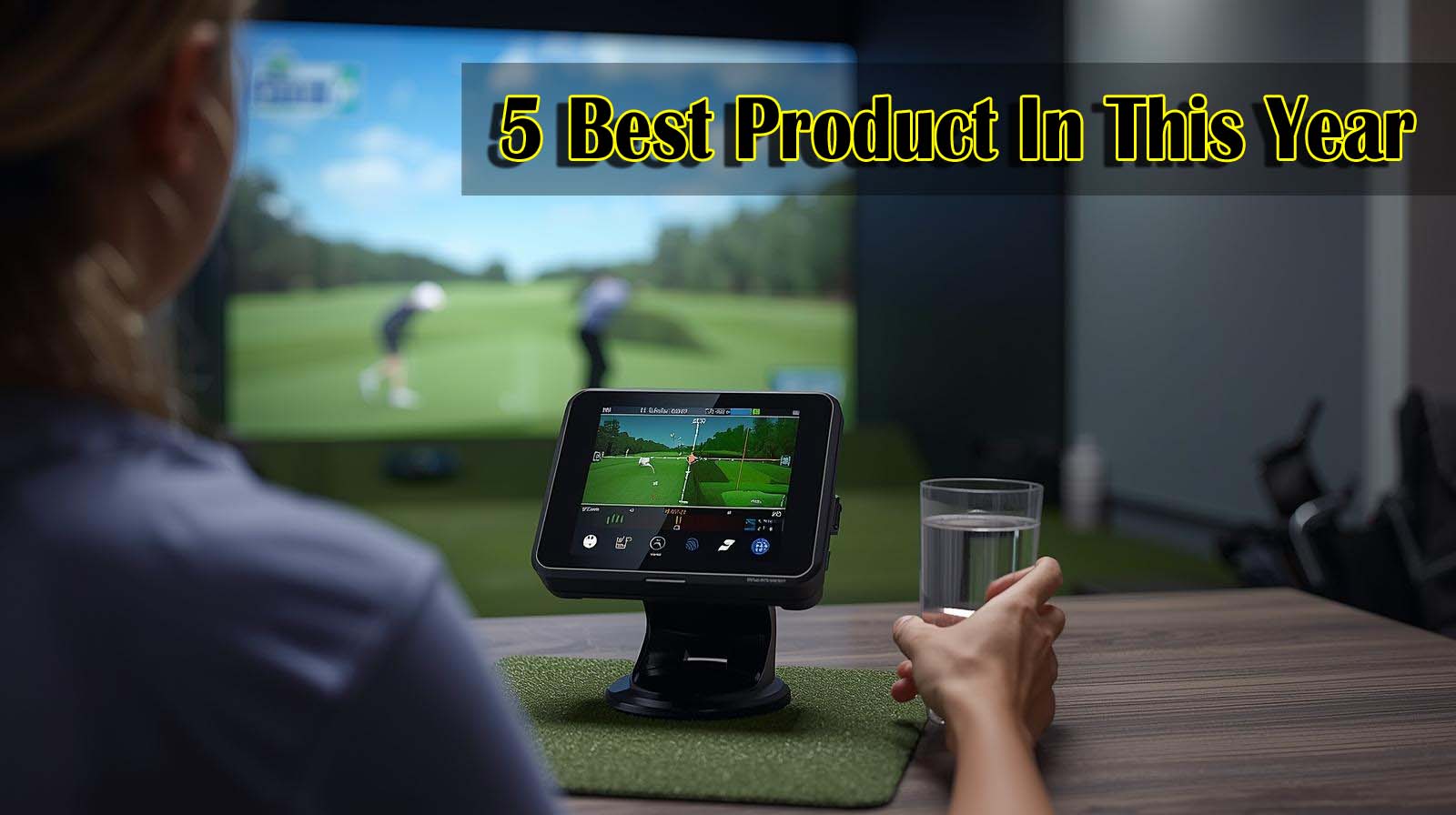
I’ve spent months setting up and testing launch monitors in actual home golf spaces—basements, garages, spare bedrooms—not just reading spec sheets. The truth is, finding the best launch monitor for indoor golf simulator comes down to what you’re willing to invest and what your space can actually handle, not just which brand sounds fanciest.
Here’s what matters: you’ve already decided you want to practice indoors, so you’re not weighing whether to buy at all. What you’re really asking is whether a five-hundred-dollar unit will feel like money wasted in three months, or whether dropping five thousand dollars actually translates to better improvement.
Best Launch Monitor For Indoor Golf Simulator
What Actually Matters When You’re Setting Up at Home
Most launch monitor reviews obsess over whether a radar system beats a camera system, or whether you need 18 metrics instead of 13. But that’s not your real problem when you’re trying to fit this thing in a spare bedroom or garage.
Your actual challenges are different. You need to know if the unit fits your ceiling height, whether setup takes 20 minutes or an hour every time you practice, whether the data will honestly tell you something useful about your swing, and whether you’ll feel stupid dropping serious money on something that ends up collecting dust.
Indoor accuracy is different from outdoor accuracy
When you hit the same shot in your garage ten times in a row, measurement errors don’t hide as they do at the range. Every small inconsistency gets magnified because you’re bouncing balls off walls and tight spaces, and the monitor has to track the same shot repeatedly without drifting.
Radar-based systems rely on algorithms to predict ball flight from the initial tracking data. Camera-based systems measure what actually happened at impact. For indoor use specifically, consistency matters more than tournament-grade precision—you need the unit to tell you the same thing if you hit the same swing twice.
Your space constraints are not optional
A launch monitor won’t work if your ceiling is too low, your hitting area is too cramped, or the unit itself is too large to fit where you need it. Portability matters indoors differently than outdoors—you’re probably not moving it daily, but you might need to store it or make room for other uses of the space.
Battery life becomes practical when you’re practicing alone. A unit that dies after three hours means you’re charging mid-session, which breaks your focus. Cable management matters in a garage setup because you don’t want power cords and Ethernet cables creating tripping hazards.
The course library question is real, but often overstated
Playing 43,000 courses sounds unlimited until you realize you’ll probably play the same ten in your first month. The real question is whether you’ll keep using this thing six months from now, and variety helps with that.
But you also need to consider whether the monitor locks you into one company’s ecosystem or works with multiple golf apps. Some units let you pair with any simulator app; others require their own software and additional subscriptions.
1. Rapsodo MLM2PRO: The Smart Default Choice

Check Price on Amazon
Key Specs: 13 core metrics | Bluetooth connected | 4.1 rating (637 reviews) | Includes tripod and carrying case | 3-inch display | Works with E6, TrueGolf, and major golf apps
I ranked the Rapsodo first because it sits at the exact intersection of price, reliability, and ease of use that most home golfers actually need. The 637 real-world reviews tell you this unit survives in basements and garages across the country, not just in professional settings.
What makes this work for indoor setups is the portability without sacrifice. You get 13 swing metrics—spin rate, spin axis, launch angle, ball speed, club speed, and carry distance—which is plenty for diagnosing swing issues without overwhelming you with numbers you don’t understand.
The tripod is actually decent, meaning you’re not buying extra mounting hardware. The included carrying case suggests someone designed this for people who might relocate it, whether between rooms or to the range for occasional outdoor validation.
The smartphone-dependent setup is the honest trade-off here. You’re staring at a phone or tablet instead of a big screen, which feels less immersive than some premium options. But that’s also why it costs significantly less, and for practice-focused golfers, immersion ranks below actual data accuracy.
The real limitation is that there’s no built-in course library. You’ll need a subscription to E6 Connect or similar apps to get the simulator experience, which adds recurring cost. However, that flexibility also means if you switch golf apps later, your monitor still works—you’re not locked into one ecosystem.
I’d recommend this for anyone who wants accurate swing data without paying for a dedicated screen, plus the ability to take it to the range occasionally. The review volume alone suggests this unit will still work in five years.
2. FlightScope Mevo Gen2: The Surprising Value Play

Check Price on Amazon
Key Specs: 18 swing data parameters | 3D Doppler radar (FlightScope Fusion Tracking) | 6-hour battery life | 8 E6 courses included | Multi-camera support (3 phones + internal) | Shot Tracer visualization | Front-facing camera for swing video
The Mevo Gen2 landed at number two because it delivers the most data for the least money, plus you actually get eight golf courses from day one. That matters more than reviewers typically admit—you’re not waiting for a subscription to activate before you can play something.
Eighteen metrics is the highest count at this price tier, which sounds like overkill until you realize you’re getting club path, face angle, dynamic loft, and angle of attack alongside the basics. That depth matters if you’re working with a coach or trying to diagnose specific swing issues beyond launch angle and spin.
The radar technology here is FlightScope’s own Fusion Tracking system, which is proven in professional settings. For indoor use, this means consistent calibration—radar doesn’t care about lighting conditions like camera systems do, so your garage doesn’t need a special setup.
The six-hour battery life is the longest you’ll see at this price point, which means two full practice sessions on one charge. The multi-camera support is actually useful indoors—you can angle phones to capture your swing from multiple positions simultaneously, giving you video analysis alongside data overlays.
The honest limitation is that only two reviews exist in this listing. The Mevo Gen2 is newer, so you’re betting on the FlightScope brand reputation rather than crowd validation. The included eight E6 courses are quality tracks, but if you’re the type to play the same course obsessively, you’ll outgrow the content and need a subscription.
I’d pick this if you value deep swing metrics and want eight courses ready to play immediately. The trade-off is accepting that this is a newer unit with less review history than the Rapsodo.
3. Bushnell Launch Pro: When Tour-Level Accuracy Justifies Cost

Check Price on Amazon
Key Specs: 3-camera system with infrared | Tour-level accuracy | Exact carry distance and spin measurements | Club head speed tracking | Alignment stick and club markers included | 14-day free Gold trial | 4.5 rating (6 reviews)
I ranked Bushnell third because it steps into a completely different conversation. You’re paying roughly three-and-a-half times more than Rapsodo, and that money buys you something genuinely different: measurement at impact using physical cameras instead of radar algorithms.
Three-camera imaging with infrared is the same technology used in professional club fitting. What that means is the Bushnell doesn’t predict ball flight—it measures exactly what happened when the club met the ball.
For serious golfers (think single digits or coaching-focused players), this matters. Your data won’t contradict itself, and you can confidently tell someone whether your driver actually goes 240 yards or 250. That precision compounds when you’re hitting the same 10-by-10 space repeatedly indoors.
The setup is ready to use right away. You get alignment sticks, club markers, a power cord, and a two-week trial that lets you validate the ecosystem before committing. The fact that everything is included means no surprise expenses for buying mounting hardware.
The major trade-off is that there’s no built-in screen or course library. You’re buying the measurement engine, not the experience. You’ll need a third-party simulator subscription and either a monitor setup or a television for display.
The six reviews at 4.5 stars are solid but represent early adoption. This is the option for someone building a dedicated simulator room, not someone testing out the concept in a spare bedroom.
I’d recommend this if your home setup is permanent and you want data you can trust as much as a professional fitting. Otherwise, you’re paying for accuracy you won’t fully leverage.
4. Square Golf: Pre-Owned Risk Without the Brand Insurance

Check Price on Amazon
Key Specs: High-speed camera + machine vision | 3-inch screen included | Swing stick for analysis | 4-player multiplayer | 8-hour battery life | Indoor-only operation | 3.8 rating (4 reviews) | Pre-owned condition
Square Golf dropped to fourth because it’s pre-owned (meaning it’s been used), and the limited review count creates a confidence problem. When something goes wrong, your support path is unclear.
What’s interesting about this unit is the included three-inch screen, which is a tangible advantage over phone-dependent competitors when you’re practicing in your garage. The machine vision technology is forgiving of poor lighting compared to radar, which matters in basements and dimly lit spaces.
The eight-hour battery is the longest in the entire comparison, so you could theoretically practice all day without charging. The four-player multiplayer and swing stick innovation suggest the designers thought about home use specifically.
But here’s the problem: only four reviews exist, and they’re rated 3.8 stars—the lowest in this entire list. Pre-owned items raise legitimate questions about whether you’ll get a defective unit, how fast repairs get processed, and whether firmware updates still apply.
The listing notes “credits not included,” which is vague. Does that mean course content requires a separate purchase, or is it part of a subscription? That ambiguity is a red flag for a purchase this size.
The other limitation is that this works indoors only. If you ever want to validate your data at a range or take it to a fitting, you’re stuck.
I’d only recommend this if you found it used locally from someone you can meet face-to-face and test before buying. Shopping for pre-owned electronics on Amazon without proven reliability feels risky.
5. Garmin Approach R50: Premium Experience at Premium Price

Check Price on Amazon
Key Specs: 3-camera system (infrared) | 10-inch built-in touchscreen | 43,000 courses via Home Tee Hero | 15+ ball and club metrics | 4-player multiplayer | High-speed impact video | 4-hour battery | Spin axis tracking | 4.2 rating (11 reviews)
Garmin landed last because it’s the premium all-in-one option that often costs more than the total of three cheaper units combined. It’s not the best monitor for indoor golf simulators if you’re budget-conscious—it’s the best if money is secondary to experience.
What you’re actually paying for is an ecosystem. The ten-inch built-in touchscreen transforms the experience from “I’m looking at my phone” to “I’m standing in front of something that feels like a real simulator.” The 43,000 courses mean unlimited variety, assuming you maintain the membership required to access them.
The three-camera system matches Bushnell’s accuracy tier, so the data is equally trustworthy. Spin axis tracking with a sticker, high-speed impact videos, and competitive leaderboards create a full-featured product where everything talks to everything else.
For serious golfers who’ve already invested in a dedicated room and want a resort-level experience indoors, this makes sense. You’re essentially building a permanent install, not a temporary practice setup.
The brutal honesty is that you’re paying forty-five hundred dollars more than Rapsodo for a bigger screen and more courses. If you practice 2-3 times per week in a spare bedroom, that premium doesn’t translate to proportional improvement in your golf.
The four-hour battery life is the shortest in the comparison, which means you’re charging mid-session if you have longer practice days. The required Garmin Golf membership adds an annual recurring cost on top of the equipment investment.
I’d recommend this for golf clubs, facilities, or high-net-worth golfers with dedicated simulator rooms where the investment becomes part of the long-term property value. Otherwise, you’re overbuilding for casual home practice.
How to Actually Decide Between These Five Options
The right launch monitor depends on three honest questions, not marketing claims or spec sheet comparisons. First, how much are you actually willing to spend without guilt? Second, what’s your space—garage, basement, spare bedroom, or dedicated simulator room? Third, will you use this solo or with friends most of the time?
If you’re under five hundred dollars of budget or just testing whether home simulation works for you, Rapsodo and FlightScope are the only rational choices. They’re not sacrificing accuracy—they’re just not building in expensive screens you probably won’t prefer anyway.
If you have two thousand to three thousand dollars and you’re building a dedicated space, Bushnell Launch Pro earns the investment because tour-level accuracy compounds over months of practice. You notice small improvements more clearly with precise measurement.
If you have five thousand dollars and you’re committed to a long-term setup, Garmin makes sense because you’re buying a complete experience, not just a monitor. The difference is lifestyle versus tool.
Avoid Square Golf unless you find a used one locally and can test it first. Pre-owned electronics without a strong review history create a risk that doesn’t match the price savings.
What To Check Before You Commit
Measure your ceiling height and the distance from where you’ll hit to your screen or simulator. A monitor won’t function if your space doesn’t physically fit the setup, no matter how good the reviews are.
Check whether the monitor works with your existing apps or whether you’ll need new subscriptions. Some units lock you into proprietary simulators, while others integrate with E6, TrueGolf, and other platforms you might already use.
Look at battery life and charging time practically. If you practice for two hours, does the battery last, or are you watching a charging screen for the second hour?
Read owner reviews specifically mentioning indoor setups and long-term use. A five-star review from someone who used it twice differs from someone who’s hit thousands of shots with it.
People Also Asked
What’s the difference between radar and camera-based launch monitors for indoor use?
Radar systems (like FlightScope Mevo Gen2) measure initial ball motion and predict the flight path using algorithms. Camera systems (like Bushnell and Garmin) photograph the ball at impact to capture actual measurements.
For indoors specifically, radar’s algorithm-based approach means potential drift over hundreds of repeated shots in the same space, while cameras remain more consistent with reflective surfaces like garage walls and screens.
Do I really need 43,000 courses, or is 8 courses enough?
Eight courses feel limiting until you actually practice, then you realize most golfers replay the same two or three tracks obsessively. Unlimited variety helps with long-term motivation, but it shouldn’t be the deciding factor if the monitor itself doesn’t fit your space or budget.
Should I buy a used launch monitor to save money?
Pre-owned units only make sense if you buy locally and can test them first. Online pre-owned purchases create support and warranty complexity that outweighs price savings. The price differences between models in the new market are usually small enough that buying new removes risk.
How much does a subscription to a golf simulator app actually cost after buying the monitor?
Most golf simulator apps cost $15–$30 per month for access to full course libraries. Some monitors bundle a trial period, but ongoing access requires a recurring payment. Budget this as an ongoing cost, not a one-time purchase.
Can I use the same launch monitor both indoors and outdoors?
Most monitors work both indoors and outdoors, except Square Golf, which is indoor-only. Portable units like Rapsodo let you validate indoor data against range shots. Camera-based systems sometimes struggle outdoors with sunlight interference, while radar systems perform consistently regardless of lighting.
What happens if I outgrow the courses included with my monitor?
Most monitors integrate with multiple golf apps, so you’re not locked into one course library. If your monitor connects to E6, TrueGolf, and other platforms, you can switch apps to access different courses without buying new hardware.
Is tour-level accuracy actually important for a home golfer?
Tour-level accuracy matters if you’re validating club distances for course management or working with a coach on technical swing changes. For casual practice-focused improvement, mid-tier accuracy is sufficient if it’s consistent. The difference between 95% and 99% accuracy rarely changes how a fifteen-handicap golfer plays.
How long does it take to set up a launch monitor after each practice session?
Portable units like Rapsodo can stay on a tripod and deploy in minutes. Stationary camera systems might take longer. For true convenience, you’ll want to leave your setup deployed permanently—treating it like you own it, not rent it.
What’s the real-world battery life like in actual practice?
Manufacturer specs often assume optimal conditions. Real-world battery life drops 20-30% depending on temperature and usage intensity. A six-hour rating usually means four to five hours of practical use, which is fine for most sessions.
Can I integrate my launch monitor with a golf coaching platform for remote lessons?
Most monitors record swing video and metric overlays, making them functional for remote coaching. FlightScope Mevo Gen2’s multi-camera support specifically helps coaches see your swing from multiple angles simultaneously. Check whether your monitor’s app lets you share recorded swings directly with a coach before buying.
The Honest Take: Choose Based on Your Real Situation
The best launch monitor for an indoor golf simulator isn’t determined by the longest spec list or the highest price. It’s determined by matching the tool to your actual setup, your practice commitment, and your willingness to spend.
If you’re buying this week and you’re unsure about a long-term commitment, Rapsodo, at a mid-range price with 637 proven reviews, removes decision anxiety. You’ll get accurate data, your investment won’t feel reckless, and if home simulation doesn’t stick, you haven’t drained your budget.
If you’re building something permanent with dedicated space, Bushnell or Garmin justify their cost because accuracy and experience compound over the years. You’ll notice improvement faster and feel less buyer’s remorse after you’ve used it a hundred times.
If you’re torn between options, remember that the monitor matters less than consistent use.
The best launch monitor gathering dust loses to a mid-tier monitor you use three times per week.
Start with your space, validate your commitment level, then pick the monitor that fits your actual life—not the one with the fanciest name or biggest price tag.