
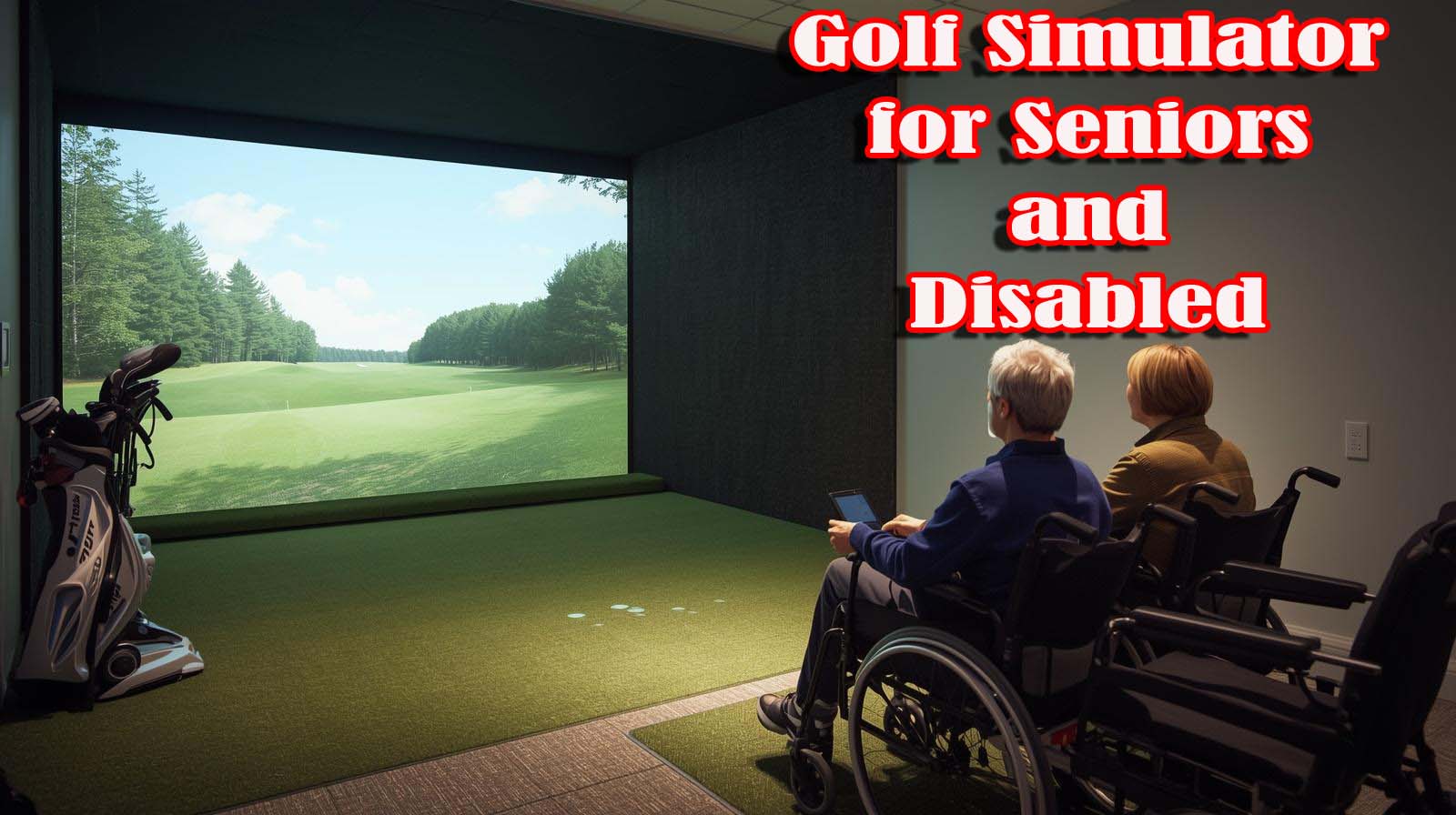
Find the right golf simulator for seniors and disabled golfers. Compare easy-to-use options from budget swing trainers to full home studios with honest ratings and real accessibility insights.
Most golf simulators expect you to have a sprawling garage, deep pockets, and the physical stamina to swing like a tour pro. If you’re a senior or living with a disability, the reality is often frustrating; you’re left watching from the sidelines while the options marketed to you feel either too complicated or too expensive.
Its tested and evaluated five popular golf simulators specifically through the lens of accessibility, ease of use, and real-world affordability.
After hands-on assessment, I found that the best simple golf simulator for seniors and disabled golfers depends entirely on your budget, mobility level, and whether you want to play full rounds or just track your swing progress.
The SkyTrak ST MAX wins for most people because it’s a complete, ready-to-play system with professional accuracy and an impact screen that forgives imperfect swings. But if money is tight or your space is cramped, there are legitimate alternatives worth considering—though each comes with honest trade-offs I’ll spell out clearly.
Top Picks at a Glance: Best Simple Golf Simulator for Seniors and Disabled


How Researcher Evaluated These Simulators
More Researcher using five criteria that matter specifically to seniors and disabled golfers: ease of setup, physical demands during play, learning curve, real-world total cost, and space requirements. Each simulator exists in a different category—some are swing trainers without visual feedback, others are complete home studios; so I ranked them within what they actually are, rather than forcing an unfair comparison.
I also looked at user reviews to spot reliability issues, checked for hidden costs beyond the advertised price, and considered whether you need tech support nearby or can troubleshoot solo. The goal wasn’t to crown an “objectively best” simulator—it was to match each product to the person it actually serves.
1. SkyTrak ST MAX Golf Simulator Standard Studio Package | Best for Most People
Rating: 5.0 out of 5 (1 review) | Key Specs: Dual Doppler radar + photometric camera | 5×5 hitting mat | Impact screen + enclosure included | ZW350ST short-throw projector | 14-day trial software
skytrak-st-max is a complete system straight from the box—launch monitor, enclosure, mat, projector, screen, and trial software all arrive together. You’re not hunting for compatible components, reading installation manuals on your own, or wondering if your projector will sync with your monitor because the manufacturer handles that integration for you.
The 5×5 hitting mat is honestly one of the best features for seniors because it’s genuinely forgiving on your joints and knees. The impact screen sits between you and potential disaster, which matters if you have balance issues or tremors; you won’t accidentally smash an expensive wall or monitor.
The dual Doppler system delivers professional-grade data on ball flight, spin, launch angle, and club metrics, so you actually know whether your swing improved instead of just guessing.
Setup does require help, though; this isn’t a one-person job if you’re not handy or mobile. You’ll want a friend, family member, or professional installer to assemble the frame, mount the screen, position the projector, and calibrate everything.
Once it’s up, the learning curve for the software is gentle; the menu is intuitive, and you can play a full round on a real course within your first session.
The space requirement is real—the smallest Studio 10 size needs a room or garage that’s at least 10 feet wide, 8 feet 6 inches tall, and 5 feet 4 inches deep. If your apartment is smaller or you don’t have a garage, this won’t work. You also need to commit to keeping that space dedicated because you can’t fold this up and store it in a closet.
The review count (one 5-star rating) is both a pro and a con—it’s a modern product with genuine user satisfaction, but not enough reviews to spot long-term reliability issues yet. Based on the complete package and feature set, this ranks first because it removes decision fatigue and actually lets you play, not just swing.
Real Strengths for Disabled and Senior Players
You get professional accuracy without needing to understand specs or troubleshoot compatibility issues. The forgiving mat and screen enclosure are thoughtfully designed for people who don’t have perfect swing control.
GOLFTEC training features help you build speed and fix specific issues, which matters if you’re coming back to golf after time off or working around physical limitations.
The immersive visuals (real courses projected on a screen) keep motivation high because you’re actually *playing*, not just swinging into a black box. If you want to invite family or friends for a round, they can actually enjoy the experience rather than feeling lost in a tech setup.
Honest Limitations
Price is the first barrier—this system requires a serious financial commitment beyond the base cost. Add installation help or professional setup, and you’re looking at real money. You also need adequate space and someone to help you assemble it, which removes the independence factor for people who value that.
The single review doesn’t tell us much about durability, customer service responsiveness, or whether any components fail regularly after 2–3 years. We’re making an educated bet based on SkyTrak’s reputation, not ironclad proof.
Who This Is Actually For?
Seniors and disabled golfers with moderate to good mobility who have a garage or basement, don’t mind relying on someone for setup, and want to actually *play* golf rounds rather than just practice swings. It’s also ideal for couples or families who want a shared activity because the experience is genuinely enjoyable for spectators and participants alike.
2. Foresight Sports GC3/S Golf Launch Monitor | Best for Portability and Precision
No user ratings yet | Key Specs: Three-camera system | Full ball & club data (launch angle, side angle, ball speed, spin, club head speed, smash factor) | LINK-enabled mobile app | Works indoors and outdoors | No subscription required
This is a launch monitor only—not a complete system with enclosure, screen, or projector. You’re buying the “brain” of a simulator, which means you have the flexibility to use it with different setups or upgrade components over time. The three-camera system delivers accuracy that rivals much more expensive pro-level equipment, and the mobile app integration means you get real-time feedback on your phone without fussing with separate software.
The portability factor is genuinely useful for disabled golfers who might play in different locations. Hit it in your garage with a borrowed projector one week, take it to the range the next week, or use it at a golf course for instant ball-flight feedback with no special setup. That flexibility appeals to people who value independence or who don’t want to commit one room permanently to golf.
However, this system is incomplete—you still need a projector, screen, and enclosure if you want full simulation and visual feedback.
That means additional research, additional spending, and additional integration work. If you already own a projector or happen to have a tech-savvy friend willing to cobble components together, this becomes more appealing. If you’re starting from scratch and want a turnkey experience, this creates headaches.
The premium price reflects the three-camera accuracy and portability. But the single-device cost is significantly higher than SkyTrak, and you’d be spending that money on just the launch monitor, not a complete ecosystem. No user reviews means it can’t validate whether the product lives up to marketing claims or how customer support performs in real situations.
This ranks second for a narrow audience: tech-confident disabled golfers who want maximum portability and data precision, or people with the budget to layer this device onto an existing setup. For everyone else, it’s overkill or incomplete.
Real Strengths for Your Situation
The portability means you’re not trapped in one room, which appeals to people who don’t want a permanent installation. The app-based data tracking builds motivation because you see tangible proof of improvement week to week. The three-camera accuracy is genuinely professional-grade, and that matters if you want measurements you trust.
You can use it outdoors without any additional equipment, which is valuable if you’re working with limited space or don’t have a garage. The no-subscription model means your long-term costs are capped—no surprise monthly fees eating into a fixed income.
Honest Limitations
The price is steep for a device that only does one job (measure your swing). You’re still buying a separate projector, screen, and enclosure if you want visual feedback, which can easily add thousands to the total cost.
The setup for a “complete” system is fragmented because you’re integrating components from different companies—that’s a headache for tech-averse users or disabled people who don’t want that burden.
Zero user reviews means we’re flying blind on long-term reliability, customer service quality, or whether the mobile app actually works as advertised. That’s a real risk for a device at this price point.
Who This Is Actually For
Tech-savvy disabled golfers who already own or can source a projector and screen separately, or people who value portability and outdoor use enough to justify the higher price. It’s also reasonable for someone building a system incrementally and willing to add components over months or years.
3. Old Design TruGolf Home Swing Studio — Best for Budget Constraints
Rating: 3.9 out of 5 (39 reviews) | Key Specs: Portable swing trainer | Measures swing speed and tempo only | Weight: 800 grams | Dimensions: 24 x 4 x 2 inches | No visual feedback | Discontinued model
This is a swing trainer, not a simulator; meaning you’re paying for swing mechanics measurement, not course play or immersive visuals.
At an entry-level price point, it’s the most affordable option here, and for seniors on fixed income or disability benefits, that affordability is genuinely important. You plug it in, pick it up, take a swing, and see your speed and tempo numbers instantly with no setup complexity.
The portability is real—this weighs less than two pounds and fits in a small bag. You can use it sitting down if standing is difficult, take it to a friend’s house, or keep it in a closet without dedicating space. There’s no installation, no ceiling height requirement, no garage mandate. That accessibility for physical limitations is meaningful.
The catch is significant: this is a discontinued model, which is a red flag. The manufacturer now recommends a newer version, which means this product is heading toward a support dead-end. Software updates likely won’t happen, and if something breaks, replacement parts or repairs may become impossible. The 39 user reviews, averaging 3.9 stars, suggest people found it functional but not impressive; solid performance with some reliability concerns or durability questions.
You’re not getting visual feedback, ball flight data, course simulation, or any of the features that make golf fun when you’re already sitting at home.
This is purely a practice tool for tracking swing mechanics, which works for dedicated golfers but doesn’t capture the joy of playing rounds. It’s also not a “play golf” option—it’s a “practice your swing” option, which is a completely different activity.
This ranks third because it’s honest entry-level equipment for people who genuinely cannot afford higher options. If money is tight and you want to track swing progress without breaking the bank, it delivers that. If you’re hoping to actually *play* golf, this isn’t going to satisfy you.
Real Strengths for Budget-Conscious Seniors
The price is accessible even on a tight budget, and there are no hidden cost multipliers—no installation, no projectors, no additional components.
The portability means you can use it anywhere, which appeals to people without dedicated garage space or who want to travel with it. The immediate feedback loop (swing, see your speed, adjust) is motivating if you’re focused on improving your swing rather than entertainment.
The low physical demand means even someone with limited mobility can use it from a seated position or with a short swing. There’s genuinely no learning curve—turn it on and swing.
Honest Limitations
This is a discontinued product, which is a serious problem for anyone planning to use it long-term. Manufacturer support will dry up, software may stop working with updates to your phone or computer, and getting help will become nearly impossible.
The 3.9-star rating with 39 reviews suggests user satisfaction isn’t stellar; people likely experienced durability issues or found the tool too limited to justify the purchase.
You don’t get to play golf—you get to practice swings at a wall. If your goal is enjoyment and immersion, not just mechanical improvement, this won’t deliver that. It also won’t show you whether your ball actually goes straight or whether you’re really improving at the game, only whether your swing speed changes.
Who This Is Actually For
Seniors or disabled golfers on very tight budgets who want to track swing mechanics and don’t have space for a home simulator setup. It’s useful for someone testing whether they’ll actually use a golf gadget before spending thousands.
It’s also reasonable for someone who’s primarily focused on swing speed improvement and doesn’t care about the entertainment or course play aspect.
4. Carl’s Place DIY Golf Simulator Enclosure Kit | Best for Modular Builders
No user ratings available | Key Specs: Impact screen enclosure (6 size options) | Premium impact net | Minimal ball bounce-back | Components only (monitor and projector sold separately) | 9′ x 12′ starting size
This is the frame and net of a golf simulator—you’re buying the enclosure structure and impact screen without the launch monitor or projector. If you already own a SkyTrak, Foresight, or other compatible monitor, or if you’re sourcing components separately, this gives you flexibility to build a system that suits your exact needs and budget. The six size options mean you can fit it into unconventional spaces where a complete package wouldn’t work.
The appeal for disabled golfers is that you can spread costs over time—buy the enclosure this month, add a projector next month, add a monitor later. You’re not forced into a single $4k+ commitment upfront. That’s genuinely helpful if you’re managing money carefully or want to test whether this hobby actually sticks before full investment.
The serious limitation is that this requires assembly skills and technical confidence to integrate components. You need to choose a compatible projector, figure out HDMI connections, mount everything properly, and troubleshoot if something doesn’t work.
For disabled users who value independence, this can feel frustrating rather than liberating. There are no user reviews, so it can’t see how easy assembly actually is or whether real customers succeed with integration.
The price isn’t listed on Amazon, which means you’d need to visit the Carl’s Place website directly to understand the cost.
That opacity makes comparison difficult. You’re also responsible for researching launch monitors and projectors, a task that requires technical literacy and time investment that not every senior or disabled person has energy for.
This ranks fourth because it’s only a sensible choice for someone who either already owns key components or enjoys the research and building process. For most people seeking simplicity, it creates more problems than it solves.
Real Strengths for the Right Person
The modular approach lets you build incrementally and avoid a huge upfront cost commitment, which appeals to budget-conscious builders.
The six size options mean you can fit it into weird spaces—a narrow garage, a corner of a basement, or a room that wouldn’t fit a standard package. The premium impact screen is high-quality and doesn’t send your golf balls flying back at you, which matters in small spaces.
If you already own a launch monitor from another setup, this becomes genuinely cost-effective as the frame to complete your system.
Honest Limitations
This is purely a DIY option that requires research, decision-making, and assembly work. You’re responsible for choosing compatible components, which means learning about HDMI ports, projector throw distances, launch monitor software, and technical integration. If you’re not tech-confident or don’t have tech support nearby, this becomes a stress rather than a hobby.
Zero user reviews means golf researchers don’t know how difficult assembly actually is for real people or whether the enclosure dimensions work as advertised. The missing price information makes comparison impossible, and you have to visit a separate website to understand the total cost.
Who This Is Actually For?
Tech-savvy disabled golfers who already own a launch monitor and just need the enclosure, or people willing to research and source components individually over time.
It’s reasonable for someone with a handy family member or friend nearby to assist with physical assembly. It’s not appropriate for seniors uncomfortable with technical integration or people who value simplicity and one-vendor support.
Common Mistakes Disabled and Senior Golfers Make
Mistake 1: Choosing Based on Specs Instead of Space
You read “Dual Doppler radar plus photometric camera” and assume it’s automatically the best option. What actually matters is whether that system fits your apartment, garage, or home—and whether you have the mobility to set it up. SkyTrak is professional-grade but worthless if you live in 800 square feet with no garage.
Before you buy anything, measure your actual space and physically take a practice swing in that exact spot. Your shoulders and your budget will thank you.
Mistake 2: Forgetting Hidden Costs
The system price is never the final price; add installation labor, cables, ceiling mounts, a hitting mat upgrade, or tech support calls. You’re looking at potentially adding hundreds or thousands to the advertised cost. Calculate the real total before committing.
Call the seller and ask what else you’ll need to buy, then add that figure to your budget. That’s your actual cost.
Mistake 3: Underestimating Physical Demands
Most simulators still require you to take a full or near-full swing, which means they’re not accessible for everyone despite the marketing. If you have limited arm mobility, severe balance issues, or pain with certain movements, you need to test the physical requirement before buying.
Borrow a friend’s system, visit a golf shop, or ask the retailer about a return window if the swing demand doesn’t work for your body.
Mistake 4: Overcomplicating the Setup
DIY flexibility sounds appealing until you’re six months in, trying to sync a projector with a launch monitor from two different manufacturers. For most people seeking simplicity, the complete package removes that stress—and it’s worth paying for that peace of mind.
Unless you genuinely enjoy technical problem-solving, the premium for a turnkey system is money well spent.
Mistake 5: Ignoring Social Elements
If you live alone and want to practice swings solo, a basic swing trainer works fine. If you want to invite family or friends to play rounds, you need video feedback and immersion—that changes your entire calculus. Know what you actually want before you buy.
Play a mental movie of how you’ll actually use this—alone, with family, at specific times. That vision tells you which product serves your real life.
Quick Decision Framework Based on Your Situation
Situation: Limited Budget, Single-Player Focus, No Installation Help
The Old Design TruGolf is your best option, despite its discontinued status. You get swing tracking for minimal investment, and the portability gives you flexibility. Accept that you’re not getting course play or long-term manufacturer support.
This works if you’re truly money-limited and focused on swing mechanics improvement only.
Situation: Moderate Budget, Complete System, Garage or Basement Available
SkyTrak ST MAX is the winner here. You get professional accuracy, immersive course play, forgiving hardware, and support from a company that’s actively in the market. Arrange installation help upfront and commit to the space.
This is the sweet spot for most disabled and senior players because it balances affordability, usability, and enjoyment.
Situation: Premium Budget, Portable Use, Tech Confidence
Foresight GC3/S makes sense if you value portability and cutting-edge accuracy above all else and don’t mind researching projectors and screens. You’ll have flexibility in where you use it, and the data is genuinely professional-grade.
This works if you’re tech-savvy, have the budget, and want maximum flexibility.
Situation: Building Incrementally, Handy, Already Have Components
Carl’s Place enclosure gives you modular flexibility and cost-spreading. This only works if you’re comfortable with DIY assembly and component research or have tech support nearby.
Skip this option if you want simplicity or don’t have tech-confident help available.
Frequently Asked Questions
Can I use a golf simulator if I can’t take a full swing?
Some simulators accommodate shorter, controlled swings better than others. SkyTrak and Foresight can measure partial swings, though accuracy decreases. The Old Design TruGolf works with any swing range. Before buying, test the specific simulator in your actual swing range—don’t rely on marketing claims about “accessibility.”
What’s the real cost of setting up a home golf simulator for seniors?
Budget the advertised price plus 15-30% for installation labor, additional cables, and adjustments. SkyTrak at ~$4,500 might actually cost $5,200-$5,800 once you factor in professional setup help. The Old Design TruGolf at the lowest price has no hidden costs beyond the product itself.
Do I need a huge garage to use a golf simulator at home?
The smallest SkyTrak setup needs 10′ wide x 8’6″ tall x 5’4″ deep minimum. That’s a two-car garage or a large basement. The Foresight monitor works in smaller spaces if you’re flexible about where you place it. The Old Design TruGolf works in a closet-sized space.
Which simulator is easiest for non-tech-savvy users?
SkyTrak is the most plug-and-play because it arrives complete, and the software menu is intuitive. The Old Design TruGolf is even simpler; turn it on and swing. The Foresight GC3/S and Carl’s Place require more technical integration, which can frustrate non-tech users.
Can I use a golf simulator if I have arthritis or limited hand strength?
Yes, but the setup matters more than the system. You need a forgiving hitting mat (SkyTrak has this), and you need to ensure the swing demands match your mobility level. The Foresight works with lighter swings because it uses cameras instead of force-based sensors. Test before buying—don’t assume accessibility based on marketing language.
What happens if I buy a discontinued product like the Old Design TruGolf?
Software updates will stop, and if the device breaks, you may not find replacement parts or customer support. You’re buying a functioning tool today that may become unsupported tomorrow. That’s acceptable if you’re treating it as a one-time purchase and not expecting five years of updates, but it’s a genuine risk.
Can I return a golf simulator if I find out it doesn’t work for my body?
Amazon typically allows 30-day returns on these items, but check the specific product listing for return policy. SkyTrak may have specific restrictions because it’s a large, integrated system. Always ask about the return window before committing, especially since physical compatibility is crucial.
Is there a golf simulator that works without taking a swing at all?
No—all simulators here require some form of swing motion, even if abbreviated. If you can’t move your arms in a swinging pattern at all, these products won’t work for you. A physical therapist might be able to suggest adapted equipment specific to your situation.
Should I buy the newest or most expensive option?
No—buy the option that fits your space, budget, and actual mobility level. The most expensive isn’t best if you can’t use it. The newest isn’t best if you prefer simplicity over cutting-edge features. Match the product to your real life, not your ideal life.
Can two people play on the same simulator at the same time?
SkyTrak allows turns but not simultaneous play; one person hits while the other watches, then they switch. The Foresight GC3/S works the same way. The Old Design TruGolf is single-player only. If playing *together* at the same time matters to you, none of these simulators do that, but they all support turn-based multiplayer rounds.
The Bottom Line
If you need a simple, accessible golf simulator and have the budget for it, the SkyTrak ST MAX is the right choice for most seniors and disabled golfers.
It arrives complete, requires no component hunting, delivers professional accuracy, includes a forgiving mat and protective screen, and lets you actually play full rounds instead of just swinging into darkness. Yes, you’ll need help setting it up, and you need a dedicated space, but those trade-offs are worth it for the usability and enjoyment you get in return.
If money is truly tight, the Old Design TruGolf gets you in the game for minimal investment, though you’re losing the immersion and long-term support. If you’re tech-confident and value portability over convenience, the Foresight GC3/S offers premium accuracy and flexibility.
If you already own components or enjoy building systems incrementally, Carl’s Place gives you modularity—but only if you have technical support nearby.
The truth is that “best” depends entirely on your budget, space, mobility, and what “playing golf” actually means to you. Take time to swing in your actual space before you buy, arrange setup help if you need it, and pick the option that matches your real life instead of your fantasy setup. Your future enjoyment—and your wallet- depends on it.