
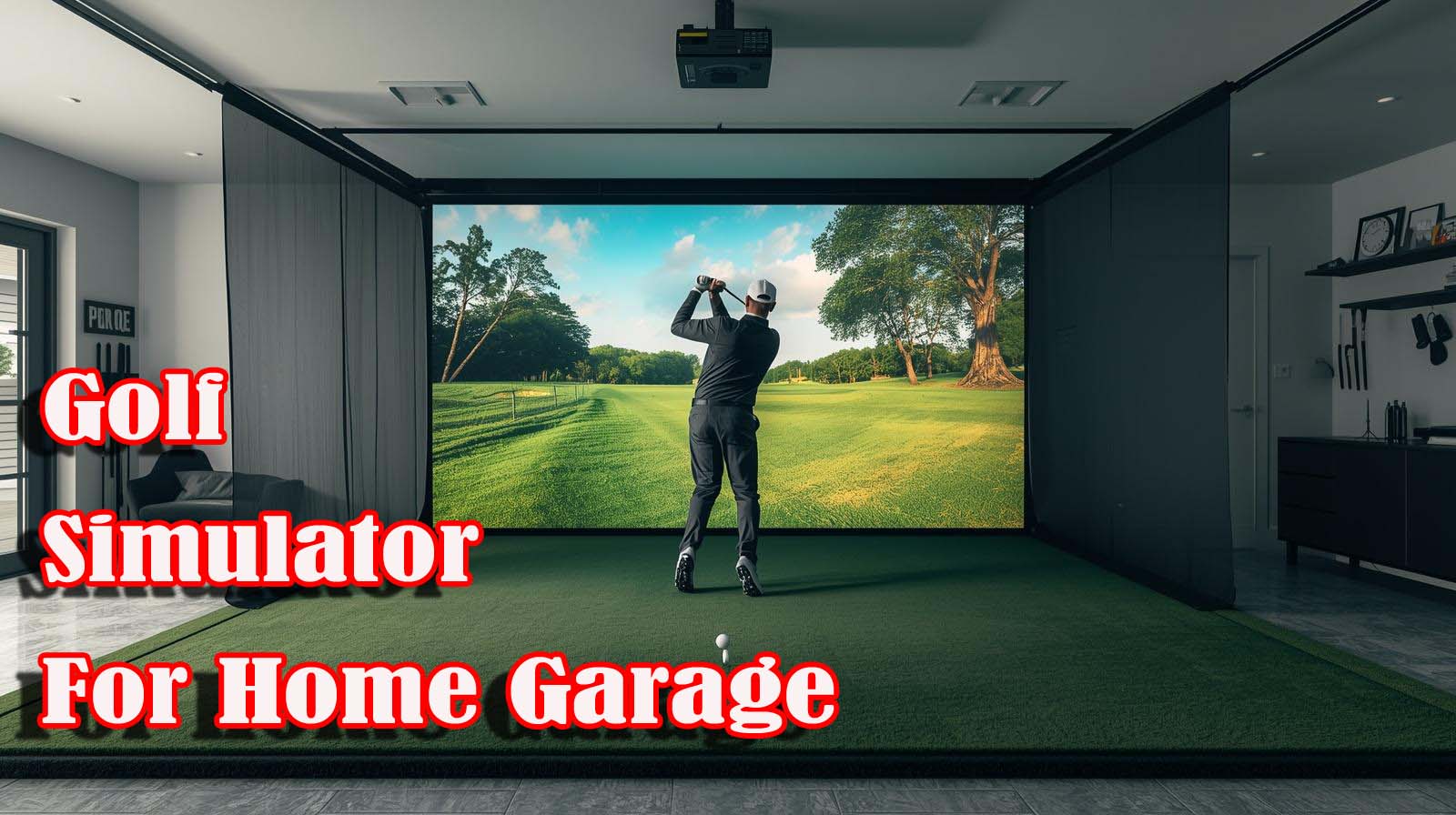
You’re standing in your garage right now, imagining it transformed into a practice space where you can work on your swing without depending on weather or daylight. The appeal is obvious—unlimited practice time, instant feedback on every shot, no excuses about why you didn’t get to the range.
But here’s the catch: not every home golf simulator actually improves your game, and plenty of them end up gathering dust next to the storage boxes.
The real question isn’t which simulator looks coolest or has the most bells and whistles. It’s whether the system you’re considering will give you honest feedback about your swing, fit within your garage space, and justify the money you’re about to spend.
We spent time evaluating the options that actually make sense for home setups, and we’re breaking down exactly what separates real training tools from expensive entertainment systems.
Top Picks for Best Golf Simulator for Home Garage
How Launch Monitors Actually Work in Your Garage?
Before we dig into the specific systems, it helps to understand what you’re actually buying when you invest in a home golf simulator. A launch monitor is the heart of everything—it’s the sensor or camera system that watches your ball and club to measure what actually happened during your swing.
Most home systems use either optical tracking (cameras that see the ball in flight) or radar-based detection (which measures ball flight through radio waves). The key difference is in what they can measure and how accurately they do it. A good launch monitor tells you ball speed, launch angle, and spin rate—the three numbers that matter most for understanding whether your shot pattern is improving or just staying the same.
Space is the second thing that changes everything in a garage setup. Some systems need only six feet of depth between your hitting position and the impact screen, while others demand fifteen feet or more to track the ball accurately. If your garage doesn’t have that space, the fanciest simulator in the world becomes useless because the sensor can’t see the full flight of your shot.
The third piece is the difference between a system designed to entertain you versus one built to train you. Entertainment systems are loaded with courses and games and multiplayer tournaments—which is fun, but it doesn’t necessarily mean the data is accurate enough to fix your swing.
Training-focused systems prioritize measurement accuracy over fancy features, which is exactly what you need if you’re spending serious money on improvement.
What We Evaluated and How
We looked at two contenders that show up repeatedly in garage setups: the Foresight GC3/GC3S and the Garmin Approach R50.
Our evaluation focused on five core factors that actually matter for a home installation. These were: accuracy of the metrics, space requirements for your garage, ease of setup, real-world review data, and the trade-off between cost and what you actually get for your money.
We didn’t just read spec sheets. We dug into what users actually report about these systems in garages, checked whether the brand has a track record in golf technology, and honestly assessed which gaps exist in the available information. Some products had sparse user data, which matters—it tells you whether this is a proven system or something newer that fewer people have tested.
Foresight Sports GC3/GC3S Golf Simulator Package
 Check Price on Amazon
Key Specifications
- Brand: Foresight Sports
- Material: Synthetic turf hitting surface
- Technology: Optical/camera-based tracking (Foresight standard)
- Space Required: Approximately 6-8 feet of depth (estimated based on Foresight’s typical specifications)
- Estimated Price Range: Budget-friendly entry point
- Review Data: Limited current user reviews available
What This System Does Well
Foresight Sports is a name that’s been in golf technology for years, so this isn’t some unknown brand trying to break into the market with cheap gimmicks. They’ve built their reputation on accurate launch monitors, which means even at this entry price point, you’re not sacrificing measurement quality just to keep costs down. The synthetic turf material suggests solid durability for regular use, and the optical tracking approach has proven reliable in other Foresight products.
The real strength here is price accessibility. You can get into a legitimate simulator that measures actual swing data without spending five figures or emptying your savings account. If you’re testing the waters to see whether you’ll actually use a home simulator regularly, this removes the financial anxiety about making a bad investment.
The Honest Limitations
The challenge with this system is that the Amazon listing focuses heavily on accessibility features—text sizing, color contrast, cursor visibility—rather than golf-specific specifications. That’s unusual for a golf product, which raises a question: Is this listing accurately representing the GC3S package, or has something gone wrong with the product description? Without clear details about courses available, software included, or exact metrics measured, you’re flying somewhat blind.
The second issue is the complete absence of real user reviews. When a product has zero or near-zero reviews, it means very few people have actually tested it in a home garage and shared feedback. That doesn’t mean it’s bad, but it does mean you’re relying on the brand’s reputation rather than documented garage experiences. You’ll want to watch recent YouTube videos from people who’ve set this up at home before committing.
Where It Fits in Your Decision
Choose this if you’re budget-conscious and want genuine swing metrics without the premium price tag. You’re comfortable with a simpler interface and fewer courses because what matters to you is accurate ball data to track your improvement. This is the system for someone who wants to prove to themselves that home simulation actually works before investing in something more elaborate.
Skip this if you need extensive course variety to stay motivated or if you want the confidence of numerous verified user reviews from actual garage setups. You’ll also want to reach out directly to Foresight or scour YouTube to confirm the space requirements match your garage before you commit.
Garmin Approach R50 Premium Golf Launch Monitor
 Check Price on Amazon
Key Specifications
- Brand: Garmin
- Model: Approach R50
- Camera System: 3-camera precision tracking
- Display: 10-inch built-in touchscreen
- Ball Metrics: 15+ different measurements including spin axis
- Courses: 43,000+ worldwide (with Garmin Golf membership)
- Multiplayer: Up to 4 players simultaneously
- Battery Life: 4 hours per charge
- Space Required: Estimated 8-10 feet of depth
- Customer Rating: 4.2 out of 5 (11 reviews)
What Makes This System Stand Out
The Garmin Approach R50 is built on a completely different philosophy than the entry-level options—this is designed for someone who’s serious about improvement and willing to pay for professional-grade accuracy. The three-camera system is a genuine advantage because it captures details that single-camera systems miss, particularly the relationship between your club face and your swing path. That’s the kind of data that actually changes how you swing, not just entertainment metrics.
The built-in 10-inch touchscreen means you don’t have to set up a separate laptop or worry about connecting cables to a projector. Everything you need is right there in the display, which reduces frustration and makes the whole setup feel polished. The 4-hour battery life also suggests you could potentially use this outdoors on real courses, which opens up a different type of training—comparing how your simulator metrics translate to actual course conditions.
The Real Cost of Going Premium
The price is substantial, and there’s no getting around that. You’re committing significant money to a system that only makes sense if you’re going to use it regularly—at least weekly, ideally more. If this ends up gathering dust because you lose interest after a month, you’ve made an expensive mistake.
The subscription model is another ongoing cost. The listing mentions Home Tee Hero feature requires Garmin Golf membership, which means you’re not just paying upfront—there’s a recurring expense to access the 43,000 courses. That’s not included in the main price, so you need to factor that into your total cost calculation.
The Review Situation
Eleven user reviews is better than zero, but it’s still a pretty thin sample size for such a high-priced item. The 4.2 rating suggests satisfaction, but you’re not seeing large numbers of people reporting real garage experiences. This probably means the R50 is newer to the market or appeals to a smaller group of serious golfers. Before purchasing, you absolutely need to find recent YouTube setups using this exact model in actual garage spaces.
When This is Worth the Investment
Go with the Garmin Approach R50 if you’re a serious golfer with a genuine commitment to improvement and the budget to back it up. You value professional-grade accuracy over saving money, and you’ll actually use it at least three times weekly. This system works if you’re willing to view it as an investment in your golf game the same way you’d invest in lessons from a pro.
This is also the right choice if you like having course variety to keep motivation high. Forty-three thousand courses means you won’t get bored, and the multiplayer features add a social element that matters to some golfers. Skip it if you’re budget-sensitive or if your commitment level is uncertain.
Head-to-Head Comparison
Let’s look at how these two systems stack up directly against each other across the factors that actually affect your decision. This comparison cuts through the marketing language and gets to what really changes whether you’ll be happy with your purchase.
Price and Investment Philosophy
The Foresight comes in at a significant cost difference from the Garmin, which is the biggest factor for most garage setups. That price gap represents either a relief (if you’re budget-conscious) or a non-issue (if you’re serious enough to afford either option). Garmin’s higher price reflects the premium accuracy and built-in touchscreen, while the Foresight bets on the assumption that you don’t need all those extras to practice effectively.
Think about it this way: if you use the Foresight five times a week for a year, the cost per session stays incredibly low. If you buy the Garmin and only use it twice a month, you’re spending way more per practice session. The money question isn’t really about the initial price—it’s about how often you’ll actually show up in that garage.
Accuracy and Data Quality
Garmin’s three-camera system genuinely captures more information than Foresight’s optical approach. Where the Foresight tells you what the ball did, the Garmin also tells you exactly why your club made it do that. Face-to-path, swing plane, spin axis—these are the details that separate “I hit it okay” from “I understand why my ball went left.”
That said, both systems pull from reputable golf technology companies. The Foresight isn’t going to lie to you about your ball speed or launch angle. If you’re serious about improvement, either will give you real data. The Garmin just gives you more of it, which is valuable if you know how to interpret it or work with a coach.
Space and Setup Reality
Both systems need somewhere between 6-10 feet of clear depth, depending on the exact model specifications. If your garage doesn’t have that, neither system will work properly. Check your space first—if you don’t have it, this comparison becomes academic.
Most standard garages have enough depth, but if you’re tight on space or you share the garage with a vehicle, this becomes the make-or-break factor.
Garmin’s built-in display is a setup advantage because you don’t need to add cables and computers. The Foresight requires you to integrate it with separate software, which is more flexible but also more complicated. Setup simplicity matters when you’re trying to get something working in a garage without professional installation.
Courses and Entertainment Value
Garmin’s 43,000 courses blow the Foresight out of the water if course variety keeps you motivated. Some golfers use simulators purely as a training tool, so the courses don’t matter. Other golfers need variety to stay engaged week after week. Honestly assess which type you are before dismissing this advantage.
The multiplayer and tournament features on the Garmin also matter if you plan to invite friends into the garage for friendly competition. The Foresight is more suited to solo practice sessions. Neither approach is wrong—it depends on what gets you to practice more.
Before You Spend the Money
The decision tree here isn’t complicated, but it does require honesty about your actual situation. Let’s walk through the real questions you need to answer.
Do You Actually Have the Space?
Measure your garage from where you’d stand to where you’d put the impact screen or net. If you don’t have 6 feet minimum, neither of these systems works, and you need to find a different location. Don’t assume—measure it. A garage that feels spacious when empty feels different when there’s a hitting mat, screen, and launch monitor taking up room.
What Will Make You Actually Practice?
This is the million-dollar question. Some golfers are motivated by pure swing data—they want numbers to chase improvement. Other golfers need entertainment—they want to play courses and compete. Some want both. Your honest answer changes whether the expensive system is worth it or overkill.
If you’re someone who goes to the range once a month and calls it golf practice, a simulator isn’t going to change that. You need to want improvement badly enough to spend time in the garage multiple times weekly. The system doesn’t create motivation; it just enables it if the motivation is already there.
How Much Detail Do You Need to Understand Your Swing?
Some golfers improve dramatically just by knowing ball speed and launch angle. They use that data to understand their patterns and make basic changes. Other golfers need club metrics and swing plane data to really understand what’s happening. That knowledge about yourself determines whether Garmin’s extra metrics are essential or unnecessary.
If you work with a golf coach, check whether they have a preference. Some coaches prefer working with specific launch monitor data, and having the right system saves you from buying something they can’t effectively use with you.
Are You Installing This Permanently or Keeping It Flexible?
If this is a permanent installation—dedicated space, cables hidden, impact mat stays put—you’re more likely to use it because it’s always ready. If you’re setting it up and tearing it down to share garage space with your car, friction increases and usage drops. The Garmin’s all-in-one design works better for permanent setups, while the Foresight’s separate components offer more portability.
The Verdict: Which System Wins for Different Golfers
Choose the Foresight GC3/GC3S If:
You’re budget-conscious and want to test whether home simulation actually changes your golf. You’re honest about not knowing whether you’ll use it regularly, so you’re not ready to spend serious money yet.
The entry price lets you experiment without the regret-purchase stress. You also want real metrics, not just entertainment—you care about ball speed and launch angle, not whether the virtual course looks photorealistic.
You should also choose this if you prefer simplicity over features. The Foresight gives you what matters for training without overwhelming you with options and subscriptions. You practice solo, you measure your progress, you adjust your swing based on data. Clean and straightforward.
Choose the Garmin Approach R50 If:
You’re serious about improvement and have the budget to match your commitment level. You’ll use this at least three times weekly, and you’re viewing it as an investment in your game the same way you’d invest in coaching. You want professional-grade accuracy because you know how to use detailed metrics, or you work with a coach who needs that data.
You should also choose this if course variety keeps you motivated, and you might want to use this with friends for competitive play. The Garmin makes your garage feel like an actual golf experience, not just a training platform. That matters if entertainment value drives your consistency.
What We Couldn’t Fully Confirm
The Foresight listing raised red flags because it emphasized accessibility features over golf specifications. We couldn’t confirm whether the product description accurately represents what you’re actually getting, so you need to verify this directly with the seller or Foresight Sports before ordering.
The exact courses available, including software and specific metrics, aren’t clearly documented in the listing.
Both products have limited user review counts, which means real garage experiences are sparse in the available data. Before you make your final decision, search YouTube for recent setups using these exact models in actual garage spaces.
User videos will show you actual installation, real ball flights, and honest feedback that reviews can’t capture. That research takes 30 minutes and prevents regretful purchases.
Frequently Asked Questions
How much space do I actually need for a home golf simulator?
Most home simulators need 6-10 feet of clear depth from your hitting position to the impact screen or net. That’s the minimum to ensure the launch monitor can track your full ball flight accurately. Width-wise, 8-10 feet is comfortable but not always necessary. Measure your actual garage space before deciding which system fits.
Do home golf simulators actually improve your swing?
Yes, if you use the data correctly and practice consistently. A simulator gives you honest feedback about your ball flight, spin rate, and launch angle—information you never get at the range. That data matters only if you act on it. The simulator is a tool, not a miracle worker. Your commitment to improvement does the actual work.
Can I use a golf simulator outdoors in my garage with the door open?
Some systems, like the Garmin Approach R50, have battery life and weather durability for occasional outdoor use. Most simulators prefer indoor, climate-controlled environments. Check the specific product specifications before assuming you can move it outside regularly. Sun glare can interfere with optical tracking systems.
What’s the difference between a launch monitor and a full simulator?
A launch monitor measures your ball and club data. A full simulator adds virtual courses and graphics to that data.
The Garmin R50 includes both; it measures your swing and shows you playing courses. You can buy just a launch monitor for cheaper, but then you need to add software separately. For beginners, the all-in-one approach makes more sense.
Do I need a separate computer for these systems?
The Garmin Approach R50 has a built-in display, so you don’t need a computer. The Foresight GC3/GC3S likely requires integration with software, which means you need a separate device to run it. Confirm this detail directly with the product listing or manufacturer before ordering, since setup requirements change your total cost.
What’s the cost difference between a budget simulator and a professional one?
Entry-level simulators start in the low hundreds, while professional-grade systems exceed five thousand dollars. The jump in price reflects accuracy improvements, better course selection, advanced metrics, and build quality. For home use, the mid-range budget option usually delivers everything you actually need without premium features you won’t use.
Can I use a golf simulator with any golf clubs?
Yes. Your simulator only cares about measuring what your club does to the ball—it doesn’t care which clubs you use. Use whatever clubs you’d normally swing. Some people use older clubs they don’t mind wearing out on an indoor mat, while others use their actual playing clubs. Both approaches work fine.
How often do I need to maintain a home golf simulator?
Hitting mats wear over time and eventually need replacement, typically after 2-3 years of regular use, depending on the quality. Launch monitors need occasional cleaning but rarely break. Software updates happen periodically and are usually free. Budget for mat replacement as an ongoing cost if you’re practicing multiple times weekly.
Will my neighbors complain about indoor golf simulator noise?
Home simulators are generally quiet—the loudest part is usually the impact of the club hitting the ball, which is minimal compared to outdoor range sounds. The screens and launch monitors operate silently. Neighbors won’t hear golf simulator use the way they’d hear actual range practice or swing machine testing. This is a non-issue for most garage setups.
Can a home golf simulator help with putting practice?
Yes, but it depends on the system. Many simulators include putting green simulators with realistic break reading and distance feedback. The Garmin Approach R50 includes putting mode with multiplayer support. Entry-level systems might be limited to full-swing metrics only. Check specific product details if putting practice matters into your training plan.