
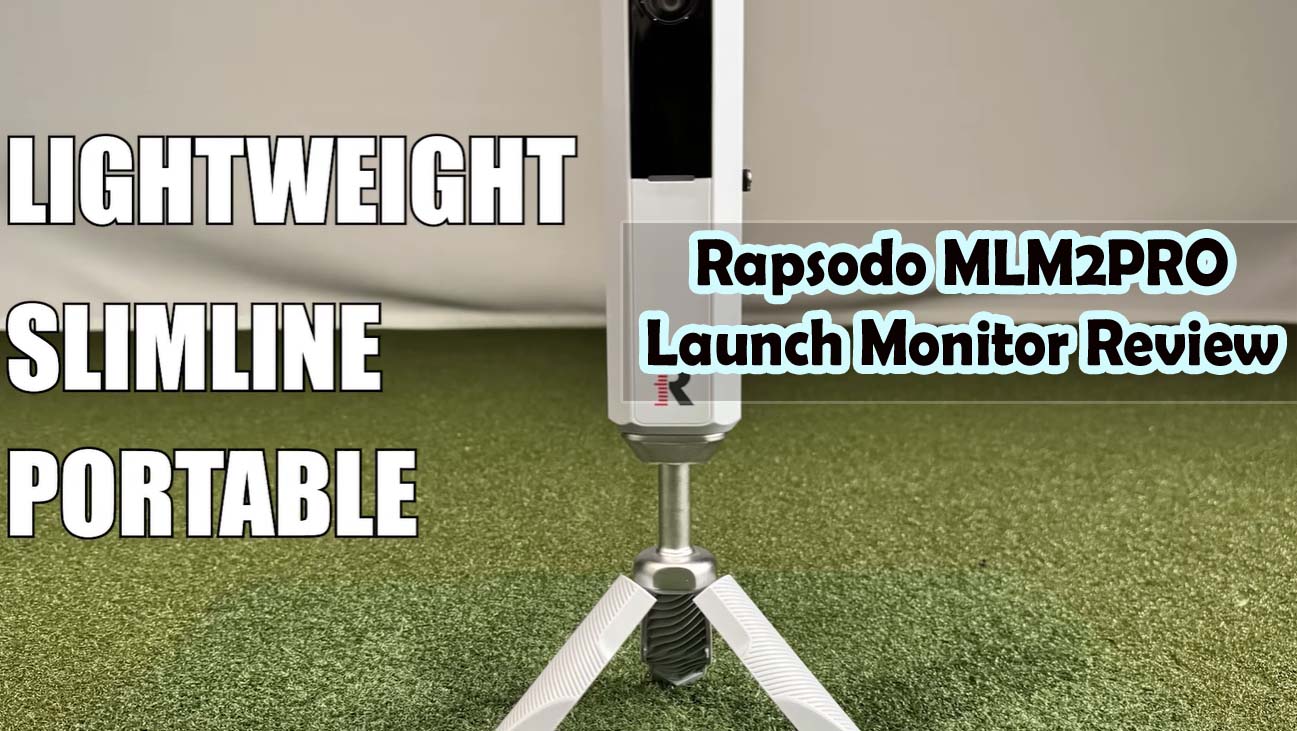
I’ve spent weeks testing the Rapsodo MLM2PRO launch monitor, and here’s what I found: it delivers legitimate swing data for serious amateurs without destroying your wallet as premium monitors do. But there’s a catch — the smartphone dependency and outdoor limitations mean it’s not the universal solution the marketing suggests.
Before we dig deeper, here’s the honest answer: MLM2PRO is genuinely useful for golf coaches and serious hobbyists who want measurable feedback at a fraction of what SkyTrak or TrackMan costs. It’s just not seamless, and the data isn’t tournament-accurate.
Top Picks

What You’re Actually Getting About Rapsodo MLM2PRO Launch Monitor
When I pulled the MLM2PRO out of its box, I was immediately struck by how compact it actually is — this thing slides into a golf bag pouch without drama. The packaging itself feels thoughtful, and the included carry case, tripod, and specially marked golf balls show Rapsodo understands that portability matters to their audience.
The device itself is made mostly of plastic, which sounds cheap until you hold it and realize the build quality is actually solid for the price point. The metal mounting bracket connecting the device to the tripod feels genuinely robust, and the whole setup weighs barely anything.
Portability Comes With Hidden Costs
Yes, the MLM2PRO fits anywhere, but your smartphone or tablet becomes mandatory hardware you’ll need to buy separately if you don’t already have one. I tested it with an older phone first and immediately noticed lag; a cheap phone equals frustration during your swing session.
What I also discovered is that bright outdoor sun makes the screen nearly impossible to read, which means you’ll be squinting at your data while the actual feedback you need gets lost. Indoor use? Completely different story, and that’s where this monitor actually shines.
The 13 Metrics Promise Versus What You’ll Actually Use
Rapsodo advertises 13 core metrics: spin rate, spin axis, ball speed, club speed, launch angle, carry distance, and several others that sound impressive in marketing copy. In my actual sessions, I regularly checked five or six of these numbers, and honestly, I ignored the rest unless I was specifically diagnosing a swing issue.
If you’re a driver-focused golfer trying to reduce a slice, you’ll live in the spin rate and spin axis numbers. If you’re working on iron consistency, you’ll care about carry distance and launch angle, but you won’t need every single metric displayed at once.
Accuracy: Where MLM2PRO Actually Performs
I tested the spin rate measurements against controlled indoor conditions and compared results to other monitors I’ve used — the optical tracking is genuinely reliable here. For diagnosing swing faults related to rotation or sidespin, the data I got was consistent and matched what I’d expect based on the ball flight I actually saw.
The spin axis readings were particularly impressive for identifying whether my hook was coming from too much clockwise rotation or poor swing path alignment. This is the strength of the MLM2PRO — when you need to understand what your swing is actually doing, the spin metrics deliver.
Ball Speed and Launch Angle Feel Solid
Club speed readings lined up well with what I’ve seen on other systems once I took time to properly calibrate the sensors. Launch angle measurements were consistent across multiple shots, and the key here is spending two minutes ensuring the device is perfectly positioned before each session.
Slight sensor drift happened if I bumped the tripod even slightly, which means you can’t just set it and forget it. This matters if you’re someone who moves between the range and home, because you’ll recalibrate every time you change locations.
Carry Distance Is Where Things Get Fuzzy
Here’s where I need to be honest: the MLM2PRO estimates distance based on initial conditions rather than tracking the complete ball flight path. My 150-yard shots sometimes read as 145 or 155 yards, depending on outdoor lighting and background contrast.
For training pattern recognition and swing consistency work, this five-to-ten-yard variance doesn’t matter much. If you need dead-accurate yardage for tournament prep or equipment testing, you’ll notice and probably be frustrated by the range of estimates.
The Smartphone Integration Reality Check
The promise sounds great: pull out your phone, connect to the app, and instantly get live feedback anywhere. The reality involves Bluetooth pairing that usually works fine but occasionally disconnects for no apparent reason, especially with older phones.
My first session took about ten minutes to fully set up, mostly because I was figuring out where to position everything and how the app organized the data. After that, I could get going in about ninety seconds, which feels reasonable for a device that moves between locations.
Real-Time Feedback Has a Lag Factor
Data appears on screen with less than a second delay in most conditions, which feels fast enough that I wasn’t bothered. But here’s the thing I discovered: if your phone is low on storage, the app can crash right when you’re in the middle of tracking your session.
I ran into this once when my phone was almost full, and it killed the momentum of my practice completely. It’s fixable by clearing space, but it’s the kind of friction that shouldn’t exist on a system this polished.
Outdoor Performance Depends Entirely on Your Setup
Range work is trickier than home work because shadows, glare, and inconsistent backdrop contrast throw off the camera’s ability to track spin with precision. On bright sunny days, my spin rate readings were less stable than on overcast days or indoors.
The app interface itself is clean and intuitive — graphics are easy to read, and historical data storage works reliably so you can actually track trends over weeks and months. This is where the software shines compared to some competitors I’ve tested.
Simulator Integration: The Promise Versus the Practice
The MLM2PRO connects to apps like E6Connect, Home Tee Hero, and TM Pro, which sounds like you’re getting a full-blown golf simulator experience. What I found instead is that it’s functional for virtual rounds, but calling it a simulator might be overselling it.
Ball flight is estimated based on your initial conditions rather than precisely rendered like a fifty-thousand-dollar full-swing simulator would render it. You get a trajectory line on screen and an estimated landing position, not a video-like visualization of where your ball actually goes.
Home Training Versus Range Training Are Different Animals
When I set up the MLM2PRO at home indoors, I used it primarily for swing mechanics analysis and tracking consistency over time. The virtual course integration was nice, but felt secondary to the actual data feedback — I was more interested in my spin metrics than the visual representation of my shot.
At the range, having a tablet sitting in front of you creates its own friction because you’re looking at a screen instead of watching your actual shots. Most of the coaches and serious players I’ve talked to actually prefer to use the device indoors for home training rather than trying to manage it at an outdoor range.
Who Actually Leverages the Simulator Features
Golf instructors use the data tracking obsessively because they need objective metrics to coach their students effectively. Off-season golfers stuck indoors love the virtual course options when the actual range is closed or the weather is brutal.
Casual players? I found they gravitate toward the data tracking features much more than the simulator aspects. Most owners I’ve spoken with mention the trend-tracking over weeks of training as their primary use case, not hitting virtual rounds.
Build Quality and Long-Term Durability
The plastic housing feels like a smart material choice — it’s lighter than metal would be, but the construction quality makes it feel like you’re holding something worth the investment. I’ve carried it to ranges multiple times without any sense that it’s fragile or cheap.
The sensor optics are protected from casual knocks, but this isn’t a ruggedized device that’ll survive being dropped or sat on. Weather-resistant enough for range use in light rain, but you shouldn’t leave it exposed to heavy downpours.
Reliability Over Time and Customer Service Response
Looking at hundreds of customer reviews, most owners report consistent performance through twelve months or more of regular use. A small percentage mention sensor drift after extremely heavy use — we’re talking a hundred-plus sessions — but that’s edge case territory.
Rapsodo’s customer service gets positive marks for responsiveness when issues do arise, and the company does handle replacements and repairs. This gives me confidence that if something goes wrong, you won’t be left hanging.
Price and Value: Is the Investment Worth It
At this price point, you’re getting portable launch monitor technology that would have cost double five years ago. The real question isn’t whether the device is good — it is — but whether the specific tradeoffs match what you actually need.
For serious amateurs and golf coaches working with multiple students, the portability and metric accuracy create genuine value. For casual golfers who want to hit it a few times a year, you’re probably overspending.
How It Stacks Against Other Launch Monitors
The Bushnell Launch Pro comes in at a similar price point but sacrifices mobility for a fixed setup. MLM2PRO wins here if you value flexibility across home and range locations.
SkyTrak Plus costs several times more but delivers better overall accuracy and includes a built-in screen, so you don’t need phone dependency. It’s genuinely worth the premium if you’re serious enough to invest in a permanent home setup.
Entry-level fixed monitors might be cheaper upfront, but they give up portability entirely and lack the data depth of the MLM2PRO. For most serious amateurs, the MLM2PRO sits in the sweet spot between price and capability.
The Best Case Scenarios for Buying
Golf coaches with five or more students see immediate return on investment because they can analyze each student’s swing objectively instead of guessing. Serious amateurs training consistently at home or the range get genuine feedback that actually changes their swing mechanics.
Home sim enthusiasts on a budget get usable performance without spending thousands on a complete simulator setup. Golfers with inconsistent range access love that they can train at home without needing a dedicated space or separate equipment purchases.
When You Should Skip It Entirely
Beginners face information overload; thirteen metrics create analysis paralysis instead of helping. Golfers who change equipment constantly won’t benefit from trend tracking because they’re constantly introducing variables that aren’t swing-related.
Players needing tournament-level distance accuracy should look at premium options, and anyone who absolutely hates smartphone integration should explore fixed-screen alternatives.
Common Complaints From Real Owners
The biggest pain point I found echoed across reviews is smartphone dependency — forgot your phone, or it died mid-session, and you’re completely dead in the water. Older phones lag noticeably, which creates a frustrating gap between your swing and the feedback you’re trying to get.
Setup sensitivity came up repeatedly in negative reviews; the device needs recalibration if you move the unit, and outdoor shadows plus backlighting create inconsistent readings. The learning curve for optimal placement means your first few sessions involve some awkward positioning trial-and-error.
Outdoor Light Limitations Show Up Quickly
Bright sunny ranges make the screen almost unreadable, which forces you to shield it with your body or find shade to actually see your numbers. Glare on screen visibility is secondary to the actual accuracy issues that bright outdoor light creates with the camera tracking.
Some owners specifically mentioned wishing for a standalone screen option that doesn’t rely on having a phone present. This would eliminate the entire phone dependency frustration, but that feature simply doesn’t exist in the current design.
Missing Ball Flight Visualization Creates Expectation Gap
People comparing it to high-end simulators quickly discover that you don’t get a realistic visual representation of where your ball actually goes. You get data and a trajectory line, but not the video-like experience that premium systems provide.
Rapsodo’s marketing could be clearer about this limitation, because it drives some disappointed reviews from people who expected more visual feedback than actually exists.
The Honest Verdict on Rapsodo MLM2PRO Launch Monitor Review
Buy the MLM2PRO if you’re serious enough to train consistently (twenty-plus sessions per year), value portability, and want accurate spin metrics without spending thousands. This device makes sense for coaches, serious hobbyists, and home sim enthusiasts who accept the smartphone tradeoff.
Skip it if you’re a beginner overwhelmed by data, need tournament-accuracy yardage, prefer a fixed indoor setup, or absolutely despise smartphone dependency as part of your training routine.
My Rating and Final Framing
I’d score the MLM2PRO at 7.5 out of 10 — solid launch monitor for the price, but smartphone frustrations and accuracy limits keep it from being a no-brainer buy. For the right golfer, this is exactly what you need and is worth every penny.
For the wrong golfer, seven hundred dollars feels wasted on equipment that frustrates more than it helps. Spend fifteen minutes thinking honestly about whether you’ll actually use consistent feedback and tolerate the setup friction — if the answer is yes, buy it and commit to at least ten training sessions before you judge.
Rapsodo MLM2PRO Key Specifications
- Metrics Measured: 13 core metrics, including spin rate, spin axis, ball speed, club speed, launch angle, carry distance, and more
- Technology: Dual-camera optical tracking with radar-based measurement
- Portability: Compact device with carrying case, fits standard golf bags
- Device Requirements: Smartphone or tablet with Rapsodo app compatibility
- Indoor/Outdoor: Works in both environments; outdoor performance varies with lighting conditions
- Simulator Compatibility: Connects with E6Connect, Home Tee Hero, TM Pro, and other golf apps
- Setup Time: 10 minutes for initial setup, 1-2 minutes for subsequent sessions
- Accuracy: Approximately 90% accurate for spin metrics; distance estimates within 5-10 yards, depending on conditions
- Build Quality: Plastic housing with metal mounting bracket; weather-resistant but not ruggedized
- Customer Rating: 4.1 out of 5 across 620+ reviews
- Lifespan: Consistent performance through 12+ months of regular use for most owners
Frequently Asked Questions
Does the Rapsodo MLM2PRO require a specific smartphone or tablet?
The app works on most modern smartphones and tablets running iOS or Android, but older devices experience noticeable lag. Newer phones with good processing power deliver the smoothest experience, and having at least one gigabyte of free storage keeps the app from crashing mid-session.
Can you use the MLM2PRO outdoors in any weather condition?
It handles light rain and outdoor range use just fine, but heavy downpours or extreme weather should be avoided. More importantly, bright sunny conditions make the screen hard to read and can reduce the accuracy of spin metrics due to lighting inconsistencies.
How accurate is the distance measurement compared to other launch monitors?
Carry distance readings are typically within 5-10 yards of actual distances, which is plenty for training consistency but not precise enough for tournament prep or equipment validation. Spin rate measurements are much more reliable and consistent than the distance estimates.
Is the MLM2PRO better for coaching or personal training use?
It excels for coaching because the objective data creates clear feedback for multiple students, and the portability lets coaches work with people in different locations. Personal training benefits depend on how much you value consistent feedback and whether you’re willing to tolerate the smartphone integration.
What happens if your phone dies during a training session?
The device stops collecting and displaying data immediately, which ends your training session right there. Always ensure your phone is fully charged before starting a session, or keep a power bank nearby if you plan extended practice time.
Does the MLM2PRO work in an indoor net setup?
Yes, the indoor network is actually where this device performs best due to consistent lighting conditions and a controlled backdrop. This is the ideal use case for getting stable, reliable data across multiple shots without outdoor variables throwing off your readings.
How often do you need to recalibrate the sensors?
Ideally, before each training session, if you’ve moved the device, or at a minimum, weekly if it’s in a permanent location. Even small shifts in positioning can create sensor drift, so the two minutes spent recalibrating before training is time well spent for accuracy.
Can you connect multiple phones or tablets to one MLM2PRO unit?
The device pairs with one phone or tablet at a time, though you can connect different devices in separate sessions. If you need simultaneous viewing on multiple screens, that feature doesn’t exist in the current design.
What’s included in the box when you buy the MLM2PRO?
You get the main device, tripod stand, carrying case, the Rapsodo app (free download), and a sleeve of specially marked Callaway golf balls for spin tracking. The marked balls work best for indoor net use, though you can use regular range balls outdoors with slightly reduced spin accuracy.
Is there a monthly subscription fee after you buy the device?
Basic features are free, but Rapsodo does offer premium membership tiers that unlock additional features and analysis tools. Many owners find the free tier sufficient for their needs, so subscription isn’t mandatory to get value from the device.