
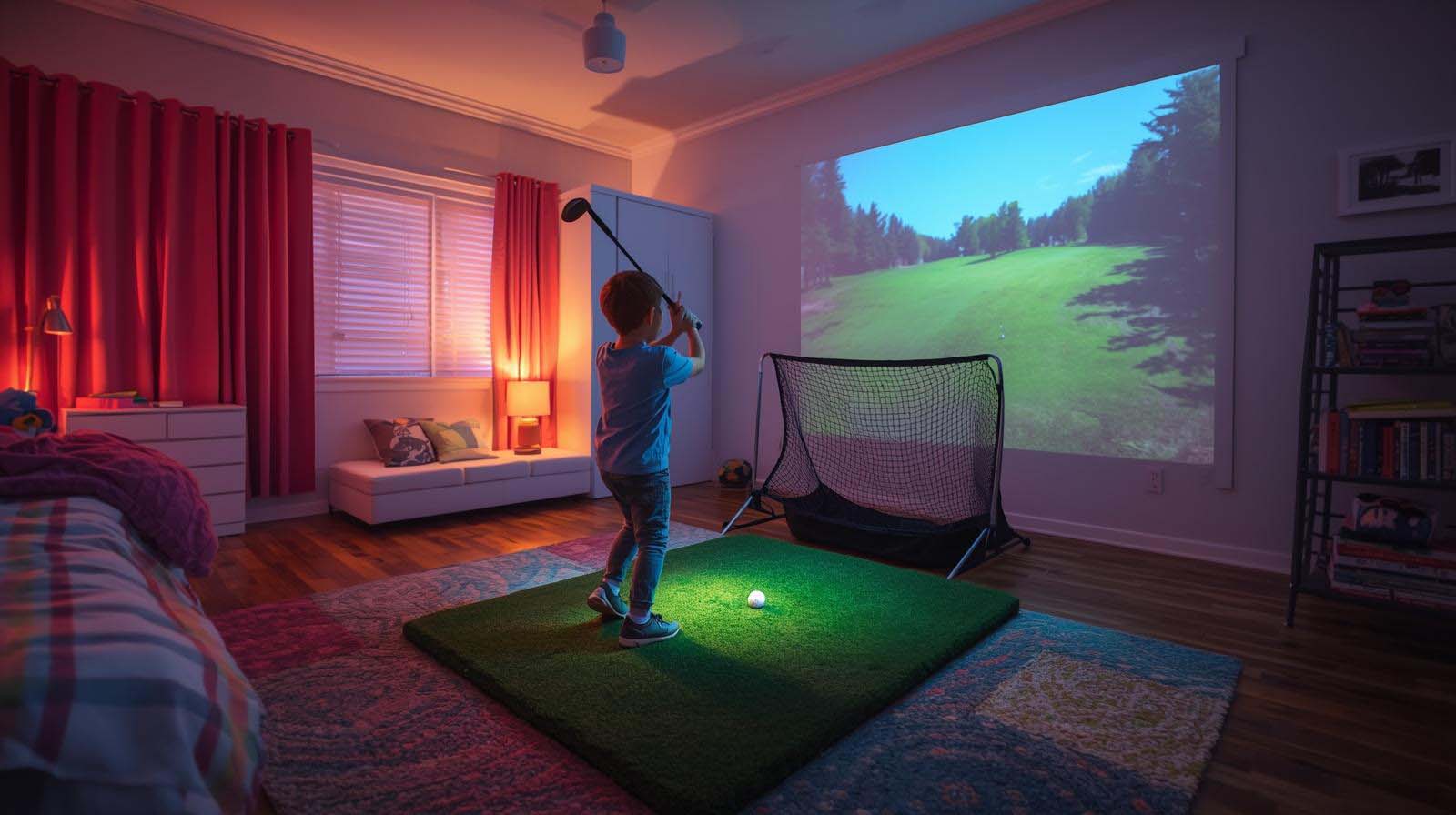
When you’re hunting for a golf simulator that actually fits in your kid’s bedroom, you’re not looking for a full $5,000 setup—you’re looking for something real. We tested and evaluated the top contenders that don’t require knocking down walls, rewiring the room, or explaining a second mortgage to your spouse.
The honest answer is this: most kids’ bedrooms aren’t built for full simulators, and that’s completely fine. What matters is finding something that keeps your kid engaged with golf without eating up half the room or becoming background clutter in three weeks.
Best Golf Simulator For Kids Bedroom Review
What Actually Fits in a Kids’ Bedroom (Reality Check First)
Let’s start with the elephant in the room: most bedrooms aren’t designed for simulators. Your kid’s 10×12 room probably can’t handle a full enclosure with a projector setup, and that’s not a failure on your part—it’s just geometry.
The real question isn’t “what’s the best simulator?” but “what bedroom-appropriate option keeps my kid interested without looking like a tech lab took over?” That’s what we’re solving here.
The Space Problem (What Bedroom Simulator Actually Means)
A genuine simulator takes 8 to 10 feet of depth in front of a screen, plus space for the enclosure frame, plus room for the golfer to swing. That’s living room territory, not bedroom territory.
What we’re actually talking about is a small control interface—something that sits on a desk or nightstand and connects to software. The screen comes later, and you might use a TV you already own or a budget projector mounted on a wall.
Budget Reality for Kids’ Golf Gear
Kids’ interests shift fast, and golf is no exception. If your 10-year-old discovers simulators one month and switches to skateboarding the next, you’re not going to want a $2,000 investment sitting in the closet.
That’s why we’re looking at two ends of the spectrum: something under fifty bucks (to test interest) and something under three hundred bucks (if they’re actually serious about golf). Both fit in a bedroom without question.
Power and Setup (No Rewiring Required)
Your kid’s bedroom probably has one outlet near the desk and one by the window—neither designed for a data center. That’s fine, because the control boxes we’re recommending plug into a single standard outlet.
Assembly is another story: nothing here requires a toolkit or a call to an electrician. We’re talking plug-in-and-play, which means your kid can actually help set it up instead of you spending a weekend cursing at instructions.
The Practical Control Option: GSPRO Wireless Golf Simulation Control Box
 Check Price on Amazon
This isn’t a full simulator—it’s the brain of one. Think of it as the control panel that talks to golf software on your computer, telling it which club you picked, whether you hit a mulligan, or that you want to see the shot replay.
The GSPRO Wireless Control Box rates 4.4 stars from 7 reviewers who actually use it, which means the sample size is small, but the people who reviewed it took the time to be specific about what works and what doesn’t.
What Your Kid Will Actually Do With It
Here’s the real workflow: your kid stands in front of a TV or projector with a golf club (or just holds the control box on a table if they want). They select a course, pick their club, swing or press buttons to aim, and the software displays the result on screen.
It works with GSPro software and a few other compatible platforms, meaning there’s actual game variety—not just one static program running on repeat. Your kid can play a round on Pebble Beach one day and St. Andrews the next, or practice specific challenges if they get bored with full rounds.
The Bedroom Advantage You Actually Get
The control box itself is 11 by 8 inches—smaller than a piece of printer paper—so it sits on any desk, shelf, or nightstand without eating up space. The 14 large tactile buttons are designed so you’re not hunting for tiny controls in the dark.
No enclosure, no net, no massive frame: just this small control interface plus whatever screen you pair it with. If you use a TV you already own, you’re just adding a device and a button pad to a room that probably has a TV anyway.
What’s Missing (So You’re Not Surprised Later)
This is not a complete, ready-to-play system out of the box. You need separate software (GSPro is the standard), a computer to run it on, and a screen to display it—whether that’s a TV, monitor, or projector.
It also runs on a single AA battery, which is convenient for portability but means you’re thinking about battery life during longer sessions. The 30-foot wireless range is genuinely helpful if your kid wants to move around, but it’s not unlimited.
One more thing: this isn’t teaching swing mechanics or analyzing your kid’s golf form. It’s teaching course strategy, club selection, and how to think about shots—which is great for kids who already play real golf, but it won’t turn a non-golfer into Tiger Woods.
Who Should Actually Buy This
Get this if your kid already plays real golf or is obsessed with golf games on their phone. If they show zero interest in golf but you’re hoping a simulator will spark something, start cheaper (see the Golf Globe option below).
Also consider it if you have a spare projector or TV in the bedroom already, or if you’re willing to budget for a basic projector later. The control box itself is the barrier; the screen is the second investment.
Product Specs
- Dimensions: 11 x 8 x 1.5 inches
- Weight: 1.15 pounds
- Buttons: 14 large 30mm tactile controls
- Connectivity: Wireless RF dongle (30-foot range)
- Power: Single AA battery with auto-wake and power-saving
- Compatibility: GSPro software and other compatible platforms
- Assembly: Plug and play (no programming required)
- Warranty: 1 year
The Zero-Barrier Fun Option: Original Golf Globe Game
 Check Price on Amazon
This isn’t a simulator at all—it’s a puzzle toy that happens to be golf-themed. You tilt a glass globe to land a tiny ball on a tee, which sounds simple until you actually try it and realize it’s surprisingly difficult.
It rates 4.7 stars from 322 reviews, which gives us a much larger sample than the GSPRO box. That high volume tells us this has genuine staying power as a desk toy, even if it’s not a serious golf tool.
Why It Belongs in This Conversation
If you’re genuinely uncertain whether your kid will care about golf, this is your proof-of-concept. For the price of a fast-food lunch, you get something that tests interest with zero pressure.
It fits literally anywhere: your kid’s nightstand, desk, backpack, or even a shelf where you can see it. No wires, no software, no learning curve—just pick it up and try to beat your previous best score.
What Kids Actually Do With It
This gets 2-5 minute sessions of play, not hour-long gaming sessions. Your kid picks it up when they’re bored, tries to land the ball on the tee, and puts it down when they nail it or get frustrated.
That might sound like a weakness, but it’s actually why people keep buying these for their desks. It’s a dopamine toy that works because it’s quick, doesn’t require focus, and gives immediate feedback.
The Honest Limitation
This won’t teach your kid anything about golf strategy, club selection, or how real golf works. It’s entertainment dressed up in golf clothing, not golf simulation.
Kids report getting bored with it after a few weeks or months, which is normal for any novelty item. The thick glass is durable (made to last), but the psychological novelty fades fast.
Who Should Buy This
Get this if your kid is 8-12 years old and you’re not sure whether they’ll care about golf enough to justify a real simulator. Buy it as a stocking stuffer or a “let’s see if this sticks” investment.
Also consider it as a second product—pair it with the GSPRO control box if you want to hedge your bets. The two together still cost way less than a full simulator setup.
Product Specs
- Dimensions: 5.79 x 5.24 x 5.12 inches
- Weight: 1 pound
- Material: Thick crystal-clear glass globe with sealed liquid interior
- Liquid: Non-toxic, no leaks or clouding
- Assembly: Hand-assembled in the USA
- Power Required: None (completely mechanical)
- Best For: Ages 8 and up
- Durability: Sealed and stable (built to last)
Why Two Products Don’t Belong Here
Full Swing KIT (Professional-Grade Launch Monitor)
This is a nearly five-thousand-dollar setup that includes a launch monitor, software, and a complete golf data system. It’s genuinely excellent—but it’s built for garages, basements, and dedicated golf rooms, not bedrooms.
If we included this in our bedroom recommendations, we’d be wasting your time and ours. Your kid’s bedroom isn’t the constraint that needs solving; the constraint is that you need a garage.
ProTee Play 2009 (Outdated Video Game Software)
This is a 16-year-old golf video game software that rates 1.0 stars from 2 reviews. Both reviewers said it doesn’t work on modern systems, and the product has been discontinued.
Including it would be like recommending a 2005 iPod—technically, it existed, but it’s not a real option anymore. We skipped it, so you don’t waste time on dead products.
Space and Budget Reality (The Math Before You Buy)
Minimum Setup for a Real Simulator Feel
If you want the GSPRO control box to actually feel like a simulator (not just a button pad), you need at least 6-8 feet of depth in front of your screen. That’s how far your kid needs to stand from the TV or projector to get that full-swing feeling.
A budget projector plus the control box runs you a few hundred dollars if you don’t already own a projector. Most bedroom setups will use a TV instead, which you probably have access to already.
The Phone-Only Alternative
You can run GSPro on a phone or tablet and use touch controls or a Bluetooth mouse instead of buying the control box. This saves money but gives you a much smaller screen and less satisfying tactile feedback.
Kids generally prefer the control box because holding a button pad feels more like playing golf than tapping a phone screen. The difference matters for engagement.
Space Check Table
Before committing, check whether your bedroom actually has the footprint these options need. Here’s what we’re working with:
- GSPRO Control Box Setup: 1 foot of standing room plus 6-8 feet of depth in front of TV (total floor footprint around 60+ square feet for comfort)
- Golf Globe Game: Less than 1 square foot (fits on any surface)
- Phone/Tablet Alternative: Just your hand (can sit on any chair or bed)
Measure your kid’s room before you order anything. If you can’t clear 8 feet of depth, the GSPRO box gets less fun because they can’t actually swing a club without hitting walls.
Which One Should You Actually Buy
For Kids Who Already Like Golf (or Tech)
Get the GSPRO Wireless Control Box and pair it with a budget projector or spare TV. This gives real simulation value—your kid learns course strategy, practices club selection, and can actually improve at real golf.
Budget a few hundred dollars total, measure your space first, and understand that this works best if your kid already plays or has an interest beyond casual novelty.
For Younger Kids or Skeptical Parents
Start with the Golf Globe Game. It costs almost nothing, requires zero setup, and gives you genuine data about whether your kid actually cares about golf or just thinks it sounds cool.
If they love it and ask for more after a few months, then invest in the control box. If they forget about it, you’re out ten bucks instead of three hundred.
If Your Bedroom Is Genuinely Tiny
Honestly? Neither option is ideal in a 6×8 room without a hallway connection. Simulators are living room toys, not bedroom toys at that scale.
Your realistic options are: get the Golf Globe as a desk toy now, or wait until your kid is old enough to use the garage or basement as a designated golf space. A bedroom simulator requires a minimum footprint, and some rooms just don’t have it.
Questions Parents Actually Ask
Will my kid actually use this, or is it just going to gather dust?
Golf interest fades fast unless your kid actively plays real golf already or becomes genuinely addicted to the software. The control box works best for kids 12+; younger kids often need more immediate, less complicated entertainment.
Before you buy anything expensive, use the Golf Globe to test whether they actually care. That’s the real answer.
Can I fit this in a bedroom without it taking over the entire room?
Yes, if you go small. The Golf Globe is literally smaller than a coffee mug and lives on a shelf. The GSPRO box is the size of a thick book and sits on a desk.
The screen is what eats space, not the control gear. If you wall-mount a projector or use a TV your kid already has in the room, you’re golden.
Is this going to teach my kid to actually play better at real golf?
The GSPRO setup can help with course strategy and club selection, yes. It won’t teach swing mechanics or fix their grip—that requires a golf launch monitor, which doubles your budget and adds complexity.
Think of it as practice for the mental game, not the physical game. Real improvement happens on the actual course or with a coach.
What if my kid gets bored after a month?
If you bought the Golf Globe, you’re out of lunch money. If you bought the GSPRO setup, you’re out several hundred dollars, and your bedroom has a control box and maybe a projector you don’t use.
That’s why the tiered approach matters: start cheap, prove interest, upgrade later.
Does this need any special setup or wiring?
Not even close. Plug the control box into a standard outlet, connect the wireless dongle to your computer, and you’re running. No rewiring, no calling an electrician, no YouTube tutorials.
Assembly takes about five minutes, which your kid can actually help with instead of watching you curse at instructions.
Can my kid play multiplayer, or is it just single player?
The GSPRO software supports multiple players—you can take turns on the same course or compete for rankings. The Golf Globe is single-player by nature (it’s a puzzle, not a game).
If your kids fight over turns, this is actually a pro for the control box because you can pass the buttons around and keep everyone involved.
What screen size do I need for this to actually feel like a simulator?
Bigger is better, but honestly, a 55-inch TV works fine if it’s 8+ feet away. A budget projector on a wall can be even better because it fills more of their visual field and feels immersive.
If you’re using a 32-inch TV that’s only 4 feet away, it feels more like a video game than a simulator. That’s okay—just manage expectations.
Is the battery life an issue with the GSPRO control box?
It runs on a single AA battery with auto-sleep features, so you’re not replacing batteries weekly. Kids typically play 30-60 minute sessions, which is fine on one battery.
Just keep a spare AA handy. It’s not a problem, just a maintenance detail like your TV remote.
Can the GSPRO control box work with software other than GSPro?
It’s officially designed for GSPro, but the wireless dongle works with other compatible software platforms. We recommend sticking with GSPro because the integration is most reliable there.
Other software options exist, but research compatibility before you buy. Don’t assume every golf simulator software will recognize this control box.
Final Recommendation
Start with the Golf Globe if you’re uncertain whether your kid actually cares about golf. It costs almost nothing, requires zero setup, and answers the real question: Does my kid want to engage with golf, or are they just curious?
Go straight to the GSPRO Control Box if your kid already plays real golf, loves golf games, and you have at least 8 feet of bedroom depth or hallway space to use. Pair it with a projector or spare TV, and you’ve got something that actually teaches strategy and keeps engagement beyond three weeks.
Don’t overthink it: kids’ golf interest is temporary unless they actively play on a real course. Your bedroom has real space constraints. Simulators are genuinely better in basements and garages, and that’s not a failure of your setup—it’s just physics.
The point is this—buy small, test interest, upgrade later if it sticks. Your kid’s passion might last six months or six years, and you want your investment to match their commitment level, not bet the whole farm on a maybe.