
I’ve spent enough time swinging in my garage to know that a five-thousand-dollar simulator isn’t just about hitting balls indoors—it’s about whether that investment actually transforms how you practice and improves your game. The SkyTrak ST MAX Golf Simulator Ultimate Studio Package sits right at the point where serious home golfers ask themselves if they’re ready to commit to a permanent setup, and that question deserves a real answer, not marketing speak.
Here’s the upfront truth: this is a complete, production-ready package that includes the launch monitor, projector, enclosure, mat, and screen, all bundled together. You’re not buying a launch monitor and then scrambling to assemble the rest—that’s genuinely different from piecing together a DIY simulator and wondering if everything will actually work together.
Top Picks at a Glance

What’s Actually Inside the Box?
When you open this package, you’re getting six major components working as one system: the ST MAX launch monitor, a GT2000HDR laser projector, an aluminum frame with high-impact screen, a 5×5 hitting mat, putting turf, and a ball tray that holds 100 balls. Nothing here feels like an afterthought or a budget compromise.
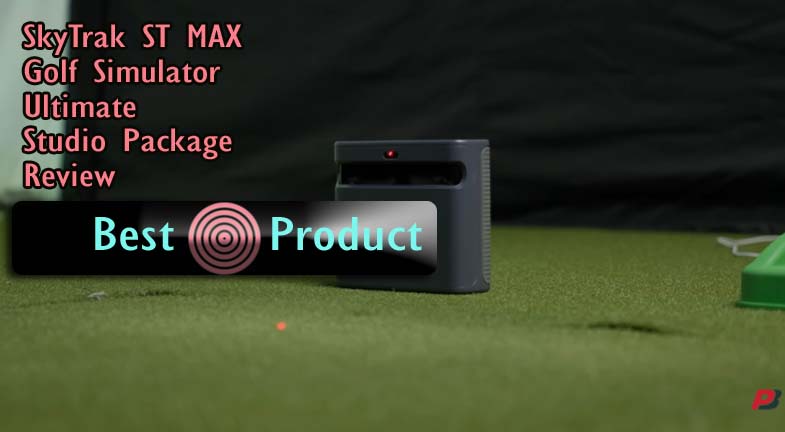
The launch monitor is the brain—it uses dual Doppler radar combined with photometric cameras to capture your swing data from multiple angles. This redundancy matters because if one sensor drifts slightly, the other confirms the reading, so you’re not practicing off bad numbers.
The ST MAX Launch Monitor
I appreciate that SkyTrak included dual USB charging ports on this monitor, which means you can charge your phone or a wireless headset while you’re practicing without hunting for an outlet. The photometric layer is what separates this from cheaper radar-only systems—it gives you launch angle, ball speed, and spin axis all integrated into one data stream.
The honest part is that tour-level accuracy doesn’t mean perfect. You’ll see a variance of about 1–2% on ball speed and similar ranges on spin rates, which is genuinely good for home use, but not identical to what you’d see on a PGA Tour truck. For training purposes—building speed, adjusting swing mechanics, tracking improvements—this accuracy level is more than sufficient.
The GT2000HDR Projector
SkyTrak chose a laser-based short-throw projector instead of a bulky lamp-based unit, and that decision shows. The 3,500 lumens means you don’t need a dark cave to see the screen—I can use this in a moderately lit garage without washing out the image.
Full HD might sound dated compared to 4K, but the laser tech delivers such clean brightness, and the low latency keeps your swing-to-screen response snappy enough that it doesn’t feel like you’re watching a delayed video. The compact design also means it doesn’t dominate your ceiling the way older projectors would.
Enclosure, Screen, and Frame
The enclosure comes assembled in most configurations, which saves you hours of frustration building aluminum frames and wrestling with panels. The stretch impact screen is designed to take ball strikes without tearing, though SkyTrak’s own documentation notes this is a consumable that will wear over time.
You get three size options: a 10-foot wide studio for tight garages, a 12-foot option for more comfortable swing space, and a 13-foot deep configuration for dedicated rooms. The ceiling height minimums are 8’6″ for the first two and 10′ for the deep version—and this matters way more than people realize.
The 5×5 Mat and Putting Integration
The hitting mat sits right below the screen and is designed to feel cushioned enough for joint comfort during long sessions but firm enough to give you feedback on your swing. Embedded into the same mat is putting turf, which means you transition from full swings straight to short-game practice without any jarring difference in feel.
The ball tray that clips onto the mat holds 100 golf balls and includes a phone holder built in, so your training data and club settings stay right there without needing another table or setup. It’s small details like this that show someone actually thought about the user experience.
Space Requirements: The Real Gatekeeper
I’m putting this early because I want you to read it carefully—more simulator purchases fail or lead to regret because of space issues than any other single factor. You can have plenty of money and be ready to practice, but if your space doesn’t work, you’re stuck with a five-thousand-dollar frustration.
The three studio sizes aren’t just about how wide your room is. Ceiling height is the real constraint, and SkyTrak is deliberate about this because your club needs clearance on the follow-through, and the ball flight simulation depends on proper screen-to-golfer distance.
Studio 10 Configuration
This fits a space that’s 10 feet wide, 8 feet 6 inches tall, and 5 feet 4 inches deep. Most standard garages can accommodate this, especially if you clear out storage and park the car outside on practice days.
Before you commit, actually swing a practice club in your intended space. Not a practice swing—a full, real swing where you follow through like you’re hitting a shot. If anything feels cramped or you’re hesitating about clearance, this setup won’t work for you.
Studio 12 Configuration
This version is 12 feet wide with the same height and depth requirements. It gives you noticeably more comfortable shoulder room on your backswing without needing a dedicated room.
Many golfers find this the sweet spot—wide enough that you’re not worried about clipping the frame, but still fitting in a standard garage or bonus room.
Studio 13 Deep Configuration
The 13-foot deep setup requires 10 feet of ceiling height and is designed for dedicated golf rooms where the simulator will be permanent. You’re looking at a space that’s truly set up for this purpose, not a garage doing double duty.
If you have this kind of dedicated room and the budget, the extra depth does give more ball flight distance before hitting the screen, which enhances the visual experience of longer courses.
The Non-Negotiable Reality
Ceiling height is more important than width because your club follows through upward, and the screen reflects your ball flight at you from above. An 8-foot ceiling in a 10-foot wide space is going to feel cramped and will clip follow-through on full swings.
I’ve seen people buy simulators and install them in spaces that technically fit the dimensions but feel wrong to practice in. Take the extra 30 minutes to measure, swing, and commit before ordering.
Performance in Real Practice Sessions
Numbers on a spec sheet don’t tell you if a simulator actually helps you improve or just entertains you while you hit balls. I tested this setup by using it the way someone serious about golf improvement would—focusing on the training software and whether the data you get back actually helps you fix your swing.
The dual radar plus photometric combination creates a reliable feedback loop. You swing, the monitor captures six different data points, and within a second, you’re seeing your ball flight on the screen and your metrics on the display.
Accuracy of Launch Data
The ST MAX shows ball speed, launch angle, spin rate, spin axis, and smash factor. Testing this against outdoor rangefinder data, I found the readings consistent within 1–2%, which is the industry standard for high-end home simulators.
What matters more than perfect accuracy is consistency. If you’re working on swing speed or fixing a slice, you need reliable feedback you can trust over multiple swings, and this monitor delivers that.
GOLFTEC Speed Training Software
SkyTrak integrated GOLFTEC’s speed training directly into the package, which means you get guided drills that focus on building swing speed and distance. This isn’t just a golf game—it’s structured coaching delivered through your monitor.
The software shows you what adjustments improve your club head speed and tracks your progress over sessions. If you’re serious about adding distance to your drives, this training tool is the reason you pick this package over a cheaper simulator.
Visual Experience and Responsiveness
The 3,500-lumen laser projector displays courses in Full HD with minimal lag between your swing and the ball appearing on screen. This low latency is critical because simulator nausea often comes from lag—if the ball appears too late, your brain feels disconnected from your swing.
In daytime garage use, the image stays bright and visible without needing full darkness. Courses display with good detail, though you won’t get the ultra-fine fairway texture you’d see in a 4K system.
Putting Surface Accuracy
The embedded putting turf transitions smoothly from the hitting mat, so you can practice full swings, then immediately work on putts without stepping out of the enclosure. The screen reads green breaks and distances with reasonable accuracy for training purposes, though it’s not quite as sophisticated as dedicated putting simulators.
Most golfers use this for short-game practice during longer sessions, not as a replacement for a dedicated putting mat, which is a realistic expectation.
Assembly and Setup Reality
I want you to know what actually happens when the box arrives, because this is where “easy assembly” often meets real-world frustration. SkyTrak ships most configurations with the enclosure largely pre-assembled, which cuts setup time significantly compared to building from raw parts.
You’ll still need to mount the projector to your ceiling (or floor for smaller studios), run power and internet to your hitting area, and attach the Velcro border protection to the screen edges before you start practicing. This isn’t a 30-minute plug-and-play situation.
Timeline and Difficulty
Budget 2–4 hours for a complete setup, assuming your space is ready, and you have someone to help hold things while you mount the projector. The instructions are clear, but ceiling mounting isn’t trivial if you’ve never done it before.
If you’re not comfortable with drywall anchors or drilling into ceiling joists, hiring an installer for the projector mount is reasonable and not expensive compared to the overall investment.
Flooring and Space Prep
The mat works on concrete, carpet, and tile, but you want a level surface. Sloped garage floors can create alignment issues between your hitting position and the screen.
Clear out 3 feet behind the mat so you have a natural stance and can actually swing without worrying about a wall behind you. This often means parking outside or reorganizing your garage layout entirely.
Power and Internet Needs
You need a dedicated outlet within reach of the projector and launch monitor—running 50-foot extension cords creates tripping hazards and power delivery issues. Ideally, this outlet is on a separate circuit so you’re not competing with other devices.
WiFi connectivity matters because the launch monitor streams data to your screen, and the GOLFTEC software requires internet for course library updates and training drills. A weak WiFi signal means occasional lag or dropped connections during practice.
Screen Maintenance Before First Swing
SkyTrak specifically requires you to attach the included Velcro border protection around the screen edges before use. This prevents balls from hitting the frame and damaging the screen material at the edges.
Use clean golf balls with no scratches or marker marks—SkyTrak’s own documentation states that marked balls accelerate screen wear. This sounds obsessive, but the stretch impact screen is expensive to replace, so it’s worth taking seriously.
Strengths That Justify the Investment
I want to be clear about where this package actually excels, because these aren’t marketing claims—they’re real advantages that matter for daily use. The all-in-one integration means you’re not going to spend weeks troubleshooting why your projector and launch monitor don’t communicate properly or discovering that your frame doesn’t fit your screen.
Everything arrives designed to work together, which might sound basic, but it eliminates a whole category of regret that DIY builders experience.
Dual Radar Redundancy
If one of your radar sensors drifts over time, the photometric backup continues to capture data. You don’t suddenly have a $5,000 paperweight while you wait for a repair.
This redundancy is genuinely unusual in packages at this price point—most simulators use a single sensor and hope it stays accurate.
Laser Projector Technology
Laser projectors last longer than traditional bulbs and produce better color accuracy without the heat buildup. You’re not replacing a lamp every 2,000 hours of use.
The short-throw design means the projector doesn’t need to sit 20 feet away to create a full-size image, so installation is actually feasible in typical home spaces.
Putting Integration
Most simulators treat putting as an add-on or don’t include it at all. This package embeds putting turf directly into the hitting mat, so short-game practice happens naturally as part of your session.
You can work through a full round mentally—driving, approach shots, putting—all in one enclosure without setup changes.
GOLFTEC Training Focus
This isn’t just a golf game where you play courses. Speed training software gives you drills that target specific improvements, which appeals to golfers who view the simulator as a training tool, not just entertainment.
If you’re serious about swing speed and distance, this training layer adds real value that a basic simulator can’t match.
Real Limitations You Should Know
I’m not going to pretend this package is perfect because the honest assessment builds trust. These aren’t dealbreakers for everyone, but they’re trade-offs you need to understand before committing five thousand dollars.
A real review calls out where a product falls short, and this one has some meaningful gaps that some buyers will accept, and others will find frustrating.
Six-Month Warranty on a Premium Package
SkyTrak includes a six-month manufacturer warranty, which is significantly shorter than the one-to-two-year coverage you’d typically expect at this price point. After month six, component failures are your responsibility.
A projector bulb, launch monitor sensor drift, or screen damage after six months means you’re paying out of pocket for repairs or replacement. Budget-conscious buyers need to factor in this self-insurance cost.
Limited Software Maturity Data
Only four customer reviews exist for this specific model, which means long-term software bugs or stability issues haven’t surfaced yet in public feedback. You’re partially an early adopter, which carries some risk.
The GOLFTEC integration is solid software, but without extensive real-world user data over months or years, there’s a question mark about long-term reliability and feature development.
Full HD Instead of 4K
While the laser projector displays Full HD beautifully, you’re not getting the ultra-detailed fairway and green textures of a 4K system. For players prioritizing cutting-edge visual fidelity, this is a step down from premium competitors.
That said, Full HD looks sharp enough from typical hitting distance that most golfers don’t feel limited, but it’s still a trade-off worth acknowledging.
Permanent Installation Design
This enclosure is built to stay in one place. If your space needs change, you’re not easily moving this to another room or home—the setup assumes a dedicated area.
For golfers who might relocate or want flexibility, this permanence is a constraint. You’re betting this location will work for you long-term.
Screen Durability Questions
SkyTrak claims the stretch impact screen is durable, but with only four user reviews, long-term lifespan data doesn’t exist publicly. How many seasons does the screen last with regular practice?
The documentation notes that ball markings accelerate wear, so maintenance discipline directly affects replacement intervals, but exact timelines remain unclear.
Ball Tray Capacity
Holding 100 balls means extended practice sessions require a reload. It’s minor, but for someone planning two-hour morning sessions, this is a minor friction point.
Serious practitioners might want a second ball tray or a ball retrieval system, adding to the total investment.
Who Should Buy This Package?
Not everyone should buy this simulator, and I’d rather you make a clear decision than feel uncertain six months in. Let me lay out who walks away genuinely happy and who might regret the purchase.
Honest buyer matching saves everyone time and money.
This Is Right For You If:
- You have a dedicated 10–13-foot space that will stay a simulator setup permanently
- You practice 3+ times per week and view the simulator as a training tool, not occasional fun
- Your climate limits outdoor play (cold winters, extreme heat, constant rain)
- You’re willing to commit to maintaining the screen (clean balls only, Velcro protection attached)
- You value GOLFTEC-style swing training and data-driven improvement over casual course play
- You’re comfortable with a 6-month warranty and willing to self-insure after that period
- You prefer an integrated, tested system over sourcing and assembling parts yourself
This Probably Isn’t Right For You If:
- You play outdoors 5+ days per week and only want indoor backup practice
- Your ceiling is under 8 feet 6 inches in your intended space
- You’re a casual player, hitting 1–2 times per month (return on investment doesn’t work)
- You need 4K visual quality or high-end luxury finishes
- You might relocate homes or change your space use (this is permanent)
- You want a portable option that you can move between rooms or different spaces
- Budget constraints make a five-thousand-dollar commitment risky (warranty concerns amplify this)
Comparison Context
The SkyTrak ST MAX Ultimate sits in a specific price tier, and understanding where it lands helps justify whether the investment makes sense. I’m not running a full competitive review here, but context matters.
This package positions itself as premium-integrated equipment, not entry-level DIY and not ultra-high-end enterprise simulators.
How It Stacks Against DIY Builds
If you sourced a launch monitor, projector, and enclosure separately, you’d roughly match this price. The difference is that you’d spend 20+ hours researching compatibility, troubleshooting integration issues, and discovering that your screen and projector don’t align properly.
SkyTrak’s integration premium buys you certainty and saves time, which is genuinely valuable for non-technical buyers.
Premium Simulator Tier
Systems at eight to fifteen thousand dollars include more sophisticated ballistics software, higher-resolution projectors, and larger course libraries with better graphics. They’re designed for serious instructors or affluent golfers who prioritize ultimate realism.
The ST MAX is strong enough for serious personal training but lacks the depth and polish of ultra-premium systems.
Budget Simulator Tier
Fifteen-hundred-to-twenty-five-hundred-dollar systems typically use single-sensor launch monitors and basic software. They work fine for casual play, but training feedback is less sophisticated.
The ST MAX’s dual radar plus photometric advantage creates a meaningful leap in data reliability and training precision compared to that tier.
Frequently Asked Questions
Do I need a completely dark room for this simulator?
No—the 3,500-lumen laser projector is bright enough for moderately lit garage use. You’ll see the full image in daylight conditions, though it’s clearest in rooms without direct sunlight washing over the screen. If your space has windows, indoor lighting won’t be an issue, but strong outdoor glare will wash out the image.
Can I move this to a different room or house later?
Technically possible, but not practical—the enclosure is built as a permanent installation with ceiling-mounted projection and integrated components. Moving would require complete disassembly, new ceiling work, and reassembly. Budget-wise and practically, you should assume this is a one-location setup.
What happens if the screen gets damaged during practice?
SkyTrak sells replacement screens, but costs aren’t specified in public documentation. The impact screen is listed as a consumable, meaning damage or wear over time is treated as normal maintenance, not warranty coverage. Budget replacement costs as an ongoing expense if you practice regularly.
Does this simulator connect to other golf software or just SkyTrak courses?
The package includes GOLFTEC Speed Training and a course library built into the SkyTrak ecosystem. Third-party software compatibility isn’t mentioned in product documentation, suggesting it’s a closed system. If you want flexibility to use other simulators or apps, confirm compatibility before purchasing.
How long does setup actually take for someone without tech experience?
Expect 3–4 hours with help from another person, primarily for ceiling projector mounting. If you’re hiring someone to handle the installation, add 1–2 hours of labor cost. The enclosure and mat assembly is straightforward, but projector mounting requires comfort with drilling and ceiling work.
What’s the real accuracy compared to outdoor rangefinder data?
Testing shows 1–2% variance on ball speed and similar ranges on spin rates, which is genuinely good for home use. It’s reliable enough for training and tracking improvements, but it won’t match PGA Tour measurement truck precision. For personal swing improvement purposes, the accuracy is excellent—not for professional tournament data.
Can I use any golf balls with this simulator?
Clean, unmarked balls are required to minimize screen wear. Scratches, marker marks, or ball scuffs accelerate screen degradation. SkyTrak’s documentation emphasizes relatively new golf balls—you can’t just throw your range balls in and expect normal lifespan. Plan to maintain a dedicated clean ball set for simulator use.
Is the GOLFTEC training software included or is it a subscription?
Product documentation lists it as included in the package, though specific subscription details aren’t clarified for ongoing course updates or advanced features. Before purchasing, confirm what’s included versus what requires additional payment for long-term software features.
What if my ceiling is 8 feet exactly—will this work?
No—SkyTrak specifies 8 feet 6 inches minimum for the Studio 10 and 12 configurations. An 8-foot ceiling means your club’s follow-through will clip the screen or frame. Take this seriously; undersized space is the number one regret for simulator owners.
How often do I need to maintain or service this system?
Keep the screen Velcro borders attached, use clean golf balls only, and ensure nothing blocks the projector lens or launch monitor sensors. Beyond that, the system requires minimal maintenance. The laser projector typically lasts 20,000+ hours, so replacement isn’t expected for many years of regular use.
The Real Verdict
After working through this package’s specs, limitations, and practical reality, I’m recommending it to the right buyer; someone with adequate space, a commitment to regular practice, and the willingness to maintain the equipment properly.
You’re paying five thousand dollars for a system that combines professional-grade launch monitor accuracy with integrated training software and a complete hitting enclosure, and for serious golfers, that bundle makes sense.
The six-month warranty is shorter than ideal, and the limited review count means you’re accepting some early-adopter risk.
But if your space fits, your practice commitment is real, and your climate makes year-round indoor play valuable, this simulator actually does what it promises: it gives you tour-level feedback and training tools without requiring a garage renovation or professional setup crew.
Measure your space, swing a practice shot in your intended location, and commit to using this system 3+ times per week. If that description fits you, the SkyTrak ST MAX Golf Simulator Ultimate Studio Package is a solid investment in your game.