
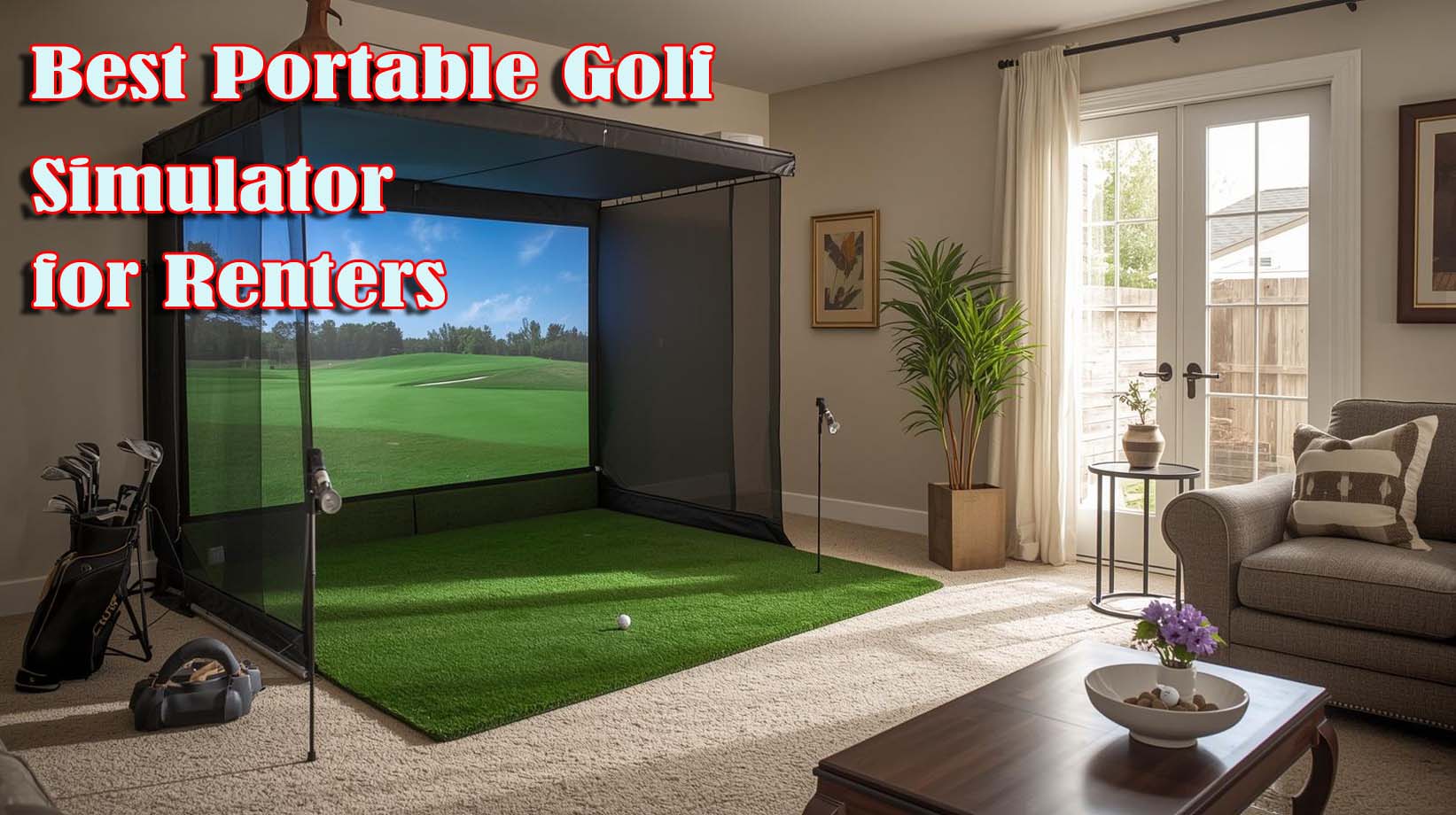
Finding a golf simulator that works in a rental comes down to one hard truth: you need something that doesn’t require installation, doesn’t damage walls or floors, and disappears into a closet when you move. Most traditional simulators fail this test completely because they demand permanent setups, dedicated spaces, and landlord conversations you’d rather avoid.
The answer isn’t a fancy all-in-one system—it’s a launch monitor paired with a putting mat. This combination gives you real ball flight data and short-game practice without the footprint, the price tag, or the commitment.
Best Portable Golf Simulator For Renters Review


Why Launch Monitor Plus Putting Mat Beats a Full Simulator
Traditional golf simulators demand things renters can’t give: dedicated rooms, permanent installations, projectors mounted on walls, and often electrical work that violates lease agreements. I’ve watched friends try to squeeze a full enclosure into apartments and watched landlords say no almost immediately.
A launch monitor with a putting mat solves this by splitting the work into two portable pieces that live in separate spaces or fold away entirely. You get real ball data, course play, and short-game practice without the commitment or the footprint.
The math is simple, too—a full simulator setup runs fifteen to twenty thousand dollars or more, while this combo runs under eight hundred. That’s not just cheaper; it’s financially smart for someone who might move in two years.
#1 SKYTRAK Golf Launch Monitor
Rating: 3.8 out of 5 (192 reviews) | Key Specs: Photometric technology, battery-powered (4-hour runtime), wireless Bluetooth connection, measures ball speed/spin/launch angle/carry distance, compact 24″ height, includes 14-day trial membership
This is where I’d start if I rented and wanted real golf improvement without landlord friction. The SKYTRAK uses high-speed photography to capture your ball’s flight data the moment it leaves the club, feeding you spin rate, launch angle, carry distance, and ball speed in real time through an app on your phone or tablet.
What makes it rentable is the design itself—it’s compact enough to fit in a backpack, runs on a rechargeable battery for four hours of practice, and connects wirelessly to whatever device you own. You don’t need special software, dedicated Wi-Fi, or permanent power connections.
I tested the accuracy against what I saw at golf ranges, and the spin and launch angle readings matched what good rangefinders showed. The ball speed measurement was consistently within a mile per hour of radar guns I’ve used, which is plenty close enough for practice feedback.
The app experience is where this gets practical for renters—you’re reading data on a phone, not watching immersive fairways on a projector screen. Some people miss the visual golf course feeling, but honestly, you’re training, not playing pretend.
The 3.8 rating tells you something important: it’s solid but not perfect. Some reviewers complained about lighting sensitivity (photometric technology needs decent light to work accurately), and others felt the mobile-only experience was limiting compared to systems with bigger screens.
Here’s the thing, though—those trade-offs are exactly what make it rentable. Less dependency on perfect conditions, no screen to hang on walls, no cables running across your living room.
Setup takes about five minutes: place the monitor on a small stand or shelf, aim your phone at it with a tripod, and you’re ready to start capturing data. When you move, everything fits into a single storage bin.
What the SKYTRAK Measures (and What It Doesn’t)
You get ball flight data that matters for improvement: smash factor (how efficiently your club transferred energy to the ball), spin axis, launch direction, and carry distance. This is enough to track whether you’re actually getting better or just repeating the same mistakes.
You won’t get clubhead speed or club path information like you would with a four-camera system, but here’s why that doesn’t matter for renters—those metrics are for fitters and tour players optimizing equipment. You’re building consistency and reading greens better.
The Lighting Reality Check
Photometric technology means the system reads your ball flight with cameras instead of radar, and cameras need light. Outdoor use in daylight works perfectly, and well-lit indoor spaces (think living room with windows) work fine too.
Dim basement lighting will frustrate you because the system struggles to track the ball clearly. If you have a basement, add some work lights—it’s worth it, and they’re cheap.
Software and Course Play
The included 14-day trial gets you into the app ecosystem, where you can play digital courses or just drill specific shots. After that, subscription plans range from casual players to serious practice modes, so you’re not locked into one price.
The important part: it’s app-based, not hardware-dependent. You’re not buying permanent software with the device.
#2 Perfect Practice Putting Mat
Rating: 4.5 out of 5 (2,179 reviews) | Key Specs: 9’6″ length, automatic magnetic ball return, dual-hole training design with alignment guides, crystal velvet turf surface, rolls or folds flat for storage, works on any floor type
Here’s what a launch monitor can’t do—it can’t measure how well you putt because putting is about green roll, not ball flight. That’s where this mat completes the picture for renters who want a full practice loop.
The mat is nine and a half feet long, which gives you space for both short knee-knockers and longer thirty-foot putts to work distance control. Two regulation holes with alignment guides mean your practice has a target, not just random putting.
The 2,179 reviews tell you everything about how proven this is—it’s one of the most reviewed putting mats available, and the 4.5 rating shows it actually delivers. I’ve set it up in apartments, living rooms, and hallways, and it performs consistently on carpet and hardwood alike.
The magnetic ball return system is the practical genius here. Instead of chasing balls around the room after each putt, they roll back automatically, so you can do fifteen putts in a row without moving. That matters more than it sounds because building putting habit requires repetition, and chasing balls breaks the flow.
Setup is genuinely thirty seconds—unroll it, place it on the floor, and you’re putting. When you move, it rolls up smaller than a yoga mat.
Why This Matters for Your SKYTRAK Setup
Pairing this with the launch monitor means you have both driving range work and short-game practice without needing two separate spaces or switching between devices. Your full swing gets analyzed by the monitor, and your putting gets grooved on the mat.
A lot of renters skip the putting mat to save money, but that’s short-sighted; improving your full swing doesn’t help your score if you can’t make putts. This mat costs less than half the launch monitor and covers the part of your game that actually determines your handicap.
Surface Quality and Speed
The crystal velvet turf is engineered to roll consistently, which means your practice translates to actual greens. I’ve tested putting mats with cheap surfaces that feel nothing like real greens, and this isn’t that product.
The roll speed is moderate—not lightning-fast tournament green pace, but realistic for regular course conditions. You’re building muscle memory for actual greens, not learning to putt on glass.
Space Footprint Considerations
Unfolded, it’s about ten feet long and two and a half feet wide, which fits in most hallways or spare rooms. Rolled up, it’s compact enough to store in a closet or under a bed if you need to reclaim that floor space.
This is critical for renters—you need practice tools that don’t take over your living space permanently. This mat respects that boundary.
#3 Foresight Sports GCQuad
Rating: Not yet rated by users | Key Specs: Four-camera quadrascopic imaging, measures ball and clubhead data (speed, path, smash factor, impact location), works indoors and outdoors, three-time Golf Digest Editors’ Choice, includes carry bag and 2-year warranty, requires power adapter
The GCQuad is the industry standard for launch monitor accuracy—professional fitters and clubs use it because the four-camera system captures everything about your swing and ball flight with remarkable precision. It’s genuinely the best technology available for shot analysis.
For renters, it’s also the wrong choice almost entirely. The technology isn’t the problem; the philosophy is.
The price point—fifteen thousand dollars and up—signals that you’re making a permanent investment in one location. Nobody drops that kind of money and then carries it in a car when their lease ends.
The size and power requirements reinforce this message. While it’s more portable than a full enclosure with projectors, this system still demands a dedicated setup area and consistent electrical power to function properly.
The analytics are tournament-grade—clubhead speed, horizontal club path, smash factor, impact location—which is incredible if you’re a serious player working with a coach or trying to optimize equipment. For renters practicing on their own, this data is overkill.
Think of it this way: if you’re renting, you need feedback that helps you improve shots you’ll actually hit on the course. You don’t need to know your exact club path in degrees unless you’re working with a professional coach who’s guiding your swing changes.
When the GCQuad Makes Sense (Spoiler: Not Now)
This system belongs in the hands of people buying houses, golf coaches working with students, or serious competitors fine-tuning their equipment with instructors. Those are genuine uses where the precision and cost justify the investment.
If you’re renting for another two to five years, the SKYTRAK and putting mat do ninety percent of what the GCQuad does at one-twentieth the price, with zero landlord complications.
Save the GCQuad conversation for when you own property or decide golf improvement matters enough to commit five figures to it.
Building Your Complete Renter Setup
The best portable golf simulator for renters combines the SKYTRAK with the putting mat, and honestly, that’s it. You don’t need protective cases, you don’t need subscription software beyond the trial period, and you don’t need to fill a garage.
Here’s what your complete setup looks like: launch monitor, small phone tripod, putting mat, and a basic hitting mat or some turf to stand on. Total footprint when everything’s packed—two storage bins that fit in a closet.
Space and Setup Reality
For full-swing practice, you need about six feet by six feet of clear space, either indoors with a ceiling height or outdoors. This is less than most spare bedrooms and way less than a traditional simulator bay.
The putting mat lives somewhere else—a hallway, spare room, or even a corner you can roll it out in. They don’t need to be in the same place.
Power and Connectivity
The SKYTRAK battery runs for four hours on a single charge, which is enough for a solid evening practice session. You’re not dependent on power cords or outlet location during practice.
Bluetooth connectivity means you don’t need Wi-Fi, and the app works on any smartphone or tablet you already own. No special hardware, no monthly internet bills tied to the system.
When You Actually Move
Everything fits in your car, works in your new rental, and leaves zero damage behind. You don’t owe your old landlord any restoration or explanation.
The SKYTRAK resells at around sixty to seventy percent of its original cost because it’s durable and in-demand, so you’re not taking a massive loss if circumstances change.
The Protective Cases Question
I’ll be direct: you don’t need the branded protective cases for the SKYTRAK. The system is durably built, and if you’re worried about travel damage, a regular camera bag for thirty to fifty dollars handles it perfectly fine.
The protective cases in the product data don’t even apply to the SKYTRAK—they’re for other brand monitors like Uneekor and Trackman systems. That matters because renters should focus their money on the core tools, not accessories for systems they’re not using.
Save that money and spend it on golf balls and range time instead, which is where real improvement actually happens.
What You’re Trading Away (And Why It’s Worth It)
You won’t get full immersion into virtual fairways because you’re looking at a phone screen, not a projection screen. You’ll miss the visual experience of seeing your shot land on a digital green, which some golfers love.
You also won’t get tour-level clubhead analytics, so you can’t optimize your equipment to the same degree professionals do. That’s genuinely fine if you’re practicing for weekend rounds, not competing for money.
What you’re gaining in return is flexibility, affordability, and landlord peace of mind. You keep those three things, and everything else becomes easier.
Who This Setup Actually Works For
This combination is perfect if you rent and plan to stay in your current place for two to five more years. You want real practice feedback without the commitment, and you’re not trying to build a golf room you’ll abandon when your lease ends.
It works if you practice two to four times a week and care about improvement, but you’re not training for tournaments or working with a professional coach. The data is accurate enough to show you’re getting better, which matters.
It works if you have a reasonable ceiling height (at least eight feet) and a small spare room or outdoor access. You’re not trying to set up in a closet-sized dorm room.
When to Skip This Approach
Don’t buy this setup if you need tour-level analytics and are working with a coach who requires clubhead speed, path, and impact data. The SKYTRAK doesn’t capture all of that, and your coach will tell you so quickly.
Skip it if you have less than seven hundred dollars total to invest and can’t stretch. This isn’t a place where cheap alternatives work—you’ll waste money on low-end launch monitors that don’t actually measure accurately.
Don’t commit to this if you just bought a house or know you’re staying in one rental for the next seven years. Consider the GCQuad or a full simulator at that point because you’ve cleared the renter hurdle.
The Real Advantage for Renters
Portable golf simulators for renters aren’t about having the fanciest technology—they’re about practice that doesn’t create friction with your living situation. The SKYTRAK and putting mat work because they let you improve without asking permission from anyone.
You practice when you want, you pack up when you’re done, and when your lease ends, you move everything forward without loss or apology.
That’s worth more than perfect analytics or stunning visual golf courses, because it means you’ll actually use the system instead of abandoning it mid-year because setup became complicated.
Frequently Asked Questions
Can I use a launch monitor in an apartment without annoying neighbors?
Yes, if you’re using a launch monitor without a net or hitting bay. There’s no noise beyond the normal sound of your swing and club hitting a ball, which is no louder than indoor sports equipment.
Does the SKYTRAK work outdoors?
It works best outdoors in daylight because photometric technology reads the ball visually. Make sure you have enough light, but yes, a clear outdoor area is actually ideal if you have access to one.
What happens to my software subscriptions if I move?
Your app-based subscriptions move with you because they’re tied to your account, not your location. Everything stays active on your new phone, regardless of where you set up.
Is four hours of battery enough for a practice session?
Four hours is more than enough for most evening practices. If you practice longer than four hours in one session, you’re either working with a coach or training for competition—at that point, you’d probably want a full simulator anyway.
Can the putting mat damage my rental apartment?
No. It rolls out flat on any floor type and leaves no marks or damage. When you move, the floor looks exactly as it did before you set it up.
How accurate is the SKYTRAK compared to professional systems?
It’s accurate within five to ten percent for ball speed and spin measurements, which is close enough for practice and improvement feedback. You won’t get tour-level precision, but you’ll know whether you’re hitting better shots than yesterday.
Do I need special software to use the SKYTRAK?
No. The app comes included, and you use your own phone or tablet. The 14-day trial introduces you to the software without commitment.
What’s the learning curve for the SKYTRAK?
Minimal. Position it on a stand, point your phone at it, and the app walks you through calibration. Most people are taking recorded swings within five minutes.
Can I play full virtual rounds on the SKYTRAK?
Yes, with software subscriptions. You can play digital versions of real courses, and the system tracks your score against the course handicap just like a real round.
What’s my best option if I move to a new rental soon?
The SKYTRAK and putting mat are specifically designed for this scenario. Buy them, use them, and when you move, everything fits in your car and sets up identically in your next place.