
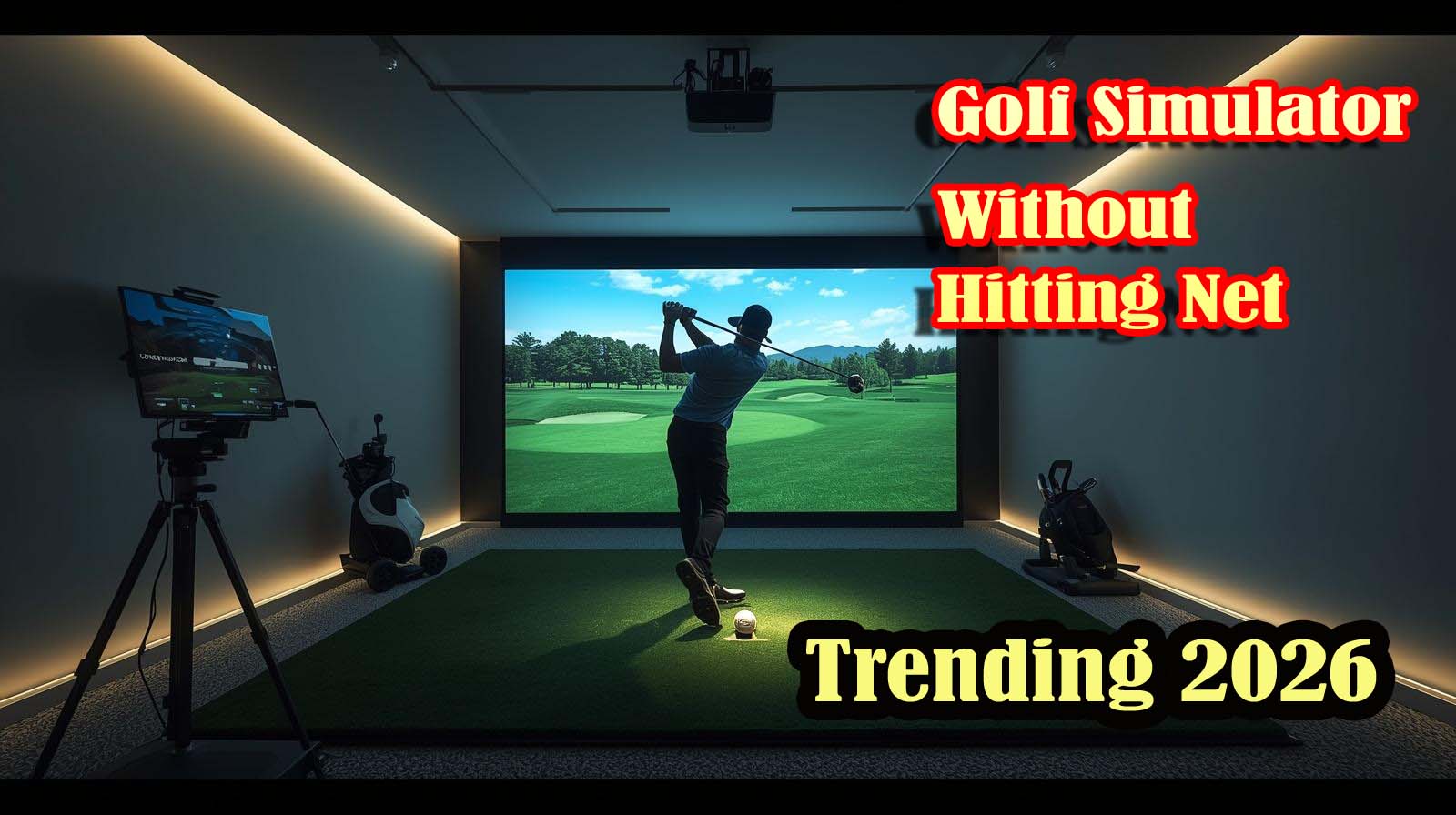
If you’re searching for a golf simulator that doesn’t require a physical hitting net, you’re looking at a fundamentally different setup than what most people picture. A best golf simulator without hitting a net frees you from the space and cost constraints of traditional nets, but it forces you to choose between three distinct paths: launch monitor accuracy, VR immersion, or swing analysis data.
Here’s the quick answer: your best options are the SkyTrak ST+ (if you have a dedicated indoor space and a bigger budget), the Rapsodo MLM2PRO (if you want portability and drill-focused training), or a VR headset with a controller grip like the DeadEyeVR (if you own a Meta Quest and value immersive play over raw accuracy).
Each solves a different problem, and which one makes sense depends entirely on your space, budget, and what you actually want to do when you practice.
Top Picks at a Glance of Best Golf Simulator Without Hitting Net 2026]


Why You Actually Want to Skip the Hitting Net
A hitting net takes up serious floor space; usually, a 10-foot-wide bay that dominates your room and costs money to install and maintain. When you remove that constraint, you unlock a completely different way to practice: you can set up in a basement corner, an apartment bedroom, or even play outdoors when the weather cooperates.
But here’s what changes without a net: you lose the physical containment that lets you just keep firing balls. Instead, you’re working with either a launch monitor that tracks ball flight digitally, a VR headset that creates the ball flight inside the software, or a swing analyzer that records your form on video. Each approach trades something for something else, and knowing which trade matters to you is everything.
Understanding the Three Simulator Categories That Work Without a Net
You’ve got three lanes here, and they’re genuinely different experiences. Launch monitors like the SkyTrak and Rapsodo use radar or camera technology to measure exactly what your club and ball are doing in real space, then feed that data to software that simulates where the shot goes on a virtual course. This gives you the most accurate feedback but requires more setup and investment.
VR systems skip the physical measurement altogether—you swing a controller in your headset, the software estimates the shot based on your swing motion, and the ball travels across a digital course inside the headset. It’s less precise but immersive and takes almost no floor space.
Then there’s swing analysis, which just records your motion on video so you can study your technique without simulating a round at all.
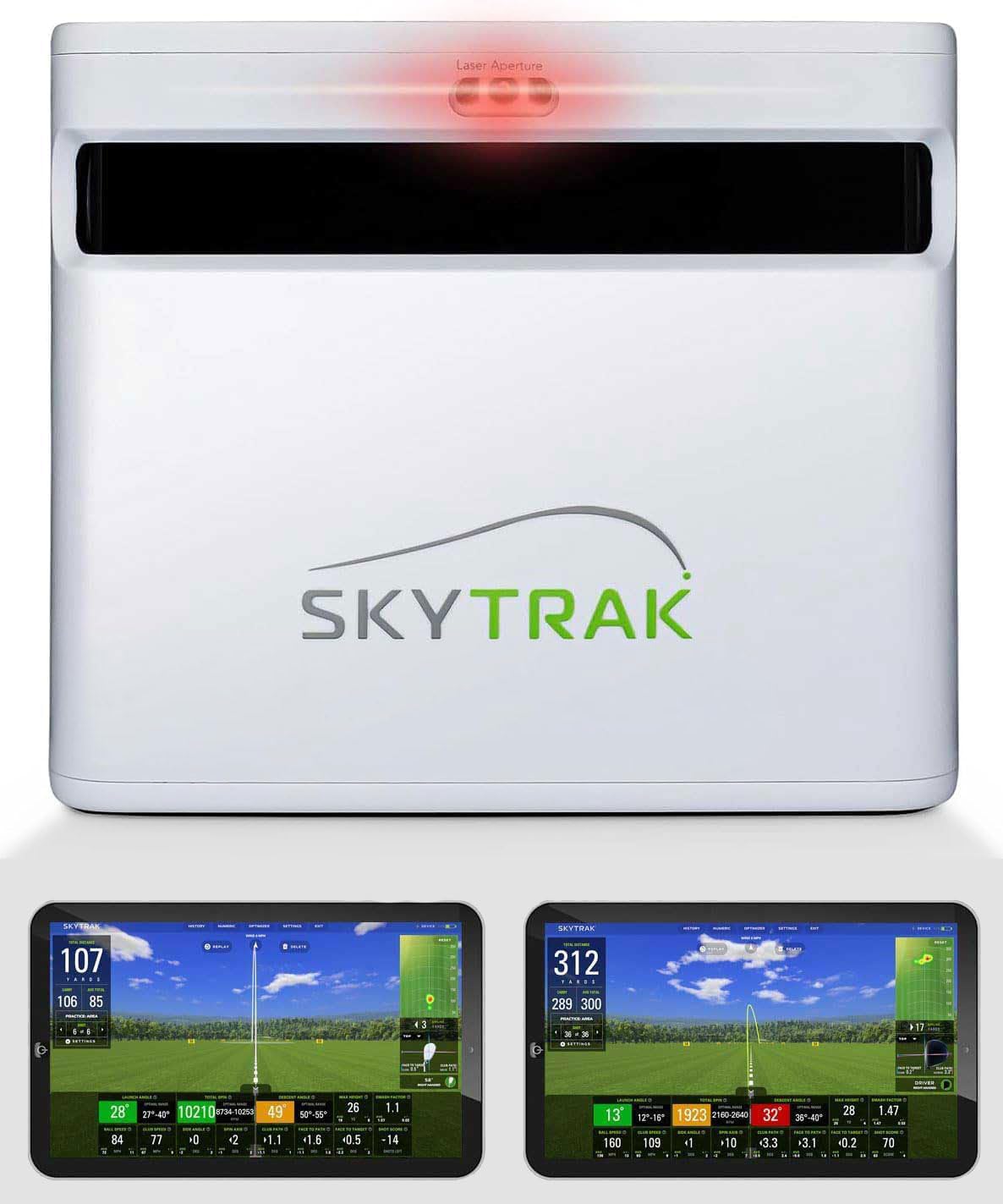
SkyTrak ST+ Plus: Pro-Grade Launch Monitor
Rating: 3.1 out of 5 (4 reviews) | Key Specs: Dual Doppler radar + photometric camera, 2″ x 2″ hitting zone, 40,000+ courses, measures carry distance, ball speed, spin rate, launch angle, club path, and face angle
The SkyTrak ST+ is the closest thing to a professional launch monitor you can buy for home use. It combines dual Doppler radar with a camera that reads the ball’s position simultaneously, giving it the kind of accuracy that tour players trust.
When you swing, the system measures carry distance, spin rate, launch angle, ball speed, club path, and face angle; that’s seven different data points that tell you exactly what your swing is doing.
The hitting zone is small at just 2 inches by 2 inches, which means precision matters when you’re addressing the ball. You get access to over 40,000 preloaded courses from major championship venues to hidden gems, so the software experience is deep and genuinely immersive.
The bundle includes a 14-day trial membership, software access, and a driving range, which softens the barrier to entry slightly.
The honest part: this monitor has only 4 customer reviews on Amazon despite its premium price tag, which tells me it’s newer to this platform, or the audience is smaller. That limited feedback makes it harder to trust long-term reliability reports from everyday users.
You’ll also need to set up a projector or monitor to see the courses you’re playing on—the device itself is just the tracking unit.
Setup requires at least 8 to 10 feet of clear space in front of it, so “no net” doesn’t mean “no space requirements.” The real cost also doesn’t end at purchase; you’re likely spending more on a projector setup, plus potential subscription fees down the line.
This is genuinely the best choice if you have a dedicated indoor range, don’t mind the investment, and want data-driven improvement with tour-level accuracy.
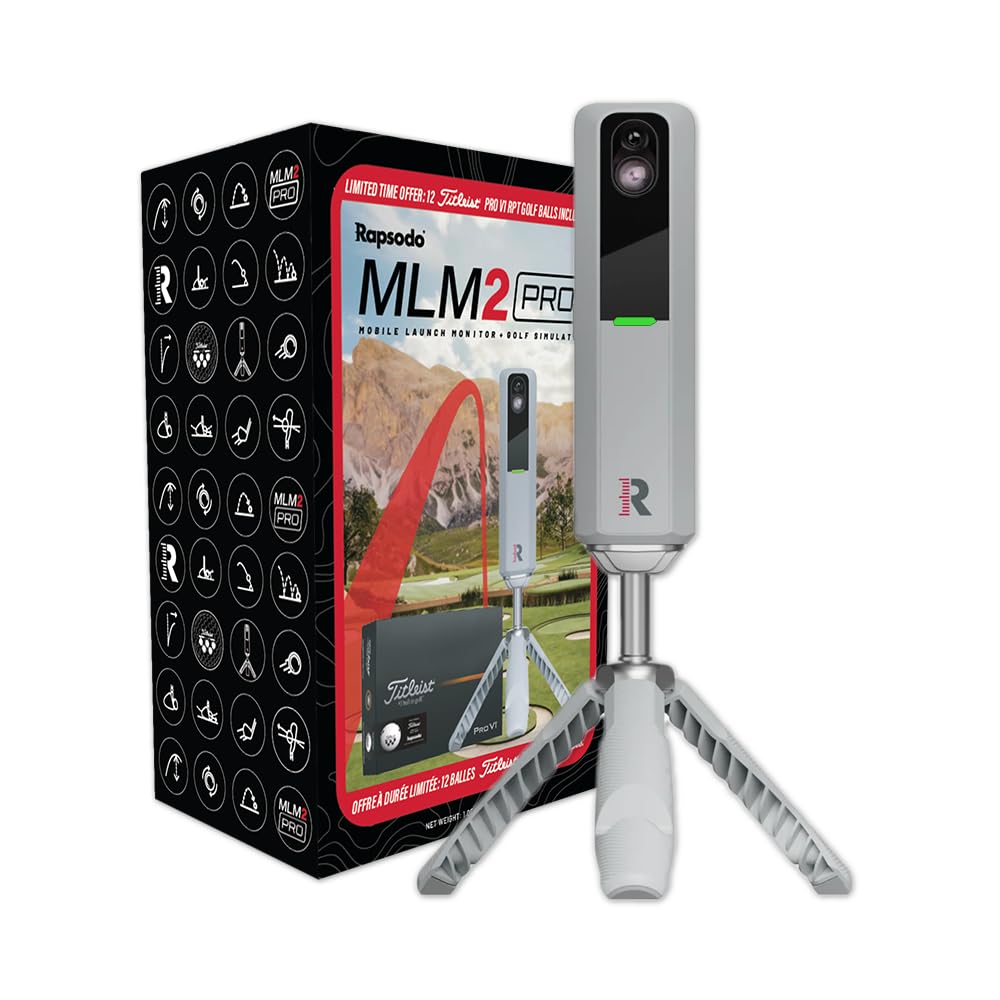
Rapsodo MLM2PRO: Portable Launch Monitor
Rating: 4.0 out of 5 (19 reviews) | Key Specs: Bluetooth connectivity, measures 13 key metrics (spin rate, spin axis, swing speed, ball speed, club speed, launch angle), smartphone/tablet compatible, indoor and outdoor use, includes tripod, carrying case, and 12 golf balls
The Rapsodo MLM2PRO sits in the sweet spot between price and portability. It’s a genuine launch monitor that measures 13 key metrics—spin rate, spin axis, ball speed, club speed, launch angle, and more, giving you real training data without the $1,000+ jump of the SkyTrak.
At roughly half the price of the SkyTrak, you’re trading some accuracy and a smaller hitting zone for something you can actually throw in a bag and use at the driving range or in your garage.
The app connects via Bluetooth to your smartphone or tablet, so you don’t need a dedicated projector setup right out of the box. The accuracy is solid for training purposes; it won’t beat professional radar, but it’s precise enough to spot patterns in your swing and track improvement over time. You get a tripod, carrying case, and 12 ProV1 golf balls in the box, so you’re ready to start measuring immediately.
The hitting zone is smaller than the SkyTrak, and the course selection isn’t as extensive—it’s built more for drill-focused practice than for playing full simulated rounds.
Customer reviews here are more limited too (19 reviews versus 4 for the SkyTrak), but what’s there is positive, which suggests real people are using it and getting value. The portability is genuine; you can take this outdoors, to the range, or set it up in a smaller indoor space without issue.
This is the right choice if you want launch monitor data without the premium price tag, or if you’re serious about drill work and swing analysis over playing virtual courses. It’s also the smarter pick if your space is limited and you value flexibility over raw accuracy.
The trade-off is that you won’t get the immersive 40,000-course experience or the tour-level precision, but for serious golfers working on specific parts of their swing, that might not matter.
DeadEyeVR DriVR Elite: VR Controller Grip
Rating: 4.4 out of 5 (1,459 reviews) | Key Specs: Weighted design with iron core, adjustable weight, compatible with Meta Quest 3 and Meta Quest Pro, Bluetooth connectivity, includes carrying case, designed for VR golf apps like Golf Plus VR
This isn’t a simulator on its own; it’s an accessory that makes VR golf feel more like real golf. The DeadEyeVR DriVR Elite is a weighted controller grip with an iron core that you attach to your Meta Quest controller, and it transforms the swing experience from a loose motion into something that actually feels like you’re holding a club. The weight is adjustable, and the grip is ergonomic enough for extended play sessions.
The honest requirement here: you already need to own a Meta Quest headset and have access to VR golf apps. If you don’t have those, this product doesn’t work for you at all.
The good news is that it has over 1,400 reviews with a 4.4 rating, which means real VR golfers are using it and are genuinely happy with it. That’s a much healthier review profile than either the SkyTrak or Rapsodo, suggesting this is a proven product in an established market.
VR golf apps like Golf Plus VR offer hundreds of courses and a genuinely immersive experience. The swing feels more natural when you’re holding weighted equipment, and the visual feedback is instant and satisfying. You’re not getting the accuracy data of a launch monitor; the ball flight is estimated by software based on your swing motion, not measured by physics, but the gameplay is fun and genuinely absorbing.
This is the cheapest entry point by far, and it takes almost no physical space. You just need a few feet of clearance to swing freely, which even apartment dwellers usually have.
The trade-off is accuracy; you won’t know your exact spin rate or launch angle, and the courses aren’t measured against real physics. But if immersion and fun matter more to you than precision data, this is the way to go, assuming you already own a Meta Quest.
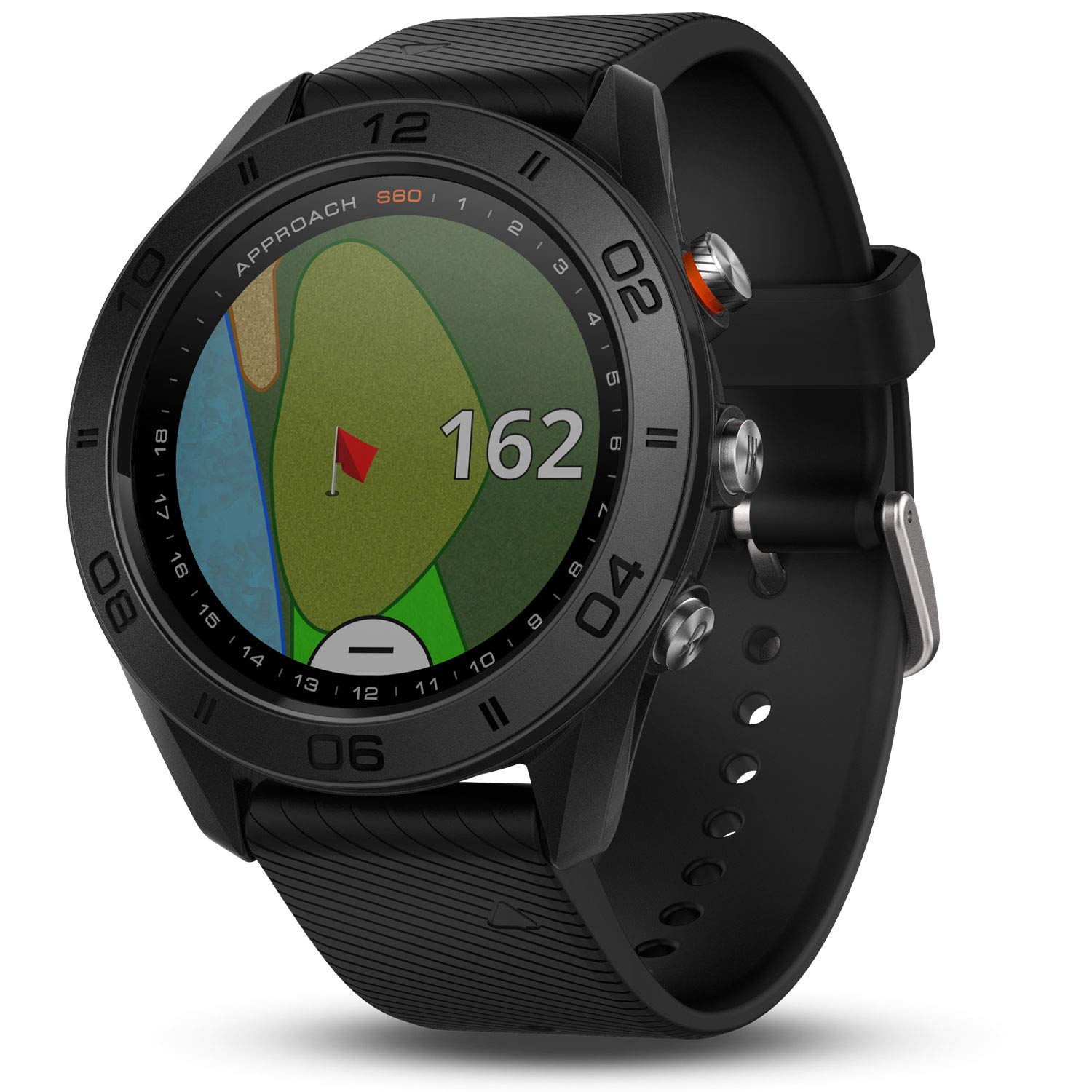
Garmin Approach S60: GPS Watch for Real-Course Play
Rating: 4.2 out of 5 (2,150 reviews) | Key Specs: 1.2-inch touchscreen display, GPS mapping with 40,000+ preloaded courses, yardage to hazards and doglegs, battery life up to 10 hours in golf mode, 10 days in watch mode, Quick Fit 22mm watch band, available outdoor recreation profiles
The Garmin Approach S60 isn’t a simulator at all—it’s a GPS golf watch designed for real course play. You’re wearing it on the course, using GPS to measure distances to the green and hazards, and tracking your score as you play actual golf.
There’s no hitting net because you’re not practicing indoors; you’re playing real holes with real topography and real greens.
Here’s why I’m including it: if your real motivation for “no net” is having freedom and space without the cost and bulk of a hitting net setup, this solves a completely different problem. You get 40,000 courses preloaded, a vibrant color touchscreen, and precise distance measurement.
The battery lasts a full 18 holes and then some, and it doubles as a regular watch when you’re not golfing.
The reviews are solid—2,150 of them with a 4.2 rating—which means real golfers are using this and finding value in it. It’s the most portable option here by far, and it works anywhere you can get a GPS signal. The downside is that it’s not a simulator in the traditional sense, and it doesn’t help with indoor winter practice or bad weather.
This is worth considering only if you realized that what you actually wanted was a way to practice golf without being stuck in a hitting net bay, and you’re willing to do that practice outdoors or on real courses instead of indoors. It’s genuinely excellent at what it does, but it’s solving a different problem than the other products on this list.
GolfSense 3D: A Hard Pass
Rating: 2.8 out of 5 (176 reviews) | Key Specs: Smartphone/tablet swing analyzer, captures swing from multiple angles, side-by-side comparison, social sharing, no warranty support, first available in 2012
This product has a 2.8-star rating, which is a giant red flag that you shouldn’t ignore. It’s ranked at 2,386,066 in Sports & Outdoors overall, meaning it’s barely selling and barely getting used anymore. The fact that it’s been available since 2012 without meaningful updates tells you everything you need to know.
GolfSense promises swing analysis through your phone—you record your swing, it gives you feedback, and you can compare multiple takes side by side.
That’s actually useful on paper, but the real customer reviews suggest the app is outdated, the analysis isn’t reliable, and the interface isn’t intuitive. Most critically, there’s no warranty support for these models, which means if something breaks, you’re buying a new one.
Modern smartphones have better cameras built in, and free YouTube coaching or subscription services like PGA Tour Systems outperform what GolfSense offers for the same or less money. Don’t waste your money here. If you want swing analysis, record yourself on your phone with a free app and send the video to a real instructor—you’ll get better feedback and actual coaching.
Making Your Choice: The Real Tradeoffs
When you remove a hitting net from the equation, you’re not removing the need for space; you’re just changing what space you need. The SkyTrak and Rapsodo still need 6 to 10 feet of depth for a proper swing, but they don’t need the width of a net. VR systems take almost no floor space—just enough clearance to swing without hitting furniture.
The other tradeoff is accuracy versus immersion. Launch monitors give you real data—actual measurements of what your club is doing, but that data is only useful if you care about improvement through analysis. VR systems prioritize the feel and the gameplay experience, which means you’re sacrificing precision but gaining fun and engagement.
Budget matters too. If you’re spending under $200, your only real option is VR with a headset you already own, or nothing. Between $500 and $800, the Rapsodo becomes viable and opens up genuine launch monitor data without the full commitment.
At $1,500 and up, the SkyTrak is the pro-grade experience, but it requires extra equipment investment beyond just the unit itself.
Space and Setup Reality
Even the most “space-efficient” simulator still needs room to swing properly. A VR system takes the least space—you need maybe 4 by 4 feet of clear floor, which you can carve out of almost any room. A launch monitor needs at least 6 to 8 feet of depth so the ball has space to travel and be measured accurately.
Here’s the practical reality: none of these setups work if you’re trying to swing in a closet-sized space. But if you have a basement corner, a garage, or a bedroom with 6 feet of open floor, all of these options become viable. The VR route is genuinely portable and flexible; the launch monitors are flexible but require more dedicated space and likely some projection equipment.
What You’re Gaining Without the Net?
A hitting net is an eyesore that dominates your room, costs thousands to install and maintain, and takes up the footprint of a small garage bay. Without it, you get back aesthetic control of your space. You can set up in corners, closets of rooms, or even take your practice outdoors when the weather is right.
You’re also gaining flexibility in how you practice. Instead of endless bucket balls into a static target, you’re playing full rounds on virtual courses, analyzing real data, or swinging in immersive environments. The psychology of practice changes when it feels like actual golf instead of repetition, and research suggests engagement matters for long-term improvement.
What you’re potentially losing is the simplicity of just hitting balls. Without a net, you need software, or data tracking, or VR immersion—you can’t just zone out and pound balls anymore. That’s actually a feature for some golfers and a bug for others, depending on what you value in your practice routine.
Summary: Which One Wins for You?
If you have a dedicated indoor space and the budget for it, the SkyTrak ST+ Plus is the legitimate choice—tour-level accuracy, 40,000 courses, and all the data you could want.
The low review count is a risk, but the technology is proven, and the specs are solid. Just budget for a projector or monitor setup on top of the device itself.
If you want launch monitor capability at half the price and value portability, the Rapsodo MLM2PRO is the smarter purchase. It’s a real device with genuine positive reviews and realistic accuracy for training and improvement. You sacrifice some immersion and course selection, but you gain flexibility and a lower price tag.
If you already own a Meta Quest and just want to enhance the VR golf experience you’re already having, the DeadEyeVR is a no-brainer addition; it’s cheap, and it works. But if you don’t own a Quest yet, this isn’t the place to start; the initial headset investment changes the value equation.
Skip the GolfSense entirely. Its poor rating isn’t an outlier; it reflects genuine product problems that even the company has seemingly abandoned. Modern alternatives are better and cheaper, even if they’re free.
The Garmin is excellent, but it’s a different category of tool—consider it only if you realize you actually want a golf aid for real course play, not a simulator for indoor practice.
Frequently Asked Questions
a) Can I use a launch monitor in a small apartment?
Launch monitors need at least 6 to 8 feet of depth to function properly, so a typical apartment bedroom might work if it’s large enough. VR systems are better for truly small spaces, requiring only 4 by 4 feet of clearance. Check your room dimensions before committing to a launch monitor.
b) Do I need a projector for the SkyTrak?
The SkyTrak ST+ is just a tracking device—it doesn’t display anything on its own. You need a monitor or projector to see the courses and your ball flight. This is an additional expense beyond the device itself, and it factors into the true total cost of ownership.
c) Will the Rapsodo work outdoors?
Yes, the Rapsodo MLM2PRO is designed for indoor and outdoor use. You can take it to the driving range or use it in your backyard, which makes it the most versatile launch monitor option. Just connect it to your smartphone via Bluetooth, and you’re ready to measure.
d) What VR headsets work with the DeadEyeVR grip?
The DeadEyeVR is compatible with Meta Quest 3 and Meta Quest Pro. It won’t work with other VR headsets like PlayStation VR or other brands. Make sure you have the right headset before purchasing the grip.
e) Can I use these simulators if I’m a beginner golfer?
Yes, all of these tools work for beginners. Launch monitors help you understand what your swing is producing, VR systems let you play real courses in a fun environment, and swing analysis helps you see your form issues. Start with whichever fits your budget and space, and upgrade as your commitment grows.
f) Do any of these work without hitting an actual golf ball?
The VR system works without hitting a real ball—you’re swinging a controller. The Garmin GPS watch works on real courses where you’re hitting real balls. The launch monitors all require you to hit actual golf balls since they measure real ball flight physics.
g) Is the Garmin Approach S60 considered a simulator?
No, it’s not a simulator. It’s a GPS golf watch designed to help you play real courses more accurately by providing precise yardage data. It’s an aid for on-course play, not an indoor practice tool or simulation software.
h) What’s the cheapest way to get started without a hitting net?
The cheapest option is buying the DeadEyeVR grip if you already own a Meta Quest headset. If you don’t have a headset, you’d need to budget for that separately. Otherwise, the Rapsodo MLM2PRO is the entry-level launch monitor option and the most affordable way to get real swing data tracking.
i) Can I share data between different launch monitors and the Rapsodo?
Each system uses its own software and data storage. Data doesn’t directly transfer between the SkyTrak and Rapsodo—they’re separate ecosystems. This isn’t a dealbreaker, but it’s worth knowing if you ever plan to switch devices in the future.
j) Will a launch monitor work in my garage during winter?
Yes, launch monitors work indoors in any climate. The SkyTrak and Rapsodo both function in cold garages. Just make sure your space is temperature-stable enough that the equipment isn’t getting damaged. VR systems also work fine in cold spaces as long as the headset battery isn’t affected by extreme cold.