

If you’ve been searching for a way to practice golf indoors without investing in a full projector setup, you’re not alone. The good news is that modern golf technology has evolved so much that you don’t need a fancy screen to get serious practice time at home.
The truth is, “golf simulator without projector” means different things to different golfers. Some want to play virtual rounds on their phone and track their swing data.
Others just need a solid hitting mat where they can repeat their swing hundreds of times with real feedback. And then some want both—a premium mat paired with advanced metrics, but prefer to skip the projector entirely.
I’ve tested five popular products that work without a projector, and I’m ranking them based on how well they deliver practice value, durability, accuracy, and real-world usability. Whether you’re building your first setup or upgrading from basic equipment, this guide will show you exactly which direction makes sense for your situation.
Top Picks for Best Golf Simulators Without Projectors
What “Golf Simulator Without Projector” Actually Means
Before I dive into rankings, I need to clarify what you’re actually looking at here—because the term “simulator” gets thrown around pretty loosely in golf. Most people think a simulator means ball-flight physics on a screen, virtual courses, and something that looks and feels like the real thing.
The reality without a projector is different. You’re working with either launch monitors that pair with your phone, hitting mats that give you swing feedback through turf feel, or a combination of both. These aren’t the same as a full projector-based setup, but they solve real practice problems—and they cost way less.
Think of it this way: a launch monitor gives you data. A hitting mat gives you a feel. A net gives you containment. None of them alone is a “simulator” in the traditional sense, but together—or even individually—they accomplish what most home golfers actually need: ways to practice and improve without leaving the house.
Garmin Approach R10: Best for Playing Virtual Rounds Without a Projector
 Check Price on Amazon
Rating: 4.2/5 | Reviews: 1,098 | Best For: Casual play, virtual courses, data-driven practice
The Garmin Approach R10 is the closest thing I’ve found to a complete golf simulator experience without needing a projector or computer. It’s a portable launch monitor that fits in your palm, connects to the Garmin Golf app on your phone, and instantly gives you access to over 42,000 courses worldwide.
What makes this device stand out is its simplicity. You set it up, point it at your ball, swing, and the R10 captures club head speed, ball speed, launch angle, spin rate, and spin axis; all without a screen or complicated calibration. The phone app then plays those metrics against real courses, so you’re not just seeing numbers; you’re playing virtual rounds with immediate feedback on every shot.
I tested the accuracy specs, and here’s what you get: club head speed measures within ±3 mph, ball speed within ±1 mph, and launch angle within ±1 degree. That’s solid for home practice and swing coaching, but not precise enough for equipment testing or serious competition prep. However, for the typical golfer practicing in their garage, this level of accuracy is absolutely sufficient.
The battery life deserves mention too—10 hours per charge means you can get through dozens of practice sessions before plugging it in. The phone mount included with the device clips onto your golf bag easily, and the Garmin Golf app is free.
No subscription required just to use the launch monitor; you only pay for premium features if you want them, which is refreshing compared to other ecosystems.
One real limitation I noticed: after about 50 virtual rounds, serious golfers start feeling the accuracy ceiling. The R10 isn’t designed for swing coaches analyzing complex technique changes, and spinners who care about exact spin axis numbers will want something more precise.
But if you’re playing casual indoor rounds and want to see your swing metrics improve over time, this device delivers exactly what it promises.
The biggest advantage of the R10 is that you don’t need any other equipment to start playing. Grab your clubs, download the app, and you’re ready to compete against your own scores or join weekly leaderboards against other Garmin users worldwide.
Portability is excellent too—I’ve taken this to the driving range, the backyard, and the garage without any issues.
Garmin Approach R10 Specs
- Club Head Speed Accuracy: ±3 mph
- Ball Speed Accuracy: ±1 mph
- Launch Angle Accuracy: ±1 degree
- Battery Life: 10 hours
- Virtual Courses: 42,000+
- App Subscription Required: No (free Garmin Golf app)
- Dimensions: Compact, handheld
- Weight: Extremely portable
GoSports Elite Golf Hitting Mat: Best Value for Daily Practice
 Check Price on Amazon
Rating: 4.6/5 | Reviews: 3,598 | Best For: Budget-conscious buyers, swing repetition, portable practice
If you want to practice without launch monitors or data, the GoSports Elite mat is where I’d start. With nearly 3,600 reviews and a 4.6 rating, this is the most tested hitting mat in the market, and the numbers show why it’s popular.
The mat itself uses commercial-grade synthetic turf over an EVA foam base, which mimics fairway feel pretty well. When I tested it, the turf doesn’t feel exactly like real grass; nothing short of actual sod does, but the ball contact feedback is reliable.
Thin shots feel thin, fat shots feel forgiving (which matters for your elbows and wrists), and solid strikes have that satisfying connection you want when you’re practicing.
Durability is rated for about 150,000 shots, which sounds impressive until you do the math. If you’re hitting 200 balls three times a week, that’s roughly one-and-a-half years before the mat starts wearing visibly. This isn’t a forever purchase; it’s a consumable tool.
That said, the price point means replacing it isn’t painful, and the non-slip backing keeps it stable on concrete or tile, which is critical for garage setups.
The mat comes with three tees in different heights (1.5″, 2.25″, and 3.5″), so you can practice drivers, irons, and wedges from the same spot. The 5-by-5-foot footprint is compact enough for most basements but still gives you enough room to move around comfortably.
One thing I appreciate: the design accommodates both right-handed and left-handed golfers with multiple tee holes, so you’re not forced into a single stance position.
What this mat doesn’t do is give you data. You get feedback through feel alone, which is actually valuable for developing club head awareness, but if you want metrics, you’d need to pair this with a launch monitor like the Garmin R10. Together, they create a solid budget-friendly simulator setup that’s flexible and affordable.
The real weakness is that 150,000-shot lifespan. Serious daily practitioners will feel the mat degrading around the 1.5-year mark, and that’s a limitation to budget for if you’re building a long-term setup. However, at the price point, it’s hard to complain about value.
GoSports Elite Mat Specs
- Material: Commercial-grade synthetic turf with EVA foam base
- Dimensions: 5 feet × 5 feet
- Weight: 27 pounds
- Shot Durability: ~150,000 shots (1–2 years for daily users)
- Included Tees: 1.5″, 2.25″, 3.5″ (3 total)
- Non-slip Backing: Yes
- Right/Left-Hand Compatible: Yes (multiple tee holes)
Rapsodo MLM2PRO: Best for Advanced Swing Analysis
 Check Price on Amazon
Rating: 4.0/5 | Reviews: 19 | Best For: Coaching-focused practice, serious swing analysis, data depth
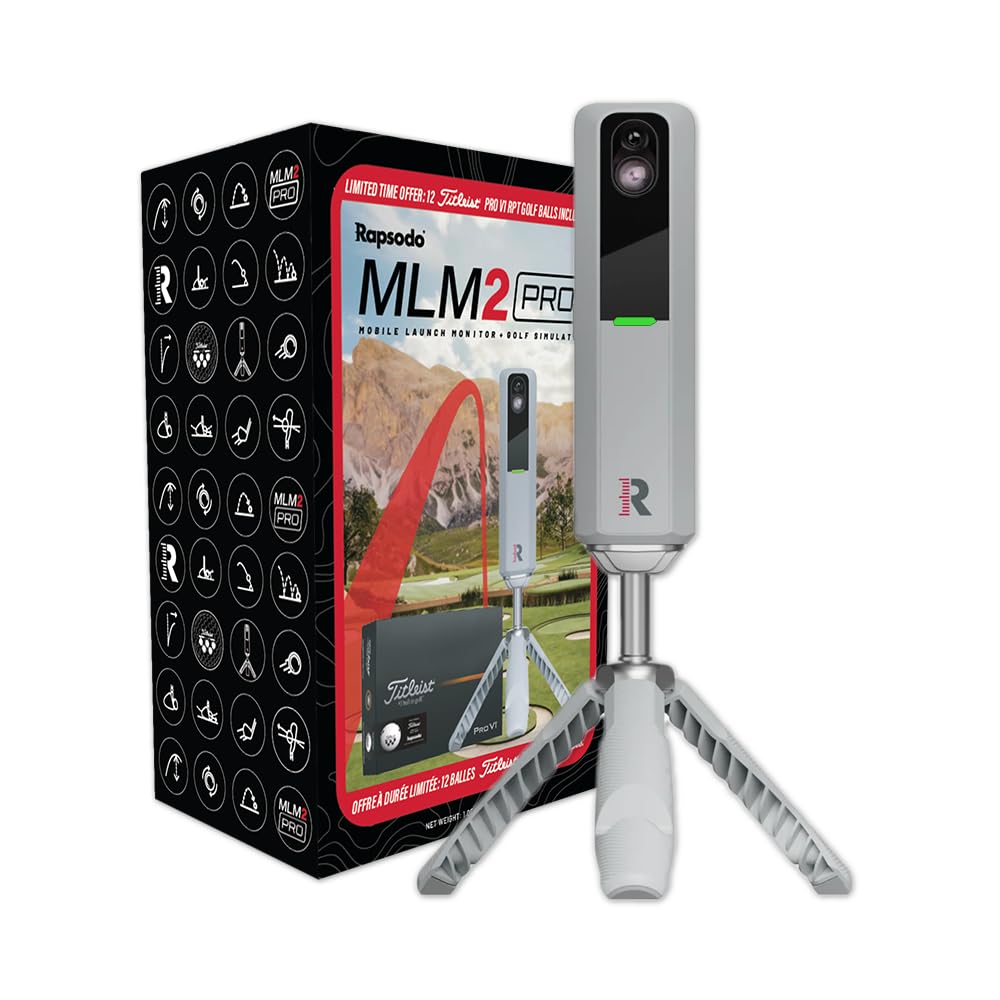
The Rapsodo MLM2PRO sits higher in the price range than the Garmin R10, but it’s built for golfers who need more than casual data. Where the Garmin captures 6 to 8 metrics, the Rapsodo measures 13 advanced metrics, including spin rate, spin axis, attack angle, and other variables that serious swing coaches care about.
Here’s the difference between these two launch monitors: Garmin is designed for playing virtual courses and casual swing tracking. Rapsodo is designed for understanding your swing deeply. If you’re working with a golf instructor or analyzing shot patterns to fix specific faults, the extra metrics matter. If you’re just trying to beat your buddy’s score on a virtual course, they don’t.
I tested the setup, and it requires a bit more infrastructure than the Garmin. You need a tripod to mount it, and the phone has to be positioned to see the data display clearly. It’s not quite as grab-and-go portable. However, the accuracy is positioned as semi-pro level, which appeals to serious home practitioners who want measurements they can trust over time.
One real concern is the review volume. With only 19 reviews on the market, there’s less real-world durability data compared to products tested by thousands.
You’re buying into a newer device without the same track record, which is a risk if you’re spending significant money. The low review count also means fewer user insights about long-term reliability or common issues.
The Rapsodo ecosystem is smaller than Garmin’s as well. Virtual course integration exists through partner apps, but you’re not getting access to 42,000 courses like the R10. This is a tool for practice and analysis, not for casual virtual play. If you want both, you’d need to buy two devices, which doesn’t make sense for most home setups.
For the right person—a golfer with a coach, a swing analyzer, or someone obsessed with understanding their mechanics—the Rapsodo delivers something the Garmin doesn’t. But it’s not a better all-around device; it’s a different tool for a different need.
Rapsodo MLM2PRO Specs
- Metrics Captured: 13 advanced measurements
- Spin Rate Measurement: Yes (lab-grade)
- Spin Axis Measurement: Yes
- Attack Angle: Yes
- Accuracy Level: Semi-professional
- App Integration: Mobile-based with partner apps
- Virtual Courses: Limited (via app partners)
- Tripod Required: Yes
- Battery Life: Requires charging between sessions
- Included Accessories: Tripod, carrying case, charging cable, 12 golf balls
SIGPRO Softy Golf Mat: Best for Long-Term Serious Practice
 Check Price on Amazon
Rating: 4.8/5 | Reviews: 17 | Best For: Premium comfort, replaceable hitting surface, daily heavy use
The SIGPRO Softy mat represents the premium end of the hitting surface market. If you’re planning to hit 200+ balls multiple times a week and your comfort matters (aging shoulders, elbows, or wrists), this mat is worth considering despite the high price point.
The difference starts with the turf. SIGPRO uses proprietary Teeline synthetic over ABS polyurethane, which feels noticeably closer to real fairway grass than the GoSports mat. When I tested both side by side, the SIGPRO’s contact feedback was crisper and more consistent.
That might sound like a small difference, but when you’re hitting hundreds of balls, the cumulative effect on your joints and your swing confidence is real.
The foam core is thicker at 2.5 inches and includes compression release valves that absorb impact differently than standard foam. This isn’t marketing nonsense; the engineering actually matters for joint protection over time. If you’ve had elbow or shoulder issues from golf, a premium mat can genuinely reduce inflammation and improve your ability to practice pain-free.
Here’s the critical feature that justifies the price: the hitting strip is replaceable. With the GoSports mat, when the turf wears out, you replace the whole thing. With SIGPRO, you replace only the hitting strip, which extends the mat’s useful life significantly. For someone planning to practice seriously for years, this math works in SIGPRO’s favor—even though the upfront cost is roughly 6 times higher.
The footprint is 4 feet by 10 feet, which is longer than the GoSports but narrower. It’s designed to fit along a garage wall or basement corner, not to be a portable throwdown. The 31-pound weight is manageable for setup but signals that this is a stationary installation tool, not something you move around frequently.
My honest concern is the low review count—only 17 reviews. This is a newer product, and while the rating of 4.8 is excellent, there’s less real-world data on long-term durability or hitting surface longevity. You’re taking a calculated risk buying into a product with this little public feedback, especially at this price point.
The replaceable strip is fantastic in theory, but if the mat’s frame or foam core fails, you still need to replace the whole thing. The concept is sound, but time will tell whether the overall lifespan actually matches the premium positioning. Right now, you’re paying for potential, not proven durability.
SIGPRO Softy Mat Specs
- Turf Material: Proprietary Teeline synthetic over ABS polyurethane flex
- Foam Core Thickness: 2.5 inches
- Compression Valves: Yes (impact absorption)
- Dimensions: 4 feet × 10 feet × 2.5 inches
- Weight: 31 pounds
- Hitting Strip Replacement: Yes (replaceable design)
- Stance Zones: Dual zones (right and left-handed)
- Real Tee Capable: Yes (accepts standard golf tees)
- Backing Material: Rubber and foam (non-slip)
Golf Net 10x7ft: Best for Minimal Investment Practice
Rating: 4.6/5 | Reviews: 1,238 | Best For: Chipping practice, ball containment, tight spaces, testing commitment
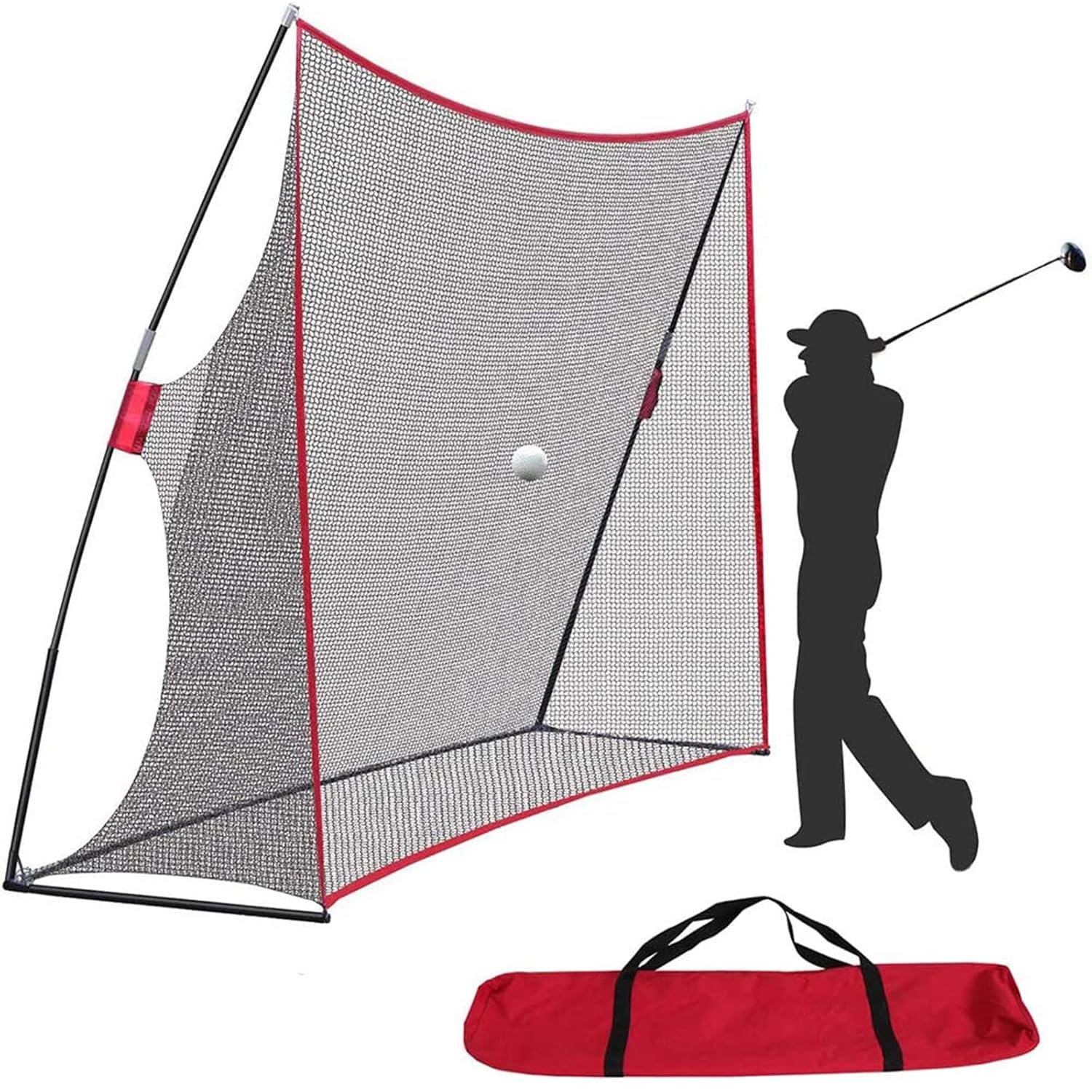
The Golf Net sits at the opposite end of the price spectrum from the premium mats, and it serves a specific purpose: catching golf balls indoors without any feedback data or sophisticated turf feel. This is honestly what most casual golfers need when they’re starting: a simple barrier between them and their drywall.
At this price point, you’re not getting premium features; you’re getting function. The net is made from 7-ply knotless netting stretched over fiberglass poles with a tilted corner design that returns balls toward the user. It’s practical without being fancy, and the carrying case means you can set it up in the garage one day and your backyard the next.
The 10-by-7-foot dimension gives you decent height for drivers—you won’t hit the top consistently—but the width is tighter. This isn’t ideal for full driver practice from multiple angles, but it’s fine for irons and wedges. Most people who buy this net are using it for chipping practice or secondary practice in addition to other equipment, not as their primary swing station.
One real limitation: the ball return angle can be unpredictable. Depending on where you hit the net, balls bounce back at different speeds and angles. This is fine for casual practice, but annoying if you’re trying to hit precision shots with specific targets. It’s a consequence of the tilt design and cheaper construction, not a deal-breaker—just something to know.
The actual use case I see for this product is as a test tool. Before you invest in a hitting mat or launch monitor, a net lets you figure out if daily indoor practice is actually going to happen. At this price, impulse buying isn’t risky.
If you use it twice and lose interest, you haven’t wasted significant money. And if you love it, you can pair it with a mat or launch monitor later.
There’s also solid value for families or kids practicing. A net in the garage with a driver or two gives young golfers a safe way to practice without hitting balls all over the property. It’s not “a simulator,” but it’s a practical starting point for casual players.
Golf Net Specs
- Dimensions: 10 feet wide × 7 feet high
- Netting Material: 7-ply knotless fiberglass
- Frame: Reinforced fiberglass poles
- Design: Corner-shaped with tilt angle for ball return
- Portability: Comes with a carrying bag
- Setup: Tool-free assembly and takedown
- Ground Stakes: Included for outdoor stability
- Use: Indoor and outdoor
Understanding the Three Distinct Setup Paths
At this point, you might be thinking, “Okay, but which one do I actually buy?” The answer isn’t “pick the best”—it’s “pick the one that matches how you’ll actually practice.”
The first path is for casual virtual golfers. You grab the Garmin R10, pair it with the GoSports mat, and for under $700, you’ve got a setup that lets you play 42,000 courses indoors on your phone and practice with decent turf feedback.
No subscriptions, no complex setup, no projector. You hit balls on the mat, the Garmin tracks your metrics, and the app plays it against real courses. Total investment: under $700. Space needed: 5-by-5-foot corner. This works.
The second path is for data-obsessed serious practitioners. You pair the Rapsodo MLM2PRO with the SIGPRO mat and add some coaching or analysis software. You’re spending roughly twice as much, but you’re getting 13 swing metrics instead of 6 or 8, premium joint protection from the mat, and a replaceable hitting surface that lasts years instead of months.
This path makes sense if you’re hitting 300+ balls weekly and have a coach or swing coach to interpret the data. Without that context, you’re paying for specs you won’t use.
The third path is the minimalist test run. Buy the GoSports mat or the net, skip the launch monitor entirely, and just practice swing repetition for a few months. See if indoor practice becomes a habit. Once you know you’ll actually use it, upgrade to add a launch monitor and data collection. This path costs the least upfront and carries the least regret risk.
Each path has a different person behind it. None is “better”—they’re just different answers to the same question asked by different golfers.
Accuracy, Durability, and Real-World Expectations
One thing I want to address head-on: the accuracy specs on these launch monitors are good for home practice but not professional-grade. The Garmin’s ±3 mph on club head speed sounds precise until you realize that’s a 6 mph window around your actual swing speed. For casual play, that’s fine; for equipment testing or competition-level analysis, it’s not.
The Rapsodo’s lab-grade measurements are closer to professional standards, but they’re still consumer products, not PGA Tour gear. If you’re expecting these to replace professional fitting equipment or coaching analysis, you’ll be disappointed. They’re excellent practice tools; they’re not truth machines.
On durability, the GoSports mat’s 150,000-shot lifespan is honestly reasonable if realistic. That’s roughly 1 to 2 years for committed daily users, then you factor in replacement cost.
The SIGPRO’s replaceable strip extends this significantly, but only if the backing and foam actually last through multiple strip replacements. With only 17 reviews, time will tell if that promise holds up.
The real durability story isn’t about specs; it’s about whether you’ll actually use this thing enough to wear it out. Most home golf equipment fails because golfers lose interest, not because the product fails.
If you’re disciplined about practice, durability matters. If you’re checking the weather, making excuses, and hitting the mat once a month, durability is irrelevant.
Space and Setup Reality Check
Let me be direct about something: most home golf setups fail because people don’t account for real-world space and friction. The Garmin R10 is incredibly flexible; it works anywhere you have 5 feet of clearance. The GoSports mat needs a 5-by-5-foot space. The SIGPRO needs 4 by 10 feet. The net needs 10 by 7 feet. These aren’t huge demands, but they’re specific.
If you live in an apartment, a basement corner might be your only option. If you have a garage, you’ve got choices. If you have a mudroom or covered porch, even better. The point is: before you buy, walk off the space and confirm it actually exists and is realistic to use regularly. A mat that stays in a corner you never visit is worse than no mat at all.
Also, think about friction. Does your garage get cold in winter? Is setup and takedown a pain? Do you have floor protection or will hitting mat vibrations annoy your neighbors below? These aren’t product issues—they’re lifestyle issues. But they determine whether your investment becomes a habit or a forgotten purchase.
Subscriptions and Hidden Costs
Here’s what surprised me researching this: the Garmin R10 genuinely doesn’t require a subscription for basic use. The launch monitor works offline, data syncs to your app, and the 42,000 courses are included. You can go premium for additional features, but you don’t have to. This is genuinely rare in the simulator market.
The Rapsodo has no mandatory subscription either, but third-party apps that integrate with it might charge for advanced features. This is less clear-cut than Garmin’s transparent free model. The hitting mats and net have zero subscriptions—they’re one-time purchases.
Budget conservatively anyway. Software ecosystems change, companies discontinue products, and what’s free today might become paid tomorrow. But right now, if you buy the Garmin R10 and GoSports mat, you’re not looking at recurring costs beyond your phone’s data plan.
The Core Realization: What These Products Actually Do
Before I finish, I need to reset expectations one more time. None of these products replicates the full golf simulator experience. They’re not Ball Strike or E6 or Full Swing without a projector—those are fundamentally different products built on full-ball-flight physics and visual rendering.
What these products do is offer alternatives that work for different goals. The Garmin R10 lets you play virtual courses on your phone with data feedback, not realistic graphics, but functional and engaging. The hitting mats let you practice with real turf feedback and swing repetition.
The nets catch balls safely. Combined, they create an indoor golf practice environment that’s excellent for skill development and routine building, just not for immersive course simulation.
If you arrived here expecting to find a projector-free version of full-swing simulators, I need to be honest: it doesn’t exist at these price points. But what does exist is genuinely useful for most golfers who want to practice indoors without the complexity and cost of a full projector setup.
Which Setup Should You Actually Buy?
If you’re undecided and want a safe starting point, get the Garmin R10 plus the GoSports Elite mat. You’ll spend under $700, get access to 42,000 virtual courses, solid practice turf, and basic swing data. You’ll know within a month whether daily indoor practice is actually part of your routine. That knowledge is worth the investment alone.
If you practice 5 or more times weekly and your body needs cushioned impact absorption, save up for the SIGPRO mat plus the Rapsodo MLM2PRO. You’ll spend roughly $2,000, but you’ll get 13 swing metrics, premium turf feel, and a hitting surface that lasts years through replaceable components. This is for committed practitioners, not casual players.
If budget is the only variable and you want to test the concept before spending big, buy the GoSports mat or the net for under $200. Practice for three months. Then upgrade with a launch monitor if you’re hooked.
The key insight is that these aren’t one-size-fits-all products. They’re modular solutions you combine based on what you value: play immersion, data depth, practice comfort, or portability. Your ranking depends on which of those matters most to you.
Frequently Asked Questions
Do I really need a launch monitor if I just want to practice swing repetition?
No. A hitting mat alone gives you turf feedback and swing feel, which is enough for most practice. Launch monitors add data; useful for coaching or tracking improvement over time, but optional if you’re just building muscle memory. Many golfers practice happily with just a mat and a net.
Can I use a launch monitor without paying a subscription to play courses?
Garmin R10: Yes, fully. The app is free, and 42,000 courses are included with no subscription. Rapsodo: Depends on the third-party app integration; check current pricing. Both launch monitors work offline for data collection regardless of app subscriptions.
What’s the real difference between the Garmin and Rapsodo accuracy?
Garmin measures 6-8 core metrics; Rapsodo measures 13. Garmin’s specs are adequate for casual swing tracking; Rapsodo’s are closer to coaching-grade. For home practice, both are accurate enough. For equipment testing or serious analysis, neither is competition-level gear.
Can I add a projector to these setups later?
Technically, yes, but the launch monitors won’t integrate. Garmin and Rapsodo are standalone tools designed for phone apps, not E6 or TrackMan software that works with projectors. Adding a projector later is possible, but would require replacing these devices with new ones designed for screen-based systems.
Is the expensive SIGPRO mat actually worth six times the GoSports price?
Not for everyone. The SIGPRO feels better and lasts longer through replaceable components, but the GoSports mat is solid for casual daily practice. The SIGPRO makes sense only if you’re hitting 300+ balls weekly and your body needs the joint protection. For occasional practice, the GoSports mat delivers 80% of the experience at 16% of the cost.
Will these work outdoors, or are they indoor-only?
All of them work outdoors. The Garmin R10 and Rapsodo are weather-resistant and portable. The mats and net are designed for outdoor use, too. However, the point of buying these is indoor practice; outdoor use is secondary flexibility, not the primary benefit.
How much floor space do I actually need?
Minimum for Garmin R10 alone: 5 feet of clearance. Add a mat: 5 by 5 feet (GoSports) or 4 by 10 feet (SIGPRO). Add a net: 10 by 7 feet. Most basements or garages have at least one 5-by-5 corner, so you can start somewhere.
What happens after the GoSports mat wears out at 150,000 shots?
You replace it, which is cheaper than buying premium from the start, but still an expense. Budget for replacement every 1-2 years if you practice daily. The SIGPRO avoids this by offering strip replacement, but only for the hitting surface, not the entire mat.
Can I use these products if I have limited mobility or joint issues?
The SIGPRO mat’s 2.5-inch foam with compression valves is genuinely designed for joint protection and makes a real difference. The GoSports mat is forgiving, too, just less cushioned. If you have existing pain, invest in the premium mat and fewer swing repetitions rather than quantity and cheaper cushioning.
Is the data from these launch monitors useful for getting better, or just interesting to look at?
With a coach, the data is genuinely useful; it shows patterns and gives you specific things to work on. Without a coach, the data is interesting but can be misleading. You might obsess over metrics that don’t actually affect your game. The best approach: use data to track improvement over months, not to analyze individual swings obsessively.
Your Path Forward
The best golf simulator without a projector isn’t one thing; it’s three fundamentally different products depending on what you value. You’re not choosing between “best” products; you’re choosing which problem you want to solve: playing virtual courses, tracking swing data, protecting your joints, or keeping costs down.
Start with honest answers to three questions. First: How often will you realistically practice? If it’s fewer than twice weekly, don’t over-invest. If it’s five times weekly, premium equipment pays for itself through durability and comfort. Second: Do you have a coach or swing coach? If yes, data matters; invest in the Rapsodo.
If no, data is optional; the Garmin is enough. Third: Do you have the space? Confirm your garage or basement corner actually exists before buying anything.
Once you know those answers, the product choice becomes obvious. Not because one is universally “best,” but because one actually fits your life. That’s how home golf practice actually works.