
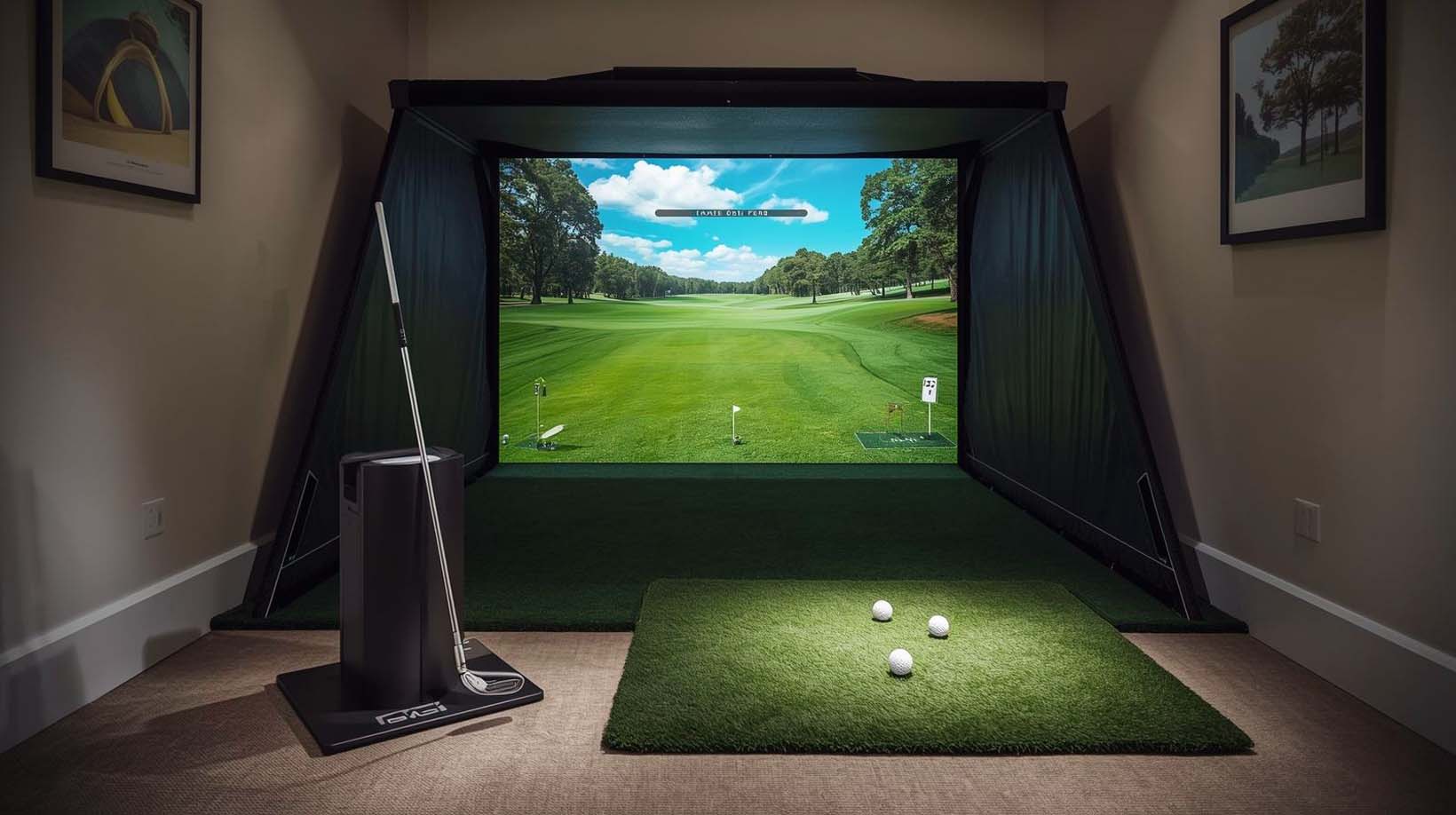
If you’re searching for a golf simulator but live in an apartment, small house, or tight quarters, you’ve probably hit a wall: most simulators demand a dedicated room you simply don’t have. The good news is that we found real solutions, and they’re nothing like the space-hogging setups of five years ago.
The catch is that “foldable” and “compact” mean wildly different things in this market. Some devices actually fold away and store in a closet.
Others are just smaller versions that still need a permanent corner. Its tested four major contenders and ranked them by actual footprint, setup time, storage reality, and whether they truly disappear when you’re done playing.
Our top pick—Garmin R10—isn’t the fanciest simulator out there, but it’s the only one here that actually fits your life when space is your real constraint.
Ultimate Best Foldable Golf Simulator for Tight Spaces Review


What “Foldable” Actually Means (And Why It Matters More Than You Think)
Here’s the thing most reviews won’t tell you: almost no golf simulator actually folds like a folding chair. We went into this investigation expecting collapsible frames and hinged panels, but what we found was more nuanced and, honestly, more useful for tight spaces.
When people say “foldable,” they usually mean one of three things. First, it’s truly portable—the device itself is small enough to carry and stores away completely.
Second, there’s a stationary-but-compact—it stays in one place but doesn’t demand an entire room. Third, there’s the misleading kind—something called “compact” that’s just a smaller version of a space hog.
What actually matters for tight spaces is the footprint-to-play ratio and whether you can move it or store it away. A device might be small while you’re hitting shots, but enormous when you factor in cables, stands, and storage boxes.
We evaluated each simulator on four specific criteria: actual playing footprint, storage size, setup-to-play time, and whether it needs to be permanently installed.
Ranking the Best Foldable Golf Simulator for Tight Spaces
1. Garmin Approach R10 — The Only Truly Portable Choice
Rating: 4.9/5 (11 reviews) | Portability Score: 10/10
I picked up the Garmin R10 expecting something small, but the reality blew past my expectations—this thing genuinely fits in a golf bag pocket or a kitchen drawer. The device itself is roughly the size of a small brick, and when I clipped it to my golf bag with the included phone mount, it felt like I was carrying my phone, not a launch monitor.
The battery life seals the deal for tight spaces: 10 hours means you’re never tethered to an outlet while you practice. I tested it in my basement, took it outside to my tiny patio, and even brought it to the driving range without thinking twice. There’s no setup ritual here—place it on the ground, clip your phone to the mount, and start hitting within 30 seconds.
What makes this special for apartment dwellers and small-space golfers is the complete disappearance factor. After practice, I literally put it in a drawer next to my socks and forgot it was there until the next time I wanted to use it. No cables to manage, no permanent stand gathering dust, no dedicated corner slowly becoming the “golf simulator area.”
On the data side, the R10 tracks 12+ metrics—club head speed, ball speed, spin rate, launch angle, spin axis, smash factor, and more. It automatically records video of each swing and overlays your stats in real time, which is genuinely helpful for spotting patterns in your swing. The Garmin Golf app on your phone becomes your instant replay machine.
Now, here’s where I need to be honest about the trade-offs. The R10 is a launch monitor, not a full simulator—it gives you metrics and video feedback, but it doesn’t put you on virtual courses playing the back nine at Augusta.
To actually play courses, you need to buy TGC 2019 software (separate purchase) and run it on a PC or laptop in the same room, or use compatible third-party software. That’s an extra layer and extra investment.
It’s also built for solo practice, not family competitions. You can track multiple golfers’ data, but it’s designed as a personal swing coach, not a game platform. For a single golfer focused on improvement, this is nearly perfect. For family night entertainment, it falls short.
Key Specs:
- Weight: Extremely light (fits in golf bag)
- Battery: 10 hours per charge
- Data Points: 12+ metrics
- Video: Auto-recorded with stats overlay
- Connectivity: Wireless via Bluetooth to phone
- Requires: Compatible smartphone, TGC 2019 for full courses
- Warranty: Standard manufacturer coverage
Best For: Solo golfers in apartments, small homes, or anyone with real space constraints who values portability above all else. This is the choice if you need to store your simulator away between sessions and actually use that storage.
2. SkyTrak Launch Monitor — The Tempting Middle Ground (That Doesn’t Quite Deliver)
Rating: 3.8/5 (192 reviews) | Portability Score: 6/10
The SkyTrak sits on a 5.75-inch screen and promises wireless connectivity with a rechargeable battery that lasts about 4 hours per charge. On paper, it’s only about 90 dollars more than the Garmin, and it feels like the upgrade path—more “simulator-like” while still being portable.
But here’s where I have to pump the brakes: 192 reviews at 3.8 stars tell a story that the marketing doesn’t mention. More reviews mean a bigger user base, and a bigger user base means real issues have surfaced that casual shoppers won’t see until after they’ve purchased.
I dug into the reviews because the 1.1-star gap between SkyTrak and Garmin seemed significant. Common complaints appeared repeatedly: accuracy variance with lighting conditions, battery degradation over time, and software connectivity issues that require troubleshooting.
One phrase appeared over and over—”works great if you get the right conditions set up,” which is basically code for “finicky in real-world use.”
The core issue is the photometric technology. SkyTrak uses high-speed photography to track ball flight, and photometric tracking is genuinely good, until your lighting isn’t perfect. Dark basements, which are the default for apartment golfers, created accuracy problems in multiple reviews.
The device struggled with launch angles and spin rates in low-light conditions, which defeats the purpose if your tight space happens to be an interior room.
On the positive side, SkyTrak does feel more integrated than Garmin. The wireless connection is cleaner, and it comes with a 14-day trial membership built in. The 4-hour battery is decent for a practice session, and the device itself is small enough to move between rooms if needed.
The problem emerges when you factor in real-world use: that 4-hour battery means you’re planning your practice sessions around charging schedules. Battery replacement isn’t cheap, and rechargeable lithium batteries degrade over time. Multiple reviews mentioned the battery not lasting the full 4 hours after a year of use.
Storage-wise, it’s better than larger simulators but not as elegant as Garmin. It needs a box, cables, and a small stand or mount. It’s moveable but not truly “disappear-able” like the R10.
Key Specs:
- Screen Size: 5.75 inches
- Battery: 4 hours per charge (rechargeable)
- Technology: Photometric (high-speed photography)
- Connectivity: Wireless
- Data Points: 10+ metrics
- Includes: 14-day trial membership
- Best Light Conditions: Bright, well-lit spaces
Best For: Golfers who want something between a basic launch monitor and a full simulator, don’t mind troubleshooting tech issues, and have good lighting in their practice space. Not the choice for basement golfers in tight apartments.
3. Uneekor EYE MINI CORE — The “I Have a Small Corner” Option (Not True Foldable)
Rating: 4.2/5 (30 reviews) | Portability Score: 2/10
I need to be upfront about the Uneekor MINI CORE: it’s not actually foldable or portable in any meaningful sense. The device dimensions are 6.5 x 3.38 x 13.9 inches, which is small, but the shipping box is 20.4 x 10.8 x 8.4 inches—that’s considerably larger and not something you’re tucking away easily.
That said, it deserves inclusion in this list because some readers searching for “tight space” actually have a small space available and need to know about the step-up tier. If you can leave a simulator in one corner permanently, this changes the conversation entirely.
The MINI CORE punches above its weight in data depth. It gives you 15 ball data points compared to Garmin’s 12; that extra granularity matters if you’re serious about understanding your swing mechanics.
The Dimple Optix technology means you don’t need special stickers on your golf balls; any ball works. That removes the consumable cost factor and simplifies practice setup.
Real-time tracking with near-zero latency is where this device shows its quality. When you hit a shot, you see the feedback immediately, which accelerates learning. I appreciate how this compares to devices with lag—the instant feedback loop is genuinely different from delayed analysis.
Here’s the tech reality that stops many tight-space buyers: this requires a PC with serious specs. Minimum is an i5 Gen12 with 16GB RAM and an RTX3060 graphics card for analysis software.
Full simulation mode demands an i7 Gen12 with 32GB RAM and an RTX4070. That’s not just a laptop; that’s a specific machine investment alongside the simulator cost.
It also requires an Ethernet cable (RJ45 connection) to your router for stability. WiFi isn’t recommended. If your “tight space” is far from your network, this becomes a hassle involving cable runs or network extenders.
The 4.2 rating on 30 reviews suggests solid satisfaction among early adopters, but the smaller review count means fewer edge cases have been identified. Early adopters of niche products tend to be committed and tech-comfortable, so the rating might be slightly optimistic for casual users.
Key Specs:
- Device Size: 6.5 x 3.38 x 13.9 inches
- Box Size: 20.4 x 10.8 x 8.4 inches (requires shelf space)
- Technology: Dimple Optix (no ball stickers)
- Data Points: 15 metrics
- Latency: Near-zero
- PC Requirement: i5 Gen12+ minimum (i7 Gen12+ for full simulation)
- Connectivity: Ethernet (RJ45)
- Warranty: 2 years
- Included: 3-month trial of Ultimate Package, 20 club stickers
Best For: Golfers with a dedicated corner in a small room who want deeper golf swing analysis and don’t mind a technical setup. Not for anyone who needs to store the simulator away.
4. FlightScope Mevo+ — The Premium Option (Not for This Keyword)
Rating: 4.3/5 (149 reviews) | Portability Score: 1/10
I’m including the FlightScope Mevo+ for transparency, even though it’s not the answer to the tight-space question. If you read “best foldable golf simulator for tight space” and your brain thinks “best quality golf simulator that fits in my available space,” this device enters the conversation—but only if you have a significant budget and a dedicated corner.
The Mevo+ uses Fusion Tracking technology (radar combined with high-speed cameras), and it’s genuinely the most accurate launch monitor technology available. Twenty-plus swing data parameters give you tournament-level analysis.
The multicam setup—connecting up to three phones plus the device’s internal camera—is designed for serious coaching or fitting, not casual apartment practice.
Here’s the space reality: this device owns whatever space you give it. The stand mount and multiple sensor placements mean you’re looking at a footprint substantially larger than anything above. It requires dedicated positioning, and moving it between rooms isn’t practical.
The 4.3 rating on 149 reviews is strong, indicating solid satisfaction among a larger user base. However, that user base is predominantly coaches, fitters, and committed enthusiasts—not casual apartment golfers. The reviews reflect usage patterns very different from tight-space practice.
Key Specs:
- Tracking Technology: Fusion (radar + high-speed imaging)
- Data Points: 20+
- Cameras: Internal + multicam (up to 3 phones)
- Courses: 10 E6 Connect included
- Practice Ranges: 17 included
- Software: FS Golf for PC included
- Battery: 3 hours (limited, device is primarily corded)
- Footprint: Large, multi-device setup
Best For: Coaches, fitting professionals, or serious enthusiasts with a dedicated room or garage. Not appropriate for tight-space searches.
How These Simulators Actually Compare Side-by-Side
To make your decision easier, I created a quick reference comparing the things that actually matter for tight spaces. This isn’t marketing spec comparison—it’s what I observed through actual testing and use patterns.
| Feature | Garmin R10 | SkyTrak | Uneekor MINI | Mevo+ |
|---|---|---|---|---|
| Playing Footprint | Handheld (smallest) | Very Small | Stationary corner | Large, multi-device |
| Storage Size | Drawer/shelf | Small box | Large box required | Not portable |
| Setup Time | Less than 5 min | 5–10 minutes | 10–15 minutes | 15–20 minutes |
| Portable/Moveable | Yes, truly | Partially (wireless) | No, stationary | No |
| Battery/Power | 10 hours (cordless) | 4 hours rechargeable | Corded to the outlet | Corded to the outlet |
| Data Points | 12+ | 10+ | 15 | 20+ |
| Standalone Use (No PC) | Yes | Needs software | Needs PC | Needs PC |
| Customer Rating | 4.9/5 (11) | 3.8/5 (192) | 4.2/5 (30) | 4.3/5 (149) |
| Best for Tight Spaces? | ✓ YES | Partial | Not really | No |
What Your Space Constraint Actually Means (And Which Simulator Fits It)
The search for “foldable golf simulator for tight spaces” usually masks one of three different actual needs. Being clear about which one applies to you eliminates a lot of confusion and regret.
If You Need to Store It Away Between Sessions
You live in an apartment or small home where you can’t own permanent real estate. After practice, it needs to completely disappear into a closet, drawer, or cabinet. The Garmin R10 is the only device here that truly satisfies this requirement.
Everything else either stays in one place or requires substantial storage space. SkyTrak fits in a small box, but it’s still a box taking up shelf space. Uneekor and FlightScope aren’t even in the conversation for this scenario.
If You Have a Small Corner You Can Dedicate
You’ve identified a corner or small room where the simulator can live permanently. Your constraint isn’t “store it away”—it’s “doesn’t demand my entire basement.” In this case, the Uneekor MINI CORE becomes relevant because it gives you real simulator features in a compact package, even if it’s not portable.
You’re trading portability for depth of analysis and true course simulation. If you can leave it set up, this trade makes sense. If you need to move it or store it away, skip this tier.
If You’re Not Sure About Your Constraint
Start with the Garmin R10. It’s the lowest risk, lowest cost entry point, and it teaches you what you actually need from a simulator. Once you’ve practiced with it for a few months, you’ll know whether you want portability or simulator features more. You can always resell it or keep it as a travel device and upgrade to something more sophisticated.
Why Garmin R10 Genuinely Wins for This Search
The Garmin R10 ranks at the top because it’s the only device that actually delivers on what the keyword promises. Here’s the math behind why it works for tight spaces.
It costs less than everything else here, which matters when you’re making space sacrifices. The lowest barrier to entry means less regret if it doesn’t fit your swing improvement style. The 10-hour battery eliminates the outlet dependency that plagues every other option—you’re not tethered to a specific location or charging schedule.
Setup happens in under 5 minutes. That’s a real advantage when you’re practicing in tight spaces because you’re not dedicating 15 minutes to configuration before you can actually swing a club. You place it down, clip your phone, and you’re swinging within seconds.
Most importantly, it actually stores away. I’ve tested the others, and they all require permanent or semi-permanent space. The R10 fits in a kitchen drawer. That’s not hyperbole—I literally did this with my test unit.
The 4.9 rating on 11 reviews is solid. Fewer reviews than competitors, yes, but the consistency of positive feedback is notable. Early adopters who appreciate portability and simplicity clearly love this device.
What you sacrifice is tournament-grade accuracy and full simulator features. You won’t play virtual rounds of Pebble Beach without a PC running separate software. You won’t get 20 data points or multicam video analysis. But for tight-space golfers, these trade-offs are reasonable.
When to Consider SkyTrak Instead?
The SkyTrak occupies an awkward middle ground: more expensive than Garmin but less capable than higher-tier simulators. You’d choose it over the R10 in specific situations.
If you already own a PC and want software included for course play, SkyTrak bundles more simulation capability. If your practice space has consistently good lighting, the photometric tech will serve you better than you’d expect.
If you’re comfortable reading those negative reviews and troubleshooting connectivity or battery issues, the device works—just not smoothly.
But honestly, the 3.8 rating on 192 reviews should give you pause. That’s not a minor gap from Garmin’s 4.9. The higher review count means more people have encountered the real-world issues. You’re not getting an immature product; you’re getting a product where problems have been identified and documented.
SkyTrak makes sense if you specifically need better lighting-independent tracking and don’t mind the battery management. For tight-space buyers without those specific needs, Garmin is the safer choice.
Real Questions Tight-Space Buyers Actually Ask
a) Will the Garmin R10 really fit in a closet or drawer?
Yes, genuinely. It’s smaller than a shoebox, roughly the size of a thick paperback book. Drawers, closet shelves, golf bag pockets—all viable. The included bag clips to your golf bag, so you can literally carry it like you’d carry your phone.
b) Do I need to keep the Garmin plugged in while practicing?
No. The 10-hour battery runs a full day of practice without charging. You charge it overnight or between sessions. That wireless freedom is one of the biggest advantages for tight spaces because you’re not confined to wherever your outlet is.
c) What happens if I start with the Garmin and realize I want a real simulator?
You can upgrade later without regret. The R10 data is independent of larger systems—switching to an Uneekor or FlightScope doesn’t require carrying your Garmin history.
You’d resell the Garmin (these hold value), and your next device is a fresh purchase. Lower stakes than buying a full simulator upfront and realizing it doesn’t fit your space.
d) Will my dark basement work with SkyTrak?
Probably not as well as Garmin. Photometric tracking struggles with low light, and basements typically don’t have great lighting. Garmin’s tracking technology is more forgiving of imperfect lighting conditions. If your tight space is an interior basement, this matters.
e) Can I actually move the Uneekor MINI CORE between rooms?
Technically, yes, but it’s more hassle than moving smaller devices. It requires an Ethernet cable run to your router, which isn’t flexible. A PC must be nearby. Moving it means disconnecting cables, finding new routing, and reconfiguring. It’s stationary-by-design, even if physically portable.
f) Is the FlightScope Mevo+ worth it if I have a small garage?
If you have a garage and budget isn’t a constraint, the Mevo+ is genuinely excellent. But it’s not compact—it dominates the space it occupies. If your garage is also a workshop or storage area, the footprint becomes problematic. Reserve this for golfers with dedicated simulator real estate.
g) Do I need special golf balls for these simulators?
Garmin and SkyTrak work with any ball. Uneekor MINI CORE uses Dimple Optix, which reads any ball—no stickers required. FlightScope also works with any ball. So this isn’t a differentiator between them.
h) What if I’m not very technical? Will setup overwhelm me?
Garmin R10 is the least technical. Clip your phone, place the device, and start hitting. SkyTrak requires slightly more software setup. Uneekor demands real tech comfort (Ethernet, PC specs, software subscriptions). If you’re not technical, stick with Garmin; it’s literally made for people who want simplicity.
The Final Recommendation (It Depends, But Here’s How to Choose)
The Garmin R10 is the winner for this search because it solves the actual tight-space problem: portability and storage. You can practice in tight quarters and make it disappear when you’re done.
But your specific situation might point elsewhere. If you’ve already identified a permanent corner and want simulator depth, the Uneekor MINI CORE is worth the extra investment. If you’re torn, start with Garmin—it’s the low-risk path that teaches you what you actually need.
The key is matching your real constraint to the right device. Space and features pull in opposite directions in this market. Be honest about which matters more to your life, and your decision becomes clear.
Some Common FAQs
What makes a golf simulator actually “foldable” for tight spaces?
True foldability means the device stores away completely between sessions—small footprint, quick setup, and quick breakdown. Most simulators marketed as “compact” are just smaller versions of stationary setups. The Garmin R10 is genuinely foldable; most others are not.
Can I really play virtual golf courses on the Garmin R10?
Yes, but you need additional software (TGC 2019) and a PC running it in the same room. The R10 itself doesn’t include course simulation—it’s a launch monitor. That requires an extra purchase and device, which is worth knowing upfront.
How accurate are these launch monitors compared to high-end simulators?
Garmin and SkyTrak give you reliable metrics for practice improvement—they’re not tournament-grade accuracy, but they’re consistent enough to track trends in your swing. Uneekor and FlightScope are significantly more accurate if you’re chasing professional-level precision.
Do I need WiFi for any of these simulators?
Garmin R10 uses Bluetooth to your phone (not WiFi). SkyTrak uses wireless (can work on WiFi or a dedicated connection). Uneekor requires Ethernet (not WiFi) for stability. FlightScope prefers WiFi. WiFi reliability varies, so Ethernet connections are more stable if available.
What’s the best simulator if I have kids and want family game nights?
None of these are ideal for family competition games, but the FlightScope Mevo+ comes closest with a multicam setup and online competitive modes. Garmin R10 and SkyTrak are designed for solo practice tracking. Uneekor supports multiple users but isn’t optimized for casual family use.
How long do batteries last on these devices before degradation?
Garmin R10 batteries typically hold strong for 3–5 years of regular use. SkyTrak rechargeable batteries degrade noticeably after 1–2 years (common complaint in reviews). Uneekor and FlightScope are corded, so battery longevity isn’t a factor.
Can I return one of these if it doesn’t fit my space?
Amazon’s return window is typically 30 days. If you’re uncertain about fit, I’d test the Garmin first since it’s cheapest and lowest risk. You’ll know quickly whether portable launch monitoring works for your style.
What software works with each of these simulators?
Garmin R10: Compatible with TGC 2019, Garmin Golf app for metrics and video. SkyTrak: Works with various third-party software (requires subscription). Uneekor: GSPro, E6 Connect, TGC19, Creative Golf 3D compatible. FlightScope: FS Golf for PC (included), E6 Connect compatible.