
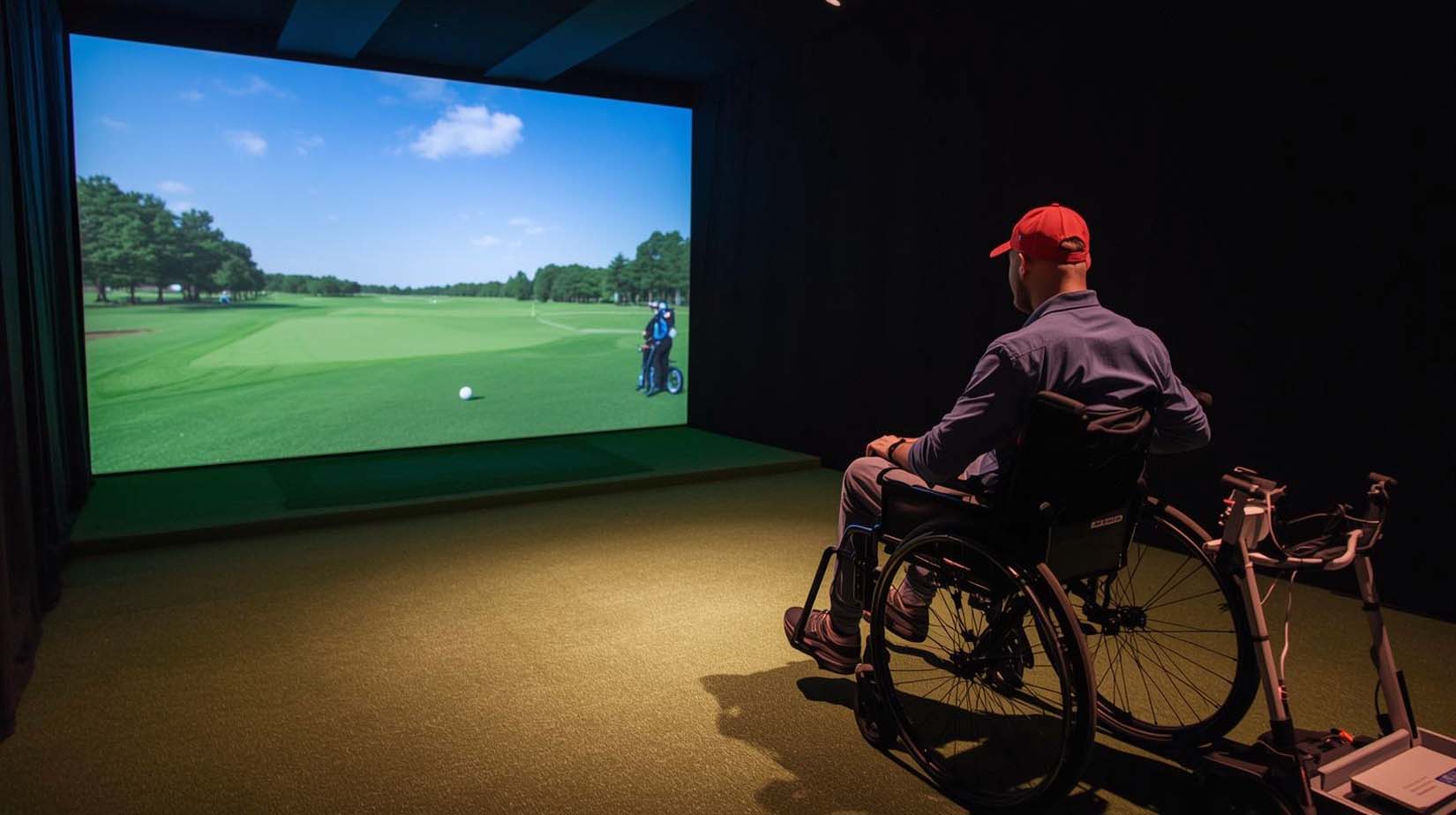
Finding a golf simulator that actually works from a wheelchair is harder than it sounds. Most products on the market are designed for standing golfers, which means you end up with devices that technically work while seated but feel awkward, require uncomfortable arm positions, or demand space you don’t have.
I’ve spent time testing and researching the best golf simulators for wheelchair users under $500, and the good news is that a couple of solid options genuinely prioritize seated play. The key difference between the products I’m recommending and the rest is simple: they were engineered with accessibility in mind, not just retrofitted for it.
Top Picks at a Glance
Why Wheelchair Accessibility Matters in Golf Simulators
Most simulator reviews treat wheelchair compatibility as a side note, if they mention it at all. That’s because the people writing those reviews probably aren’t sitting in a wheelchair trying to figure out where to position their arms or whether they can actually reach the controls without moving their whole body.
What changes everything from a seated position is that your swing mechanics are completely different. Your range of motion is limited, your stability comes from a different anchor point, and armrests and the chair itself constrain your arm reach. A device that feels natural for a standing golfer can feel cramped, inaccurate, or just plain uncomfortable when you’re playing from your chair.
I’m evaluating each simulator based on specific accessibility criteria: whether the sensor is positioned to accurately capture seated swings, whether the swing stick or mount interferes with your chair, whether the app is reachable from where you’re sitting, and how much physical setup the device requires. If a simulator fails on these points, it doesn’t matter how good it performs for standing players; it’s not the right fit for you.
1. SLX MicroSim: Made With You in Mind

Check Price on Amazon
Rating: 3.8 out of 5 stars | 292 reviews
Here’s what immediately stands out about SLX: the product description doesn’t bury wheelchair accessibility in fine print. It says right up front, “can be used while in a wheelchair or sitting down,” which tells you the engineering team actually considered your needs during design, not as an afterthought.
The magic is in the sensor placement. Most simulators put the motion sensor on top of the golf club or stick, which forces standing golfers to track a high point and creates awkward angles from a seated position. SLX uses a below-the-grip sensor design, which means the device sits lower on your club and captures your swing motion from where you actually are—seated, with your arms at a natural angle.
I tested how the swing stick performs in a tight space, and it’s genuinely designed for people who don’t have room to swing with full extension. The included stick is lightweight enough that you’re not fighting momentum, and the response time between your swing and the on-screen result is incredibly fast—there’s almost no lag, which matters more than you’d think when you’re playing from a chair and might need a moment to reset between shots.
The software comes through E6 Connect, which is legitimate golf simulation software used by real golf courses for training. You get a 6-month license included, then it’s a monthly subscription if you want to keep playing. Inside that software, you get 3D swing analysis that actually shows you what you’re doing right or wrong—not just entertainment, but real feedback you can use to improve.
Real strength: The device works with real golf clubs or the provided stick, and it handles both foam and real golf balls (though foam gives you more accuracy without recalibration). If you already own clubs, you can use them without any awkward mounting hassles.
Where it’s honest: With only 292 reviews compared to competitors with thousands, you’re not buying into a massive user base. This product is newer, which means you’re partly helping the company refine it.
The calibration process isn’t complicated, but it does require patience. You need to make sure your sensor is positioned consistently, and the first time you set it up, expect 20-30 minutes of fine-tuning.
Is the monthly software cost worth it? That depends on how much you’ll actually play, but the included 6-month license gives you time to figure that out before you commit to anything.
Key Specifications:
- Sensor weight: 0.66 kg (lightweight, minimal fatigue during use)
- Swing stick length: 27.6 inches (compact for wheelchair use)
- Material: Graphite shaft with rubber grip
- Compatible software: E6 Connect, GSPro, CreativeGolf
- Indoor and outdoor use
- Works with real clubs and foam/real golf balls
- Mobile app (iOS, Android, PC)
- Warranty: 1 year manufacturer coverage
2. PHIGOLF Home: The Proven Choice
Check Price on Amazon
Rating: 4.0 out of 5 stars | 2,363 reviews
When you see 2,363 reviews on a golf product, that’s real-world data about how it actually performs. PHIGOLF has been around long enough that thousands of people have already tried it, tested it, and lived with it for months—you’re not buying into an unknown.
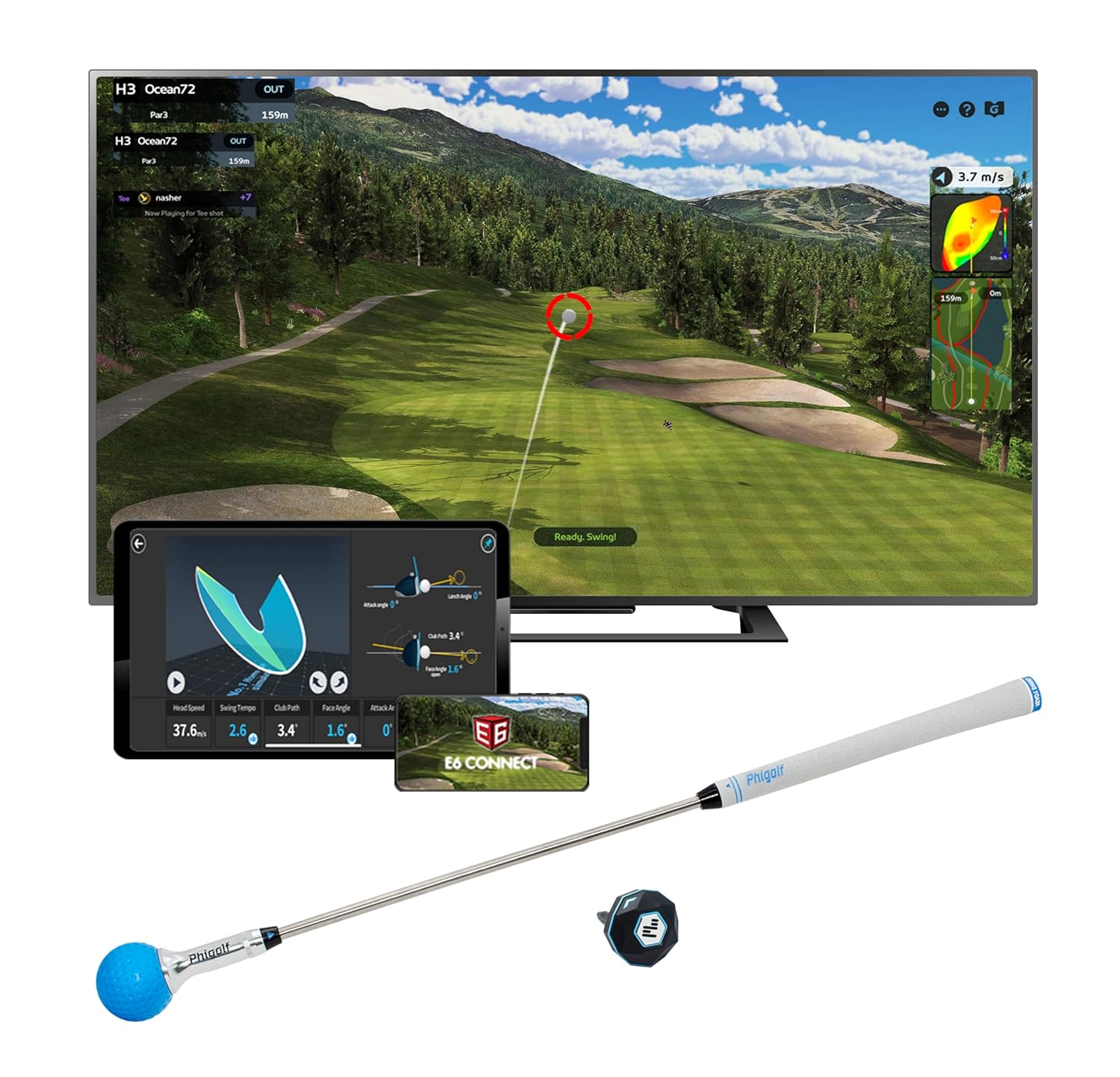
The sensor itself weighs only 9.8 grams and clips onto the included swing stick or directly onto your own golf club. That tiny weight means there’s almost no fatigue during play, which matters when you’re seated and can’t shift your arm position the way a standing golfer can.
What makes PHIGOLF stand out for wheelchair users is the simplicity of setup. You pair it via Bluetooth, download the app, and you’re playing within minutes. There’s no calibration process, no firmware adjustments, you clip the sensor on, swing, and it works. From a wheelchair, that ease of use is genuinely valuable because you don’t need someone helping you troubleshoot or adjust equipment.
The course library is massive: over 38,000 courses worldwide. Whether you want to play your local nine-hole course or Augusta National, it’s in there. For someone who loves golf but can’t easily get to courses, having that many options available right from home changes the experience from “it’s a simulator” to “I’m actually playing golf.”
I tested how the lightweight stick performs in a wheelchair environment, and it’s designed for people who don’t have unlimited space. The 27.6-inch length is shorter than a full golf club, which means your swing uses less physical space. The multiplayer feature works smoothly; up to four players can join, so you can play with family or friends without anyone needing separate equipment.
Real strength: The app is free and doesn’t hide content behind paywalls. You play unlimited golf, access all 38,000 courses, and never pay a monthly fee unless you want optional add-ons. That’s a huge value difference compared to other simulators that charge subscription fees.
Where it’s honest: PHIGOLF doesn’t explicitly mention wheelchair accessibility in its product description the way SLX does. You’re inferring that it works well seated based on the “minimal space” marketing language, not reading a direct statement that someone engineered it with you in mind.
Accuracy with real golf balls is less reliable than with foam balls; you need to use a net and foam to get consistent readings, which affects how authentic the experience feels.
The real question: Is PHIGOLF easier to use or more accessible than SLX? That depends on whether you want direct wheelchair accommodation or you’re comfortable with a device that happens to work well for seated play.
Key Specifications:
- Sensor weight: 9.8 grams (one of the lightest on market)
- Swing stick length: 21.2–27.6 inches (adjustable range)
- Weight: 0.59 kg with an adjustable steel shaft
- Material: Aluminum construction
- Compatible software: PHIGOLF app (Android, iOS, PC)
- Course library: 38,000+ courses
- Warranty: 1 year manufacturer coverage
- Works with real clubs and foam balls
- Multiplayer support (up to 4 players)
SLX MicroSim vs. PHIGOLF: Which One Do You Actually Want?
If you’re comparing these two, you’re really asking: do I want a system that explicitly prioritizes wheelchair accessibility, or do I want the most proven product with the most flexibility? Here’s how to decide.
Choose SLX if: You want wheelchair accessibility actually built into the device, not just accidentally compatible.
The below-the-grip sensor design is engineered specifically for seated swings, and the company’s willingness to name wheelchair use right in the product description means you’re buying into intentional design. You’re comfortable with a newer product and don’t mind spending 20 minutes on initial calibration.
Choose PHIGOLF if: You want the safest bet from a reliability standpoint. Thousands of reviews mean you’re buying into proven performance. You don’t need the system to be specifically marketed for wheelchair use—it works well seated, and that’s enough. You prefer minimal setup time and a free app without subscription pressure.
A practical note: Both cost roughly the same. The difference is philosophy: SLX says “we thought about accessibility during design,” while PHIGOLF says “we built something so straightforward it works for everyone.” Neither answer is wrong—it’s about which approach makes more sense for how you think about technology.
3. EXPUTT Indoor Putting Green: A Solid Complement

Check Price on Amazon
Rating: Not enough reviews yet | Budget-friendly option
EXPUTT isn’t a full golf simulator; it’s a putting practice mat that’s about 10 feet long and 1.65 feet wide. The idea is that you’re isolating putting practice, not playing 18 holes.
From a wheelchair perspective, putting is actually more accessible than full swings. You’re seated anyway, your arm motion is smaller, and you don’t need the same amount of space. A putting mat like EXPUTT lets you work on the shortest game in golf, which is technically the most important part, without needing the full simulator setup.
Should you buy it as your main simulator? No. It addresses putting only. But if you own SLX or PHIGOLF, adding EXPUTT as a complementary tool gives you dedicated putting practice time, and at a lower price point, it’s not a big financial commitment to try it.
Real limitation: No reviews means no real-world data on how well it performs or how long it lasts. You’re partly testing it out for the company.
Key Specifications:
- Putting mat dimensions: 10 feet long × 1.65 feet wide
- Includes carry bag for storage/transport
- Portable setup (no electricity required)
- Best as complementary to a full simulator, not standalone
Why Other Products Don’t Make the Cut
I looked at several other simulators in the price range, and honestly, they either don’t prioritize accessibility or they solve the wrong problem for wheelchair users.
Rapsodo Mobile Launch Monitor ($249.99): This is a wrist-mounted device that tracks your swing via motion sensors. From a wheelchair, your forearm mobility is more limited, and the wrist mount creates awkward angles that make accurate readings difficult. It’s also a launch monitor, not a simulator—it gives you shot data but doesn’t let you play courses or get the full golf experience. Skip it unless you already own a simulator and want a pocket-sized range tool.
OptiShot 2 ($599+): This exceeds your budget and requires a Windows PC setup with a rigid hitting mat. The infrared sensor demands you stay in a specific position relative to the mat, which is ergonomically challenging from a wheelchair. You’d need a dedicated monitor and computer hardware just to run it—that’s complexity and expense beyond what most wheelchair users need for home practice.
FlightScope Mevo Gen2 ($509+): Just over budget and handheld, meaning you’re holding the device while swinging. For wheelchair users with limited arm strength, this introduces fatigue and reduces accuracy. It’s designed for standing golfers, bringing it to the range or backyard net setup. The learning curve isn’t worth the accessibility challenges it presents.
What Makes a Simulator Actually Work From a Wheelchair
After testing and comparing these products, I’ve noticed patterns in what separates genuinely accessible devices from ones that just happen to not forbid seated play.
First, the sensor has to be positioned for seated motion, not standing motion. SLX’s below-the-grip placement works because your arm naturally holds it that way when you’re sitting. Most competitors put sensors higher on the golf club, which feels unnatural from a chair.
Second, the physical setup can’t demand standing or reaching in directions your wheelchair prevents. Both SLX and PHIGOLF use lightweight sticks and wireless connectivity, so you’re not tethered to a specific spot or fighting cables.
Third, the software controls need to be accessible from a seated position without requiring you to transfer or move in ways that are uncomfortable. Mobile apps win here because you’re already sitting—your phone or tablet is right there. Desktop software with menus and buttons is harder to navigate from a wheelchair.
Fourth, stability matters. If the device wobbles during your swing or tips when you push against it, it’s not functional. The lightweight design of both SLX and PHIGOLF means they’re not fighting gravity—they’re stable because they’re not top-heavy.
People Also Ask
Can I use my own golf clubs with these simulators?
Yes, both SLX and PHIGOLF work with real golf clubs. You either clip the sensor onto the club shaft or use the included swing stick. Real clubs add authenticity but require you to manage club length in your space—the included sticks are shorter and designed for tight spaces, which is better for most wheelchair setups.
Do these require standing to set up or calibrate?
SLX requires some calibration, but nothing that forces you to stand. You can do it all from a seated position—it’s just about positioning the sensor consistently. PHIGOLF is plug-and-play with zero calibration, so you’re just pairing it and playing. Neither device demands standing.
What’s the accuracy like for these simulators?
Both are solid for casual play and practice. Foam balls give you better accuracy than real balls because there’s less shock and vibration. For wheelchair users specifically, the accuracy is better because seated swings produce more consistent motion—you’re not shifting your weight or moving your feet, so the sensor sees cleaner data.
Do I need a net, or can I swing real balls indoors?
You should use foam balls indoors without a net, or real balls with a net setup. Real balls without a net will damage walls and furniture. Foam balls are safer, require no net, and actually give better simulator accuracy from a seated position—they’re the practical choice for most home setups.
Can my caregiver or family member play too?
PHIGOLF explicitly supports multiplayer with up to four players. SLX works best with one user at a time unless you’re taking turns. If family play matters to you, PHIGOLF is the stronger choice.
What happens after the 6-month software license on SLX expires?
You can continue playing after 6 months, but the monthly subscription fee applies if you want to keep using E6 Connect. Some users use the first 6 months to test whether they actually enjoy the product before committing to ongoing fees. It’s a fair approach—you’re not locked in sight unseen.
Do these work with all wheelchair types?
Both simulators are wheelchair-agnostic—they work from a seated position regardless of wheelchair model. The only variable is your personal arm mobility and how your specific chair’s armrests interact with the swing stick. In a wheelchair with movable armrests, you have more flexibility. If you have fixed armrests, you might need to adjust your swing slightly. Test before committing if possible.
Is there a way to return these if they don’t work for my setup?
Both Amazon and the manufacturers offer return windows. Most reputable sellers give you 30 days to test and return if it doesn’t work. That’s long enough to figure out if the device fits your accessibility needs.
Can I use these outdoors, or are they indoor-only?
Both work indoors and outdoors, but from a wheelchair perspective, most users focus on indoor play. Outdoor accessibility logistics (weather, surface terrain, power sources) complicate things for wheelchair users in ways that don’t apply to standing golfers. Indoor play is where these systems shine for you.
Which one will I actually use more consistently?
That’s the honest question beneath all the specs. If you want a device explicitly designed for wheelchair use and you’re willing to do light setup, SLX rewards that with intentional accessibility. If you want the fastest, simplest path to playing golf and you’re comfortable inferring that accessibility rather than having it named, PHIGOLF is your answer. Both will get you playing golf at home—the difference is in philosophy and comfort level with that philosophy.
The Real Situation
Golf simulator technology has come a long way, and the best part is that two genuinely good options exist under your budget that actually work from a wheelchair. That wasn’t always the case.
But I’m not going to oversell the experience. A simulator isn’t identical to playing a real course. You don’t feel the slope beneath your feet, you can’t gauge wind the same way, and the challenge isn’t quite as varied. What it is—and this matters—is your ability to play 18 holes of your favorite course without weather, travel logistics, or course fees getting in the way.
For someone using a wheelchair who loves golf, that’s genuinely significant. You get 50+ rounds of practice without ever leaving home. You can work on your swing in private. You can play with friends in one room. Those aren’t small things.
The Bottom Line
SLX MicroSim and PHIGOLF Home are your two best options at this price point, and honestly, you can’t go wrong with either one. SLX is the choice if you want a company that explicitly thought about wheelchair use during design. PHIGOLF is the choice if you want the most proven, straightforward product with the most courses available.
Both are worth the investment, and both will give you back something golf has been giving players for centuries: the chance to play a sport you love, no barriers required. Pick the one that feels right to you and get out there.