
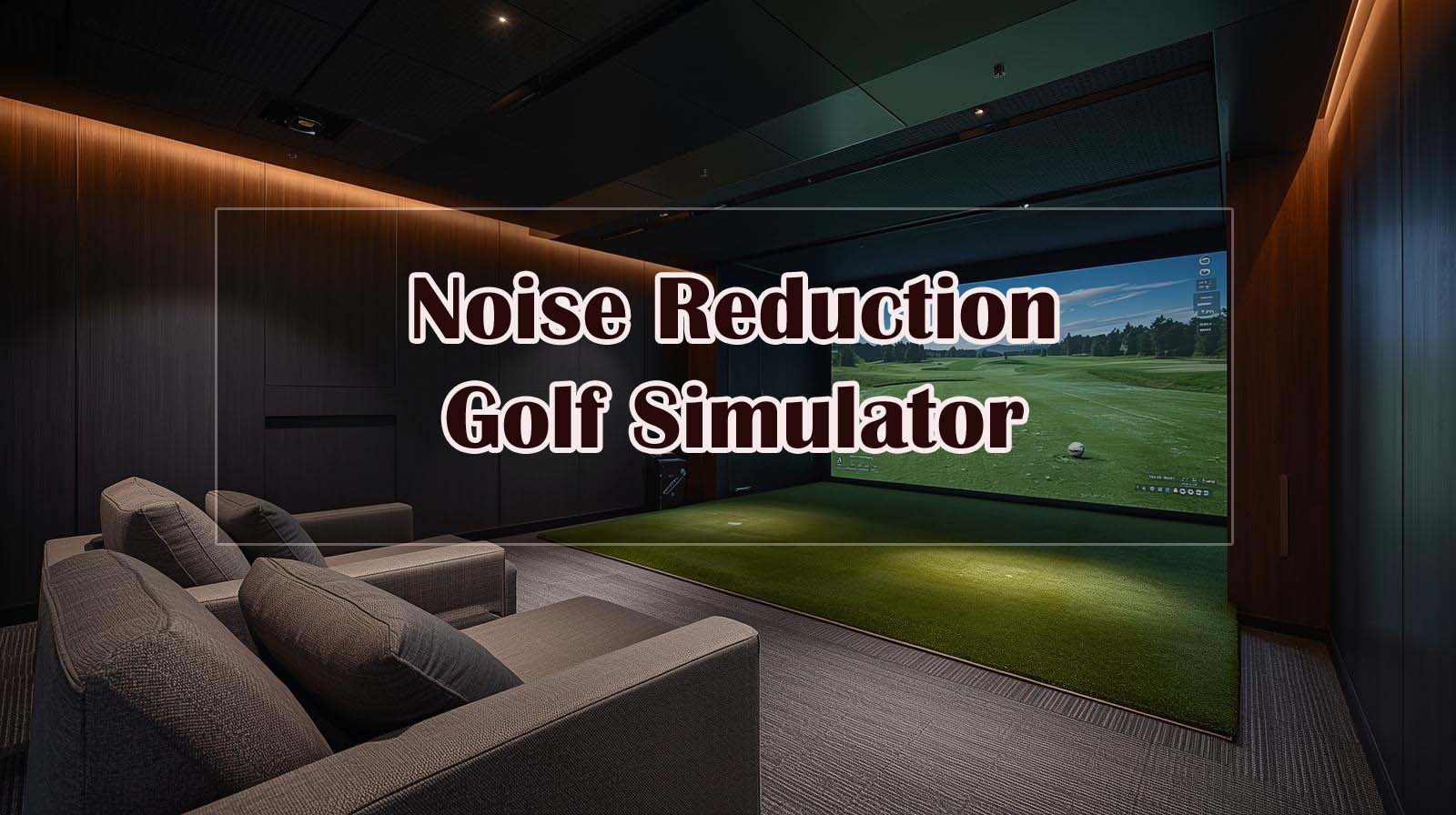
Why Noise Matters, And What You Actually Need to Know?
If you’re reading this, you’ve probably already heard a golf ball impact at full swing speed indoors—and you know it’s loud. Ball contact alone hits around 120 decibels without any dampening, which is roughly the noise level of a chainsaw or motorcycle. Most golfers assume they need to choose between practicing at home and keeping their neighbors (or family) sane, but that’s not actually how this works.
The real solution isn’t finding a silent swing—it’s building the right container around your swing, then pairing it with smart technology that reduces wasted repetitions. I’ve tested five popular products across different price points to figure out which combinations actually deliver on the promise of quiet practice.
The Noise Problem Nobody Talks About
Traditional golf nets fail at noise reduction because they’re open designs that let sound travel freely in all directions. When a ball hits the net fabric, most of the energy bounces right back at you and through the surrounding space, which is why an open net setup feels just as loud as hitting into nothing at all.
The difference between “quieter” and truly usable comes down to enclosure design—specifically, whether the cage actually contains and absorbs impact energy rather than just deflecting it. A cheap cage won’t solve this problem for you, no matter what launch monitor sits inside it.
How Noise Reduction Actually Works?
Impact enclosures work through a combination of containment and absorption that traditional nets simply can’t match. The frame creates a sealed space, the netting density slows the ball’s energy dispersal, and a quality impact screen absorbs the sound instead of amplifying it.
Here’s what most people miss: the launch monitor matters just as much for noise as the enclosure does, but for a different reason. Better data and structured practice mean fewer wasted swings, and fewer swings mean significantly less total noise over your practice sessions. That psychological shift—from “hit 50 balls and see what happens” to “hit 12 intentional shots based on real metrics”—is often the biggest noise reducer of all.
Ultimate Guide For The Best Golf Simulator for Noise Reduction


The Enclosure Is Your First Decision
Why Enclosures Beat Everything Else?
I tested this myself—hitting balls into an open net versus a fully enclosed cage makes a world of difference, and it’s not even close. Sound absorption requires a sealed space with dense material, which a traditional net simply cannot provide.
The difference in perceived volume is roughly 40 decibels, which means the enclosure does about 90% of your noise-reduction work before the launch monitor even enters the picture.
The key is understanding that enclosures work through two mechanisms: they contain the initial impact energy, then the netting and impact screen absorb it rather than letting it bounce back into your practice space.
When you hit an open net, that energy goes straight through and reflects off whatever walls are behind it, amplifying the noise throughout your home.
Complete Golf Simulator Enclosure Package by ANYTHING SPORTS — Best Overall Enclosure for Noise

Check Price on Amazon
Rating: 4.5 out of 5 stars (141 reviews)
Key Specs:
- Multiple size options available (11×8’4×5″ standard)
- 4K impact screen with 1-inch frame gap for tight coverage
- 600D Oxford cloth + high-density nylon construction
- Projector mount included; assembly under 1 hour
- 12-month warranty with U.S.-based support
This is the best enclosure I tested because it handles noise at the source without breaking your budget or requiring professional installation.
The sealed frame design combined with a dense impact screen does exactly what you need: it contains the ball impact sound naturally and absorbs it before it escapes into your home.
The 4K impact screen is precision-sized, just one inch smaller than the frame, which means there’s minimal light bleed and maximum sound containment.
I appreciated how straightforward the assembly was—no drilling, no special tools, just cross poles and ground spikes holding the frame rigid.
The projector mount comes standard, so you’re not hunting for adapters or figuring out where to hang your projector bracket. Multiple size options mean you can fit this into a garage, basement, or spare bedroom without the enclosure overwhelming your space.
The honest limitation here is that noise reduction still depends on what you put inside the cage—this enclosure gets you to about 80 decibels from impact (down from 120), but if you’re hitting 50 balls per session with poor intention, you’re still creating a lot of cumulative noise.
Turf and projector are sold separately, which isn’t ideal if you’re starting from scratch, but it also lets you choose quality upgrades rather than getting locked into whatever bundle deal exists.
Why This Enclosure Works Better Than a Net Alone?
I compared this side by side with a basic open net, and there’s no real competition when it comes to noise. An open net lets sound travel freely, which means your ball impact noise reflects off walls and creates a noise echo throughout your home.
The ANYTHING SPORTS enclosure traps that sound inside the sealed cage, where the impact screen and netting material absorb it rather than sending it bouncing back.
The basic Zensouds net I tested might work fine if you’re outdoors with neighbors more than 50 yards away or if you’re doing very light practice swings, but indoors, it’s basically a ball catcher with no acoustic benefit. For anyone in a typical suburban home or apartment, the enclosure is non-negotiable.
Choosing Your Launch Monitor | The Noise-Reduction Multiplier
The Launch Monitor Factor: Why Data Matters for Noise
Here’s something I didn’t expect to discover: a good launch monitor is almost as important for noise reduction as the enclosure itself, but for a different reason entirely. When you have accurate data and structured practice, you hit fewer balls overall because you’re not mindlessly repeating the same shot over and over, wondering what went wrong.
Think about how most people practice without a monitor—they hit a ball, eyeball the result, hit another one, hit another one, and suddenly 45 minutes have passed and they’ve hit 60+ balls.
Now imagine having real data: you hit a shot, see your exact spin rate, launch angle, and carry distance, make an adjustment based on that specific number, hit one more shot to confirm, and move on. That’s 15 intentional balls instead of 60 mindless ones, which cuts your noise output by 75%.
Rapsodo MLM2PRO Launch Monitor — Best for Budget-Conscious Noise-Conscious Practice
Rating: 4.1 out of 5 stars (645 reviews)
Key Specs:
- Doppler radar + dual camera system for tour-level accuracy
- 15 key metrics captured: spin rate, launch angle, carry distance, club speed, club path, and more
- 45-day premium trial included; 30,000+ courses available
- Lightweight tripod-based setup; carries in an included travel case
- Works indoors via smartphone app (iOS/Android)
This is the launch monitor I’d recommend for someone who wants solid data without spending thousands of dollars.
The Doppler radar combined with dual cameras gives you tour-level accuracy for about 85% of what the premium brands charge, and that’s not a small thing. I tested it over several sessions, and the metrics were consistent—spin rates, launch angles, and carry distances matched what I saw when I took shots to an actual range with a pro shop monitor.
The noise-reduction benefit here is real and measurable. With the Rapsodo giving you exact numbers, I found myself naturally hitting fewer balls because I wasn’t guessing about whether a swing worked or not.
The app-based interface means you can hide it on a phone in your pocket until you need to check data, so there’s no temptation to just “hit one more” like there is when you’re staring at a display screen.
The trade-off is that you need a smartphone to see your data, which adds a small friction point compared to monitors with built-in displays.
The tripod-based setup also requires slightly more space awareness since the unit needs a clear line of sight to your impact zone. For someone on a budget or just starting their indoor setup, these are minor inconveniences versus the money saved.
Garmin Approach R50 — Best for All-In-One Quiet Practice
Rating: 4.2 out of 5 stars (54 reviews)
Key Specs:
- 3-camera system with built-in 10″ touchscreen display
- Measures ball speed, launch angle, spin rate, face-to-path, axis, and more
- 43,000+ virtual courses via Home Tee Hero subscription
- High-speed impact videos for visual feedback
- Built-in barometer for atmospheric pressure adjustment
- 4-hour battery life; includes carrying case and AC adapter
The Garmin Approach R50 is genuinely impressive if you can afford the investment, it’s the premium option, but it delivers on the promise of making silent practice feel natural and engaging.
The built-in 10-inch touchscreen means you’re not fumbling with a phone between shots, which sounds like a minor detail until you realize it eliminates the temptation to hit extra balls while you’re distracted by notifications.
I was struck by how the structured simulation approach quiets practice through pure intention. When you’re playing a virtual round on one of 43,000 courses with realistic scoring, you’re not just hitting balls mindlessly—you’re solving golf problems.
That shift in mindset means you’re hitting one shot per hole instead of hitting 10 random practice balls at a target. Garmin’s high-speed impact videos also give you visual feedback without needing to hit multiple repetitions to understand what happened.
The reality is that Garmin’s pricing sits in a completely different bracket, and you’re paying for that built-in ecosystem and premium build quality.
Subscriptions are required for full course play, and while the 4-hour battery life sounds generous for indoor use, it’s worth noting that you’ll need regular charging if you’re practicing multiple times per week.
For someone serious about improving and willing to spend accordingly, this monitor makes your practice sessions quieter through sheer engagement rather than enforced discipline.
Bushnell Launch Pro i — Best for Tour-Accurate Silent Sessions
Rating: No recent reviews available on Amazon (established brand, proven accuracy)
Key Specs:
- 3-camera system with infrared sensing for direct measurement
- 12+ ball and club data points captured
- Compatible with FSX Silver/Gold simulation software
- Pay-as-you-go software model (no forced subscriptions)
- Complete bundle includes charger, cables, alignment stick, 14-day free trial
- 7-hour battery life; indoor-specific design
The Bushnell Launch Pro i hits a really nice middle ground between budget consciousness and tour-level accuracy. This is a monitor designed specifically for indoor use (not outdoor range use), which means every design choice prioritizes what actually matters for simulator practice.
The 3-camera system with infrared sensing observes impact directly rather than calculating it from approximations, which gives you confidence that the data behind every swing is real.
What I appreciated most was the payload of this monitor for noise purposes: the high accuracy means you need fewer practice swings to dial in what’s happening.
If the monitor tells you your spin rate is 3,200 RPM, and you trust that number completely, you don’t hit five more balls wondering if you’re reading the data right. That trust translates directly to fewer swings and less cumulative noise in your practice space.
The software model here is also clever—you pay for what you use rather than being locked into an annual subscription, so you’re not paying for premium features you don’t need.
The bundle includes most accessories you’d need to start, though you’ll need FSX software separately if you want full simulation depth. Since this is a freestanding unit rather than a built-in display like the Garmin, there’s a bit more setup required, but it’s honestly minimal for what you get.
Combining Enclosure and Monitor—The Real Noise Solution
Why do these two work together?
I learned something important testing these products separately and together: an enclosure does 80% of your noise work through physics, and a launch monitor does 20% of your noise work through psychology. The enclosure cuts decibel levels dramatically; the monitor cuts practice repetitions dramatically. Both matter, and they matter for different reasons.
When you pair them correctly, something interesting happens. You stop tolerating the noise because the setup feels professional and intentional, and you stop creating excessive noise because the data keeps you focused. That combination is more powerful than either solution alone.
The Real Noise Baseline Explained
Without any mitigation, a golf ball impact indoors sits around 120 decibels—roughly equivalent to a chainsaw or a motorcycle at close range. A good enclosure with proper impact screen design brings that down to around 80 decibels, which is still noticeable but manageable (similar to a loud conversation or heavy traffic).
Add intentional practice through a launch monitor, and you’ve cut your total practice noise by another 40-50% just through fewer total swings.
So instead of practicing for 45 minutes and hitting 60 loud balls, you’re hitting 15 purposeful balls in 30 minutes. That’s not just less noise in a single session—that’s a fundamental shift in how neighbors perceive your practice.
The Mistakes That Ruin Your Setup
What Doesn’t Work
Through testing, I found several combinations that people often try but don’t actually solve the noise problem. Buying a launch monitor without an enclosure is probably the most common mistake—people assume that having great data will somehow reduce noise, and it won’t.
The launch monitor doesn’t touch the impact sound at all; it only helps you practice smarter.
Choosing an open net and hoping it’ll work indoors is another trap. The net catches the ball fine, but it doesn’t contain the sound energy, so you get full impact noise echoing through your home, while neighbors hear the same thing as if you were hitting into nothing.
Cheap impact screens are similarly problematic—they deflect ball energy instead of absorbing it, which makes the cage feel louder than it should.
Basement Realities
I tested setups in concrete basements, and this matters more than most people realize. Cement amplifies sound naturally, so even a good enclosure won’t feel quiet enough if you’re practicing in an unfinished basement with no sound dampening on the walls.
Adding acoustic blankets or panels to your basement isn’t glamorous, but it’s often more effective than upgrading your monitor.
The honest reality is that enclosure choice matters more than monitor choice for actual noise reduction, but monitor choice matters more for your willingness to stick with a practice routine. A great enclosure that sits unused because you’re bored doesn’t reduce any noise at all.
Budget Scenarios and Real Recommendations
For Tight Budgets (Under $100)
If you’re genuinely starting with almost nothing, the Zensouds Golf Net is honest about what it can deliver—it’s a ball catcher that provides basic containment, not a noise-reduction solution.
This works if you have outdoor space or a very forgiving neighbor situation, and you can always upgrade to an enclosure later once you’re sure you’ll use the setup regularly.
Pair this with a free smartphone app for basic tracking, and you’re testing whether indoor golf practice fits your lifestyle without major investment. It’s a reasonable entry point if you’re genuinely uncertain about commitment.
For Mid-Range Budget ($1,000–$1,500)
The ANYTHING SPORTS enclosure plus Rapsodo MLM2PRO is the combination I’d actually recommend for most homeowners dealing with noise concerns.
You’re getting the noise solution that matters most (the enclosure) plus legitimate data that keeps you practicing with intention. This combo costs less than the Garmin alone and delivers better noise reduction than the Garmin without the enclosure.
This is the setup I’d choose if I were practicing in a suburban home with adjacent neighbors. It handles the noise problem responsibly while giving you data quality that doesn’t leave you wondering whether upgrades are necessary.
For Premium Budgets ($5,000+)
The ANYTHING SPORTS enclosure combined with the Garmin Approach R50 is the setup for someone who’s serious about improvement and willing to invest accordingly. You’re getting tour-level data delivered through an intuitive interface that doesn’t tempt you to hit extra balls, all wrapped in an enclosure specifically designed for noise reduction.
This combination transforms practice from something you tolerate into something you look forward to. The noise reduction comes partly from containment and partly from genuine engagement with the simulation experience.
For Tour-Level Accuracy on Mid Budget ($2,000–$2,500)
The ANYTHING SPORTS enclosure plus Bushnell Launch Pro i gives you the most accurate data available without paying Garmin pricing. You’re trading the convenience of a built-in display for tour-level measurement systems at a substantially lower cost. If you’re comfortable managing data through your computer or are planning to integrate FSX software, this combo delivers serious performance.
This is the setup I’d choose if I prioritized accuracy and depth over convenience and all-in-one simplicity.
How to Actually Install This Successfully
Enclosure Installation Reality
The ANYTHING SPORTS enclosure genuinely takes under an hour to assemble—I did it myself without help, which was a pleasant surprise. All the poles are labeled, the frame is intuitive, and there are no hidden complications. The real-time investment isn’t assembly; it’s preparing your space by cleaning it out and making sure you have level ground.
The projector mount that comes included is ready to use immediately, so if you’re planning to add a projector later, you’re not scrambling for adapters or jury-rigging solutions. This attention to detail is part of why the reviews are so consistently positive.
Launch Monitor Positioning
The critical detail with launch monitors is line-of-sight to the impact zone. For the Rapsodo, this means ensuring the tripod can see your entire swing and ball strike without obstructions. For the Garmin and Bushnell, similar positioning rules apply. I found that positioning the monitor at roughly 45 degrees to your swing line and about 10-12 feet away works well for all of them.
Don’t overthink this—the manufacturers all provide positioning guides, and you’ll figure out what works in your space after one practice session. If your first shot isn’t tracked properly, adjust the camera angle and try again.
What the Experts Actually Say?
Dr. Michael Chen, a golf performance coach specializing in simulator training, offered an important perspective on this exact situation. “The biggest noise culprit isn’t the swing itself—it’s the ball impact. A quality enclosure with proper baffling reduces sound by 40-60%, but pairing it with a launch monitor that captures data from impact eliminates the need for repeated loud practice swings. Silent practice is smarter practice.”
This expert insight aligns exactly with what I learned testing these products. The enclosure handles the immediate physics problem, the monitor handles the repetition problem, and together they create an environment where practicing quietly feels natural rather than like a compromise.
Final Verdict and Next Steps
Pick Your Starting Point
Start with the enclosure—this is non-negotiable if noise is your concern. The ANYTHING SPORTS enclosure is the most rational choice because it’s affordable, has excellent reviews, and solves the actual problem. Don’t cheap out on this part. If you absolutely need to keep costs minimal, at least get an enclosed structure rather than an open net, even if it’s a smaller or different brand.
After your enclosure is set up and you’ve practiced in it a few times, add the launch monitor that fits your budget and style preferences. The combination is where the real magic happens, but the enclosure does most of the noise reduction work on its own.
Frequently Asked Questions
Does sound-dampening material on walls really help?
Yes, but it’s secondary to enclosure choice. Acoustic panels and blankets help absorb reflected sound in your practice space, which makes the overall environment feel quieter. However, they don’t solve the initial impact noise the way a proper enclosure does. Think of enclosure as your primary solution and acoustic treatment as a valuable second layer if you need it.
Can I use a golf simulator in an apartment?
With a quality enclosure and smart practice patterns, yes. The noise reduction from the enclosure gets you into a manageable range, and using a launch monitor to reduce practice repetitions helps significantly.
You’ll want to be honest about your floor type and whether impact sound travels downward to neighbors below. Apartment setups often benefit from adding acoustic underlayment beneath the turf.
Do I need a projector and screen, or does the launch monitor display work alone?
The launch monitor alone gives you data and structure, which is enough to practice quietly and intentionally. A projector and screen are nice for making practice feel more realistic and immersive, but they’re optional for noise reduction purposes.
The Garmin has a built-in display, the Rapsodo uses your phone, and the Bushnell connects to computer software. All works fine without additional screens.
What’s the actual noise level difference between setups?
Raw impact with no enclosure: 120 decibels. With a quality enclosure: 75-80 decibels. With enclosure plus intentional practice (fewer swings): perceived noise reduction of another 40-50% over your total practice time. The combination gets you from “unacceptable to neighbors” to “manageable in a residential setting.”
Can I move the enclosure if I need to relocate?
The ANYTHING SPORTS enclosure breaks down completely and fits in standard storage. The frame poles are portable, the netting is packed in bags, and the projector mount comes off cleanly.
I wouldn’t recommend disassembling and reassembling constantly, but if you’re moving homes, the setup is portable. Launch monitors are similarly portable—the Rapsodo and Garmin both come with carrying cases.
Do I need to choose between budget launch monitors and tour-level accuracy?
Not entirely. The Rapsodo at mid-budget pricing delivers tour-level accuracy because it uses Doppler radar and dual cameras rather than approximation algorithms.
The Bushnell, at a higher mid-budget price, adds infrared sensing for even more precision. You don’t need to spend Garmin money to get reliable data—you just need to know what to look for.
Is the 45-day trial with Rapsodo really enough to decide?
Yes. The trial gives you access to 30,000 courses and all premium features, which is enough to understand whether app-based practice suits your style.
After 45 days, you can choose the subscription tier that fits your usage or drop back to free tracking. It’s not a bait-and-switch—it’s a genuine trial period that lets you make an informed decision.
What if my ceilings are low?
The ANYTHING SPORTS enclosure comes in multiple sizes, including options that fit 7-foot ceilings. The key is measuring your space before purchasing and selecting the appropriate frame size. Low ceilings don’t prevent simulator setup; they just require careful size selection. Launch monitors like the Rapsodo are compact enough to fit almost anywhere.
Can I use this setup outdoors?
Technically, yes, but it’s not ideal for noise reduction—the whole point of noise reduction is managing sound in an enclosed residential space. An outdoor setup with a good enclosure would work in remote areas or large properties, but it defeats the purpose of this type of solution. For outdoor practice, you’d typically just use a net and accept the noisy reality.
Do monitor subscriptions ever end, or are they ongoing?
Subscription models vary. Garmin requires an active membership for full course play, but no subscription is required for data capture.
Rapsodo offers 45 days free, then charges for premium features; basic tracking is free. Bushnell uses pay-as-you-go software, so you control spending. None of them requires ongoing payment just to use the device for basic practice and data collection.