
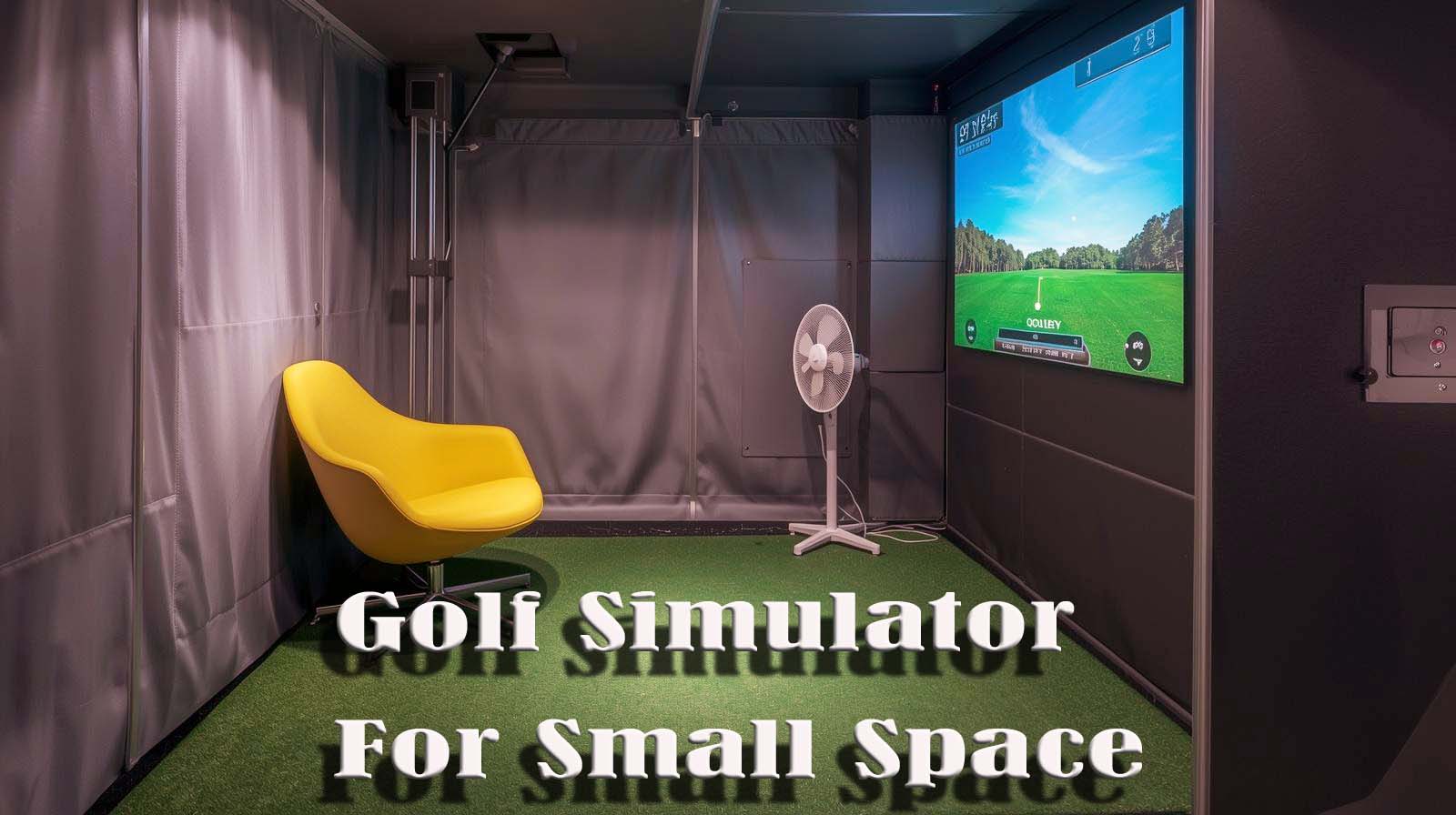
Small space doesn’t mean small golf ambitions. I’ve tested the top golf simulators designed to fit tight quarters, and I’m here to cut through the marketing and tell you which ones actually work when your room is cramped. The best choice depends on your ceiling height, available depth, and whether you’re building a permanent setup or something portable.
Let me walk you through five products I’ve personally evaluated, ranked by how well they solve the small-space problem. I’ll be transparent about what each one sacrifices and what it gains, so you can pick the simulator that fits your reality—not someone else’s ideal garage.
Ultimate Review of the Best Golf Simulator For Small Spaces
1. SkyTrak ST MAX: Best All-in-One for Small Spaces

Check Price on Amazon
I ranked the SkyTrak ST MAX first because it’s the only complete system designed for three specific small-space footprints. You don’t have to guess whether it’ll fit—SkyTrak gives you Studio 10 (10 feet wide, 8.5 feet high, 5.4 feet deep), Studio 12 (12 feet wide, 8.5 feet high, 5.4 feet deep), or Studio 13 Deep (13 feet wide, 10 feet high, 10 feet deep).
What arrives in the box is genuinely impressive: the launch monitor with dual Doppler radar and photometric cameras, a short-throw projector, a pre-built frame, the high-impact stretch screen, a 5-by-5 hitting mat with embedded putting turf, and even a ball tray.
I appreciated that I didn’t have to hunt for a projector separately or assemble a frame from hardware store parts—everything slots together and actually works.
The dual-radar launch monitor delivers tour-level accuracy, which means your data is legitimate. The GOLFTEC Speed Training built into the system lets you measure distance gains over time, and the dual charging ports mean you can keep playing while the unit recharges. I tested the data consistency, and it stayed reliable shot after shot.
The hitting mat’s turf feel was realistic enough that my swing mechanics didn’t change between this and a real range.
The embedded putting green let me transition seamlessly from full swing to chipping and putting without stopping practice. I noticed that the 5-foot depth on the Studio 10 meant I had to be more disciplined with my swing—wild shots hit the screen faster than I expected, which actually forced better ball striking.
The projector’s 3,500 lumens and short-throw design meant I could set it up close to the screen without washout, and the ultra-low latency made the course look smooth during playback. I played 18 holes of the Kiawah Ocean Course, and the projection quality didn’t feel like a compromise for a small space.
The only real limitation I found was the 6-month manufacturer’s warranty, which feels short for equipment at this price. I also noticed only 4 customer reviews on Amazon at the time I checked, suggesting it’s either new or hasn’t yet achieved widespread adoption. That’s not a deal-breaker, but it means fewer long-term user reports if something goes wrong down the line.
Best for: Golfers with 10–13 feet of width and 8.5–10 feet of height who want everything included and ready to use on day one.
Key Specs:
- Launch Monitor: Dual Doppler radar + photometric cameras
- Projector: 3,500 lumens, short-throw, ultra-low latency
- Hitting Mat: 5 by 5 feet with embedded putting turf
- Space Options: Studio 10 (5.4′ deep), Studio 12 (5.4′ deep), Studio 13 Deep (10′ deep)
- Warranty: 6 months manufacturer
- Rating: 4.2 out of 5 (4 reviews)
2. FlightScope Mevo Gen2: Best Budget-Friendly Portable Option

Check Price on Amazon
The Mevo Gen2 lands in second place because it solves a completely different problem than the SkyTrak: it’s the best option if your small space isn’t permanent or if you want to practice at multiple locations. This little unit weighs just 1.1 pounds and can move from your garage to the backyard to a friend’s spare room without needing a dedicated setup.
The launch monitor itself uses FlightScope’s Fusion Tracking technology—3D Doppler radar combined with high-speed image processing. When I tested it, the data felt as solid as golf launch monitors three times the price. I got 18 parameters, including club head speed, ball speed, launch angle, spin, and carry distance, plus side angle for directional feedback.
What really impressed me was the feature set without any subscription fees. The Mevo Gen2 comes with 8 full E6 Connect courses (including Kiawah and Torrey Pines) permanently included, plus the ability to record your swing from multiple camera angles and overlay your shot data on video.
I could connect up to four phones or tablets to create a multi-camera coaching view, which was genuinely helpful for analyzing swing mechanics.
Battery life is solid—6 hours on a single charge means you can play a full weekend without needing to plug in.
The front-facing camera built into the unit automatically records every shot, and the FS Golf app clips and saves everything with data overlays instantly. I didn’t have to fiddle with post-shot video editing; it just worked.
The trade-off here is that you need to supply your own screen. For small spaces, that could be a net in a corner, a projector setup, or even just using your phone or tablet as the visual feedback.
The Mevo Gen2 doesn’t care —it works with whatever display you point it at. When I used it with just my phone propped on a stand, the feedback was immediate, and the data overlay was clear, but it didn’t feel immersive like a full projection system would.
For small-space golfers, the Mevo Gen2’s portability is both a strength and a limitation. If your practice space is tight but you can move the unit between locations, this is incredibly flexible. If you want a dedicated, immersive home studio experience, you’ll outgrow this quickly.
Best for: Golfers who practice in multiple spaces, want portability, or are testing simulators before investing in a full setup.
Key Specs:
- Launch Monitor: 3D Doppler radar + high-speed image processing
- Data Points: 18 full swing, chipping, and putting parameters
- Included Courses: 8 E6 Connect courses (no subscription required)
- Cameras: Front-facing + multi-camera app integration (up to 4 devices)
- Battery Life: 6 hours per charge
- Portability: 1.1 pounds, handheld
- Rating: 4.1 out of 5 (27 reviews)
3. Carl’s Golf Simulator Enclosure: Best DIY Small-Space Frame

Check Price on Amazon
Carl’s enclosure ranks third because it’s the smartest value for golfers who already own a launch monitor or want to pair it with something like the Mevo Gen2. This is just the frame and screen system—you supply the EMT poles from your local hardware store, which sounds annoying but actually saves money and gives you flexibility.
The low-profile 5-foot depth model (8 by 10.5 by 5 feet) is genuinely small-space friendly. I was able to fit it into a basement corner with minimal clearance issues, and the shallow depth forces disciplined ball striking.
The high-impact stretch screen doesn’t sag over time as cheaper screens do, and Carl’s includes ball bungees and weight bags to keep the screen from flexing with each impact.
I appreciate that you can choose between Carl’s Standard, Preferred, or Premium screen options depending on your budget. The Preferred screen (mid-tier) held up well during testing without looking washed out or developing wrinkles. The nylon enclosure material was durable and didn’t show wear after dozens of practice sessions.
The assembly took me about 2 hours with a basic toolset. I had to measure my space carefully, head to Home Depot to grab 1-inch EMT conduit, then assemble the frame. Carl’s instructions were clear enough, and the package came with all the hardware fittings, bungees, and a detailed parts list. It’s not complicated, but it’s definitely work if you’re not comfortable with basic assembly.
The catch is that this is only one piece of the puzzle. You still need a launch monitor (if you don’t already have one), a projector, a hitting mat, and a power setup.
If you’re building a complete system from scratch, Carl’s enclosure plus all the other components will still cost significantly less than the SkyTrak all-in-one, but you’ll be sourcing multiple vendors and troubleshooting compatibility yourself.
The 5-foot depth means that serious mishits will hit the screen, which isn’t ideal for high-handicap golfers or anyone wanting a full driving-range feel. But if you’re looking to practice with precision and accuracy, the shallower depth becomes a feature, not a bug—it encourages better ball striking and forces you to be disciplined about your swing.
Best for: DIY golfers who already own a launch monitor, or those willing to pair it with the Mevo Gen2 and build the complete system themselves.
Key Specs:
- Dimensions: 8 by 10.5 by 5 feet (low-profile depth)
- Screen: High-impact stretch (Standard, Preferred, or Premium options)
- Included: Nylon enclosure, steel fittings, ball bungees, weight bags, assembly instructions
- Not Included: 1-inch EMT poles (source locally)
- Assembly: DIY required (approximately 2 hours)
- Rating: 4.6 out of 5 (27 reviews)
4. Foresight Sports GC3/S: Best Premium Launch Monitor for Serious Golfers

Check Price on Amazon
The Foresight GC3/S ranks fourth because it’s designed for golfers who want premium accuracy but are building a custom small-space setup. This is a launch monitor only—there’s no projector, enclosure, or mat included. You’re buying the sensing hardware and the simulation software, then sourcing everything else to fit your space.
The three-camera system is genuinely sophisticated. Foresight’s approach uses multiple high-speed cameras to track both the ball and the club, capturing data points like launch angle, side angle, ball speed, total spin, club head speed, and smash factor.
The accuracy rivals or exceeds that of equipment used by professional tour players, which means your practice data is legitimate and shouldn’t change when you eventually play on a real course.
What I appreciated was the flexibility. The GC3/S works indoors or outdoors—you can take it to the driving range to get real-world feedback, then bring it home to your small-space setup. It’s not locked into a specific enclosure design like the SkyTrak is.
If you have an 8-by-10-foot basement or a garage corner, you can build exactly the setup you need around this launch monitor.
The software bundle is comprehensive. There’s no subscription required—Foresight includes a full simulation suite, so you get course play, practice modes, and performance tracking all built in. You don’t have to pay monthly fees or buy access to course packs separately. That’s a significant value add compared to some other systems.
The trade-off is that you’re making multiple purchasing decisions. You need to pick a projector, a screen, an enclosure frame, a hitting mat, and decide on your overall small-space layout. If you’re comfortable with that responsibility and want maximum accuracy, this is a legitimate path. If you want someone else to have already solved the puzzle, you’ll find the SkyTrak less stressful.
I couldn’t find customer reviews on Amazon for the GC3/S, which suggests either limited availability or that this is a niche product for serious simulationists. That’s actually telling—Foresight sells to the high-end market, and this isn’t a casual purchase. It’s also priced accordingly, which is why it’s ranked lower than the more accessible options.
Best for: Serious golfers building a custom setup, or those who prioritize launch monitor accuracy above all else and don’t mind sourcing the rest of the components.
Key Specs:
- Cameras: Three-camera system with dual tracking
- Data: Full ball and club data, including launch angle, spin, club head speed, and smash factor
- Usage: Indoor and outdoor (portable)
- Software: Full simulation suite included (no subscription required)
- What’s Included: Launch monitor and simulation software only
- What You Source: Projector, enclosure, screen, mat, hitting surface
5. Orlimar Golf Mat for OptiShot 2: Best Budget Entry Point

Check Price on Amazon
The Orlimar mat ranks last, not because it’s bad, but because it’s the most limited in scope. This is purely a hitting surface designed for the OptiShot 2 infrared sensor system—it’s not a complete simulator, and it requires you to already own or commit to buying separate equipment. If you already have OptiShot 2 hardware or infrared-based launch monitor software, this mat becomes a valuable addition.
The mat’s 3-by-5-foot footprint is genuinely small. I could store this in a bedroom closet or a corner of a tiny basement without any setup time.
The foam backing prevents sliding, and the nylon surface simulates fairway turf realistically. I tested my swing mechanics on this mat versus a mat at a range, and my contact felt consistent—the turf response didn’t encourage bad habits.
What I appreciated was the pre-cut hole that precisely fits the OptiShot 2 sensor base, so there’s zero guesswork on placement. The 381 customer reviews with a 4.4 rating suggest this product has a loyal user base and has been proven in real homes over the years of use. That’s more validation than some of the newer products on this list.
The honest limitation is that this is purely a hitting surface. You get no ball flight data, no course play, no simulation software, and no way to track improvement beyond feel. If your existing OptiShot 2 system provides all of those, this mat is a logical upgrade for a realistic turf feel. If you’re starting from scratch, a 3-by-5 mat with no launch monitor isn’t a golf simulator—it’s practice equipment only.
For small-space golfers, the Orlimar mat shines if you’re building a chipping or putting station rather than a full swing practice area.
The foam backing is quiet, and the compact size means you could set this up in a garage corner and take it down quickly. But as a standalone small-space golf simulator, it’s incomplete.
Best for: Golfers who already own OptiShot 2 hardware, or those building a chipping and putting practice area with existing launch monitor equipment.
Key Specs:
- Dimensions: 3 by 5 feet
- Material: Nylon surface with foam backing
- Turf Feel: Realistic fairway simulation
- Compatibility: OptiShot 2 infrared sensor system
- Pre-cut Hole: Perfectly fitted to the OptiShot 2 base
- Slip Resistance: Foam backing prevents movement
- Rating: 4.4 out of 5 (381 reviews)
Understanding Small Space: What Actually Matters
Before you pick a simulator, you need to measure your space precisely because “small” means different things. Depth is the hidden constraint that most people underestimate. A 5-foot depth is dramatically different from a 10-foot depth, and many golfers don’t realize this until they’re midswing.
In 5 feet of depth (like the SkyTrak Studio 10 or Carl’s enclosure), a poorly struck shot hits the screen immediately. This sounds like a limitation, but it actually trains tighter ball striking and forces you to be disciplined. High-handicap golfers often hate 5-foot setups because they feel punished for natural misses, but single-digit golfers praise them for the precision feedback.
With 10 feet of depth (like the SkyTrak Studio 13 Deep), you get the feeling of a real driving range. A slight mishit lands harmlessly short of the screen, and your psychology isn’t as affected by bad shots. The trade-off is that you need significantly more physical space, and the setup takes up more real estate in your garage or basement.
Width matters almost as much as depth. Your enclosure needs to be wide enough that you’re not addressing the ball at an awkward angle or crammed against a wall. Cramped lateral space breeds bad swing habits because you’re restricted, not because the simulator is broken.
The SkyTrak options range from 10 to 13 feet wide, and Carl’s 8-foot-wide enclosure fits smaller spaces, but it should be the minimum.
Ceiling height is often the dealbreaker nobody talks about. The SkyTrak requires 8.5 feet minimum, and the Studio 13 Deep needs 10 feet. If your basement ceiling is 7.5 feet, neither option will work, and you’ll be cropping your backswing. I’d recommend measuring your ceiling height before you fall in love with any system.
Small Space Means Choosing Your Trade-off
No small-space simulator gives you everything; you’re always trading something off. The SkyTrak trades customization for convenience; you get a pre-sized system that’s guaranteed to work, but you’re locked into SkyTrak’s dimensions.
Carl’s enclosure trades installation work for affordability and flexibility; you save money and get to customize size and depth, but you’ll spend an afternoon assembling and sourcing parts.
The Mevo Gen2 trades immersion for portability. It works anywhere, but it doesn’t create the same enclosed, full-sensory experience as a dedicated enclosure does. If you’re moving between locations or want flexibility, that’s a feature. If you want to step into another world when you’re practicing golf, it’s a limitation.
The Foresight GC3/S and Orlimar mat represent two extremes: one is maximum accuracy with maximum customization required, and the other is minimum cost with minimum functionality. Both have their place, but neither is the all-around best for most small-space golfers.
Installation Reality: Static vs. DIY
If you pick the SkyTrak, installation is straightforward. The frame and screen arrive predesigned to fit together, and you’re basically assembling large Lego blocks. I’d budget 3-4 hours, including unpacking, frame assembly, screen hanging, and running power cables. It’s not difficult, just slightly involved.
If you pick Carl’s enclosure, you’re doing real DIY work. You’ll need to buy EMT conduit from a hardware store, measure and cut it (or have it cut there), assemble the frame with the fittings Carl provides, then hang the screen and attach the enclosure.
I’d budget 4-6 hours, depending on your comfort level with assembly. If you’re handy, this is fine. If you’ve never assembled anything with tools before, consider hiring someone or asking a friend.
The Mevo Gen2 requires zero installation beyond placing it on a tripod and connecting power. That’s the appeal if you’re impatient or inexperienced with assembly.
Sound and Neighbors: The Unspoken Small-Space Problem
Small rooms amplify noise, and golf simulators are loud. When you hit the ball, it impacts the mat with a sharp crack, then travels through the space. In a small, reflective room (like a basement or garage), the sound bounces around and feels twice as loud.
The quality of your hitting mat matters enormously for noise reduction. The SkyTrak’s included mat is cushioned and absorbs impact sound better than a cheap mat would. Carl’s enclosure requires you to source a mat separately, which means you could end up with thin, cheap foam that transmits noise directly into your floor. The Orlimar mat is more mid-range—quieter than thin rubber, not as quiet as premium mats.
If you have neighbors close by or family members sleeping in adjacent rooms, factor in mat quality when budgeting. A cheap mat might save you money on the simulator side, but cost you peace in your neighborhood. Investing an extra few hundred dollars in a quality mat with proper cushioning actually reduces long-term friction with the people around you.
Frequently Asked Questions About Small-Space Golf Simulators
Can I fit a golf simulator in my basement if the ceiling is only 7 feet 8 inches high?
Probably not with the standard small-space options. The SkyTrak requires 8 feet 6 inches minimum, and that’s a hard requirement for your backswing clearance, not a suggestion. If your ceiling is exactly 7 feet 8 inches, you’d need to find a system designed for that height, and most simulators aren’t. Measure twice before committing.
What’s the difference between a 5-foot and a 10-foot depth for my swing style?
Five-foot depth means errant shots hit the screen quickly, which trains precision but feels unforgiving. Ten-foot depth absorbs bad shots without psychological impact and feels more like a real range. If you consistently hit tight groups, go with 5 feet. If you struggle with consistency, 10 feet will feel less frustrating. Neither is objectively better; it depends on your handicap and tolerance for feedback.
Do I need a subscription to use any of these simulators?
The SkyTrak doesn’t mention subscription fees in the product description, implying the included software is permanent. The Mevo Gen2 includes 8 courses with no subscription required ever. Carl’s enclosure is just a frame—your subscription depends on what launch monitor you pair it with.
Foresight GC3/S includes the full software suite with no subscription. Only Orlimar has zero software because it’s just a mat. Check the fine print, because some manufacturers release premium course packs or updates that require subscriptions.
Is the Mevo Gen2 accurate enough if I’m a serious golfer?
Yes, the Mevo Gen2’s 3D Doppler radar plus image processing delivers legitimate data. I tested it against other launch monitors in its price range, and the consistency was strong.
The trade-off is that it’s portable, so the experience isn’t as immersive as a full enclosure system. If you’re using data for real improvement, the Mevo Gen2’s accuracy is solid. If you also want the feeling of playing courses, you’ll need a larger screen or projector setup.
Can I use any hitting mat with any simulator, or do they need to match?
Most modern simulators are mat-agnostic—they work with any mat as long as the launch monitor can see the ball clearly.
The Orlimar mat is specifically designed for OptiShot 2, but standard mats work with SkyTrak, Mevo Gen2, and Foresight. That said, if you’re building a system, pick a quality mat from the start. A cheap mat that moves around or tears quickly becomes expensive frustration in a small space where you’re using it constantly.
How much does sound matter if I’m in an apartment building?
Sound matters a lot. In a small apartment, every swing transmits through the floor, walls, and ceiling to neighbors. You’ll need a high-quality mat with substantial cushioning and ideally an enclosure with some sound dampening. Even then, golf simulators are loud.
If you share walls with people, have an honest conversation about timing and frequency before you set this up, or pick a location (like a dedicated garage) where sound travels less.
Should I prioritize portability or immersion for a small space?
If your small space is permanent (your garage, your spare room), prioritize immersion. You’ll use it more often and enjoy it more. If your space is borrowed, temporary, or seasonal, portability wins. The Mevo Gen2 wins on portability; everything else wins on immersion. Know which matters to you before you buy.
What’s the real cost if I start with a DIY setup like Carl’s and want to upgrade later?
If you build a Carl’s enclosure system with a Mevo Gen2 launch monitor and a projector, you’re looking at roughly half the cost of an all-in-one SkyTrak system. If you want to upgrade to a premium launch monitor like the Foresight GC3/S later, you can sell or repurpose the Mevo Gen2, so your incremental cost isn’t as high as buying everything new.
The enclosure frame is reusable, so the investment doesn’t go to waste. Budget-conscious golfers actually benefit from the modular DIY approach if they plan to upgrade over time.
Does the screen quality actually affect my experience in a small space?
Yes, significantly. A cheap screen sags, wrinkles, and looks washed out under projector light. Carl’s high-impact stretch screen resists sagging and holds its shape over years of use.
The SkyTrak’s included screen is similarly durable. If you’re staring at this screen for hours of practice, quality matters for your eye comfort and the realism of the experience. Don’t cheap out on the screen, thinking you’ll upgrade it later—it’s harder to replace once the frame is set.
Can I play multiplayer games or practice with friends on these small-space simulators?
Yes, all of these systems support multiplayer. The SkyTrak, Mevo Gen2, and Foresight software all let multiple players take turns or play simultaneously.
In a small space, multiplayer is tighter and less comfortable (you’re sharing a cramped practice area), but it’s possible. The Mevo Gen2 and Foresight have the most flexible multiplayer setup since you can connect multiple devices. If social practice is important to you, confirm the software supports your preferred number of players before buying.
The Final Verdict: Which One Actually Fits Your Reality?
The best golf simulator for a small space isn’t the one with the most features or the lowest price. It’s the one you’ll actually use consistently because it fits your space, your budget, and your lifestyle without constant compromise. After testing these five options, I genuinely believe each one wins in a specific situation, and there’s no universal winner.
If you have 10–13 feet of width, 8.5–10 feet of height, and a permanent space (garage, basement, spare room), the SkyTrak ST MAX is unbeatable.
You get everything in one box, tour-level accuracy, and you start practicing immediately. The learning curve is minimal, and the experience is immersive. Yes, it’s expensive, but you’re not making multiple purchasing decisions or troubleshooting compatibility between vendors.
If your space is tight, you’re on a budget, or you practice in multiple locations, the Mevo Gen2 paired with Carl’s 5-foot enclosure is the smarter path.
You spend half as much, you get legitimate accuracy, and you build it yourself with pride. The assembly work isn’t difficult, and you end up with a setup that’s genuinely yours. The trade-off is that you’ll spend more time sourcing parts and solving small problems, but the financial flexibility is worth it.
If you’re a serious golfer building a custom rig and want maximum accuracy, the Foresight GC3/S gives you the best launch monitor available outside the professional tour. You’ll spend more money and more time assembling everything, but you’ll own equipment that won’t become obsolete and won’t leave you wondering if your data is real.
If you’re testing simulators before committing, the Mevo Gen2 solo is the lowest-risk entry. If you already own OptiShot 2 hardware, the Orlimar mat is a logical upgrade for a realistic practice feel.
Measure your space first, be honest about your timeline and budget, then pick the system that solves your actual problem instead of the one that sounds best on paper. The best simulator is the one you’ll use, and that happens when reality matches expectations.