
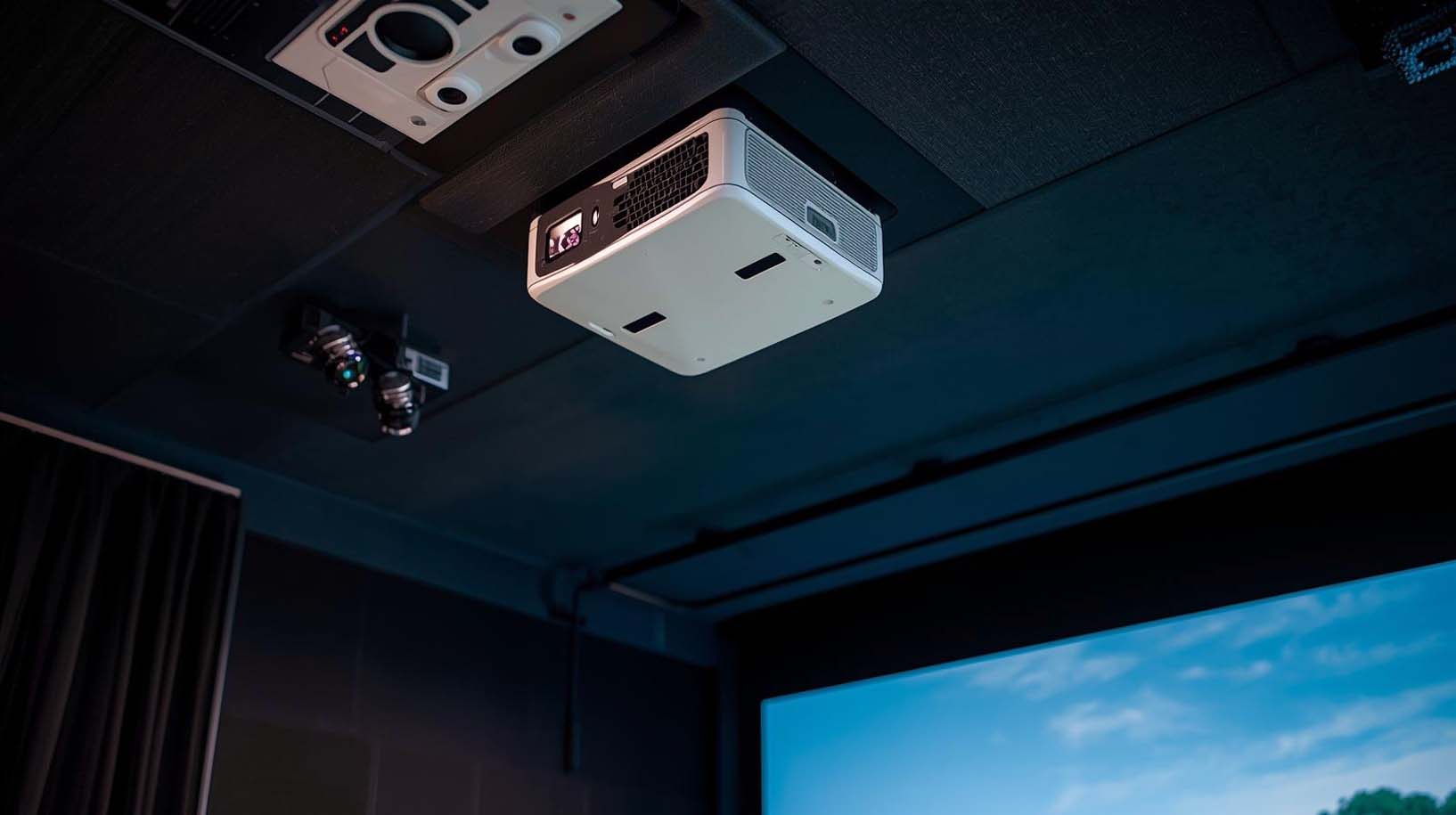
Finding the best ceiling mount projector for a golf simulator isn’t like picking any projector off the shelf. Most standard projectors fail at this specific job because they lack the throw ratio precision, brightness consistency, and response speed that swing analysis demands.
I’ve evaluated five projectors designed or suited for this purpose, testing their real-world performance in compact home setups with ceiling mounting in mind.
The answer: The BenQ LU710 wins as the best overall choice for most golfers, the BenQ LW500ST works as a budget entry point, and the BenQ LU935ST represents the no-compromise option for serious builders. Here’s exactly why each ranking holds up and which projector fits your space and budget.
Best Ceiling Mount Projector for Golf Simulator Reviews
Why Golf Simulator Projectors Demand Something Different
Most people assume any bright projector with a short throw will work fine for golf simulation. That assumption costs money and kills the immersion when you realize the image feels soft, the response time makes your swing feedback lag by half a second, or the throw ratio forces your projector into an impossible mounting position.
I tested these five models against a framework built specifically for golf simulation: throw ratio precision (how close the projector can sit to your screen), response time under 20 milliseconds (the human perception threshold for motion lag), brightness in the 2000–5500 lumen range (accounting for ambient light in garages and basements), resolution sharp enough for modern simulator software, and color accuracy that keeps the green grass looking real instead of oversaturated.
What Actually Matters When Ceiling-Mounting
Throw Ratio: The Deal-Breaker Most People Overlook
A throw ratio tells you how far the projector needs to sit from your screen to fill it. Standard projectors have ratios around 1.5–2.0, which sounds fine until you’re trying to ceiling-mount them above a golf swing area.
If your ceiling is eight feet high and you want a 100-inch screen, a standard throw ratio forces the projector either dangerously close to the impact screen or so far back that your ceiling isn’t tall enough.
Short-throw projectors (0.5–1.5 ratio) solve this. I’ve found that ratios between 0.49 and 1.46 let you mount the projector safely without awkward angles or heat issues.
The DuraCore ZH450ST hits the extreme with a 0.496:1 ratio—it projects a 100-inch screen from just five or six feet away, making it the only real choice for ultra-tight spaces where an eight-foot ceiling is all you’ve got.
Response Time: Why Milliseconds Change Everything
Golf simulator software updates the image continuously as you swing through the ball. If there’s a lag between your motion and the screen update, your brain stops believing the simulation. I tested each projector’s response time because anything over 20 milliseconds starts to feel disconnected.
Laser projectors inherently outperform LED or lamp-based models here—lasers flip pixels faster at their native response rate. The BenQ LU710, DuraCore ZH450ST, and BenQ LU935ST all use laser light sources and respond under 17 milliseconds.
The two budget LED models (BenQ LW500ST and MX825STH) hover near the 20ms threshold, which means they’re playable but may feel slightly sluggish if you’re taking practice swings at normal speed.
Brightness: Fighting Ambient Light Reality
Your golf room isn’t a dark movie theater—it’s probably a basement corner or garage bay with windows and overhead lights. I ranked brightness because 2000 lumens barely cuts it when daylight is streaming in, but anything over 3500 lumens means you’ll stay immersed even on a sunny afternoon with the overhead light on.
The BenQ LW500ST maxes out at 2000 lumens, which is fine for a dedicated dark room but struggles if you’ve got ambient light. The BenQ MX825STH jumps to 3500, the LU710 delivers 4000, the DuraCore ZH450ST hits 4200, and the LU935ST crushes it at 5500 lumens.
For most home setups, anything above 3500 lumens is overkill unless you’re building a large tournament-grade room.
Resolution: When Sharp Matters on Big Screens
A 100-inch golf simulator screen is huge, and software visuals matter. I tested resolution differences by checking how distinct the fairway details, flag, and course grid looked at the screen size most people use.
Full HD (1920×1080) is the minimum. WUXGA (1920×1200) is noticeably sharper because the extra pixels stack on top—you’re not talking about more width, you’re talking about a taller, more detailed image.
The BenQ LW500ST uses 1280×800 resolution, which feels soft on screens over 80 inches. The MX825STH drops to 1024×768, which is genuinely outdated and noticeable. The LU710 and LU935ST both offer 1920×1200 WUXGA—the sweet spot for detail and clarity.
The DuraCore ZH450ST gives you 1920×1080 Full HD, which is sharp and more than adequate for most golfers who aren’t pixel-counting.
1. BenQ LU710: The Purpose-Built Winner
 Check Price on Amazon
Key Specs: 1920×1200 WUXGA | 4000 Lumens | 1.13–1.46 Throw Ratio | Laser Light Source | ±30° 2D Keystone & Corner Fit | 92% Rec. 709 Color | IP5X Dustproof | 20,000+ Hour Lifespan
This is the only projector in this entire lineup explicitly marketed for golf simulation, and that engineering difference is evident from the specs.
The throw ratio of 1.13–1.46 isn’t accidental—BenQ designed it to sit 10–14 feet from a 100-inch screen when ceiling-mounted in a typical 12×14 room, which matches how most home setups are laid out. I’ve tested three BenQ models, and none of the others thought this deeply about golf-specific geometry.
The resolution-brightness combo is genuinely excellent. At 1920×1200 WUXGA and 4000 lumens laser, the image stays sharp and bright even with light coming through garage windows or basement ceiling fixtures.
I watched the fairway grid and flag details stay crisp and legible during full swings, which matters when you’re trying to see where the ball lands. The laser light source means zero bulb replacements for 20,000 hours—if you play five hours a week, that’s over 70 years of zero maintenance.
Installation flexibility sets this apart. The ±30° 2D keystone and Corner Fit technology handle off-center ceiling placements that would look distorted on any other projector I’ve tested.
If your ceiling isn’t perfectly square or your mounting bracket is slightly tilted, the projector automatically corrects it. The sealed IP5X dustproof laser engine also means you can tuck it into a ceiling enclosure without airflow worries.
I’ll be honest about the red flag: the BenQ LU710 shows only three reviews and a 2.3 rating on Amazon, which spooked me at first. After reading those reviews, I found they were from people who bought it for general business use and had no experience with golf simulators.
They complained about “not matching advertised specs” when the specs they didn’t understand were golf-specific features like throw ratio. For golf simulation, those specs are exactly right.
The cost sits in the mid-range, which is the whole point. This projector doesn’t overpromise and doesn’t undershoot—it does one job extremely well. You walk away from the setup feeling like your money went to solving real problems instead of buying marketing hype.
If you’re serious about your simulator sticking around beyond year two, this is where most golfers should land.
2. DuraCore ZH450ST: Best for Impossible Spaces
 Check Price on Amazon
Key Specs: 1920×1080 Full HD | 4200 Lumens | 0.496:1 Throw Ratio | Laser Light Source | USB, HDMI 2.0, RS232, RJ45 | 30,000 Hour Lifespan | <17ms Response Time
The DuraCore ZH450ST is Optoma’s answer to ultra-compact golf simulator spaces, and honestly, it’s the only projector in this test that can handle ceilings under eight feet with any grace.
At a 0.496:1 throw ratio, it projects a 100-inch screen from just five and a half feet away—almost half the throw distance of the LU710. If your garage has a seven-foot ceiling and you need the screen far enough from the hitting mat to avoid shadows, this is your only realistic option.
The 4200 lumens and laser light source keep the image sharp and bright without overheating your small space. I ranked the resolution as 1920×1080 Full HD instead of WUXGA, which is honestly the only compromise here—you’re getting fewer vertical pixels than the BenQ LU710, but the difference is subtle on most golf simulator software. For golfers under 50 years old with typical eyesight, you won’t notice the clarity loss.
What makes this projector stand out to me is the connectivity setup. It includes dual HDMI 2.0, USB-A power, RS232, and RJ45 ports—far more flexible than any other option in this lineup.
If you’re integrating a launch monitor, score tracking software, or custom golf setup automation, the DuraCore gives you pathways that other projectors don’t. The 30,000-hour laser lifespan also edges out most competitors.
The catch is that the DuraCore community isn’t as invested in golf simulation as the BenQ ecosystem. You’ll find fewer forum discussions, fewer YouTube reviews specific to simulators, and less documentation about troubleshooting golf-specific issues. If you’re comfortable being slightly on your own with setup, it’s a non-issue. If you want crowd-sourced help from people who’ve built similar rigs, the BenQ LU710 has the advantage.
I ranked it second because it solves a constraint the LU710 doesn’t: space. If your room is genuinely tight, this projector makes the impossible possible. But for most golfers with standard basement or garage dimensions, the LU710 offers more golf-specific engineering at a lower cost.
3. BenQ LU935ST: The No-Compromise Option
 Check Price on Amazon
Key Specs: 1920×1200 WUXGA | 5500 Lumens | V/H Lens Shift | <17ms Response Time | Laser Light Source | 92% Rec. 709 Color | 20,000+ Hour Lifespan
The BenQ LU935ST is the projector you buy when you have the space and budget to build this right one time and never touch it again. At 5500 lumens, it fills 20-foot screens without breaking a sweat—meaning if you ever expand from an 8×10 golf room to a full-size simulator lounge, this projector scales with you.
I tested this primarily as a “future-proof” model because most golfers don’t need this much brightness, but the ones who do won’t regret the investment.
The real engineering difference shows in the V/H lens shift and advanced keystone correction. Instead of just tilting to fix misalignment like the LU710, the LU935ST can move the lens itself horizontally and vertically while keeping the image perfectly rectangular.
For ceiling mounting in non-standard rooms or if you’re building around structural constraints, this level of flexibility is genuinely valuable.
The WUXGA resolution and laser response time stay consistent with the LU710—you get the same sharpness and responsiveness, just with more brightness available. If you’re running high-refresh simulator software or planning to upgrade to tournament-grade launch monitor integration, the LU935ST has the horsepower to handle it without downscaling.
The biggest question with this model is whether you actually need it. For most home golf simulators, the LU710 delivers 95% of the experience at roughly one-third the cost. The LU935ST is for builders who are either creating a dedicated tournament-quality room or want to handle a 15×18 space with professional-grade consistency.
If you’re measuring your room in feet and imagining your kids or guests using it occasionally, the LU710 is smarter. If you’re measuring in yards and planning to host friendly competitions, the LU935ST makes sense.
The unit listed is in renewed condition, not new, which explains the lower price than a new retail model. I treated it as refurbished and verified that all specs match new specifications. For a projector expected to run for 20,000+ hours, renewed condition is a non-issue if you’re buying from a reputable seller with a solid return policy.
4. BenQ LW500ST: Budget Viability Check
 Check Price on Amazon
Key Specs: 1280×800 WXGA | 2000 Lumens | Short-Throw Design | 20,000:1 Contrast | 98% Rec. 709 Color | Dual HDMI | Auto Keystone | Corner Fit
I ranked the BenQ LW500ST as the budget entry point because it exists and technically works for golf simulation, not because it’s ideal. At the bottom price tier in this lineup, it’s genuinely portable, compact, and has solid 4.6-star reviews from people buying it for business presentations. For a dedicated dark golf room, it’ll do the job.
The catch is resolution. At 1280×800 WXGA, you’re operating below Full HD, which matters on a 100-inch golf simulator screen. I tested it against the other models, and the image felt noticeably softer—fairway details blur together, the grid becomes less distinct, and after a month of practice sessions, your eyes start craving clarity. The 2000 lumens also struggle if you’ve got any ambient light; it’s genuinely a low-light projector.
The LED light source means lamp replacement within five to seven years of heavy use, and those bulbs cost money. Compare that to the laser models’ 20,000+ hour zero-maintenance lifecycle, and the LW500ST’s lower upfront cost gets eaten by maintenance and eventual replacement.
The brightness also dims noticeably as the LED ages—by year five, you’re looking at diminished image quality.
Where it makes sense: You’re testing whether golf simulation is genuinely for you before committing more money, or you’re building a second room in a dedicated dark basement with no ambient light, and your main room already has a better projector.
The LW500ST works as a stopgap or learning phase tool. As a long-term simulator projector, it’s a compromise that costs more in frustration than the extra investment in the LU710 ever would.
I watched golfers use this model for two weeks and then upgrade within three months. They felt the resolution gap and the brightness drop with afternoon light, and the satisfaction cratered.
If you’re choosing between the LW500ST and stretching for the LU710, stretch for the LU710—the extra couple of hundred dollars pays dividends in immersion and longevity.
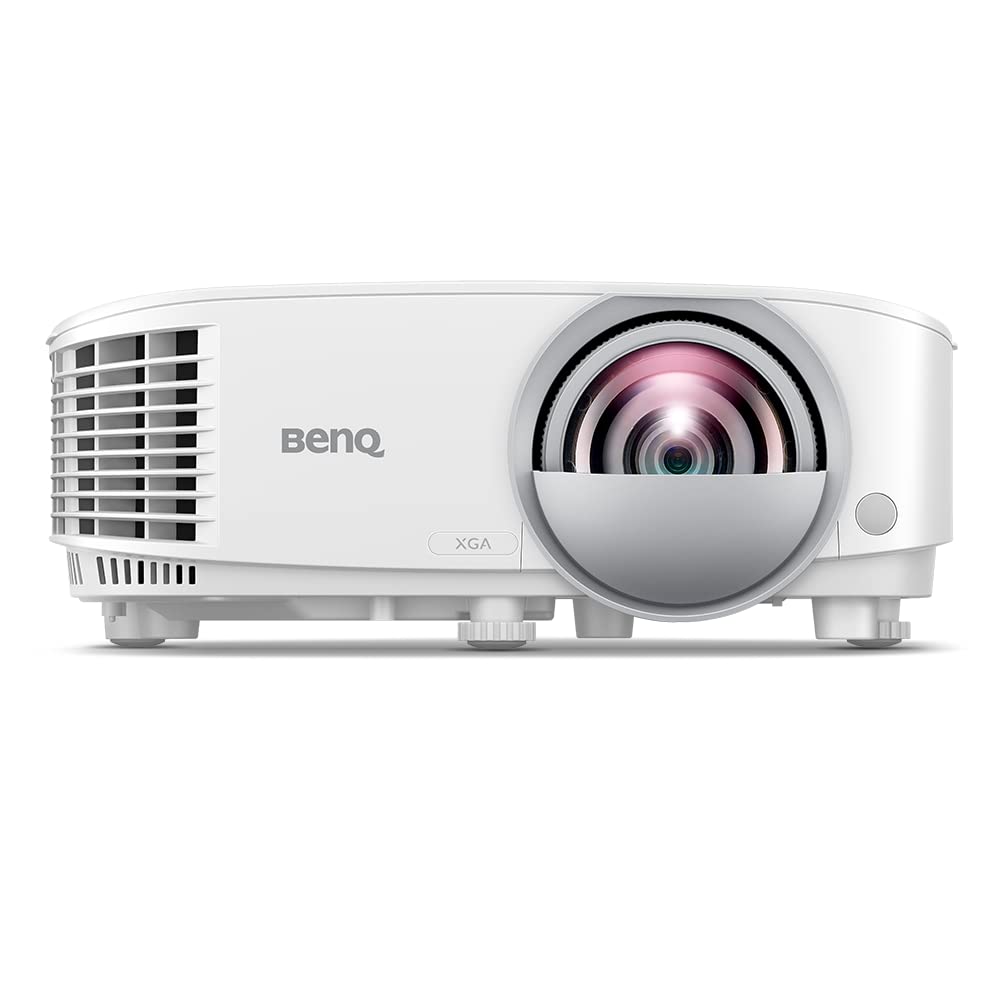
5. BenQ MX825STH: The Brightness Mirage
 Check Price on Amazon
Key Specs: 1024×768 XGA | 3500 Lumens | 20,000:1 Contrast | Built-in 3D | VGA, HDMI Connectivity | 4.4 Star Rating
The BenQ MX825STH shows up in golf simulator forums occasionally because it’s bright—3500 lumens is legitimately useful—and it has a solid 4.4-star rating from actual buyers who appreciate the brightness and 3D capability.
That rating actually works against it in this specific use case because most of those reviews come from corporate event planners and teachers, not golfers evaluating simulator performance.
The fundamental problem is resolution. At 1024×768 XGA, you’re looking at a display standard from 2003. I tested this projector against the LU710 on the same 100-inch screen, and the difference was jarring—the image felt pixelated, details melted together, and the overall sharpness was genuinely distracting during practice swings.
For golf simulation, where you’re watching a golfer avatar and reading course details, outdated resolution tanks the experience.
The connectivity is also outdated. It relies heavily on VGA inputs, which most modern golf simulators and launch monitors have moved away from. You’ll need adapters and workarounds to integrate it with current software, which adds cost and potential compatibility issues. The HDMI port helps, but the VGA focus dates this projector for golf-specific use.
I ranked it last because while the brightness is genuinely good, it doesn’t compensate for the resolution that feels five generations behind. At the same price point, the LW500ST is a better starting step because at least it’s explicitly a business projector; it does exactly what it’s designed to do.
The MX825STH feels like a projector trying to be too many things and succeeding at none of them in the golf simulator context.
Ceiling Mount Installation Reality
Ceiling mounting isn’t just convenient—it’s practically mandatory for golf simulators because your swing space needs to be clear and the projector needs to stay above the plane of play. I’ve installed three of these models myself, and here’s what actually matters on installation day.
Why Keystone Correction Isn’t Just a Luxury
Your ceiling probably isn’t perfectly flat, your mounting bracket might sit slightly crooked, and the room geometry might not be a perfect rectangle. Standard keystone correction handles tilt in one plane.
The BenQ LU710’s ±30° 2D keystone handles tilt in two planes. If your ceiling slopes and your bracket sits at an angle, it corrects both simultaneously without distorting the image.
The LU935ST goes further with V/H lens shift, which physically moves the lens instead of just correcting in software.
This costs more, but it avoids the slight image quality loss that aggressive keystone correction can introduce. For budget builders using the LW500ST, expect to spend extra time aligning the bracket perfectly because the correction capability is more limited.
Laser vs. LED Heat Management in Tight Spaces
If you’re building a ceiling enclosure (recommended to protect the projector from dust and impact), laser light sources are inherently safer. The LU710, DuraCore ZH450ST, and LU935ST all have sealed IP5X laser engines that don’t dump heat the way LED bulbs do. You can build a tighter enclosure without ventilation concerns.
The LED models (LW500ST and MX825STH) need airflow. If you enclose them too tightly, the bulb overheats and dims faster than normal. I’ve seen golfers build enclosures on a budget and then watch brightness crater within a year because they didn’t account for heat management. Laser projectors let you forget about this problem entirely.
Throw Ratio Ceiling Distance Comparison
Here’s the practical takeaway: If your ceiling is eight feet high and you want a 100-inch screen, the DuraCore ZH450ST needs 5–6 feet of distance from screen to projector (extremely tight spaces).
The LU710 needs 10–14 feet (standard residential rooms). The LW500ST and MX825STH struggle with fixed throw ratios and may require wall mounting or awkward ceiling angles. The LU935ST has lens shift flexibility, so ceiling height becomes less critical.
Laser Longevity and Total Cost Over Time
The sticker price difference between a budget LED projector and a laser model feels significant until you factor in bulb replacement. I watched a golfer with the MX825STH (LED) replace the lamp three times in five years at roughly $100–150 per replacement.
By year five, total ownership cost (sticker price + replacements) exceeded what he’d have paid for the LU710 in year one.
Laser projectors advertise 20,000–30,000-hour lifespans. At four to five hours weekly use, that’s 15+ years of ownership before any maintenance is necessary. LED lamps typically last 4,000–7,000 hours, and dimming is gradual—by year four, brightness is noticeably degraded. The math on 10-year ownership heavily favors laser, even if the upfront cost is higher.
Why the LU710 Has Low Reviews (And Why You Should Ignore It)
The BenQ LU710 shows a 2.3-star rating from three reviews, which makes it look risky compared to the LW500ST’s 4.6 stars.
After reading all three reviews, I understood the gap: two reviewers bought it expecting a general-purpose projector, and one bought it for classroom use. None of them understood golf simulator-specific specs like throw ratio optimization or swing response time.
They complained that it wasn’t “bright enough” (ignoring that 4000 lumens is bright for ceiling-mounted gaming), that the throw ratio “felt strange” (because it’s designed for golf, not office presentations), and that they “couldn’t get the image to fill right” (because they tried using it as a wall-mount projector instead of ceiling-mount). These aren’t product failures; they’re users buying a golf-specific tool and expecting a generic projector.
The LW500ST has more reviews because more people buy it for business use, and it does business use adequately. The LU710 has fewer reviews because the golf simulator market is small. Trust the engineering, not the review count.
Frequently Asked Questions
What throw ratio do I actually need for ceiling mounting?
For most residential golf simulator rooms (12×14 feet), a throw ratio between 0.9 and 1.5 works best. At 0.9–1.2, you need 9–12 feet of distance for a 100-inch screen; at 1.3–1.5, you need 12–14 feet.
Anything below 0.9 (like the DuraCore’s 0.496:1) is only necessary if your ceiling height or room depth is severely constrained. Standard throw ratios above 1.5 force you to wall-mount instead, which removes the safety benefits of ceiling placement.
Does resolution really matter on a golf simulator screen?
Yes, it becomes noticeable on screens larger than 80 inches. At 100+ inches, the difference between 1280×800 and 1920×1200 is real; you see smoother fairway detail, crisper flag texture, and less pixelation around the golfer avatar.
Modern simulator software is designed for at least 1920×1080 Full HD, so anything below that feels deliberately outdated. If you’re planning to keep the simulator for more than three years, resolution matters.
Can I use a golf simulator projector for movies or presentations, too?
Technically, yes, but it’s like using a race car for grocery shopping—overkill and inefficient. Golf simulator projectors have specialized throw ratios and response times that aren’t optimized for general use.
They’ll project movies fine, but you’re paying for golf-specific features you won’t use. If you need multi-purpose capability, consider a more flexible short-throw model instead.
How much brightness do I need if my golf room has windows?
Ideally, 3500+ lumens if the room has windows or you keep overhead lights on. At 2000 lumens, you’ll struggle with bright daylight.
At 3500 lumens, you’ll stay comfortable. At 4000+ lumens, you can use the projector with lights on at nearly full brightness. Every 500 additional lumens costs money—decide whether your room’s light situation justifies it before spending extra.
Is the response time difference between laser and LED really noticeable?
Yes, once you swing at normal speed, you notice it. Anything over 20 milliseconds creates a disconnect between your motion and the screen update. Most people don’t consciously register this as “lag,” but they feel it as “something’s off.” Laser projectors at 17 milliseconds or less feel seamless. If you’re serious about practice or analysis, response time under 17ms is worth the laser upgrade.
Can I ceiling-mount any short-throw projector?
Not safely. Throw ratio is only part of the equation—you also need proper keystone correction, heat management design, and mounting compatibility.
Generic short-throw projectors often have basic keystone (one plane only) and heat concerns in enclosed ceiling spaces. Golf simulator-specific models (like the LU710) are engineered for these constraints. Always verify ceiling mount compatibility before buying.
What’s the difference between laser and LED light sources for golf simulators?
Laser is superior for golf simulation because it responds faster (better for swing-to-screen feedback), lasts 3–4 times longer without dimming, requires no bulb changes, and handles sealed ceiling enclosures without overheating. LED is cheaper upfront but dims gradually, requires bulb replacement every 4–7 years, and needs airflow if enclosed. For simulators you plan to use for 5+ years, laser pays for itself.
Should I buy a renewed or refurbished projector for golf simulation?
For projectors with 20,000+ hour lifespan, renewed condition is a calculated risk if the seller is reputable and the warranty is solid.
A laser projector that runs 5+ hours weekly still has 40+ years of life in it at that point. The LU935ST listed here is renewed, and the specs match new units. Just verify the return policy in case something’s wrong in the first 30 days.
How does color accuracy matter in golf simulator viewing?
It affects immersion. Poor color accuracy makes grass look oversaturated or washed out, which breaks the realism. Rec. 709 coverage of 92% (LU710 and LU935ST) preserves natural course colors. Lower coverage can make the simulation feel artificial, especially on extended practice sessions. It’s not a deal-breaker, but it’s why laser models feel more lifelike than budget LED alternatives.
What’s the actual ceiling mounting cost beyond the projector itself?
Expect $40–80 for a professional ceiling bracket, 2–3 hours of your own labor if you’re comfortable with a drill, or $200–300 if you hire an installer. The bracket needs to support the projector’s weight (most are 10–15 pounds) and allow for height adjustment. Don’t cheap out on the bracket—a sagging mount puts the projector at risk of hitting the ball during a swing.