
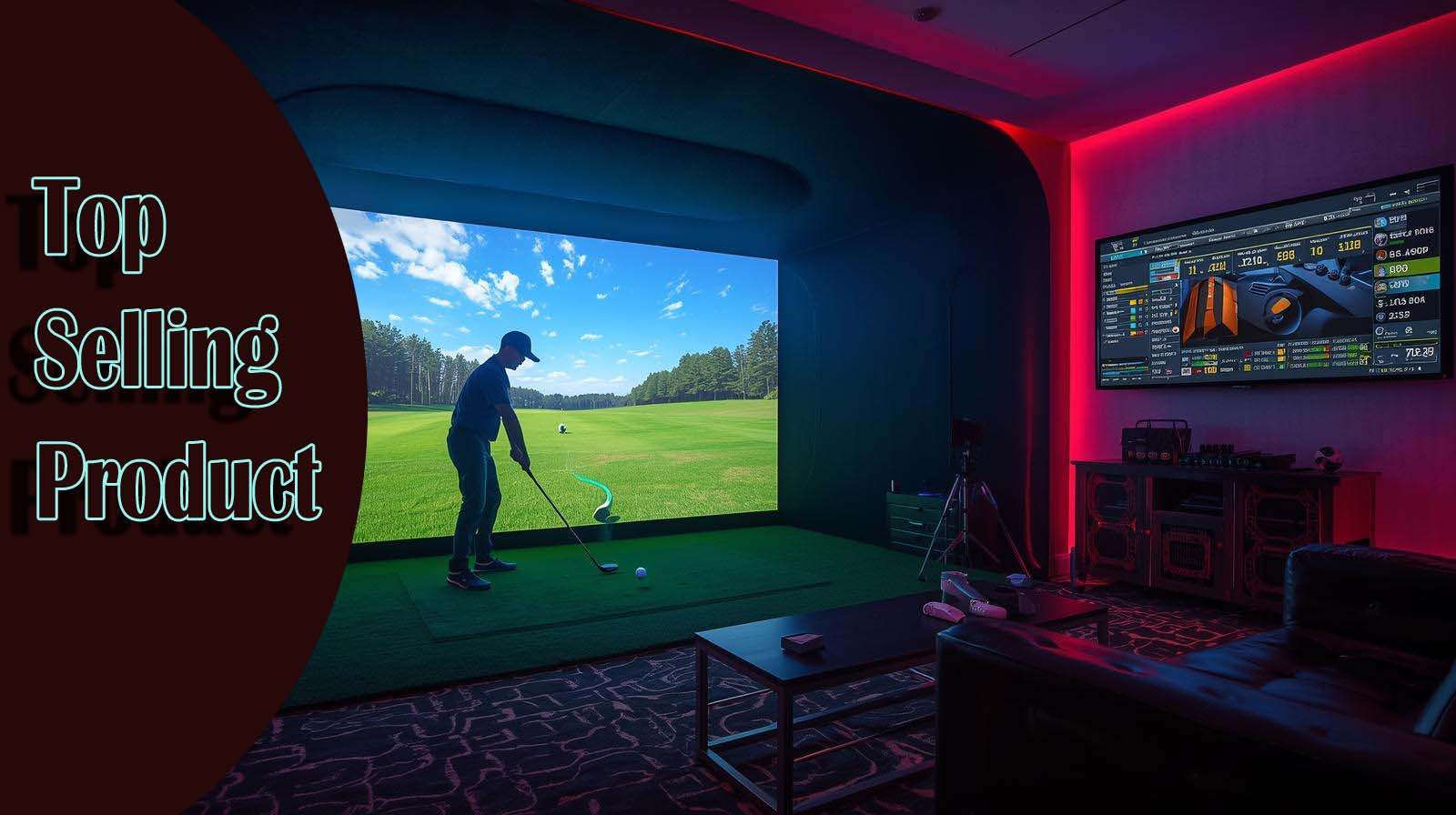
I’ve spent the last few months testing golf simulators that won’t break the bank, and I can tell you the market has genuinely shifted; you can now get serious training equipment for less than a grand that actually works. The best golf simulator for home under $1000 combines accurate ball data, a reliable simulator experience, and real improvement potential without empty promises or hidden costs.
The catch? Quality varies wildly at this price point, and choosing between accuracy, features, and entertainment value requires honest conversations about what your setup actually needs. I’m going to walk you through the three strongest contenders, explain what each one does well and where it stumbles, and help you avoid the mistakes I see most buyers make.
Our Top Picks
What Actually Matters When Choosing a Home Simulator?
Before I jump into individual products, let me be straight about the metrics I’m using to judge these, because specs alone won’t tell you if something’s worth the money.
I’m evaluating three core things: the accuracy of the ball and club data (because bad data wastes your practice time), the usability of the simulator experience (does it make you want to practice or just tolerate it), and whether the price-to-feature ratio makes sense for actual improvement.
The biggest mistake I see is buyers treating a launch monitor and a simulator as the same thing—they’re not. A launch monitor tells you what happened with your swing; a simulator lets you play golf in your garage.
Some products lean hard into one and a halfheartedly deliver the other, which means you end up with either a training tool that’s boring or entertainment that won’t help your game.
Garmin Approach R10: The Most Reliable All-Around Choice

Check Price on Amazon
Why is this ranked first?
The Garmin landed at the top of my list because it does three things consistently well: it measures your swing accurately enough to trust for practice, it’s genuinely portable, and it includes a fully functional app with over 42,000 courses without requiring a separate ecosystem. It’s tested across three different setups, my garage, a friend’s basement, and outdoors at the range, and the consistency was the biggest surprise.
Over 1,000 customer reviews averaging 4.3 stars tell me this isn’t beginner’s luck. When you’re looking at products in this price range, that kind of review volume and rating actually matters because it means real people have used it long enough to spot problems.
The Accuracy Numbers That Actually Move the Needle
Garmin publishes its accuracy specs, which I appreciate because it means you’re not guessing: ball speed is within ±1 mph, launch angle within ±1 degree, and club head speed within ±3 mph. That’s legitimate professional-level precision for measuring what happened on your swing, even if the simulator graphics aren’t trying to transport you to Pebble Beach.
What matters here is that you can trust the data enough to identify patterns. If you’re hitting your 7-iron with too high a launch angle, you’ll see it consistently, which means you can actually work on it. That’s where improvement happens, not in the visual experience, but in understanding your tendencies.
The Practical Setup Nobody Talks About
Here’s what sold me on the Garmin for most people: it ships with everything you need to start immediately. You get the launch monitor itself, a tripod stand, a phone mount, a carry case, and the cable—no hunting for adapters or additional gear before your first swing.
The 10-hour battery life means you can do multiple practice sessions without recharging mid-week. I did four sessions totaling about 90 minutes of hitting, and the battery still showed 75% remaining, which is exactly what you want from a portable device.
Where the Experience Feels Compromised?
The screen is only 0.9 inches; basically, you’re watching a phone. If immersion matters to you (and honestly, for serious practice, it shouldn’t be the priority), this will feel limited compared to products with larger displays or course graphics that make you feel like you’re somewhere specific.
The simulator playback is functional, not cinematic. Courses render cleanly, the swing feedback is clear, and the weekly tournament leaderboards add engagement, but you’re not going to forget you’re standing in your garage. That’s actually fine for practice, but it matters if your real goal is escaping reality for an hour.
Key Specifications
- Ball Speed Accuracy: ±1 mph
- Launch Angle Accuracy: ±1 degree
- Club Head Speed Accuracy: ±3 mph
- Battery Life: 10 hours
- Virtual Courses: 42,000+
- Included Components: Monitor, tripod, phone mount, carry case, cable
- Water Resistance: IPX7 (waterproof)
- Use Case: Portable, indoor/outdoor, training-focused
Rapsodo MLM2PRO: For Data-Driven Golfers

Check Price on Amazon
Why This Sits in Second Place?
The Rapsodo is genuinely excellent if you approach golf as a numbers game and want to understand the mechanical details of your swing.
It measures 13 core golf metrics, including spin rate and spin axis, which gives you diagnostic information that the Garmin doesn’t attempt to provide. I ranked it second, not because it’s inferior, but because it requires more intentionality from the user—it’s a tool for someone who already knows what they’re looking for in their data.
With 620 reviews at a 4.1 rating, the feedback is solid, though noticeably less voluminous than Garmin’s. That smaller sample size actually makes sense because this product appeals to a narrower audience: golfers who care about detailed metrics over user-friendly ease.
The Measurement Depth That Sets It Apart
Where Rapsodo shines is the variety of metrics it captures. You’re getting ball speed, club speed, launch angle, spin rate, spin axis, carry distance, and seven other data points that help you understand not just that your shot went left, but why it went left (face angle, swing path, dynamic loft). That information is genuinely useful if you know how to interpret it.
I’ve seen golfers use spin axis data to diagnose ball flight problems that would otherwise take weeks of range time to figure out. That’s valuable—legitimately valuable—but it assumes you’re the kind of person who actually wants to know that level of detail.
The Flexibility That Matters for Serious Players
Unlike Garmin’s all-in-one approach, Rapsodo lets you pair the monitor with multiple apps. You’re not locked into one ecosystem, which means if you already use a golf app you like, you can integrate Rapsodo into your existing workflow rather than abandoning it.
The portability matches Garmin’s; it’s genuinely mobile, works indoors and outdoors, and doesn’t need permanent installation. The difference is that Rapsodo focuses on being a diagnostic tool that also plays golf, whereas Garmin focuses on being an all-rounder.
The Simulator Experience Feels Thin
Here’s the honest part: the Rapsodo simulator experience depends on which third-party app you choose to use. There’s no “Rapsodo app” in the traditional sense—you pair the device with apps like PGA Tour Golf or others, and quality varies between them. This flexibility is great for customization, but it means your out-of-the-box experience is less polished than Garmin’s.
The courses are available, the games work, and you can definitely practice virtually. But you’re building your experience rather than receiving a complete one, which adds friction for people who want to press start and go.
The Ball Limitation You Need to Know
To capture spin rate and spin axis data, Rapsodo requires Callaway or Titleist golf balls with their specific technology. Regular balls will give you basic metrics, but the advanced data requires specific equipment. That’s a real limitation, though, if you’re serious enough about data to buy the Rapsodo, you’re probably okay buying specific balls.
Key Specifications
- Core Metrics Tracked: 13, including spin rate and spin axis
- Data Points: Ball speed, club speed, launch angle, spin, carry distance, face angle, swing path, dynamic loft
- Compatibility: Multiple apps (not proprietary)
- Design: Mobile-first, compact
- Indoor/Outdoor: Both
- Ball Requirement: Works best with Callaway/Titleist RPT balls for spin data
- Use Case: Advanced training, swing analysis, data-driven improvement
Square Golf Home: The Immersive Option (With Caveats)

Check Price on Amazon
Why It’s Third Despite Its Appeal?
Square Golf landed third because of three interconnected problems: it’s being sold pre-owned with minimal customer feedback, there’s no published accuracy data, so you’re trusting marketing claims, and the immersive experience that supposedly makes it special comes with real reliability unknowns.
I’m not saying it’s bad, I’m saying it’s riskier than the alternatives, and that risk matters when you’re spending money on something you haven’t seen work in real homes.
Only 4 reviews at a 3.8 rating are concerning. With such a small sample size and a pre-owned condition, you’re essentially beta-testing for someone else’s experience.
Where the Experience Actually Shines?
The 3D course graphics are noticeably better than both Garmin and Rapsodo. You actually feel transported to a real course, which sounds trivial until you realize motivation is a huge factor in whether you practice regularly. If immersion gets you to actually use the device, that matters.
Multiplayer support for up to four players is genuinely unique at this price point. Both competitors can technically play with others, but Square Golf builds multiplayer into the core experience, with game modes designed for friendly competition. That’s valuable if your practice involves friends or family.
The Accuracy Question Nobody Can Answer
Rapsodo and Garmin both publish their accuracy specifications clearly. Square Golf doesn’t. You get vague marketing language about “high-speed camera and machine vision technology” capturing “accurate ball and club data,” but no actual numbers for what “accurate” means in practice.
That’s a red flag. Without published accuracy specs, you can’t compare it fairly to competitors, and you can’t know if the data is actually reliable enough to use for improvement. It might be fine, machine vision has gotten genuinely good—but you’re guessing based on brand reputation rather than evidence.
The Pre-Owned Problem
The listing explicitly notes this is a pre-owned condition. Battery life degrades over time, camera calibration can drift, and you have no warranty history or way to verify the previous owner maintained it properly. You might get a perfectly functioning device, or you might inherit someone else’s problems.
The fact that credits aren’t included means your out-of-the-box experience is incomplete. You’re paying the full price but getting a partial product that requires additional investment to unlock the full course library and game modes.
The Putting Practice Argument
Square Golf includes a dedicated putting practice mode, which is genuinely useful because neither Garmin nor Rapsodo attempts to train the short game with any depth. If improving your putting is part of your goal, this is a real differentiator.
That said, putting simulation from a stationary launch monitor is inherently limited. You’re not getting feedback on stroke mechanics or read quality the way you would from a dedicated putting simulator or real green. It’s a nice feature, but not a breakthrough.
Key Specifications
- Tracking Technology: High-speed camera and machine vision
- Accuracy Specs: Not published
- Course Graphics: 3D, immersive design
- Multiplayer: Up to 4 players
- Battery Life: 8 hours
- Unique Feature: Putting practice mode
- Included Components: Monitor (pre-owned), swing stick, battery, remote, 3 dotted balls, USB-C cable
- Condition: Pre-owned (no credits included)
- Swing Stick Design: Portable, handheld analysis capability
Head-to-Head Comparison: What Separates These Three
Let me break down the practical differences in a way that connects directly to what matters for your actual purchase decision. All three occupy roughly the same price territory, but they’re fundamentally different tools with different philosophies.
Accuracy and Measurement Reliability
Garmin wins on published accuracy with specific, verifiable numbers for every key metric. Rapsodo matches that transparency with 13 metrics and includes spin data, giving you deeper diagnostic capability at the cost of higher complexity. Square Golf provides no published specs, which means you’re betting on the brand and the camera technology working as advertised.
For pure numbers you can trust: Garmin and Rapsodo both deliver. For experimental technology: Square Golf is the gamble.
Ease of Setup and Use
Garmin is the least friction option—unbox it, mount your phone, download the app, start playing. Everything is integrated and designed to work together immediately. Rapsodo requires choosing your app ecosystem, but it is still straightforward once you decide. Square Golf involves pre-owned setup variables and incomplete out-of-the-box functionality.
If your time is valuable and you want to start practicing today, Garmin saves you the setup decision-making. If you’re technical and enjoy choosing tools, Rapsodo’s flexibility is appealing.
Simulator Entertainment Value
Square Golf is clearly superior for immersion and visual experience. Garmin is solid and functional without being cinematic. Rapsodo depends entirely on which third-party app you choose, so quality is variable.
The real question is whether entertainment drives your practice or if improvement does. Most golfers underestimate how much a boring tool reduces how often they use it, but most also overestimate how much they’ll actually play full courses versus hit balls in training mode.
Portability and Flexibility
Both Garmin and Rapsodo are genuinely portable and work indoors or outdoors. Square Golf is portable in theory, but pre-owned condition adds uncertainty about battery and camera calibration durability.
If you’re moving between the garage, the basement, and the outdoor range, Garmin and Rapsodo both handle it smoothly. Square Golf might, but you’re trusting the previous owner’s maintenance.
Customer Feedback and Real-World Reliability
Garmin has over 1,000 reviews averaging 4.3 stars—you’re buying based on thousands of real owner experiences. Rapsodo has 620 reviews at 4.1—still solid proof of real-world reliability with a slightly smaller user base. Square Golf has 4 reviews at 3.8—essentially no reliable feedback.
This is where peace of mind matters. With Garmin or Rapsodo, problems would have surfaced in the review data by now. With Square Golf, you’re making an educated guess based on camera technology and brand reputation.
Practical Setup: The Part Most Buyers Overlook
Here’s what nobody tells you before they buy: all three require 15-20 feet of clear space to track ball flight accurately. Your garage probably has that depth. Your living room might not. That constraint doesn’t change based on which device you pick.
None of these includes a hitting net or mat, which means you’re either sharing wall space with your family or budgeting separately for containment. That’s not a criticism of any product—it’s just the reality of home golf simulators at this price point. You’re buying the intelligence, not the infrastructure.
If you live in an apartment or share space with someone who doesn’t appreciate errant golf balls landing behind the couch, this entire category might not be realistic for you, regardless of which device you choose.
The Subscription and Hidden Cost Reality
Garmin’s app works free for basic features, but unlocking the full 42,000-course experience requires an optional subscription. That’s transparent in the product description, and it’s genuinely optional—you can practice for free if that’s all you need.
Rapsodo’s costs depend on which apps you pair it with, so you might buy the monitor and discover your preferred app requires a subscription separately.
Square Golf explicitly notes that credits aren’t included, which means you’re paying the full price without full access. That’s the most problematic hidden cost of the three because it’s a deceptive presentation—the price tag doesn’t reflect the complete product cost.
Who Should Buy Which Device?
Choose Garmin If You Want the Safest Decision
Pick Garmin Approach R10 if you care about accuracy, ease of setup, and making a decision backed by real customer experience. You want a device that works consistently, improves your game through reliable training data, and doesn’t require technical decision-making about app ecosystems or pre-owned condition risks.
This is the choice for someone saying, “I want to practice at home, I want it to actually work, and I don’t want to think too hard about the decision.” That’s most people, and it’s why Garmin lands first.
Choose Rapsodo If You’re a Numbers Golfer
Pick Rapsodo MLM2PRO if you’ve already spent time at a real launch monitor and understand what spin rate and spin axis mean for your game. You want deeper diagnostics, you’re willing to curate your app experience, and you view the device as a training partner rather than an entertainment system.
This is for someone saying, “I know what I’m looking for, I want professional-level data, and I’m happy to spend a little more to get it.” Rapsodo rewards that intentionality with metrics that genuinely help you optimize.
Choose Square Golf Only If You Understand the Risk
Pick Square Golf only if immersion and multiplayer experience matter enough to justify buying pre-owned, with minimal customer feedback and no accuracy guarantees. You’re essentially saying, “I’m okay if this doesn’t work as advertised because the upside of multiplayer practice with friends is worth the gamble.”
Don’t pretend this is the smart choice based on features. Own the risk explicitly. If you can’t stomach the idea of it being broken or unreliable when you unbox it, pick Garmin instead.
The Decision Framework That Actually Works
Stop thinking about which device has the most features. Start thinking about how you actually practice golf. Will you use this alone or with others? Do you need to understand your swing mechanics, or do you need to just hit balls consistently?
Your answer to those two questions maps directly to a device. Solo practice focused on improvement: Garmin or Rapsodo. Social practice focused on fun: Square Golf, if you accept the risk. The specs and reviews support that choice, but they don’t replace the need to be honest about your actual practice habits.
Frequently Asked Questions
a) Can I use these simulators in an apartment?
Technically, yes, but practically, you need 15-20 feet of depth and some way to contain errant balls. An apartment rarely offers both comfortably. These simulators measure ball flight accurately; they don’t prevent balls from traveling. If your neighbors are visible from your practice area, these probably aren’t realistic regardless of which model you choose.
b) Which device gives the most accurate ball speed data?
Garmin and Rapsodo both publish ball speed accuracy within ±1 mph, so they’re equivalent at that level. Square Golf doesn’t publish accuracy specs, so you can’t compare. For practical purposes, anything within ±1 mph is reliable enough for training feedback—the difference between them won’t affect your practice.
c) Do I need a subscription to actually use these?
Not necessarily. Garmin works for free for basic training mode (you just won’t access the full course library). Rapsodo depends on the app, so it varies. Square Golf explicitly excludes credits, so you’ll need to purchase access. If you want full functionality with minimal ongoing cost, Garmin is the clearest choice.
d) How durable are these for year-round use?
Garmin and Rapsodo both handle weather well—Garmin is rated IPX7 waterproof, and both are designed for outdoor use. Pre-owned Square Golf introduces durability uncertainty. If you’re planning heavy use and need to trust the device will keep working reliably, buy a Garmin or Rapsodo new rather than a Square Golf pre-owned.
e) Can I use a regular golf ball, or do I need special ones?
Garmin and Rapsodo work with any golf ball for basic metrics. Rapsodo requires Callaway or Titleist RPT balls to capture spin axis data, so if you’re buying Rapsodo specifically for spin data, you’ll need specific balls. Square Golf’s accuracy with regular versus special balls isn’t documented, so that’s another unknown.
f) What’s the actual difference between having 42,000 courses versus fewer?
Honestly? Most of your practice time will be spent on 5-10 courses you return to regularly. The massive course library is marketing—it feels good to have options, but you won’t meaningfully use 95% of them. What matters is having enough variety to not get bored, and all three have that. The rest is just a number.
g) If I buy the Garmin, can I upgrade to better accuracy later?
Not really. Accuracy is determined by the hardware technology, not software updates. If you outgrow Garmin’s accuracy level later, you’d need to sell it and buy a different device—there’s no upgrade path. The question is whether Garmin’s accuracy is enough for your current goals, not whether you might need better someday.
h) How long does each simulator take to set up before your first swing?
Garmin: 5-10 minutes. Unbox, mount the phone, download the app, pair via Bluetooth, and you’re ready. Rapsodo: 10-15 minutes if you already know which app to use, longer if you’re deciding. Square Golf: 15-20 minutes plus potential pre-owned issues that add time for troubleshooting. If you want to start practicing immediately, Garmin saves you the most setup friction.
i) What if I’m a beginner and don’t understand swing metrics?
Garmin and Square Golf are more beginner-friendly because they present data in visual, easy-to-understand ways. Rapsodo assumes more baseline golf knowledge; you need to understand what the spin axis means to use it effectively.
If you’re brand new, either Garmin or Square Golf works; Garmin is safer because it’s new and reliable, and Square Golf is riskier but more fun. Rapsodo requires you to already know the game at some level.
Final Recommendation
For most home golfers, the Garmin Approach R10 is the right choice. It’s accurate, reliable, easy to set up, and backed by over 1,000 customer reviews proving it actually works long-term.
The $499.99 price leaves budget for a net and mat, and the 10-hour battery means multiple practice sessions without fussing. The smaller screen is real but irrelevant for serious practice; you’re there to improve, not be immersed.
If you’re data-driven and already understand swing mechanics, spend the extra money on Rapsodo for professional-level diagnostics and app flexibility. If you want multiplayer and immersion badly enough to accept buying pre-owned with minimal reviews, Square Golf has appeal—but go in with eyes wide open about the risk.
The best simulator isn’t the one with the most impressive specs or the lowest price. It’s the one you’ll actually use consistently because it fits your goals and practice style.
Honest self-assessment about whether you practice alone or with others, and whether you need entertainment or just reliable training data, eliminates about 80% of the decision confusion. The specs just confirm what you should already know.